
The cleanest way to think about pressure is force per unit area, and the cleanest way to use that definition in practice is to keep your units honest. A car tire gauge reads 32 psi, a weather app shows 1013 hPa, a vacuum chamber pulls 1 microbar, a hydraulic press hits 200 bar, and a chemistry textbook says 1 atm. Every one of these is the same physical quantity, and every one of them needs a different number when you switch contexts. The Pressure Calculator & Converter at Elysia Tools handles both jobs in one place: it solves the P = F / A formula three ways (given any two of pressure, force, and area, find the third) and it converts between nine common pressure units without you memorising conversion factors. This field guide walks through what the tool actually does, how to read its output, and how to avoid the unit mistakes that creep into real engineering and lab work.
What “pressure” means and why the formula matters
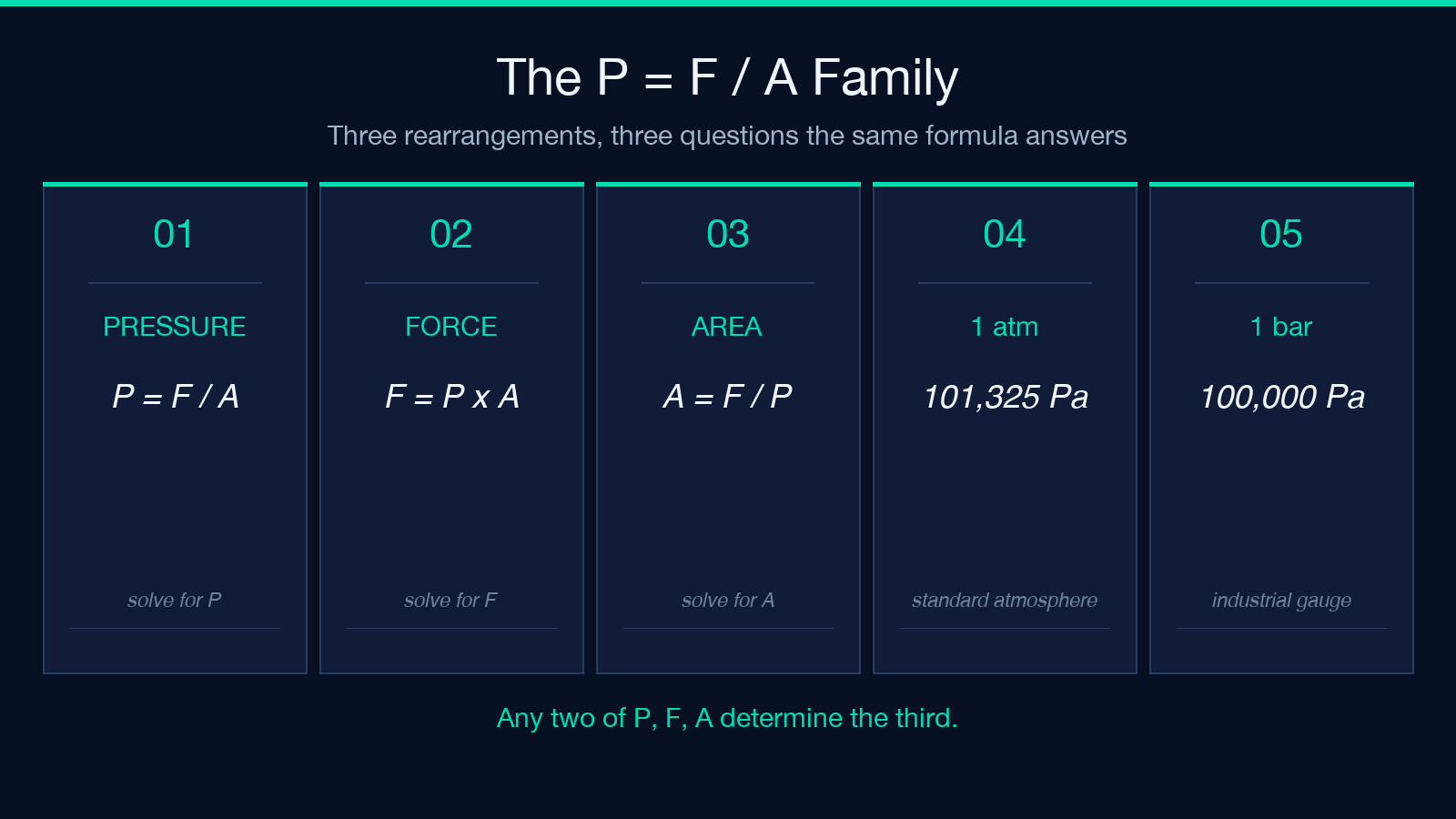
Pressure is force applied perpendicular to a surface, divided by the area of that surface. The SI definition gives you one pascal (Pa) per newton per square meter: 1 Pa = 1 N / m^2. The full P = F / A relationship has three rearrangements, and any one of them can save you an arithmetic mistake:
- P = F / A — solve for pressure when you know force and area
- F = P * A — solve for force when you know pressure and area
- A = F / P — solve for contact area when you know force and pressure
The Pressure Calculator exposes all three as a mode selector. Pick “Solve for pressure” if you have a known force spread over a known area; pick “Solve for force” if you know how much pressure a system applies and how large the contact patch is; pick “Solve for area” when you need to find the size of a piston or a foot pad that will keep a load under a safe stress limit. The output unit defaults to pascals, but you can switch the result to kPa, bar, psi, atm, or any of the supported units without re-entering the inputs.
The same formula works in reverse: if you ever need to size a hydraulic cylinder or estimate the contact pressure under a heavy machine, the Pressure Calculator takes your force and area and gives you the resulting pressure in the unit your spec sheet uses.
The nine units you actually meet in the wild
Most pressure confusion comes from the unit names, not the math. The tool’s converter pane accepts any of nine units and emits the same value in every other one. Memorising the anchor values is enough to spot-check every conversion:
- 1 Pa — defined; 1 newton per square meter; rarely seen alone outside SI physics
- 1 kPa = 1,000 Pa — meteorology, blood pressure, vacuum pump ratings
- 1 MPa = 1,000,000 Pa — structural engineering, hydraulic systems, materials testing
- 1 hPa = 100 Pa — the unit on every weather map and aviation METAR
- 1 bar = 100,000 Pa — industrial pressure gauges, tire inflators, dive computers
- 1 atm = 101,325 Pa — the standard atmosphere; chemistry and thermodynamics reference
- 1 psi = 6,894.757 Pa — US mechanical engineering; tire pressure; plumbing supply
- 1 Torr = 101,325 / 760 Pa (about 133.322 Pa) — mmHg; medical gas, vacuum, spectroscopy
- 1 inHg = 3,386.389 Pa — aviation altimeter setting; US weather reporting
A weather report of “1013 hPa” and a tire gauge of “32 psi” and a chemistry paper citing “1 atm” are all describing the same sea-level ambient pressure within rounding. The converter is fastest when you anchor one of these to memory: once you know that 1 atm is roughly 14.7 psi, roughly 1 bar, and roughly 1013 hPa, every other conversion is one cross-multiplication away. The Pressure Calculator does the cross-multiplication; you just need to know which unit your downstream tool expects.
Gauge pressure vs absolute pressure
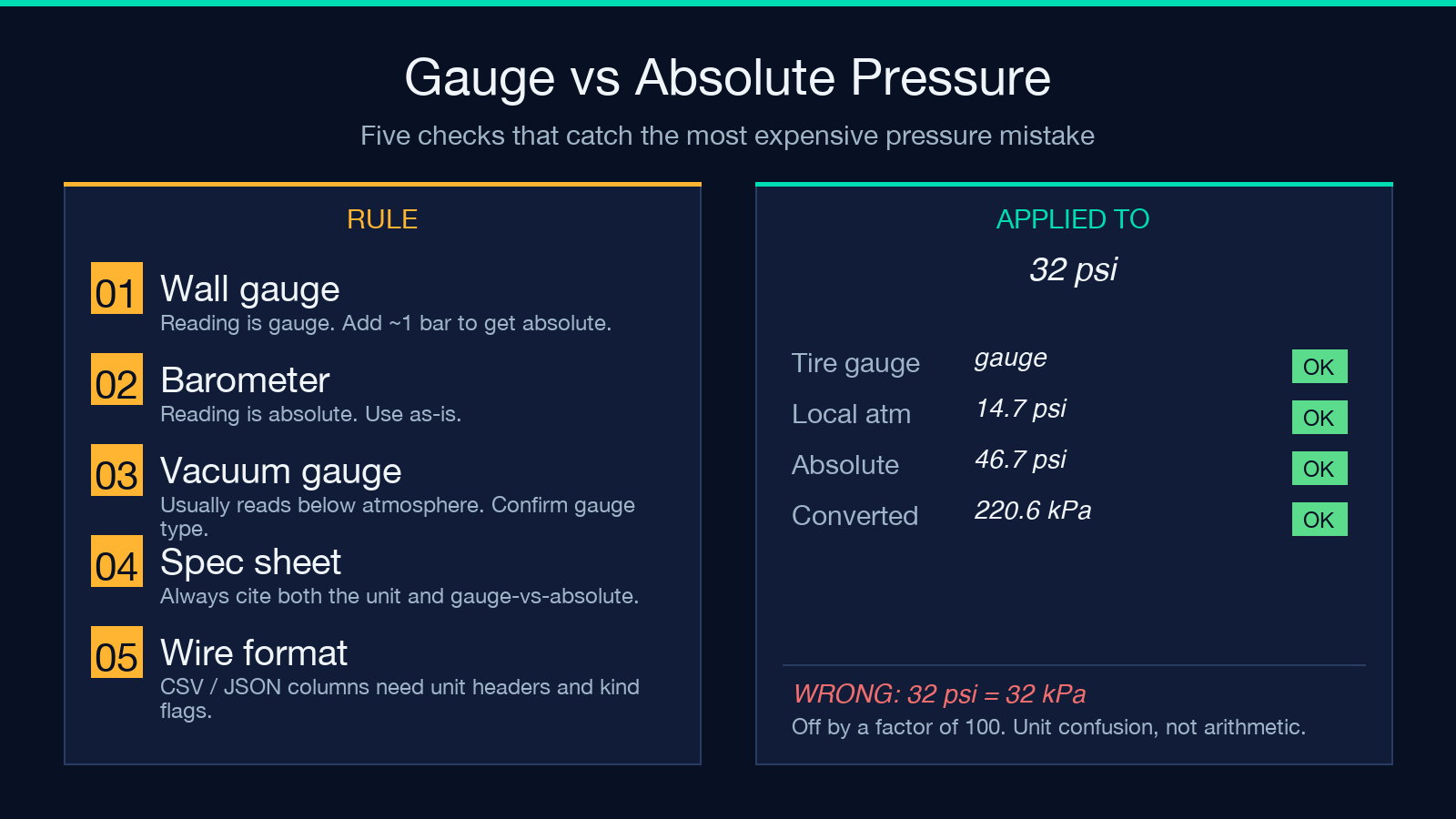
The single most expensive unit mistake in pressure work is mixing gauge and absolute readings. A tire gauge that reads “32 psi” is measuring gauge pressure — pressure above local atmospheric. The absolute pressure inside the tire is gauge plus atmospheric: about 32 + 14.7 = 46.7 psi absolute. The same confusion applies in vacuum work: a “5 Torr” gauge pressure in a chamber pumped down from atmospheric corresponds to roughly 760 – 5 = 755 Torr absolute.
Three rules of thumb keep this clean:
- If the source is a gauge on a wall or a tire, the reading is gauge — add local atmospheric (about 1 bar or 14.7 psi) to get absolute
- If the source is a barometer, altimeter setting, or steam-table entry, the reading is absolute
- If the source is a vacuum gauge near a pump, ask whether the gauge reads “down from atmospheric” (most do) — that is a gauge reading, not an absolute one
The Pressure Calculator handles the math; it is on you to label which kind of pressure you are entering. The tool’s output does not silently convert gauge to absolute, because the conversion depends on local atmospheric pressure that the tool does not measure.
Worked example: a hydraulic press load
Picture a hydraulic press with a 50 cm^2 piston (0.005 m^2) driven by line pressure of 180 bar. How much force does the piston deliver? Plug into the F = P * A mode of the calculator:
- P = 180 bar = 18,000,000 Pa
- A = 50 cm^2 = 0.005 m^2
- F = 18,000,000 * 0.005 = 90,000 N (about 9.2 metric tons of force)
Reverse the calculation: if the press is rated for a maximum of 12 metric tons, what line pressure is safe? Solve for pressure with F = 117,680 N and A = 0.005 m^2: P = 117,680 / 0.005 = 23,536,000 Pa = 235.36 bar. The calculator emits the same number in bar, psi, atm, MPa, and kPa, which is useful because the spec sheet almost always quotes a different unit than the gauge on the wall.
The same tool handles the inverse problem — sizing a foot pad for a load. A 200 kg machine that must not exceed 50 kPa of floor contact pressure needs a pad area of at least 200 * 9.81 / 50,000 = 0.039 m^2, which is roughly a 20 cm by 20 cm pad. Swap in your numbers, read the result in the unit your safety doc uses.
Common reference values worth memorising
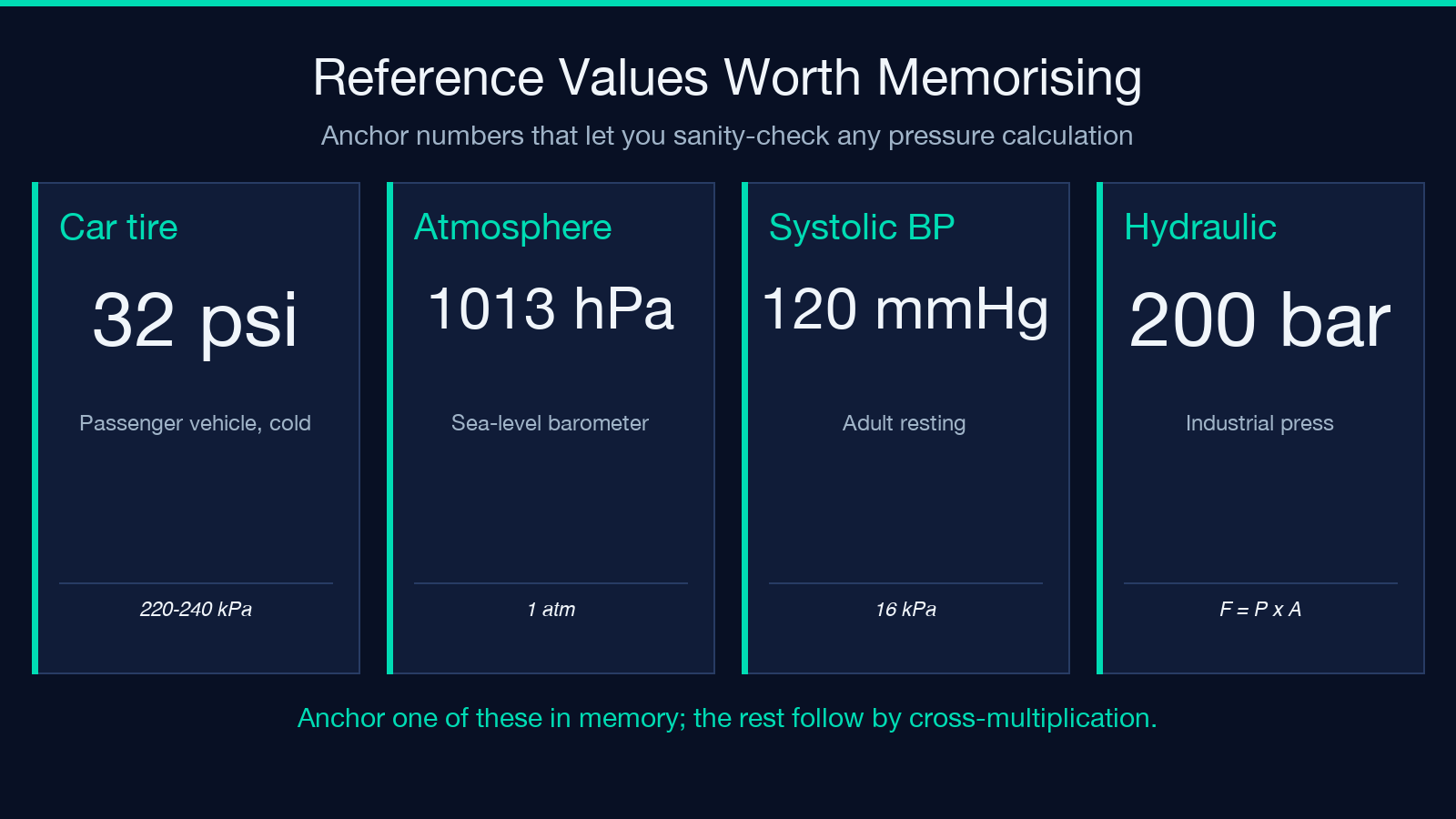
A handful of reference values come up often enough that keeping them in working memory beats any calculator. The Pressure Calculator is fastest when you can sanity-check its output against these anchors:
- Car tire (passenger): 32-35 psi = 220-240 kPa = 2.2-2.4 bar
- Sea-level atmosphere: 1 atm = 1013 hPa = 101.325 kPa = 14.7 psi
- Blood pressure (systolic): about 120 mmHg = 16 kPa = 2.3 psi
- Hydraulic systems (industrial): typically 100-250 bar
- Vacuum (rough): 1 Torr = 133 Pa; (high): 1 microTorr = 0.133 Pa
If a calculation gives you a wildly different answer than these anchors for the same scenario, you have either entered the wrong unit or mixed gauge and absolute. The converter catches the first; the second is on you to label.
Where pressure shows up in code and data
If you build software that touches pressure — sensor logs, lab automation, weather APIs, engine controllers — three traps show up over and over:
- Units in the wire format. CSV columns labelled “pressure” without a unit header; JSON payloads where one field is in Pa and another is in bar. The Pressure Calculator’s converter is a quick way to sanity-check both ends of a pipeline.
- Floating-point drift across conversions. Pa to psi to Pa round-trips with about 1e-6 relative error. Fine for most uses, expensive for high-precision vacuum work where the rounding eats your last significant figure.
- Gauge flag missing from the schema. A reading of “0” might mean vacuum or might mean gauge disconnected. Carry the gauge-vs-absolute flag in the same record as the number.
If you build the metadata right, the Pressure Calculator becomes the spec for what your data means: every column and field gets a unit, every reading gets a kind flag (gauge / absolute / differential), and conversions downstream are a single multiplication away. Pair the converter with a JSON or CSV unit audit at the schema level — the Accessibility Checker covers WCAG surface area, but a separate unit audit catches schema drift the accessibility tools miss.
Putting it together
Use the Pressure Calculator in two passes. First pass: solve the P = F / A formula three-way to land on the quantity you actually have — a force, a pressure, or an area. Second pass: convert the result to the unit your downstream consumer expects, and label gauge vs absolute explicitly. Both passes take seconds once you know which mode you are in, and the converter pane keeps all nine units one click away without leaving the page.
The single habit that prevents the most expensive unit mistakes is labelling every number with both its unit and its kind (gauge or absolute). The calculator gives you the unit conversion for free; the kind label is a one-line schema decision that catches more bugs than any other pressure-related hygiene fix. Five minutes of “label everything” before the first data lands saves hours of “which number was wrong” later.
Where to look next
Two follow-up reads extend what this guide covers. The first is the same tool used in reverse — solving for force or area — for mechanical engineering and machine-design contexts; the second is any of the unit-aware conversion tools at elysiatools.com/en/tools for the same hygiene applied to length, mass, or temperature data.
