
Upside-down text is just per-letter Unicode lookalikes pasted back in reverse order, and that two-step trick is the entire engine. If you’ve ever copy-pasted a flipped sentence from a meme and wondered how it was built — there is no font, no image, no JavaScript on the receiving end. The output is plain text whose characters happen to render upside down at any reasonable reading distance, and a tool like Elysia Tools Upside-Down Text ships the table that makes it work. This field guide walks through what that table actually contains, why a single flip without a reversal looks wrong, and the two toggles that turn a one-trick pony into a real composition primitive.
What “upside-down text” really is
The illusion is pure Unicode. Each Latin letter has a sibling character in the supplementary blocks that looks like the letter rotated 180 degrees: o stays as o (rotational symmetry saves it), H becomes ɥ, e becomes ǝ, W becomes ʍ. There is no font swap and no canvas trick — the flipped string is just ordinary code points that your font happens to render inverted.
The full upside-down alphabet covers the lowercase a–z range and uppercase A–Z, with a few digraphs for letters that have no clean glyph (M does not have a 180-degree twin, so the closest available form is used). Digits are a soft spot: most digits don’t have a true rotation, so they get approximated by lookalike numerals in other scripts. The result reads as flipped, but a sharp eye will spot the digit substitution.
The classic mistake is assuming flipping the letters is enough. If you map Hello to ollǝH and stop there, the letters are upside-down but the word still reads left-to-right — so when you turn your screen, the order is wrong. You have to reverse the whole string after the per-letter mapping. That second step is the secret.
Reverse reading order, on by default
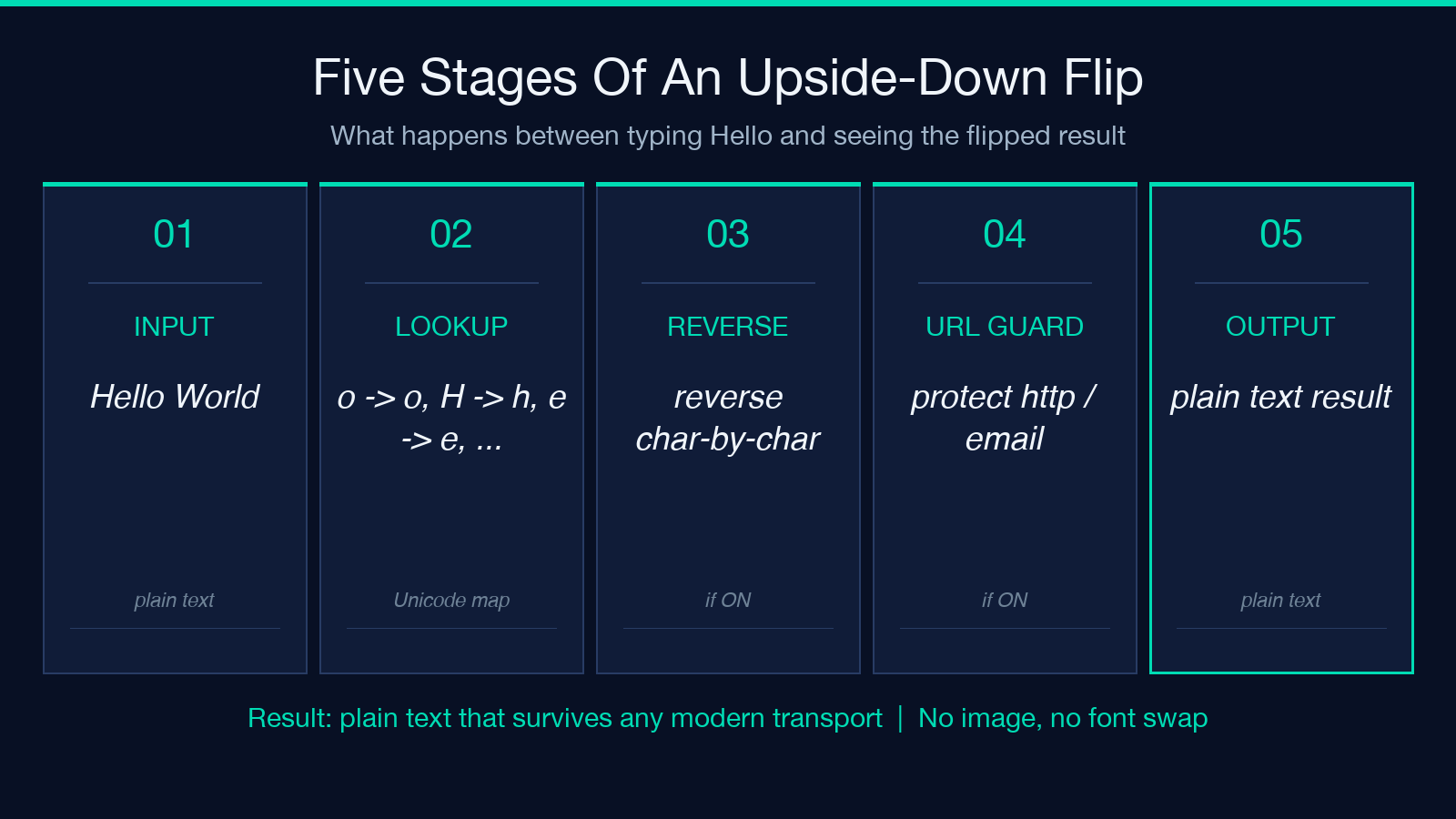
The tool has two toggles. The first is Reverse reading order, default ON, and it is the toggle most users will leave alone.
After the per-letter lookup runs, the mapped string is reversed character-by-character. So Hello becomes ollǝH after the lookup, then Hǝllo after the reversal — which renders correctly when the screen is rotated. With the toggle OFF, you get ollǝH (letters flipped, order preserved). That mode is useful for visual effects layered on top of an unrotated layout, like a header decoration that reads upside down without requiring the viewer to tilt their head.
In practice, the toggle’s main job is to match the input to the rendering context. If the flipped text is going into a social-media bio that the viewer is expected to physically rotate their phone to read, keep the toggle on. If the flipped text is going into a logo composition where the rest of the layout stays upright, flip the toggle off and treat the result as a static graphic primitive.
Keep URLs and emails, off by default
The second toggle is Keep URLs & emails, default OFF. When ON, the tool detects URLs (http://, https://, bare domains starting with www.) and email addresses ([email protected]) before the flip runs, replaces them with placeholder tokens, runs the flip on the surrounding text only, then restores the URLs and emails in their original form. The output contains a clean, clickable URL in the middle of otherwise-flipped text.
This matters because the upside-down table will happily scramble any URL it sees — turning https://example.com into something that looks like a URL but is not clickable and resolves to nothing. With the toggle ON, the URL stays untouched and copy-pasteable, which is exactly what you want when posting an upside-down caption that contains a real link.
The detection regex is straightforward: anything matching https?://…, www.…, or [email protected] gets pulled out before transformation. The placeholders survive the flip because they live in the Private Use Area, which has no glyph in the default font, so the placeholder bytes pass through unchanged even when the surrounding text is rotated.
The character table, in detail
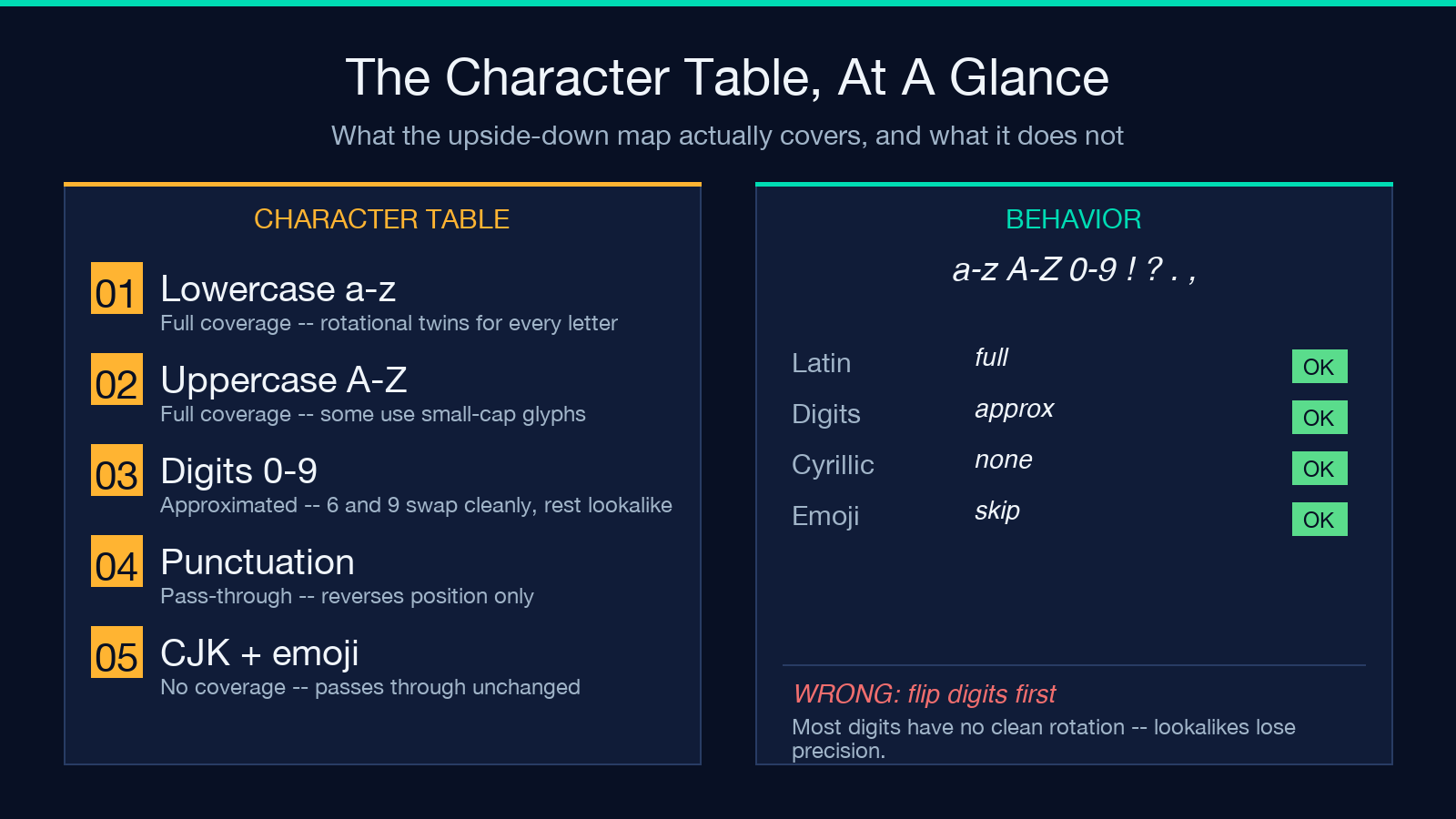
The upside-down table covers the full lowercase alphabet and uppercase alphabet. A few entries are worth calling out because they look subtly different from what you might expect:
bbecomesq(the rotational twin)dbecomespnbecomesupbecomesdqbecomesbHbecomesɥ(small capital)MandWhave no clean twin — they map to their closest lookalikes, which is why flipped strings with these letters look slightly off! ? . ,keep their visual form but get moved around by the reversal, which can produce sentences that read “backwards” in the punctuation sense as well as the letter sense
Digits are the weak spot. The standard upside-down table substitutes 0 → 0, 1 → Ɩ, 2 → ↄ (approximate), 3 → Ɛ, 4 → ㄣ, 5 → ϛ, 6 → 9, 7 → ㄥ, 8 → 8, 9 → 6. The 6 ↔ 9 swap is the cleanest of these because it is genuinely rotational. The rest are lookalikes that read as digits when squinted at but are technically other characters. If you need flipped digits to be unambiguous, render them as separate numbers (23 becomes Ɛↄ after flip, which most readers will decode correctly but not all).
How the tool actually runs
The implementation is a single pass over the input. For each character, the tool looks up the upside-down twin in the table; if a twin exists, it substitutes; if not, the character passes through. After the lookup pass, the string is reversed if Reverse reading order is on. After the reversal, the URL/email restoration pass runs if Keep URLs & emails is on.
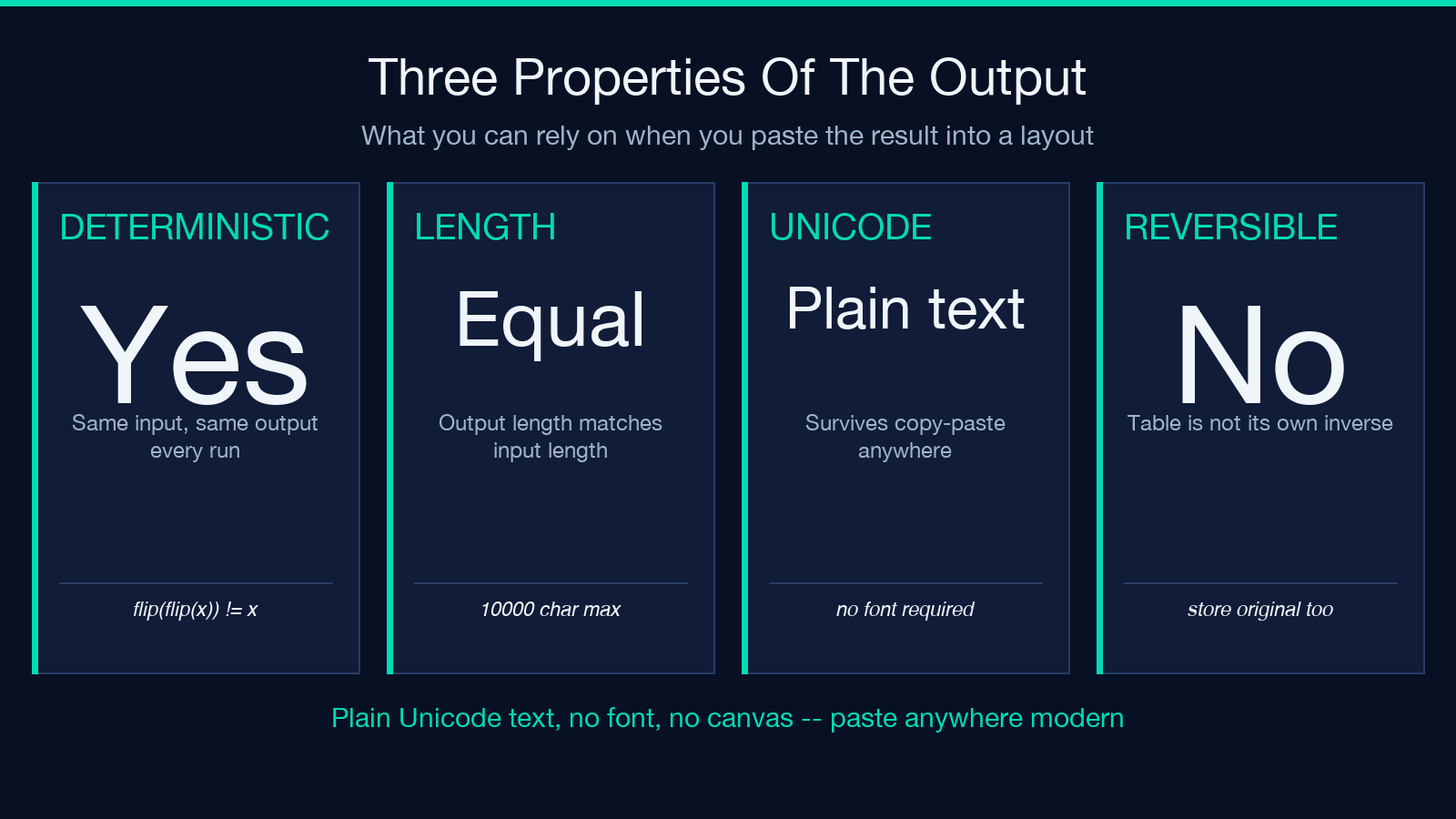
Three properties fall out of this design:
- Determinism — — flipping the same input twice does not give you back the original, because the table is not its own inverse (
o → ois symmetric, butH → ɥandɥhas no entry in the table, so the second flip does not undo the first). If you need reversibility, store the original alongside the output. - Length preservation — — every character maps to exactly one character (or itself), so the output has the same length as the input. URL placeholder substitution temporarily changes the length but the restoration pass returns it to parity.
- Copy-paste safety — — the output is plain Unicode text. It survives copy-paste into any system that handles Unicode (every modern OS, every modern chat app, every modern email client). It does NOT survive copy-paste into systems that strip non-ASCII on the way through (some SMS gateways, some legacy form fields). If your transport layer is lossy on Unicode, the output will arrive as garbage.
Common compositions and edge cases
Three composition patterns show up repeatedly:
- Flipped sentence with a real URL — paste your sentence, flip Keep URLs & emails ON. The URL stays clickable while the surrounding text flips. Useful for bios that contain a portfolio link.
- Flipped list of names — paste the names, leave both toggles at their defaults. Each name flips independently. Useful for stylized bylines where the author’s name is rendered as a flipped signature.
- Flipped ASCII art — paste a small ASCII art block, leave both toggles at their defaults. The art flips as a whole, which usually does not look like art anymore (the spacing characters flip and the reversal breaks the alignment). For ASCII art, you usually want a horizontal-mirror rather than an upside-down flip, which is a different transformation.
Edge cases worth knowing:
- Empty input — the tool returns an empty string. No errors.
- Input over 10000 characters — the input is rejected with a length-check error before any transformation runs. The 10000 limit is a guardrail; flipping a 10000-character paragraph produces a 10000-character output that is hard to read and easy to lose.
- Mixed Latin and non-Latin scripts — the table only covers Latin a–z and A–Z. Chinese, Japanese, Korean, Arabic, Cyrillic, Greek, Hebrew, and other scripts pass through unchanged. The result reads as “Latin flipped, other scripts upright”, which is jarring but technically correct given the table’s scope.
- Emoji — emoji are multi-codepoint sequences and the table does not understand them as units. The reversal step breaks them up. Result: emoji in flipped text is almost always corrupted. Treat emoji as unsupported.
Good to know
Not every glyph has a clean upside-down form. The result is plain text and survives copy-paste anywhere, but some screen readers will not read it back as the original letters — they read the rotated Unicode codepoints, not the implied original. If accessibility matters, render the original as well in a tooltip or hidden sibling element.
The tool’s output is a string, not an image. You can layer it on top of any layout — a signature, a watermark, a caption — without breaking the surrounding typography. The constraint is that the receiving layout must use a Unicode-aware font, which every modern font is.
For more interactive Unicode-style transformations, the broader text tool collection at Elysia Tools includes related formatters for superscript, subscript, and small caps — same plain-text-output philosophy, different transformation tables.
Closing
The upside-down alphabet is one of the oldest Unicode tricks on the internet, but it is rarely explained at the table level. The per-letter mapping is the visible part; the reversal is what makes it read correctly when rotated; the URL preservation toggle is what turns a meme into a usable composition primitive. With those three pieces in place, the output is plain text that survives any modern transport, flips any Latin sentence into something that reads when the screen is upside down, and leaves links and emails clickable when you ask it to. That is the whole engine.
