
Sentence starts need to be capital, but the rest of the text already has the caps it wants. A surgical one-letter-per-sentence fix beats a blanket re-case every time, and the Capitalize Sentences tool gives you exactly that without touching a single other character.
Why “sentence case” is harder than it sounds
Most text-cleanup pipelines treat capitalization as a binary choice: leave the original alone, or apply a uniform sentence-case transform that lowercases everything except sentence starts. The first leaves obvious mistakes like the meeting is at 3pm. sitting in your draft. The second quietly destroys every acronym, proper noun, and intentional mixed-case identifier you typed with care — NASA becomes nasa, iPhone becomes iphone, JSX becomes jsx.
The right tool for the job is the one in the middle: detect each sentence boundary, uppercase only the first alphabetic character that follows it, and leave every other character untouched. That is what Capitalize Sentences does — and doing it correctly turns out to be a small exercise in how punctuation, numbering, and Unicode interact.
How sentence boundaries are actually detected
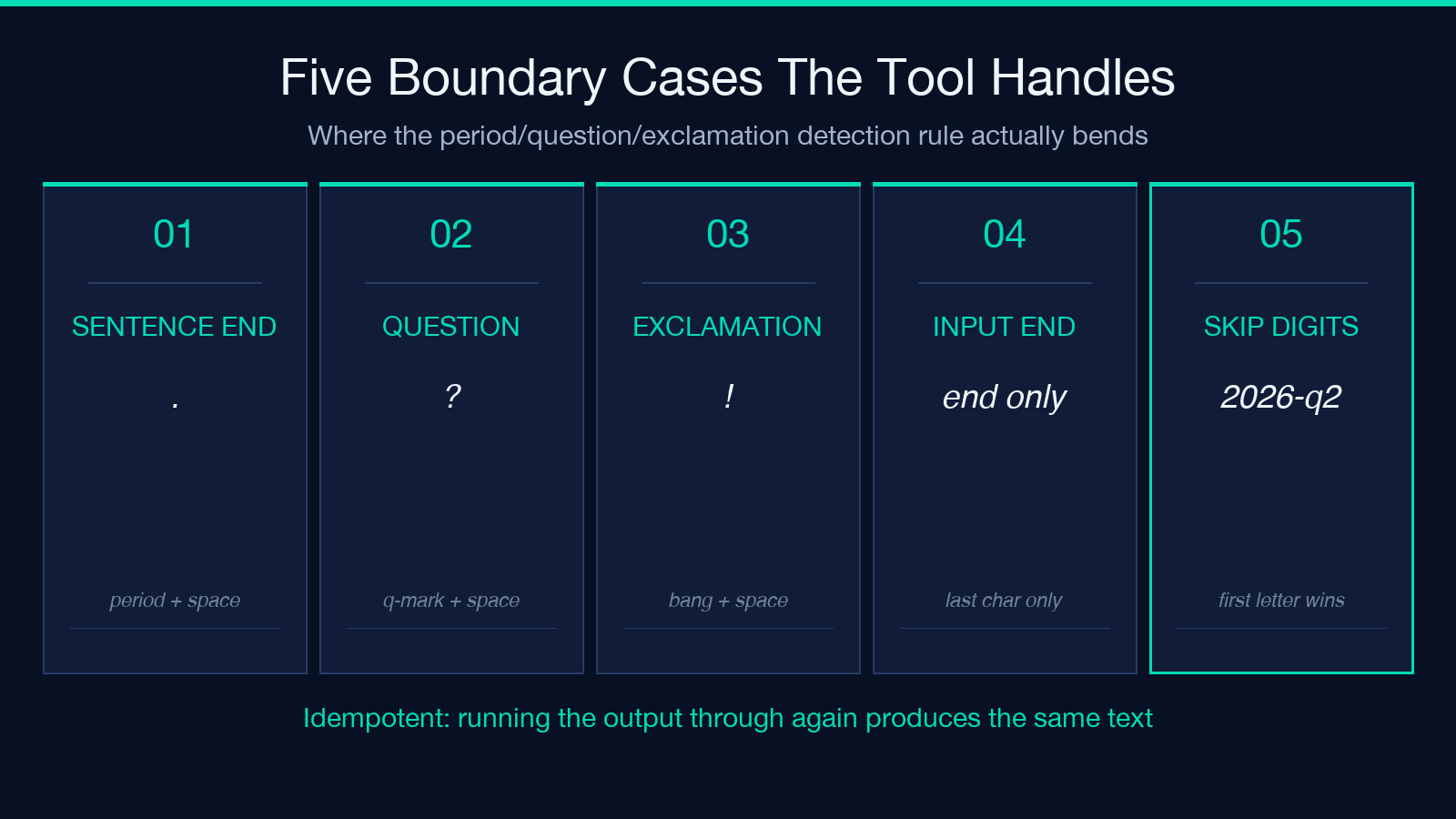
The detection rule looks simple on paper: a sentence ends when you see . , ! , or ? followed by whitespace, or when you see those punctuation marks at the very end of the input. The first alphabetic character after that boundary is the one that gets uppercased.
But there are five places the rule bends in real prose:
– Numbers and symbols at the start of a sentence are skipped. If you write 2026 was a busy year. q2 launched in april., the second sentence starts with q (not 2), and that q is what gets uppercased. The 2 in 2026 is not a letter, so it stays as is.
– The tool is idempotent. If a sentence already starts with a capital, nothing changes. Running the same text through twice produces the same output.
– Acronyms survive. The NASA launch was delayed. jpl took over in march. becomes The NASA launch was delayed. JPL took over in march. — only the j in jpl moves. The N in NASA and the J in JPL are inside acronyms, not at sentence starts.
– A trailing period on the last sentence still triggers capitalization of the first letter of the NEXT sentence if there is one. Standalone sentences with no follow-up are simply left alone.
– Question marks and exclamation points count as sentence boundaries too, not just periods. are we done? yes we are. becomes Are we done? Yes we are.
For more details on the exact algorithm, see the Capitalize Sentences tool page.
When to use which (this tool vs the Sentence Case Converter)
The two tools look similar in name but produce very different output. Choose by asking one question: do you want to preserve existing capitalization or impose a uniform style?
| Tool | First letter of each sentence | Other letters | |——|——————————-|—————| | Capitalize Sentences (this one) | capitalized | preserved as-is | | Sentence Case Converter | capitalized | lowercased |
Use Capitalize Sentences when your text already has the capitals you want — product names, code identifiers, brand names, acronyms — and you only need to clean up sentence starts. Use the Sentence Case Converter when you want a uniform, all-lowercase-except-sentence-starts look, but be aware it will also lowercase your acronyms and proper nouns in the same pass.
The practical test: paste a paragraph that contains iPhone, NASA, and a few mid-sentence typos into both tools. Capitalize Sentences leaves the acronyms alone and fixes only the sentence starts. The Sentence Case Converter turns the whole paragraph into a lowercase uniform field with capital sentence starts and lowercase acronyms — which is fine for casual copy but destructive for technical documentation.
What survives the transform (and what does not)
Three classes of input are completely untouched by Capitalize Sentences:
– Mid-word capitals in mixed-case identifiers. iPhone, macOS, eBay, iOS18, TypeScript all keep their original case. The tool never touches letters that are not the first letter of a sentence.
– All-caps acronyms anywhere except sentence start. NASA, API, JSON, HTML, SQL, URL, UUID — all survive intact, regardless of position.
– Unicode letters in non-Latin scripts. Letters with uppercase forms in Cyrillic, Greek, CJK-with-bopomofo, and the major European languages are handled correctly. Letters that have no uppercase form (Hebrew א, Arabic ا, etc.) are left alone.
Two classes of input get modified, but only at sentence starts:
– Sentence-leading lowercase letters become uppercase. the meeting. becomes The meeting.
– Digits, bullets, and punctuation that precede a sentence’s first letter do NOT block the transformation — the tool scans past them to find the first alphabetic character.
The transform also has one quiet guarantee: it does not introduce new letters or remove existing ones. The output is the same length as the input, character for character, with at most one letter per sentence changing case.
A worked example on real prose
Take this paragraph — a typical piece of mixed-quality prose with two acronyms:
> the API rate limit reset at midnight. NASA confirmed the launch window. jpl handled telemetry. 4 follow-up tests passed.
Run it through Capitalize Sentences and you get:
> The API rate limit reset at midnight. NASA confirmed the launch window. JPL handled telemetry. 4 follow-up tests passed.
Three things happened. The leading t in the capitalized. The leading j in jpl capitalized. The 4 at the start of the last sentence was left alone because it is not a letter — and the letter that follows it (f in follow) was already lowercase, so it stays lowercase (the sentence-leading rule already fired on the previous sentence). Both acronyms — API and NASA — survived intact. The J in JPL is now capital because it is the first letter of a new sentence, not because the tool normalized the acronym.
For more examples of edge cases (mixed punctuation, sentences starting with quote marks, paragraphs with no trailing period), browse the samples gallery.
Common mistakes when rolling your own
It is tempting to write a 5-line regex for this. Three patterns look like they work but quietly break on real prose:
1. Just uppercasing the first character of every line. This catches list items that happen to start with capitals, breaks on indented block quotes, and treats bullet markers as sentence starts.
2. Using . alone as a sentence delimiter without trailing whitespace. Hits decimal points, abbreviations like e.g., version numbers like v1.2.3, and URLs like https://example.com — none of which are sentence boundaries.
3. Lowercasing everything first then uppercasing sentence starts. Destroys acronyms and proper nouns. This is the Sentence Case Converter’s behavior, not Capitalize Sentences’.
The right detection rule — period/question/exclamation followed by whitespace, or end of input — is built into Capitalize Sentences and runs locally on your input.
Build it into your cleanup pipeline
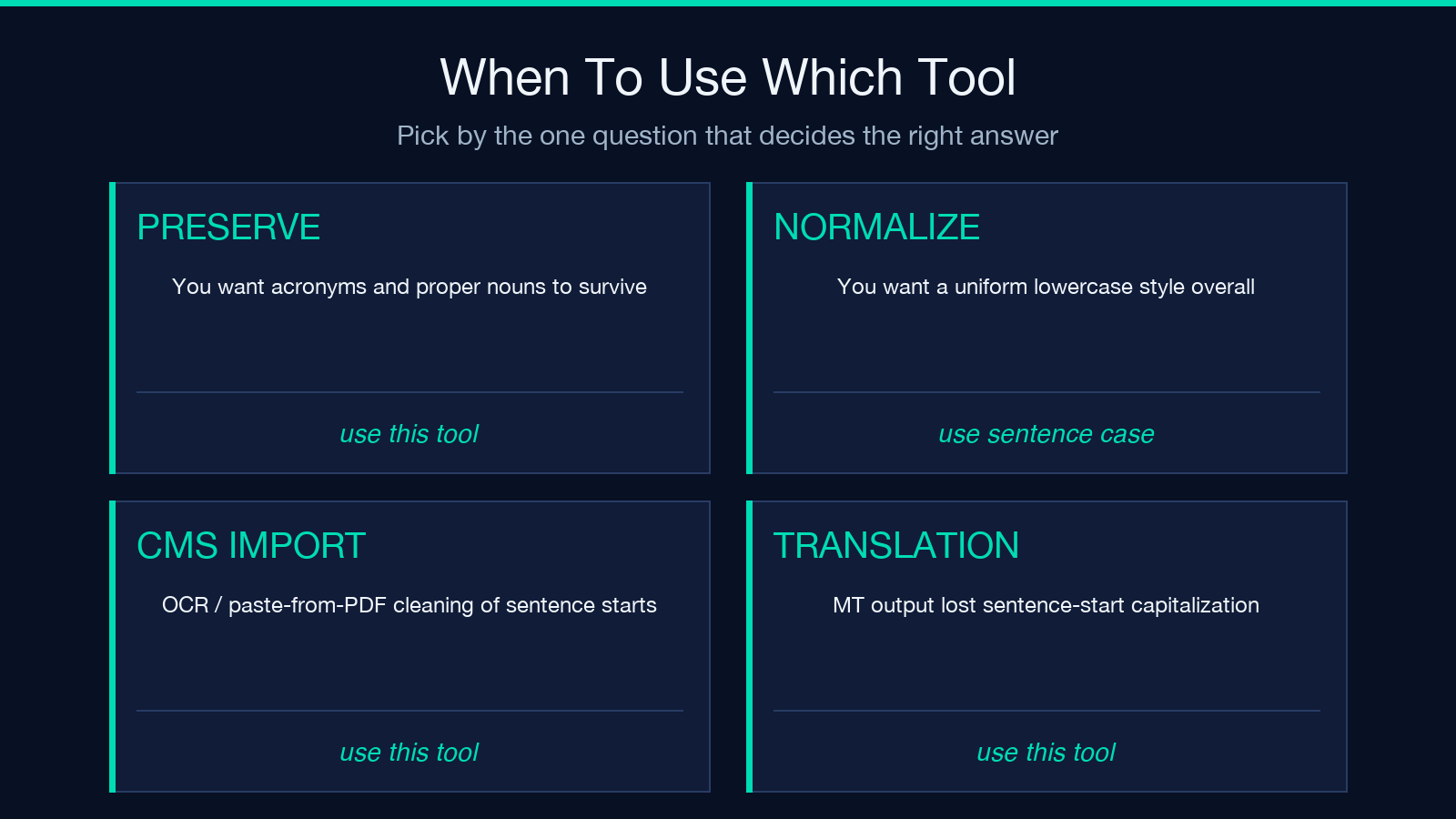
Three places this tool earns its keep:
- CMS draft imports. Many CMS exports lowercase sentence starts after OCR or paste-from-PDF. Run the body through Capitalize Sentences once before publishing.
- Translation post-processing. Machine translation output frequently lowercases sentence starts in source languages that do not capitalize. A single pass restores the convention.
- Chat transcript cleanup. Customer support transcripts and chat logs often lose sentence capitalization when copy-pasted from chat windows. Fix the starts, leave the timestamps and names alone.
For the inverse case (you DO want uniform lowercase-everywhere style), pair this tool with the Sentence Case Converter. For acronym-preserving batch processing on files, the Text Processing hub lists related tools.
A checklist before you publish
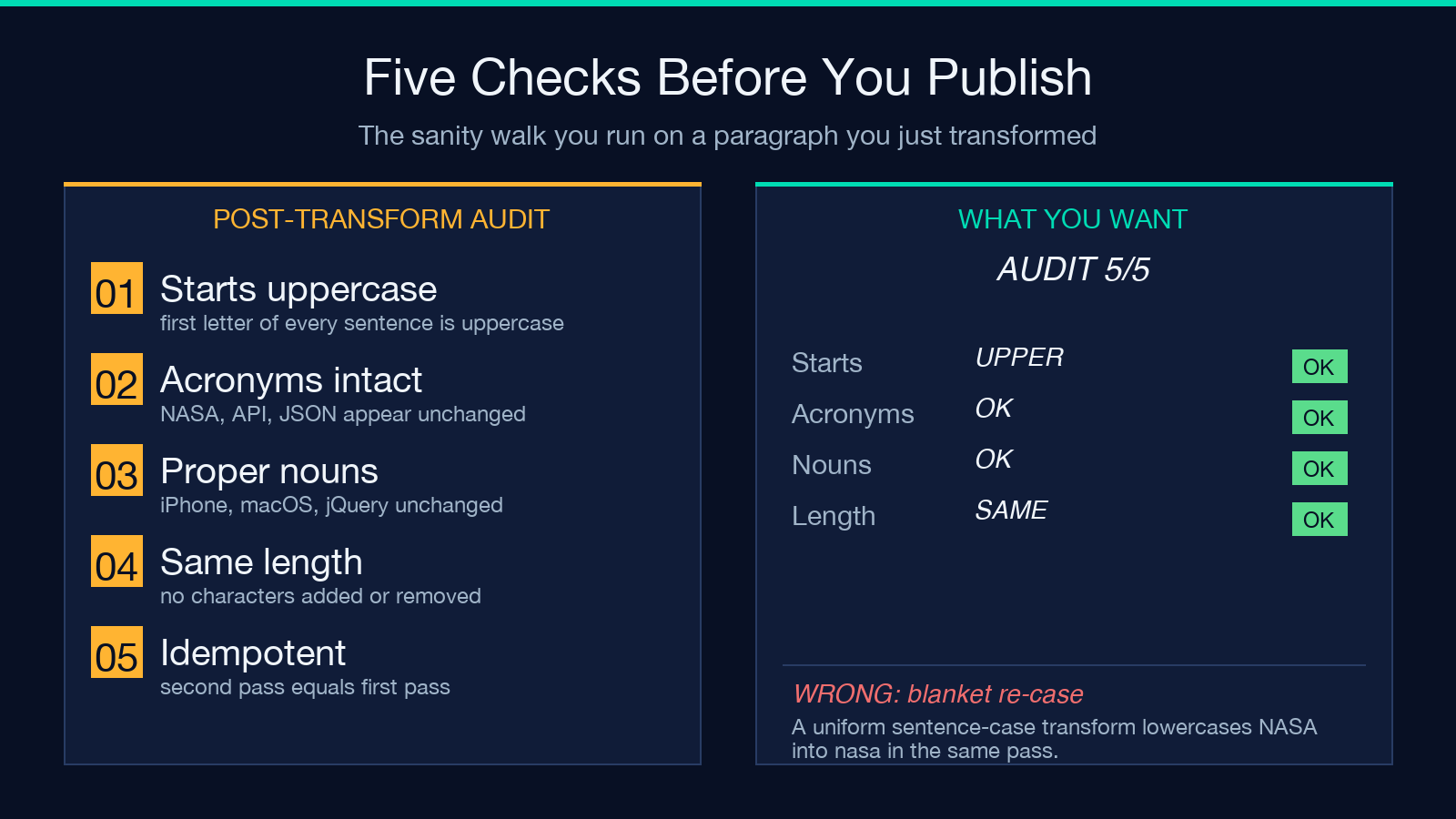
Run this 5-second sanity check on your output before publishing:
1. All sentence-leading letters are uppercase. 2. All acronyms in the original text appear unchanged in the output. 3. All product names and proper nouns are intact (no accidental lowercasing). 4. The text is the same length as the input (no characters added or removed). 5. The output is idempotent — running it again produces the same text.
If any of those fail, the input may have edge cases (mixed scripts, sentences with no trailing punctuation, very long paragraphs). The Capitalize Sentences tool is designed to handle all five correctly out of the box.
Explore more text-cleanup tools at elysiatools.com.
