
Email headers, mailing list archives, and HTTP Date: fields all speak RFC 2822 — and almost no other modern format does. A reliable one-pass converter between RFC 2822 strings and ISO 8601 timestamps beats hand-parsing every time, and the RFC 2822 Converter gives you exactly that with four operations covering every direction you actually need.
Why RFC 2822 still matters in an ISO 8601 world
ISO 8601 is the default timestamp format in modern APIs, databases, and logs: 2026-08-15T09:42:00Z sorts lexicographically, parses unambiguously across runtimes, and round-trips cleanly through JSON. But three long-lived protocols never adopted it.
– SMTP email headers. RFC 5321 (which superseded RFC 2822) requires Date: headers in the older format: Sat, 15 Aug 2026 09:42:00 +0000. A modern mail client that needs to display the date converts from RFC 2822; a logging pipeline that ingests mail archives converts back.
– HTTP Date: and Last-Modified: headers. RFC 7231 mandates the same format. Proxies, caches, and validators must parse it.
– NNTP, RSS 0.91, and older mailing-list archives keep years of timestamps in RFC 2822 form. Migrating them requires a converter.
The format is also deceptively tricky to parse by hand. The grammar accepts variants like Sat, 15 Aug 2026 09:42:00 +0000, 15 Aug 2026 09:42 GMT, Sat, 15 Aug 2026 09:42:00 -0500, and the obsolete two-digit year form Sat, 15 Aug 06 09:42:00 +0000. Most home-grown parsers accept two or three of these and silently reject the rest. The RFC 2822 Converter accepts the full grammar the RFC defines and flags invalid input instead of guessing.
The four operations the tool exposes
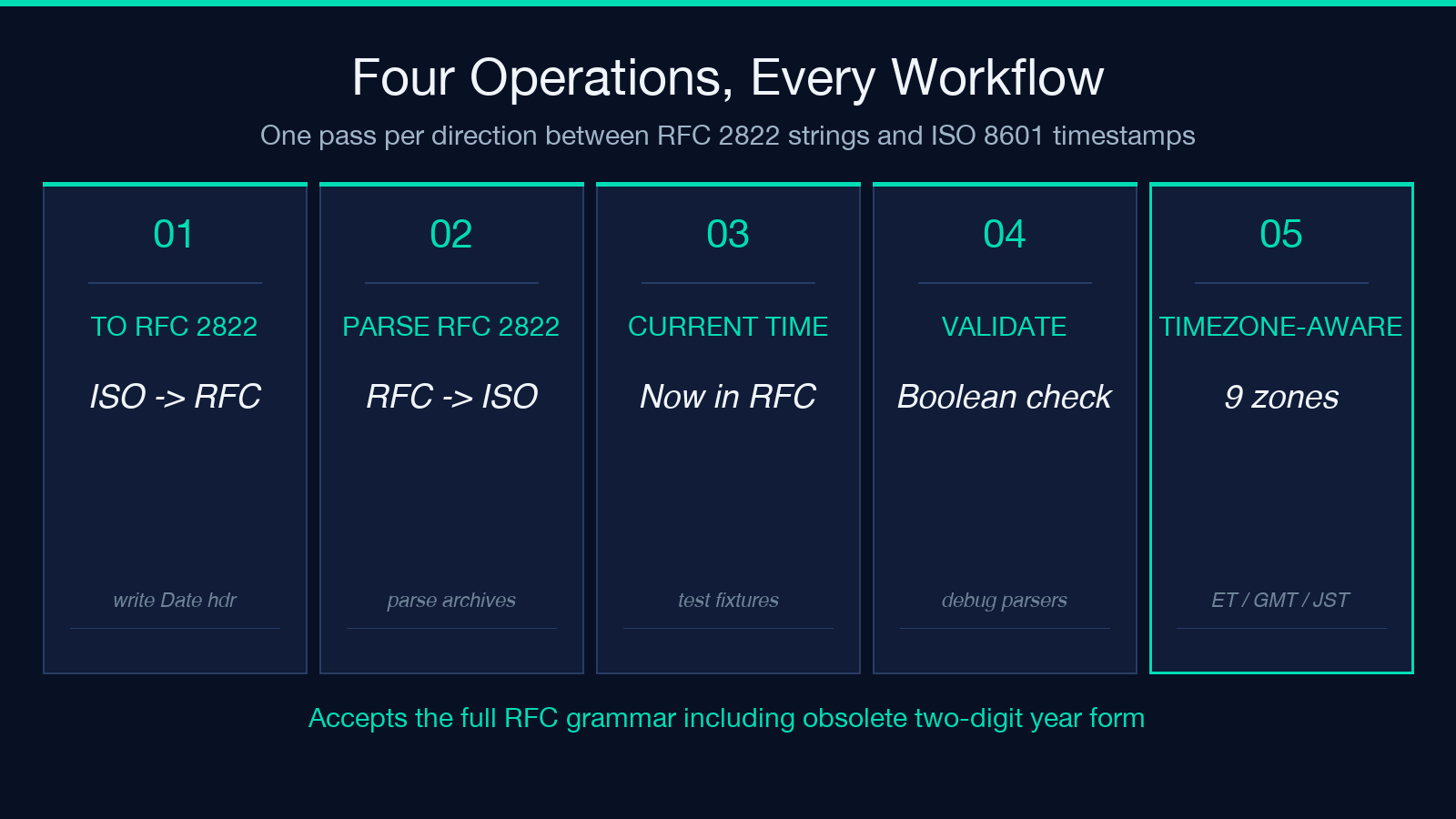
Every RFC 2822 workflow you actually need fits one of these four shapes:
– Convert to RFC 2822. Take a date in ISO 8601, a Unix timestamp, or a free-form string, and emit the canonical RFC 2822 form. Useful when you are building an email and need to populate the Date: header correctly.
– Parse RFC 2822. Take an RFC 2822 string and emit an ISO 8601 timestamp in the target timezone. Useful when you are reading mail archives or HTTP headers and need to store the value in a database.
– Current Time (RFC 2822). Emit “now” in RFC 2822 form, optionally with a non-UTC offset. Useful when you are generating test fixtures or simulating a sender in a different timezone.
– Validate RFC 2822. Check whether a string matches the RFC grammar without producing output. Useful when you are debugging a parser that accepted an invalid date silently.
For an overview of how the four map onto real mail workflows, see the RFC 2822 Converter tool page.
The grammar, in one paragraph
RFC 2822 date syntax reads as day-of-week, DD Mon YYYY HH:MM:SS offset. Each piece is constrained:
– day-of-week is one of Mon, Tue, Wed, Thu, Fri, Sat, Sun, optionally followed by a comma. – DD is a two-digit day of month (01-31). – Mon is one of Jan, Feb, Mar, Apr, May, Jun, Jul, Aug, Sep, Oct, Nov, Dec. – YYYY is a four-digit year (or two-digit in the obsolete form). – HH:MM:SS is 24-hour local time, zero-padded. – offset is either +HHMM / -HHMM, the literal UT / GMT (both equivalent to UTC), or a US timezone code (EST, EDT, CST, CDT, MST, MDT, PST, PDT, plus the military zones Z, A–I, K–M, N–Y). Note that the US codes have well-defined DST semantics; EST is always UTC-5, EDT is always UTC-4, and the parser knows which is which based on the date.
The parser embedded in RFC 2822 Converter implements the full grammar including obsolete forms, because real-world mail archives contain plenty of them.
Real examples on common input shapes
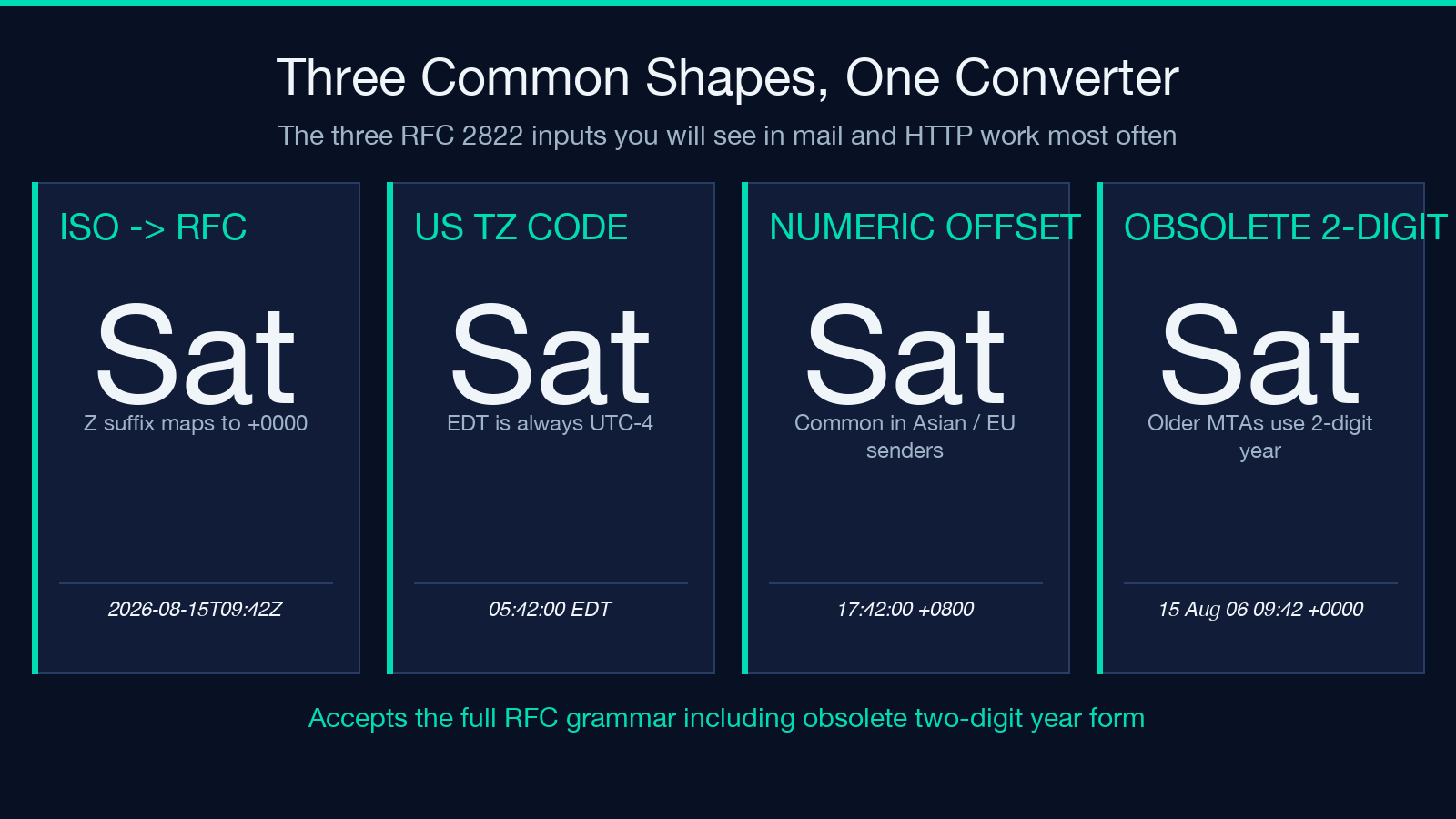
Three inputs that show up constantly in mail and HTTP work:
- ISO 8601 to RFC 2822.
2026-08-15T09:42:00ZbecomesSat, 15 Aug 2026 09:42:00 +0000. TheZsuffix maps to+0000; the day-of-week is computed from the date. - RFC 2822 with US timezone.
Sat, 15 Aug 2026 05:42:00 EDTparses to2026-08-15T09:42:00Zin UTC. Note the offset arithmetic: EDT is UTC-4, so local 05:42 becomes UTC 09:42. - RFC 2822 with numeric offset.
Sat, 15 Aug 2026 17:42:00 +0800parses to2026-08-15T09:42:00Z. The numeric offset is more common in mail from Asian and European senders than the US timezone codes.
For more input-output pairs and edge cases, browse the samples gallery.
What the validator catches (and what it does not)
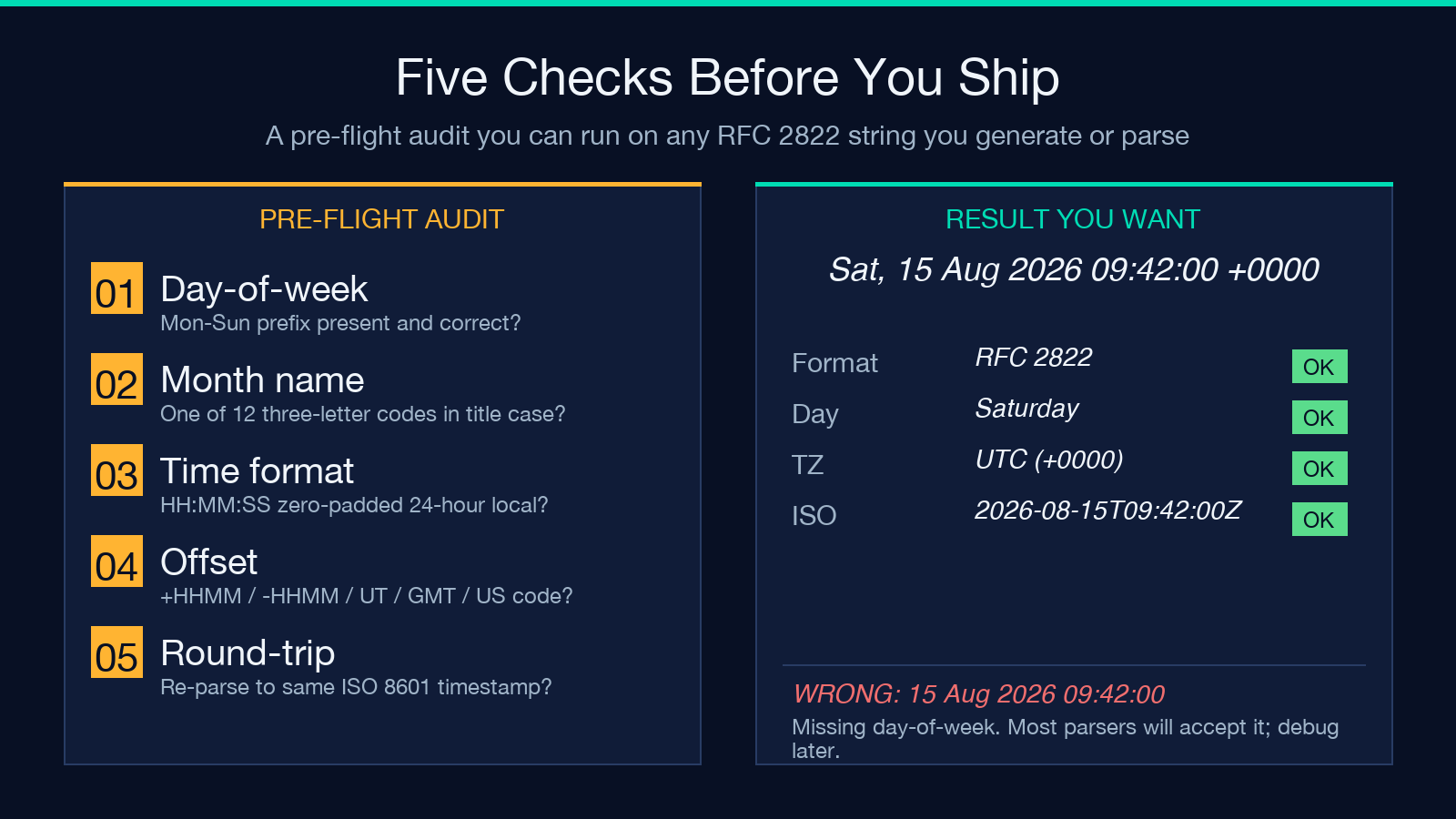
The validate operation runs the same grammar check as parse but returns a boolean instead of a timestamp. This is what you want when the input came from an untrusted source — a public mailing list archive, an old CRM export, or a log file a colleague wrote by hand. Three classes of input trip it:
– Missing or wrong day-of-week. 15 Aug 2026 09:42:00 +0000 (no Sat, prefix) is technically valid but most senders include it; if your parser sees Sat where the date says Sunday, you have a clock-skew bug somewhere upstream.
– Numeric offsets outside +/- 2359. +2500 is invalid; +0000 is valid; the parser rejects anything outside the RFC range.
– Month names in the wrong case or with the wrong spelling. sep instead of Sep fails. So does Sept (RFC 2822 accepts exactly three letters).
The validator does NOT catch semantic problems: a date that says 31 Feb 2026 parses as a string but is not a real day. Treat validator-pass output as “well-formed” rather than “real”.
Common mistakes when hand-rolling the parser
Three patterns look like they work but quietly break on real mail traffic:
1. Treating the day-of-week as optional and not cross-checking it. Most hand-rolled parsers drop the Sat, prefix and only validate the rest. When the day-of-week disagrees with the date (clock skew, mail forwarding delays, attacker-controlled Date: headers), the bad data passes silently.
2. Assuming the offset is always numeric. The RFC explicitly allows UT, GMT, and the US timezone codes. If your parser only handles +HHMM, real-world input from older MTAs will silently fail.
3. Converting to local time without preserving the original offset. Many pipelines reformat to local time at parse time and lose the original offset. The right pattern is to normalize to UTC and store the offset alongside, so the original RFC 2822 string can be reconstructed losslessly.
The RFC 2822 Converter implements all three corrections in one pass and runs the parse entirely in the browser.
Where RFC 2822 fits alongside ISO 8601 and Unix time
Three formats show up in most modern systems, and a converter worth its salt handles all three:
- ISO 8601 is the modern default:
2026-08-15T09:42:00Z. Use it in APIs, JSON payloads, and logs. Convert with the ISO 8601 Converter when you need validation or alternative precisions. - RFC 2822 lives in email headers, HTTP
Date:fields, and legacy archives. The RFC 2822 Converter is the canonical entry point for both directions. - Unix timestamps (seconds since 1970-01-01 UTC) are the lingua franca of databases and language runtimes. Most modern date libraries accept all three as input; the failure mode is usually accepting two and rejecting the third silently.
For a broader inventory of date and time tooling, the Date & Time hub lists the rest of the family.
A 30-second sanity check before shipping
Run this checklist on any RFC 2822 output you generate before it leaves your system:
1. The output contains a recognizable day-of-week (Mon–Sun). 2. The month is one of the twelve three-letter codes in title case. 3. The time is HH:MM:SS, zero-padded, 24-hour. 4. The offset is one of +HHMM, -HHMM, UT, GMT, Z, or a recognized US timezone code. 5. The output round-trips: parsing the RFC 2822 string back gives the same ISO 8601 timestamp you started with.
If any of those fail, you are looking at an obsolete form, a non-RFC-2822 string, or a clock-skewed client. The RFC 2822 Converter validator catches all five classes.
Explore more date and time tools at elysiatools.com, or browse the samples gallery for input-output pairs across the family.
