
Pick the right key, ship the right shape. A JSON Web Key is the smallest possible description of a public key that every JWT verifier, OAuth server, and OIDC client already knows how to read. The JWK Generator and Parser lets you mint RSA, EC, and OKP keys at the size or curve you actually need, then re-import any JWK to inspect its parameters, thumbprint, and metadata in one pass.
What a JWK actually carries
A JWK is plain JSON with one required field (kty) and a handful of type-specific siblings. The kty field tells the verifier which decoder to reach for: RSA for RSA families, EC for elliptic curves, OKP for Edwards and Montgomery. EC keys add crv and the x/y coordinates; OKP keys only carry x because the curve is symmetric. RSA keys carry n (modulus) and e (exponent). Every key has an optional kid that turns the dictionary into a named identity in a JWKS endpoint, and a use that declares whether the key signs or encrypts.
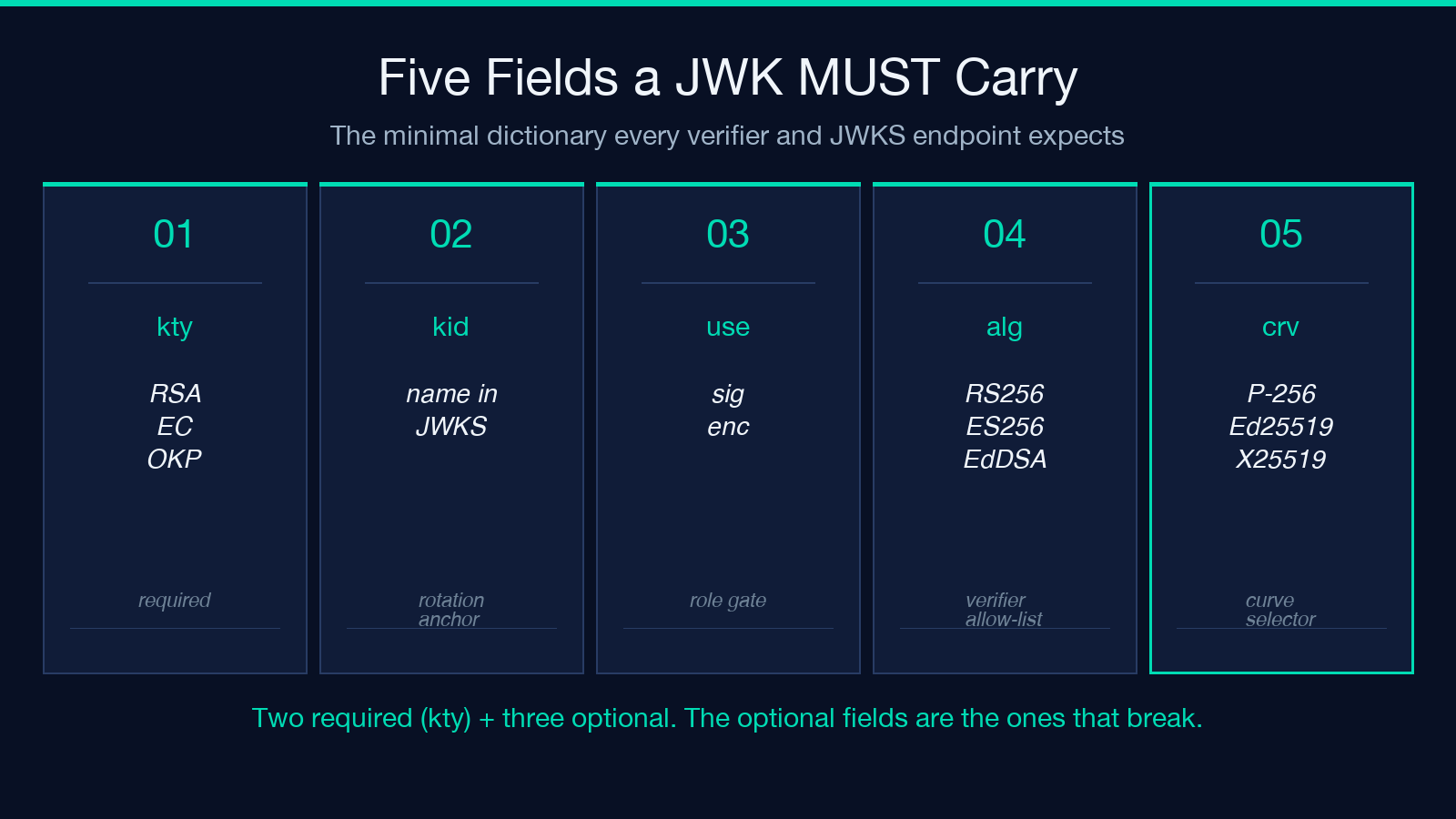
Get any one of these wrong and the JWT verifier silently rejects the token. The generator handles the common cases so you don’t have to remember that kty=OKP plus crv=Ed25519 needs a 32-byte base64url x with no y at all.
For a deeper dive on the parsing side, the same tool accepts a pasted JWK and reports the kty, crv, alg candidates, and the RFC 7638 JWK thumbprint in one panel. That thumbprint is the field most generators skip, and it is the field kid defaults should match.
Picking RSA, EC, or OKP with intent
Key type is rarely a stylistic choice. RSA 2048 is the legacy default for OAuth servers and runs everywhere; RSA 4096 is the right call when the verifier specifically demands it and you can pay the handshake cost. EC keys are half the size for the same security margin: P-256 is the OIDC default, P-384 is the FIPS-friendly upgrade, P-521 is the rare-but-valid choice, and secp256k1 is the Bitcoin and Ethereum curve. OKP keys are the smallest of the three: Ed25519 signatures are 64 bytes, X25519 is the matching key-exchange curve, and Ed448 and X448 exist for the systems that want them.
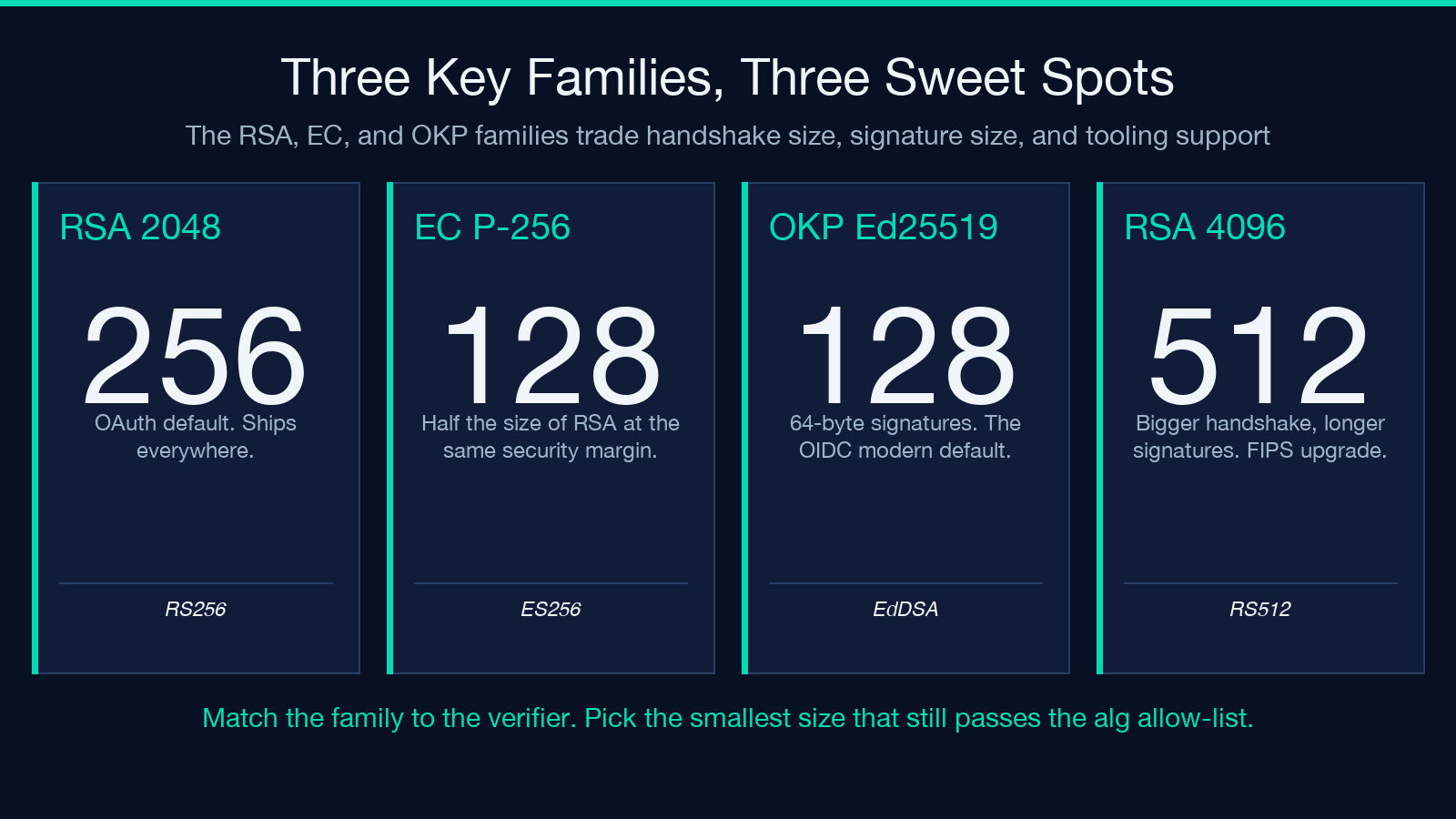
The JWK Generator and Parser lets you flip all three families in one dropdown. The output panel prints kty, crv, alg, use, and kid together so you can copy the block, paste it into a JWKS, and watch your verifier accept the token on the first request.
The kid and the thumbprint
The kid field is what lets a verifier pick one key out of a JWKS with hundreds of entries. The conventional source for kid is the RFC 7638 JWK thumbprint, which is the base64url-encoded SHA-256 of the canonical form of the public key. Two services that build the thumbprint the same way will see the same kid; two services that skip the canonicalization step will not.
Pre-encode the kid based on the public components only. If you include the private key in the thumbprint, signing services that only ever see the public side will silently use the wrong key. The generator emits a kid field automatically when you do not pass one, and lets you override it for cases where the verifier has issued a literal identifier.
Use the public-only view, then the private view
The standard rotate-and-revoke dance has two halves. The public half goes on the verification endpoint, the JWKS endpoint, and the OAuth metadata; the private half goes on the signing service and never leaves the host. The generator’s Public Only toggle emits the verification-side shape first, so you can copy the public block into your JWKS endpoint, prove the verifier accepts it, and only then request the private shape for the signing service.
A clean order is: pick the key family, generate the public shape, paste it into the JWKS, hit the discovery endpoint, then regenerate with the private key included and store the private block in the vault. The JWK Generator and Parser makes that two-step workflow a single toggle because the public shape is a strict subset of the private shape.
Parsing a JWK you already have
The parser side accepts a pasted JWK and returns the same panel the generator produces for the public-only path, plus a thumbprint and a warning banner for any field that is missing or malformed. Paste a JWKS, paste a single key, or paste a private key — the parser figures out which half is present and reports the metadata accordingly.
This is the panel you reach for when a verifier is rejecting a token and you want to know whether the key shape, the thumbprint, or the kid is the actual mismatch. Most production bugs land in one of those three fields, and the parser reports all three in one view.
Engineering notes
The generator uses the host’s WebCrypto (crypto.subtle) for the key generation, so the private key material never leaves the browser. The output is plain text, not a binary blob, so the public JWK can be pasted straight into a JWKS endpoint and the private JWK can be stored alongside the rest of the secrets file. The verifier-side generation is identical across all three key families, so switching from RSA 2048 to Ed25519 is a one-click change with no downstream code rework beyond the verifier’s alg allow-list.
A worked example: rotating an RSA 2048 key
The shortest reliable rotation is six steps. Generate a new RSA 2048 key with a fresh kid. Publish the new public JWK on the JWKS endpoint alongside the old one with the old kid still in the directory. Push the new private JWK into the signing service, but keep the old private key in place until the verifier has cached both. Update the verifier’s alg allow-list if it does not already accept RS256. Watch the kid distribution in the access logs until the new key is the one with the higher request count. Remove the old public JWK from the JWKS endpoint and the old private key from the signing service.
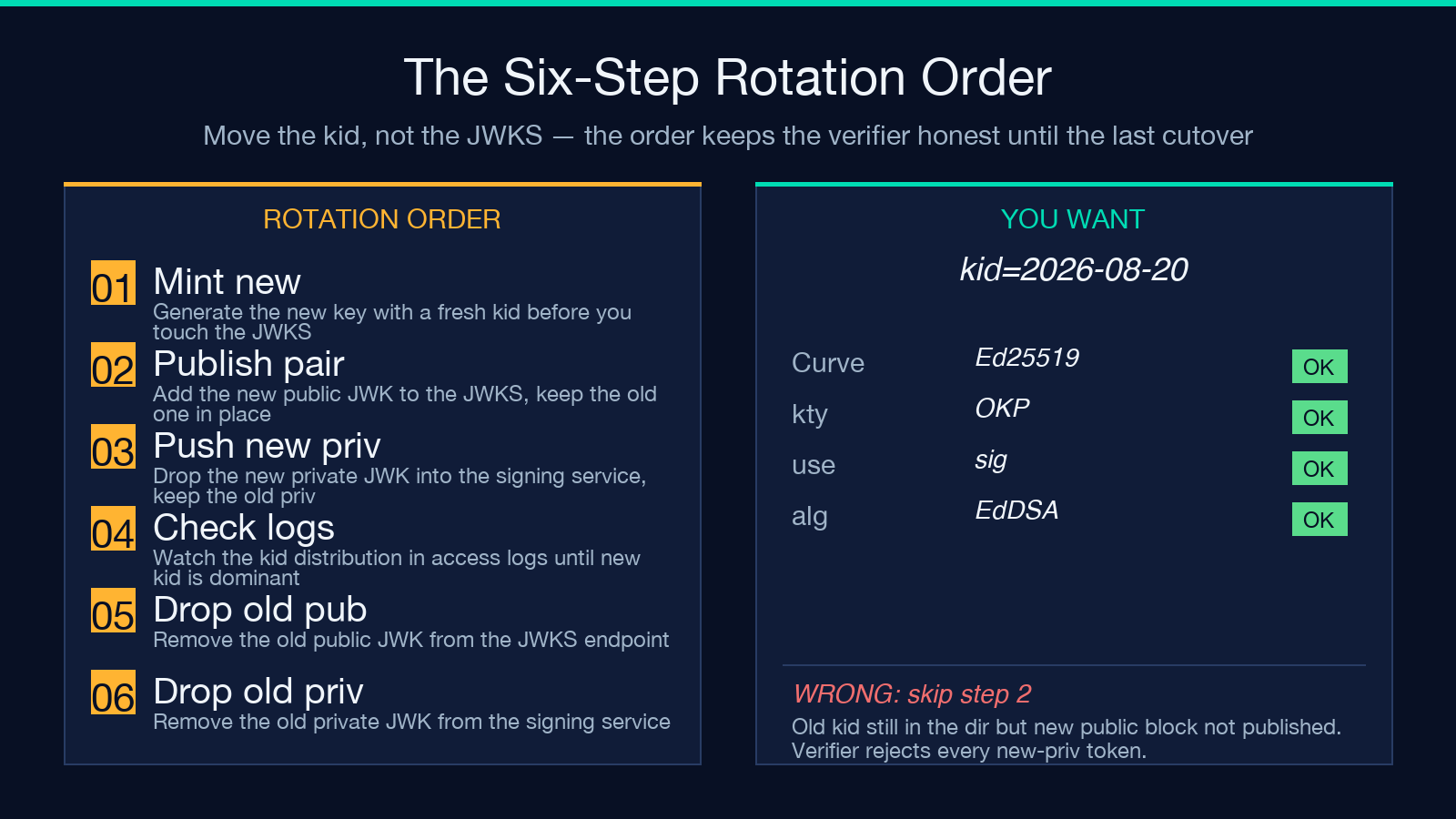
The JWK Generator and Parser does the first step and the verification audit step in one panel. The intermediate steps are ops work, not key work.
Closing workflow
Pick the family the verifier demands, generate the public shape first, paste it into the JWKS endpoint, hammer the discovery URL to confirm the verifier sees the key, then regenerate with the private key included and store the private block in the vault. Use the parser side whenever a verifier rejects a token and you want to know which field mismatched. The JWK Generator and Parser is the single page that handles both halves without leaving the browser.
Explore more tools at elysiatools.com.
