
The waterfall that finally lets you see which microservice ate your p99. When a request crosses twelve services and three queues, you don’t want a flat JSON dump — you want a waterfall. The Distributed Trace Decoder & Waterfall Visualizer turns Jaeger, Zipkin, and OpenTelemetry trace payloads into an interactive report with span timing, parent-child dependencies, and the one error hotspot that dragged your checkout latency from 200 ms to 4 s.
Why a decoder is more useful than a UI you already have
If your platform team already runs Jaeger or Tempo, you might be tempted to skip a separate tool. Here’s the gap: those UIs lock you into one trace format, one retention window, one set of derived metrics. The decoder accepts any of the three common wire formats, normalizes them into the same span shape, and lets you drop the output into a static report or paste it into a Slack thread without a backend round trip. For postmortems, vendor evaluations, and one-off trace captures from staging, that portability is the whole point.
The decoder also surfaces what most UIs bury: the critical-path ratio per service, the gap between span duration and wall-clock duration (queue + network wait), and the count of retried spans under the same parent. Try it at Elysia Tools.
What a span really represents
Before reading a waterfall you have to agree on what a span is. A span is one unit of work with a name, a start time, an end time, a parent (or zero), and a bag of attributes. The decoder treats a span as a unit of causation, not a unit of duration — the duration is a property of the unit, but the interesting question is what caused this unit to start and what it caused to happen next. When you read the waterfall, read it top-down for causation and left-to-right for time.
What the three input formats actually contain
Jaeger traces use a thrift-style JSON with traceID, spans (each with operationName, startTime in microseconds, duration in microseconds, references as a list of {refType, traceID, spanID}), and processes keyed by processID. Zipkin v2 JSON has localEndpoint, remoteEndpoint, kind (CLIENT/SERVER/PRODUCER/CONSUMER), and timestamp/duration in microseconds since epoch. OpenTelemetry’s JSON protobuf encoding uses resourceSpans → scopeSpans → spans with hex-encoded IDs, nanosecond startTimeUnixNano/endTimeUnixNano, and a structured attributes array of key-value pairs. The decoder maps all three onto a single internal model so the waterfall render is format-agnostic.
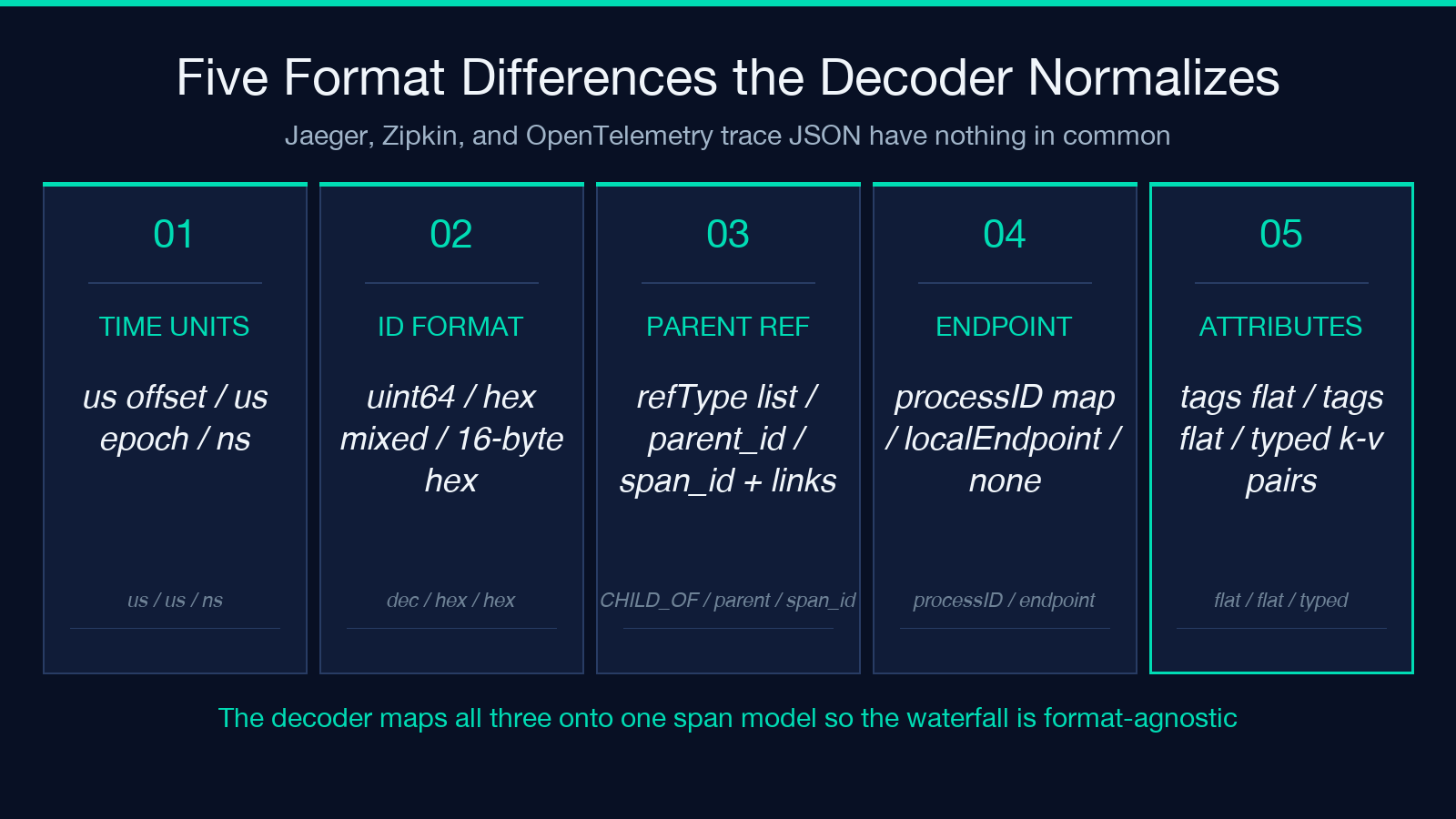
That mapping is non-trivial. Jaeger stores start time as a uint64 microseconds offset from trace start; Zipkin stores absolute Unix microseconds; OTel stores nanoseconds. Span references can be CHILD_OF or FOLLOWS_FROM in Jaeger, parent only in Zipkin, and parent_span_id plus links in OTel. If you write a one-off parser for each format you will rediscover this in three places — the decoder does it once.
What the waterfall actually shows
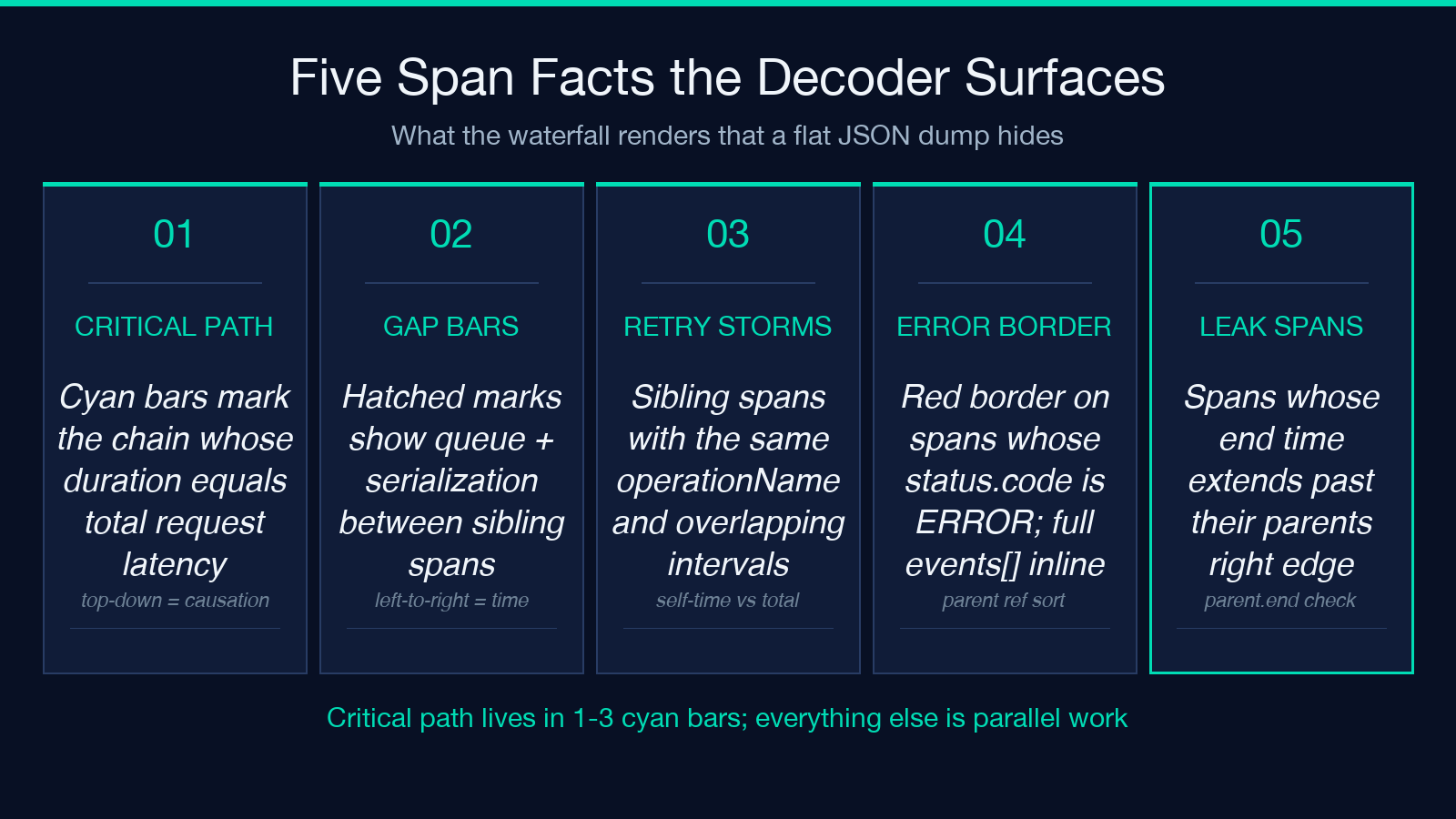
Each span becomes a horizontal bar whose left edge is its start time and whose width is its duration. Parent spans are stacked above their children with a vertical indent proportional to depth. The critical path — the chain of spans whose summed duration equals the total request latency — is highlighted in cyan so you can read it without highlighting anything. Other spans are dimmed to make the critical path visually loud. Hover any bar and you see the full attribute table: http.status_code, db.statement, messaging.destination, error stack traces from events, and any custom attributes your instrumentation adds.
Three things to look for in a real trace:
- Self-time vs total time. A span with a 600 ms total but 8 ms self-time spent 592 ms waiting for children — which means the latency lives in a child span you should open.
- Gap bars. When child span N+1 starts 200 ms after child N ends, that gap is queue + serialization. The decoder draws it as a hatched bar so you stop reading the trace as a clean handoff.
- Retry storms. Two siblings under the same parent with the same
operationNameand overlapping intervals. Often invisible in flat dumps.
The decoder also flags spans whose status.code is ERROR with a red border and shows the events[].timeUnixNano exception payload inline. For a worked example, see Elysia Tools Samples.
How the decoder handles spans that arrive out of order
Trace ingestion in the wild is not always chronological. Tail-based samplers, batch reporters, and clock skew between hosts all produce out-of-order spans. The decoder sorts by startTime first and uses the parent reference to recover the tree when timestamps disagree. When parent_span_id is missing (Zipkin SERVER spans sometimes omit it for the leaf), the decoder walks the timeline backward looking for a span whose duration covers this one’s start, which is a cheap heuristic that holds for CLIENT → SERVER chains.
If the heuristic fails — and it will on traces with parallel async spans — the decoder falls back to chronological flat layout with parent reference rendered as a dotted line. Better than dropping the span, worse than a clean tree.
Limits worth knowing
- Trace size caps at 50,000 spans. Above that, the decoder samples after the first 50k with a banner that says so.
- Span attributes are truncated at 4 KB per span to keep the report readable; the full attribute is available in the JSON export.
- The decoder is a static report generator — it does not connect to a Jaeger or Tempo backend. You paste the trace JSON in, you get a report out.
- W3C
traceparentheader parsing is supported; B3 propagation headers are accepted as raw strings without parsing the parent IDs.
For the OpenTelemetry-specific attribute set and instrumentation patterns, the OpenTelemetry samples show what a properly-instrumented Node.js and Python service looks like before and after the decoder renders its trace.
A practical workflow for a postmortem
- Pull the failing trace JSON from your tracing backend. Most UIs let you export the whole trace as JSON.
- Paste it into the decoder. The waterfall renders in under a second for traces up to ~5k spans.
- Skim the critical path (cyan bars) — that’s the chain whose duration equals request latency. Anything outside it is parallel work that completed in time.
- Open any span whose bar extends past its parent’s right edge. That’s a leak — a span that kept running after its parent finished.
- Export the report as a self-contained HTML file and attach it to the incident ticket. No external dependencies.
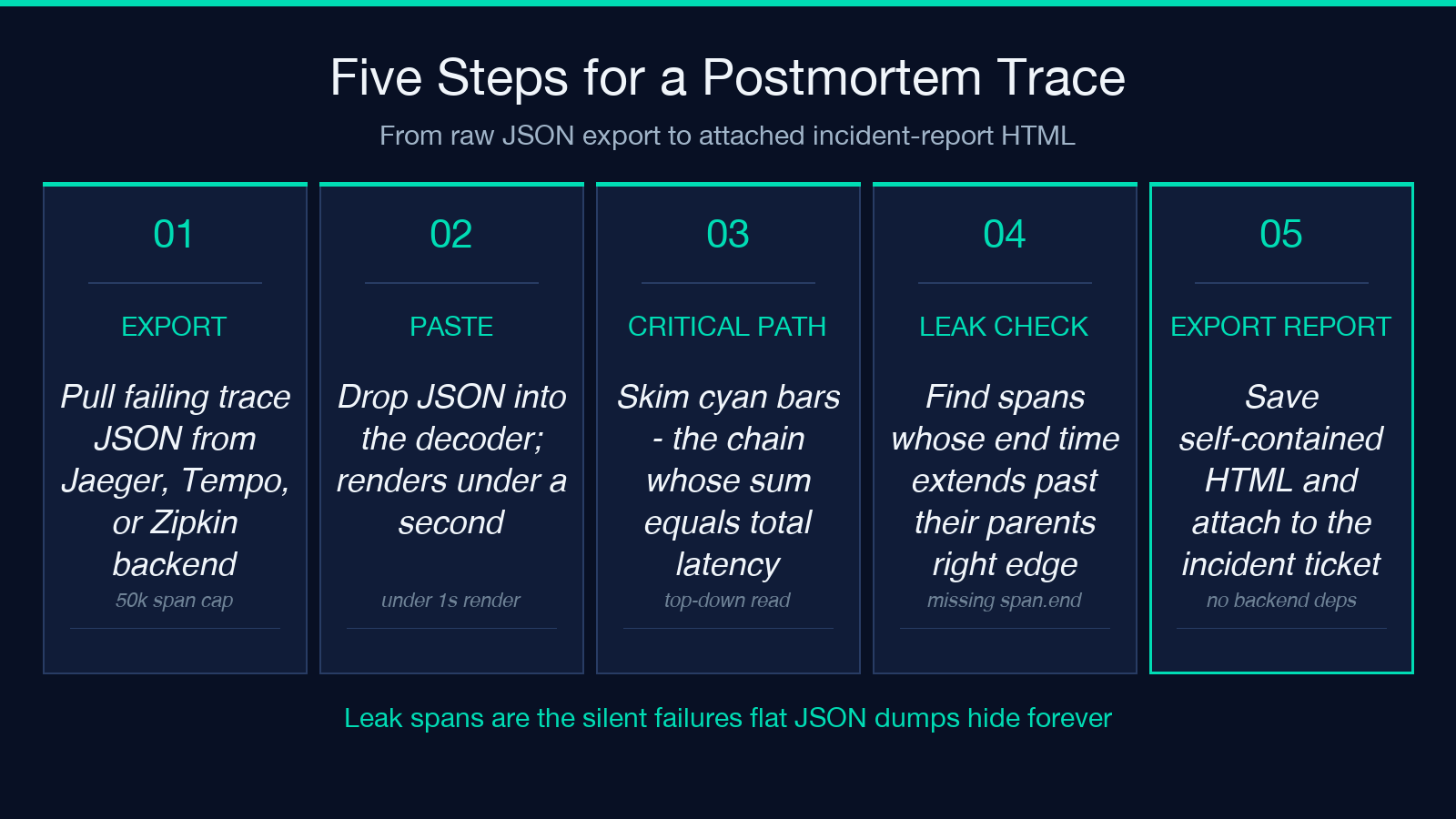
Step 5 catches the silent failures: a span whose duration is short but whose end time is after its parent’s end is a forgotten cleanup, a missing span.end() call, or a stream that never closes. The waterfall makes that visible at a glance where a JSON dump hides it between two fields.
When the decoder is the wrong tool
If your traces live in a long-term backend and you want ad-hoc queries across weeks of data, this is not the right tool — use Jaeger or Tempo directly. The decoder is for the moment you have a trace in hand and want to read it. If you want a CI gate that flags regressions in critical-path duration, write that against your tracing backend’s API; the decoder is not a metrics system.
For everything in between — debugging a specific slow request, evaluating a vendor’s trace format, generating a portable report for a stakeholder who doesn’t have backend access — the decoder is the fastest path from JSON to insight.
Explore more tools at elysiatools.com.
