
Strong opening.ASCII Table Reference is the kind of tool you only reach for once something has already gone wrong. A log line prints garbage. A regex matches the wrong delimiter. A tokenizer silently drops half a string. When you suspect the byte is lying to you, the table is the ground truth, and the right reference tells you decimal, hex, octal, binary, HTML entity, and the control character name for every code from 0 to 127 in one pass.
You do not memorize 128 rows. You memorize three ranges, four filters, and one debugging loop. This field guide walks through the workflow that turns a confusing byte into a confirmed character in under a minute, using ASCII Table Reference as the live anchor throughout.
A log file prints “Hello^@World” and the regex grep cannot find it
The first time you stare at an ASCII table in anger is usually when a text file has been read in the wrong mode. CR, LF, TAB, NUL, and DEL look identical to a casual glance but are coded 7, 10, 9, 0, and 127 respectively. When the wrong one slips in, grep, awk, and Python’s re all behave subtly differently.
A robust debugging posture starts with the control character row of the ASCII Table Reference. Toggle the Show Control Characters filter on, set Letter Case Filter to All Characters, and the table gives you NUL for 0, SOH for 1, STX for 2, all the way through DEL for 127, with decimal, hex, octal, and binary in adjacent columns. The Highlight Range filter is your fast-path scope: pick 0-31 to isolate control bytes, 32-126 to isolate printable, 9-13-10 to find tab-CR-LF triplets that signal bad line endings.
Four filters cover almost every debugging question
The tool exposes four options and they are not redundant. Each one answers a different shape of question:
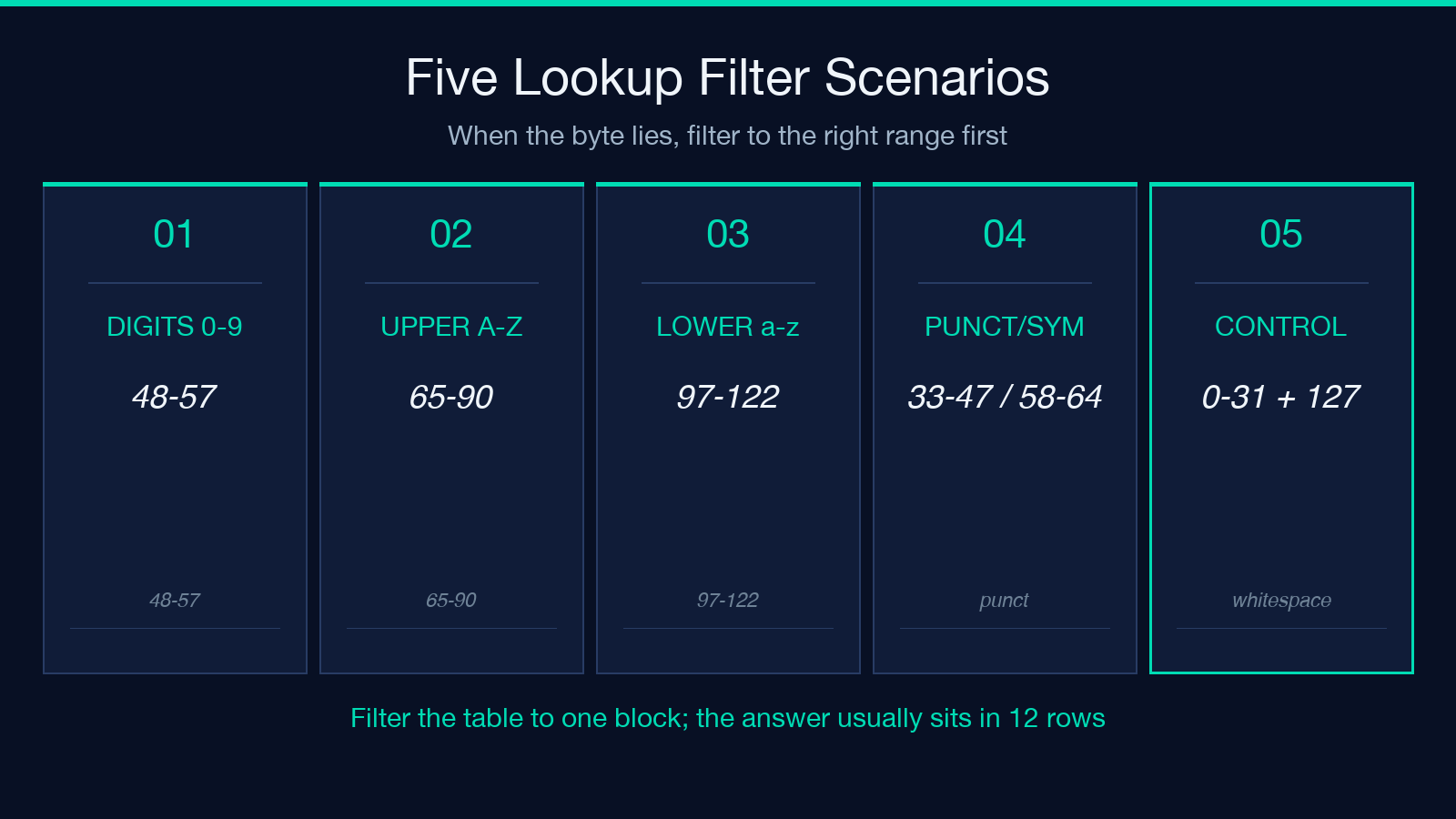
showControl: turns the 0-31 + 127 control block on and off. Leave it off for clean ASCII comprehension, leave it on when bytes are suspect.showPrintable: turns the 32-126 printable block on and off. The only time to turn this off is when you specifically want a quiet table with only control rows visible, which is rare outside of debugging CR/LF confusion in a CR-only device log.caseFilter: five values (all,upper,lower,digits,punct). This is the filter you reach for most often.digitsanswers “what character is code 53?” in one click.punctanswers “is code 33 an exclamation mark or something else?”.highlightRange: a dropdown that highlights a contiguous code range without hiding the rest. Use it for sub-range questions like “what’s between 65 and 90?” (the answer is A-Z, but seeing it visually confirmed saves a stack overflow).
Together these four options collapse roughly 80 percent of the time you would otherwise spend flipping between man pages and online charts.
The control character block has three ranges you must recognize
The 33 control codes (0-31 plus 127) divide into three functional ranges that map directly to common bugs:
- 0-8 and 14-31: low-frequency control bytes.
NUL(0) is the most famous.BS(8) backspace appears when a TTY redraws.ESC(27) starts an ANSI escape sequence. - 9, 10, 11, 12, 13: the whitespace control block. TAB (9), LF (10), VT (11), FF (12), CR (13). Any of these in a CSV or JSON field is a near-guaranteed parser breakage.
- 32 and 127: technically the lower and upper edges of printable, but 127
DELis grouped with control characters because it does not render.
You can confirm any of these codes with a single click on the ASCII Table Reference page: pick 0-31 in the Highlight Range filter and the entire block is shaded while every adjacent column stays readable.
Which output column to grab depends on what your downstream code wants
The table renders six columns per row: decimal, hex, octal, binary, HTML entity, and control character name. The “right” column depends entirely on where you are pasting the result:
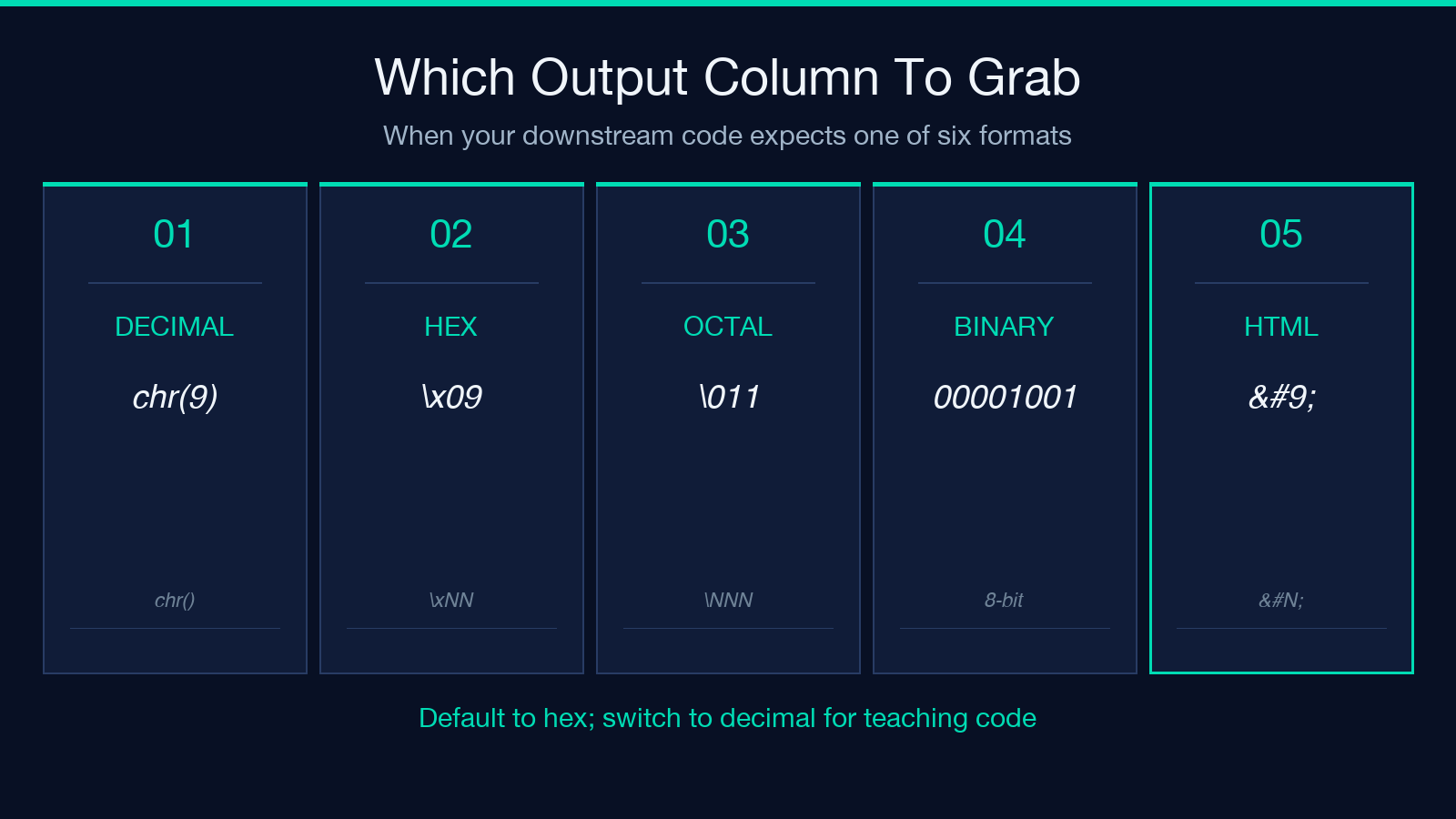
- Decimal: when feeding an integer to a Python
chr()call, a Cprintf("xHH")template’s%dslot, or any language’sString.fromCharCodeequivalent.chr(9)is the canonical way to write a tab character into a string literal. - Hex: when pasting into an escape sequence (
x09for tab), an HTML entity lookup, a Unicode codepoint (U+0009), or a memory dump. Hex is the most common output for low-byte references. - Octal: when writing C string literals (
- Binary: when teaching bit manipulation, when reasoning about parity or masking, or when working with protocols that operate on raw bit patterns (UART, I2C, SPI). For most text work, binary is overkill.
- HTML entity: when writing HTML or XML where you need
	(tab), (LF), or named entities like&for ampersand. The named character column lists these alongside. - Control character name: when reasoning about a log line or a regex. Seeing
CRnext to code 13 is faster than seeing13alone.
A practical rule: pick one column as your default and use the others for confirmation. Most developers default to hex because it pairs cleanly with xNN escapes; switch to decimal when teaching or writing tutorial code.
A 60-second workflow for “what character is code N?”
When you have a number and need a character, or a character and need its number, this loop works in every IDE:
1. Open ASCII Table Reference and set Letter Case Filter to whichever subset you suspect. digits if the code is 48-57, upper if 65-90, punct if 32-47 or 58-64 or 91-96 or 123-126. 2. Scan the decimal column to the row matching your code, or scan the glyph column for your character. The hex column sits between them and is usually the cleanest spot to read. 3. Note the value, copy the relevant cell, paste it into your code or your shell.
The reverse direction (character to number) takes the same three steps. The table’s symmetric layout is intentional: row index = decimal code, column position = encoding format. There is no hidden lookup table, no scroll-sync trick, no filtering-after-the-fact; it is the same table a printed reference card would show, just interactive.
Why a reference beats a regex character class
A common alternative is reaching for a regex character class like [x00-x1F] or p{Cc} and hoping the regex engine does the right thing. Sometimes it does. Sometimes it does not. POSIX character classes differ from PCRE. Python’s s includes more than JavaScript’s s. Shell tr -d '[:cntrl:]' matches different bytes than sed 's/[x00-x1F]//g'.
A table sidesteps all of this. If the byte is in the control block, the table says so. If it is not, the table shows the printable glyph, the hex value, the HTML entity, and the binary representation. Every column is auditable. There is no character-class dialect to memorize, no engine-specific escape syntax, no version-dependent inclusion list.
This is also why the ASCII Table Reference is a useful artifact to bookmark alongside a Unicode block chart. ASCII is the foundation that every other encoding extends. Get the low 128 bytes right, and the rest of your debugging usually falls into place.
A worked example: the CR/LF trap in a CSV header
You open a CSV whose header row should be name,age,city but your parser sees three rows. The first row is name,age,city plus a stray 0D byte at the end. The hex dump shows:
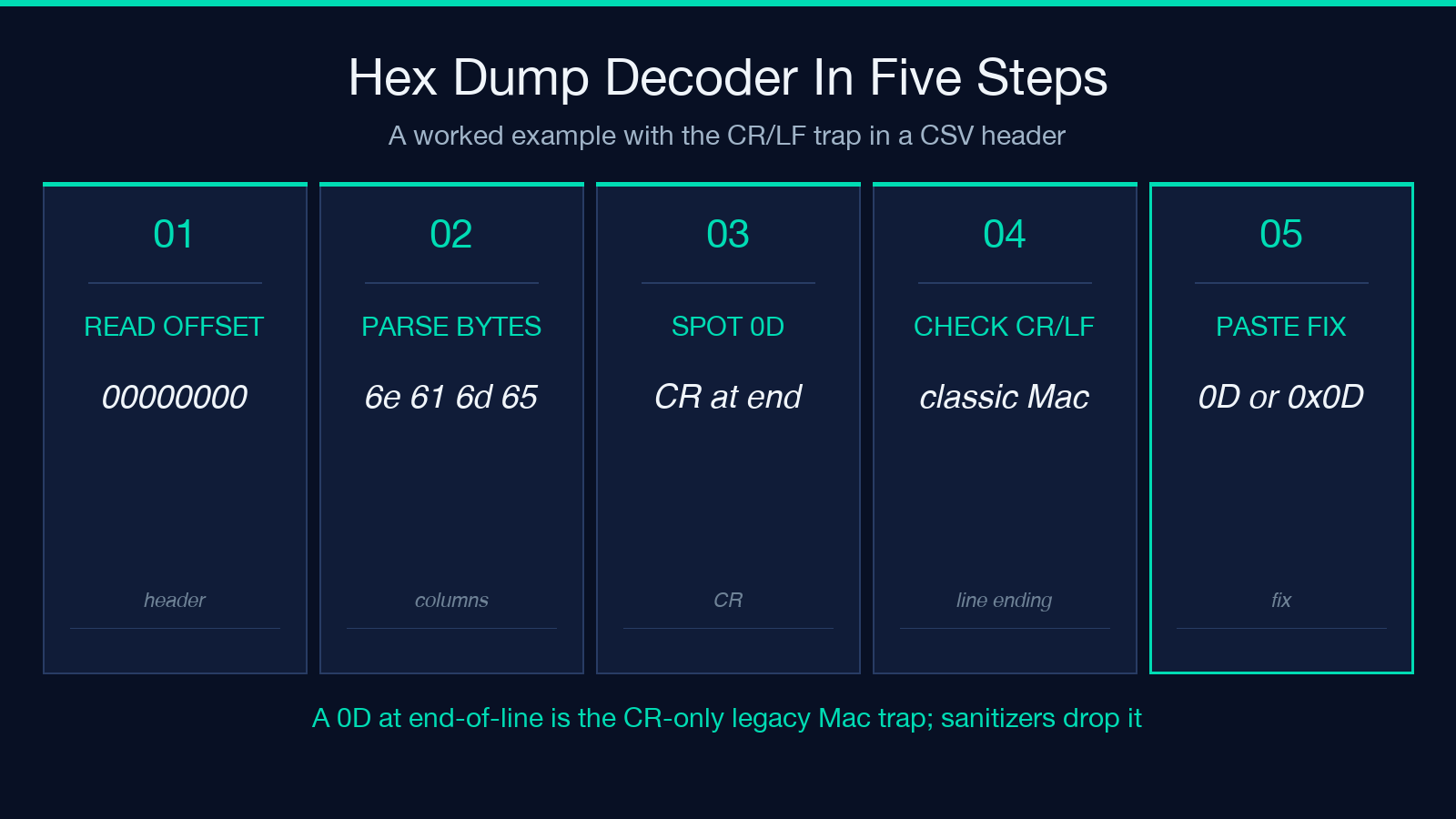
00000000 6e 61 6d 65 2c 61 67 65 2c 63 69 74 79 0dCode 13 is CR (carriage return), the classic Mac classic pre-OS X line ending. A Windows tool reading this file sees CR followed by LF on the next line and silently drops the CR. A Unix tool sees CR alone and treats it as part of the header. A Windows tool reading a file with LF-only endings reads fine. A Unix tool reading CR-only line endings treats the entire file as one line.
Open ASCII Table Reference, set showControl on, pick 9-13 in the Highlight Range, and you see the row for code 13 shaded: CR, decimal 13, hex 0D, octal 015, binary 00001101, HTML entity
CR and you can paste 0D, the literal CR escape chr(13), or the hex value 0x0D directly into your sanitizer.
This kind of pattern is the bread and butter of byte-level debugging. The table is the fastest way to confirm a code you suspect; the filter narrowing is the fastest way to scan a range; the named column is the fastest way to communicate what you found to a teammate.
Closing: bookmark it, filter it, trust the column
The reason ASCII Table Reference earns a spot in a developer workflow is not novelty; it is the disappearance of one specific class of friction. When the byte is lying to you, you no longer alt-tab to Wikipedia, you no longer grep man ascii, you no longer write python -c "print(chr(N))" in a scratch REPL. You reach for the table, filter to the range you suspect, and read the column your downstream tool expects.
The most common working state is Letter Case Filter: digits or Letter Case Filter: punct, with Show Control Characters toggled off until you need them. Keep that as your default. Reach for control-character view only when a parser disagrees with your file, and reach for the highlight range when the question is “where does this code sit relative to the others?”. The table answers all three in under a minute.
If you build tooling that touches byte streams, treat the ASCII table the same way you treat a periodic table: not as something you memorize, but as something you consult. The seven rows that earn their keep are the whitespace control block (9-13), the digit block (48-57), the upper-letter block (65-90), the lower-letter block (97-122), and the printable symbol blocks on either side of them. The rest of the 128 codes are accessible in two clicks whenever they show up.
For more reference tools and live examples of byte-level inspection, browse the rest of the Elysia Tools catalog.
