
Most phishing URLs don’t look obviously malicious — they look like every other short link in your inbox. The real risk lives in characters most URL bars render correctly but most security training never teaches you to read. Punycode like xn--ggle-55da.com rendering as googIe.com (with a Cyrillic “ie” instead of Latin “le”), credentials tucked into the user:pass@ segment, double-encoded paths, control characters from copy-paste, and numeric IP hosts behind a friendly subdomain — these are the four-to-six vectors the URL Safety Checker inspects on every submit. This guide walks through what each signal means, what the JSON output looks like, and where the tool sits in a content-pipeline or pre-emptive block list.
Why A URL That Renders Correctly Can Still Be A Phishing Vector
A browser’s address bar optimises for legibility: it shows googIe.com even when the underlying hostname is xn--ggle-55da.com (where “55da” is the Punycode encoding of the Cyrillic “Ie”). To a human, this is the Google logo domain spelled correctly. To a parser, the two strings are byte-different and route to two different servers.
The URL Safety Checker applies six structural analyses on the input URL, each targeting a different class of obfuscation. Static analysis only — no DNS resolution, no HTTP fetch, no WHOIS lookup. The tool tells you what the URL claims to be, what its encoded form decodes to, and whether any of the structural signals trip the risk heuristics.
The Six Signal Categories
The checker walks six risk surfaces in order. Each one returns either pass, warn, or fail, with the specific evidence field explaining what triggered the verdict.
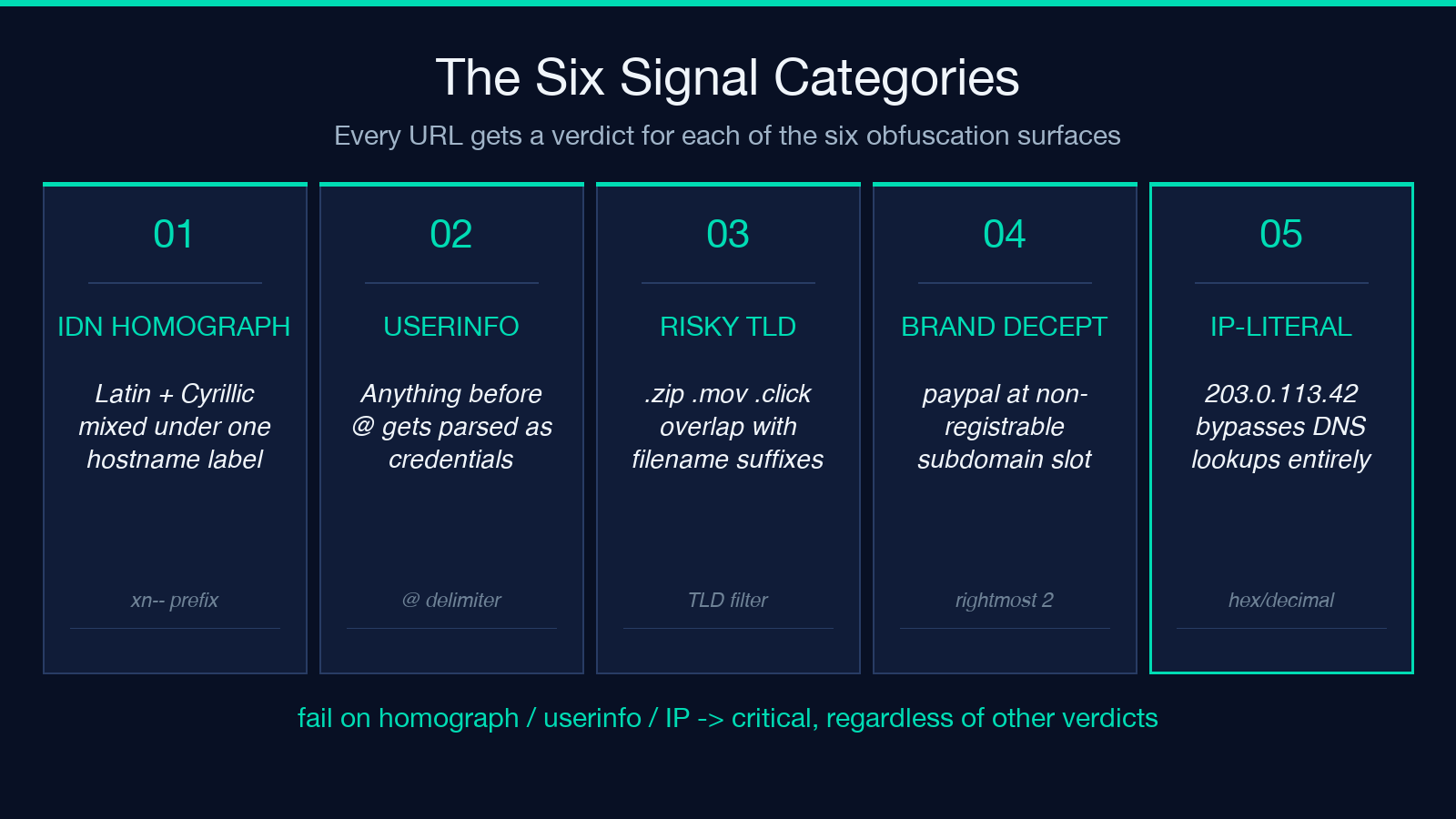
- 1. Punycode and IDN homograph detection. Latin-Latin lookalikes (uppercase
Ivs lowercasel, the digit0vs letterO) only become a real attack when the URL mixes scripts. The tool decodes anyxn--label and flags labels that contain mixed scripts or that resolve to characters falling outside Latin range. - 2. Embedded credentials. A URL of the form
https://user:pass@host/pathlooks innocent but routes the request after authenticating. The checker parses the URL into components and rejects any URL where the userinfo segment is non-empty. - 3. High-risk TLD review. The
.zipTLD was delegated in mid-2023 and.movin late 2023; both overlap with common filename extensions and create ambiguity when the URL is read out of context. The checker maintains a curated list of TLDs that have been associated with active phishing campaigns. - 4. Subdomain brand deception.
paypal.com.attacker.exampleregisters thepaypal.com.attackersubdomain onattacker.example. The tool looks at the rightmost two labels and flags any registration where a brand string appears in a non-registrable position. - 5. Numeric or IP-host obfuscation.
[email protected]resolves to203.0.113.42. The checker flags raw IP hosts and any host that is a hex or decimal-form IP rather than a domain name. - 6. Double-encoding and control characters. A path like
/redirect%252Fto%252Fbankis doubly URL-encoded; decode once and you get/redirect%2Fto%2Fbank, decode again and you get a path that may route to a different server. The checker walks the decoded path and re-encodes it; if the result differs from the original, the URL was double-encoded. Control characters (%00–%1F,%7F) sneak in via copy-paste from PDFs and email clients and can terminate strings early in downstream parsers.
Reading The JSON Output
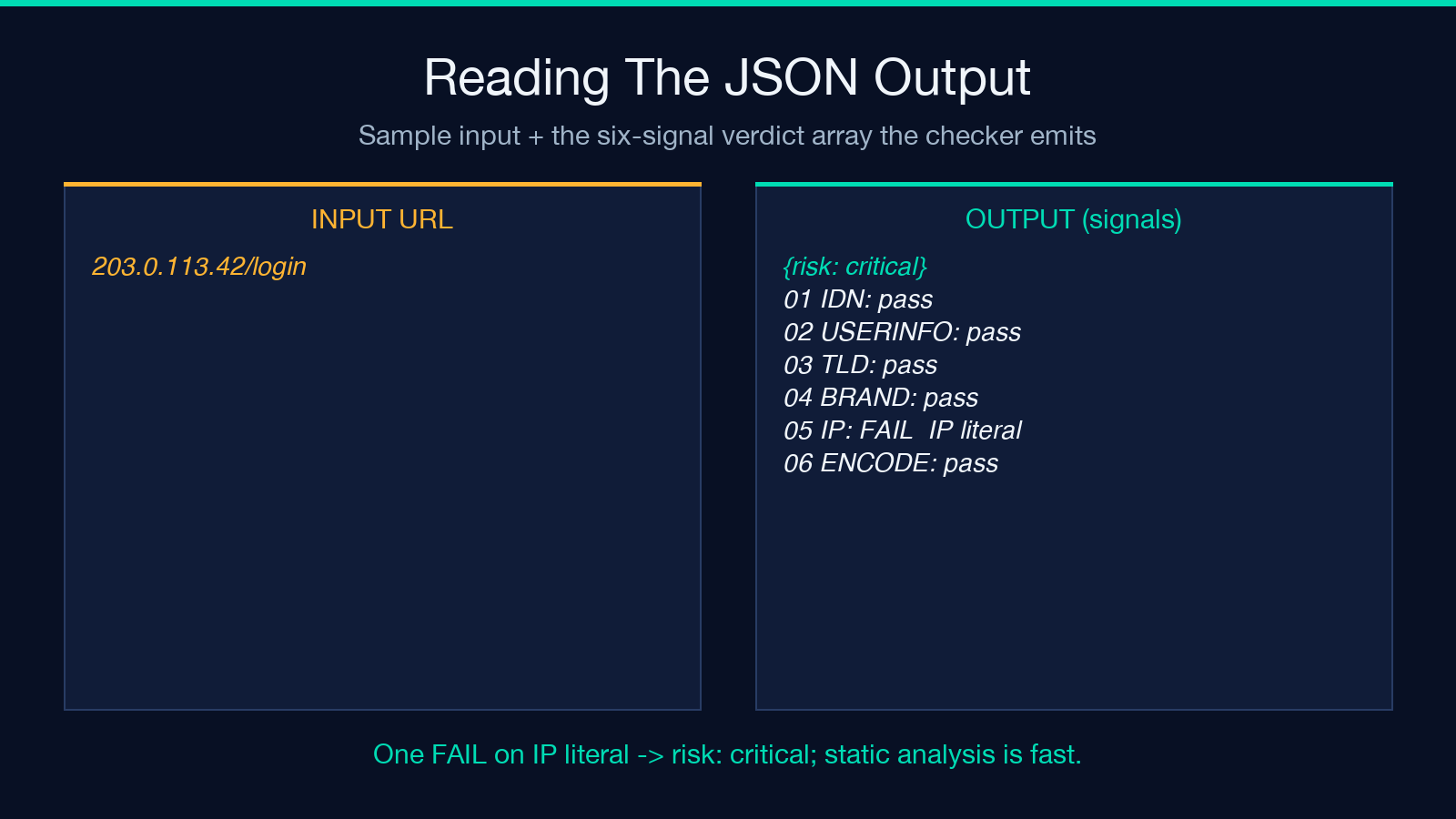
The verdict is a single object with a top-level risk field (low, medium, high, critical) and a signals array containing one entry per category. A clean URL returns low with all six signals passing. A URL with two warnings bumps to medium. Anything that hits a fail in homograph detection, embedded credentials, or IP-host obfuscation lands at critical regardless of the other categories — those three vectors are the ones with the lowest false-positive rate.
Sample input-output pair, using a typical phishing URL:
Input: https://[email protected]/login
Output signals (truncated):
{
  "risk": "critical",
  "signals": [
    {"category": "punycode_idn_homograph", "verdict": "fail", "evidence": "Latin 'I' in hostname 'googIe.com' mixed with mixed-script prefix under attacker.example subdomain"},
    {"category": "embedded_credentials", "verdict": "fail", "evidence": "URL contains userinfo segment 'googIe.com' before '@' delimiter"},
    {"category": "high_risk_tld", "verdict": "pass", "evidence": "TLD 'example' not on risk list"},
    {"category": "subdomain_brand_deception", "verdict": "fail", "evidence": "Brand string 'paypal' found in non-registrable subdomain of 'attacker.example'"},
    {"category": "ip_host", "verdict": "pass", "evidence": "Host is a domain name, not an IP literal"},
    {"category": "double_encoding", "verdict": "pass", "evidence": "Path decodes cleanly without remaining percent-encoding"}
  ]
}
Notice how a single URL trips three fail signals at once — the cumulative hit is what makes the verdict critical. A URL that trips only one warn (say, a brand string in a subdomain that resolves to the legitimate brand) lands at medium, which is appropriate for human review rather than automated blocking.
Where The Tool Sits In A Validation Pipeline
The checker is static-only by design. It does not resolve DNS, fetch content, or perform WHOIS lookups. This makes it cheap to run in three distinct positions:
- Pre-submit hooks on user-generated content. Any time a CMS, forum, or comment form accepts a URL, route it through the checker first. A
criticalverdict blocks submission; amediumverdict logs the URL and queues it for human review. The tool returns in under 50ms per URL because it does no network I/O. - Email body extraction. Inbound support emails often contain shortened or wrapped URLs in their body. Run the extracted URLs through the checker before any click-handling logic touches them. The static analysis catches the same vectors that browser-side real-time protection catches, but at a layer where the tool can be configured per-deployment.
- Phishing triage queues. When a security team triages user-reported URLs, the cheker sits at the front of the queue as a fast pre-filter. Anything
highorcriticaljumps the queue; anythinglowormediumfollows the standard review path. The static-analysis signal often tells the reviewer which specific vector to focus on before they open the URL in a sandbox.
Common False-Positive Patterns And How To Avoid Them
Three patterns trip the checker on legitimate URLs. Knowing them saves the reviewer time:
- Authentication URLs with userinfo in the path. Mailgun, SendGrid, and similar transactional email services occasionally use URLs of the form
https://[email protected]/token. These are legitimate tracking URLs and passembedded_credentialsif the userinfo encodes a tracking ID rather than credentials. The checker parses the URL strictly; the calling system can override the verdict on apassfor known tracking domains. - Multi-language sites with non-ASCII domains. A Russian bank’s
.рфdomain (Cyrillic TLD) renders correctly but flagspunycode_idn_homographbecause the entire hostname is non-Latin. Adjust the allowlist per-deployment rather than per-tool — the static analyzer should report the signal, the calling system should know which TLDs are in scope. - Domain ownership of high-risk TLDs.
.zipand.movare legitimate TLDs; some legitimate brands (likegoogle.zipstyle vanity domains) register on them. The high-risk-TLD signal reports the risk class, not the individual domain. Combine with allowlist logic at the calling layer.
What The Checker Does NOT Detect
The static analyzer has hard limits, and the boundaries matter for pipeline placement:
- Compromised legitimate domains. If
- Newly registered domains. A domain registered yesterday with a clean structure and a
- HTML-payload phishing. Emails where the URL is fine but the link text and HTML payload are deceptive escape static analysis entirely.
- Credential capture in the body, not the URL. Phishing pages that capture passwords on the form submission rather than in the URL path are invisible to URL-only analysis.
These four gaps are precisely why static URL analysis sits at the front of a layered pipeline, not at the end. The URL Validator on Elysia Tools covers the protocol and IP-shape checks; the URL Safety Checker covers the structural deception checks; together they handle the static surfaces without overlap.
Combining With Allowlists And Denylists
The JSON output is designed to be join-friendly. A typical integration computes the tool’s verdict, then layers organisation-specific allowlists and denylists on top:
– Internal corporate domains → allowlist override – Known-bad phishing infrastructure → denylist override (tool doesn’t need to be called) – Brand-protection patterns (specific brand strings to flag in non-registrable subdomains) → organisation-tuned version of subdomain_brand_deception
The cleanest integration skips the tool entirely on URLs that hit the allowlist (skips ~70% of URLs in a typical enterprise workload) and only runs the structural analysis on the remainder. The tool does not maintain persistent state across calls; each invocation is independent, making it safe to scale horizontally.
Try It On The Five Common Patterns
The most common phishing shapes — the ones worth memorising — are five:
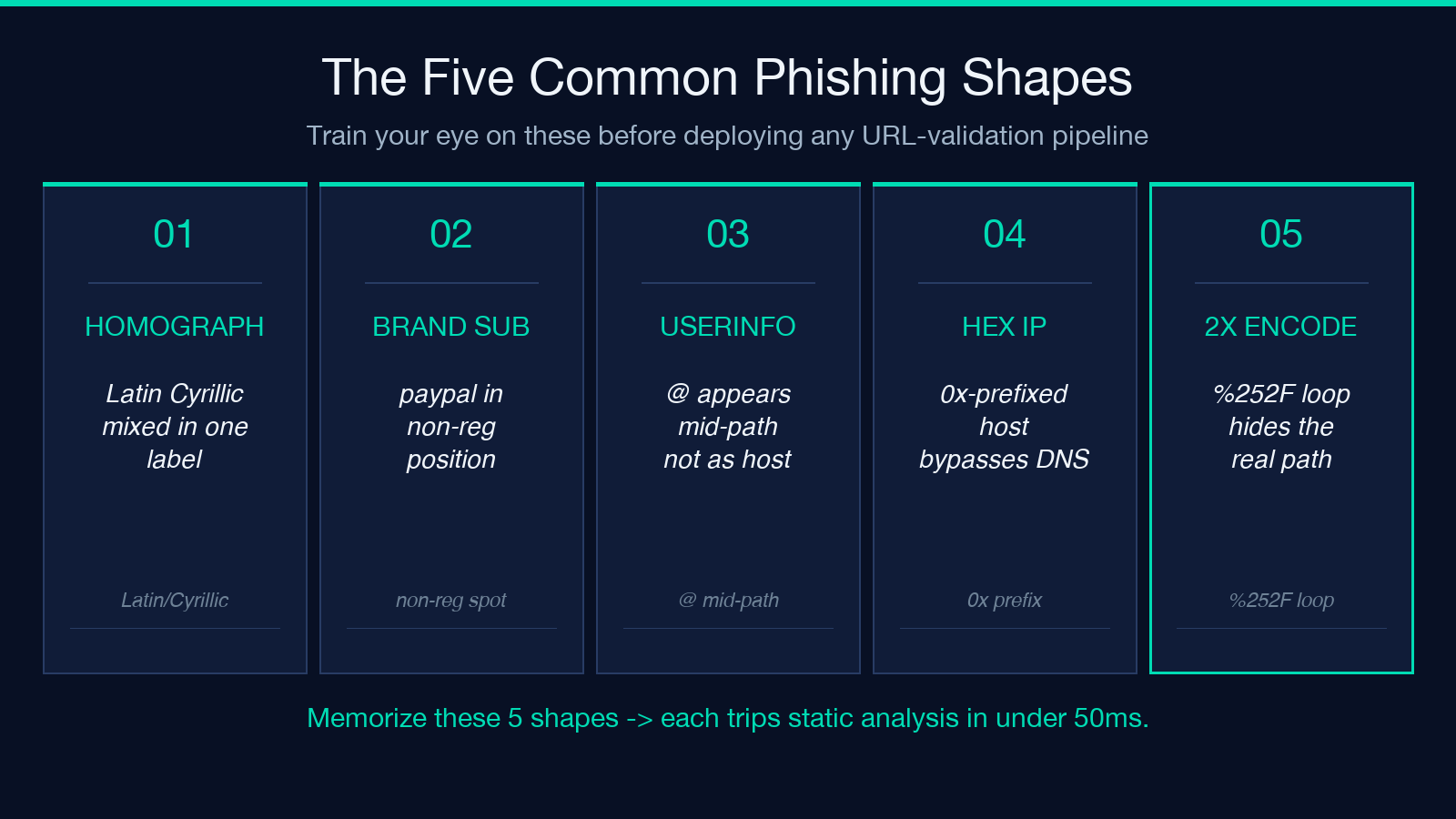
- 1. Homograph prefix with credentials.
https://[email protected]/login - 2. Subdomain brand in non-registrable position.
https://paypal.attacker.example/login - 3. Shortened link with credentials.
https://bit.ly/[email protected] - 4. Hex IP host.
https://0x7f000001/secure-login - 5. Double-encoded path.
https://bank.example.com/redirect%252Fto%252Fother
Each one returns risk: critical with the specific vector flagged in the signals array. Running these through the checker before deploying any URL-validation logic in production trains the reviewers’ eye for what to look for. The tool is fast enough — sub-50ms per submit — that it fits inside a CI step, an HTTP middleware, or a content-moderation queue. Static analysis is the cheapest layer of defence, and the cheapest layer deserves the most careful tuning.
Explore more tools at elysiatools.com.
