
Six fields, one timeline. A cron expression reads like punctuation soup until you can see the next ten runs on a calendar — and that is exactly the gap the Cron Expression Visualizer fills. Most teams treat cron syntax as a single artifact: copy from a wiki, paste into crontab, pray. The schedule that fires at 02:30 server time runs at 18:30 your time, daylight saving throws it off twice a year, and the Quartz extension you copied from a Spring Boot tutorial silently breaks the legacy Unix job next to it. The Cron Expression Visualizer parses the expression, flags syntax errors before they hit production, and renders the next executions across two views — a timeline and a grouped calendar — so the same five characters (*/5 * * * *) that read as “something every five minutes” become a visual schedule you can defend in a code review.
What the visualizer actually parses
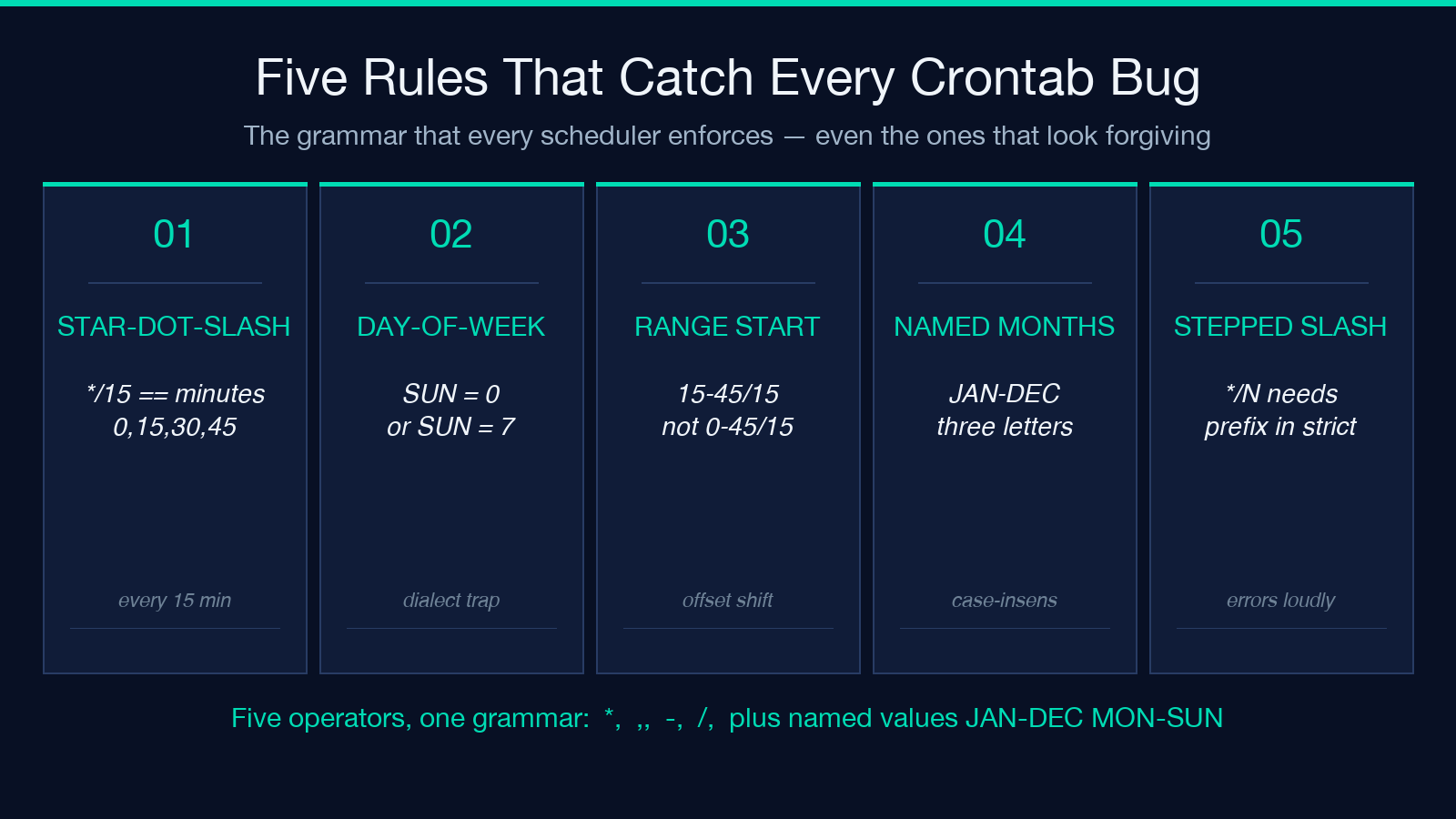
Every cron expression follows the same skeleton: minute, hour, day-of-month, month, day-of-week, and an optional command. The first five fields accept the standard operators (*, ,, -, /) and named values (JAN-DEC, MON-SUN). The Cron Expression Visualizer accepts both dialects — classic Unix five-field and Quartz six-field with seconds — and rejects anything that violates the grammar with a line-level error pointing at the offending field. The parse step is non-negotiable: feeding 0 9 * * 1-5 and getting back “weekdays at 09:00” requires the visualizer to understand that 1-5 is a range, that the comma-list 0,15,30,45 means four minutes per hour, and that */10 in the minute field means “every ten minutes starting at minute zero.” A regex-based linter can catch the obvious typos; only a real parser catches the silent off-by-one when 0 0 31 * * runs in February.
The output is HTML — a timeline strip with the next ten to twenty execution times annotated with weekday and timezone, and a calendar grid that groups runs by week so you can see at a glance whether the schedule drifts across month boundaries. This grouping is the diagnostic view the command-line crontab -l output never gives you. A schedule that fires daily at 02:30 looks identical to one that fires daily at 02:30 in text; on the calendar grid the latter still fires on the day of a DST forward shift while the former drifts.
Standard versus Quartz: the dialect trap
The classic five-field cron (MIN HOUR DOM MONTH DOW) is the one every Linux server speaks. Spring, Quartz, and most job schedulers extend it with a leading seconds field and an optional year field (SEC MIN HOUR DOM MONTH DOW [YEAR]). A schedule authored for Quartz that accidentally lands in a /etc/crontab slot will fail silently or fire at wrong times because the leading seconds value is read as the minute field. The Cron Expression Visualizer accepts both, but the parser surfaces which dialect it inferred — when the first field is wider than 23 (only valid as seconds), the visualizer locks to Quartz mode and rejects SUN-FRI style day-of-week ranges that exceed six characters (Quartz uses 1-7 numeric).
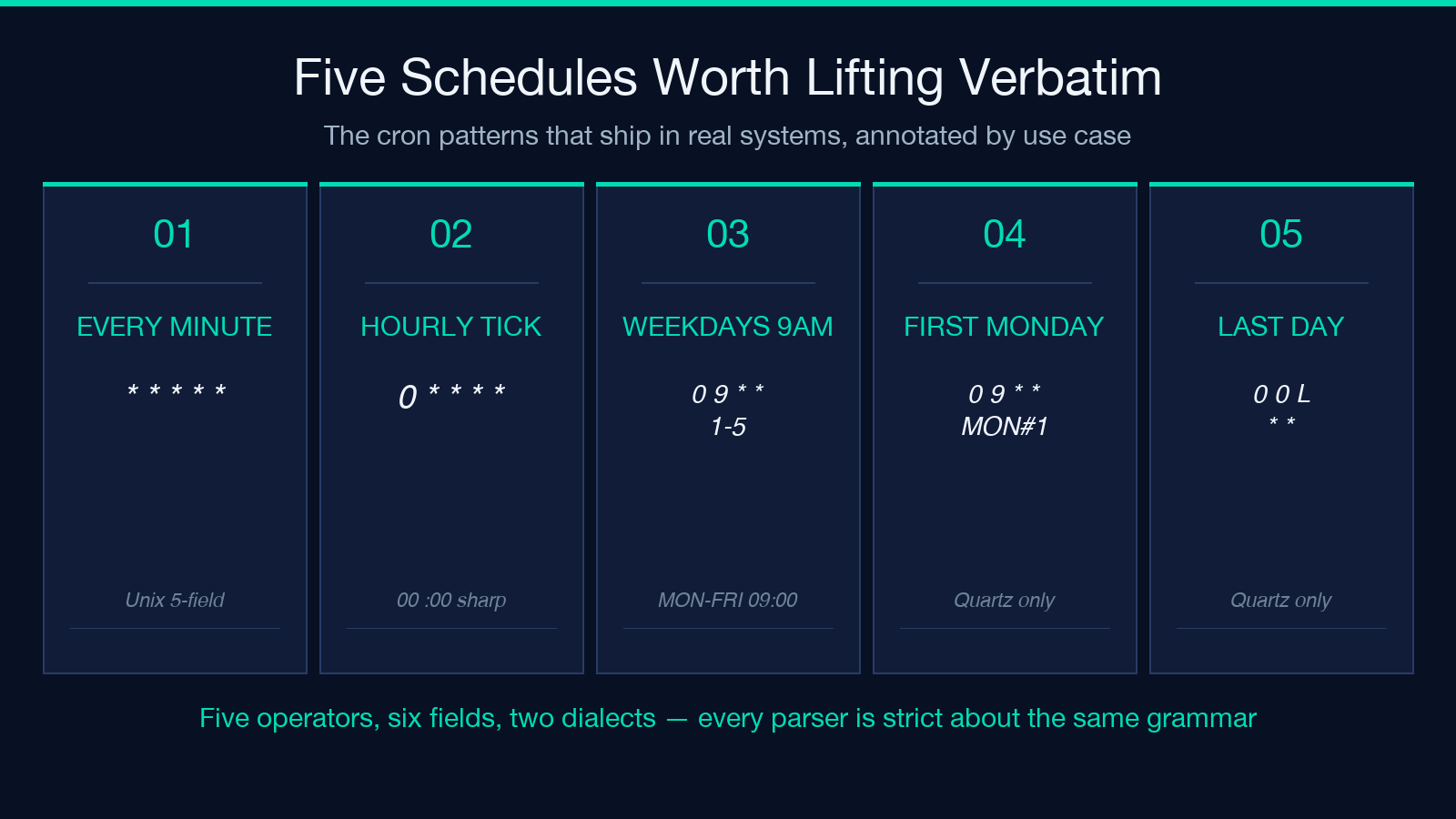
When you need to see real schedules before authoring your own, the Cron Expression Samples page at Elysia Tools shows the canonical patterns most teams reach for: every minute, hourly at minute zero, weekdays at 09:00, first Monday of the month, last day of month, and the awkward 0 0 L * * Quartz-only last-day specifier. Reading the samples side-by-side with the visualizer output is the fastest way to internalize the grammar.
Day-of-week semantics: SUN=0 versus SUN=7
This is the one trap that catches every team at least once. Standard cron accepts 0 and 7 as both Sunday (some implementations only accept 0). Quartz extends this so 7 is Sunday and 1-7 covers Monday through Sunday with no ambiguity. A schedule like 0 0 * * 7 will fire once a week on Sunday in Quartz but might be rejected or fire on Monday in older cron daemons. The Cron Expression Visualizer renders the next eight weekly runs with weekday labels so you can verify the intent matches the implementation. If your schedule was supposed to be Sunday-only but the calendar shows a Monday slot, the field mapping is wrong.
The corollary is month names. JAN, FEB, …, DEC are case-insensitive three-letter abbreviations. 0 0 1 JAN-MAR * fires at midnight on the first of January, February, and March. The visualizer treats named months the same as their numeric values and renders the calendar grouping by quarter so the seasonality is visible.
Six-field, five-field, and the seconds prefix
Quartz cron prepends a seconds field, making the schema SEC MIN HOUR DOM MONTH DOW [YEAR]. A schedule written for Quartz (0 0 9 * * ?) when pasted into a Linux crontab will be read as 0 9 * * ? — the leading zero becomes minute, the 9 becomes hour, and the day-of-month * plus day-of-week ? creates a wildcard conflict that most parsers reject. The Cron Expression Visualizer detects the leading seconds field by checking if the first token is greater than 23, locks to Quartz mode, and renders the schedule accordingly. The result is a one-second-resolution timeline strip rather than a one-minute-resolution one, which matters for the Quartz 0/1 * * * * ? every-second pattern used in clustered job schedulers where multiple workers must coordinate.
Comma lists and step values: the */N versus 0-N/N split
Two patterns look almost identical but mean different things. */15 in the minute field means minute 0, 15, 30, and 45. 0-59/15 means the same thing. But 15-45/15 means minutes 15, 30, and 45 — the start point shifts the offset. A schedule like */30 9-17 * * MON-FRI runs at minute 0 and 30 of every hour from 9 AM to 5 PM on weekdays — but only if the implementation treats */30 as “minute 0 and 30” rather than “minute 30 only.” The Cron Expression Visualizer lists every minute value the parser inferred, and a glance at that list disambiguates the two interpretations faster than re-reading the cron spec.
The step value / operator requires a starting point in strict implementations. */15 is shorthand for 0,15,30,45; a bare /15 without the asterisk prefix is rejected by most parsers. The visualizer surfaces this as a syntax error pointing at the offending field, which catches the typo before it ships.
DST and timezone: the silent schedule drift
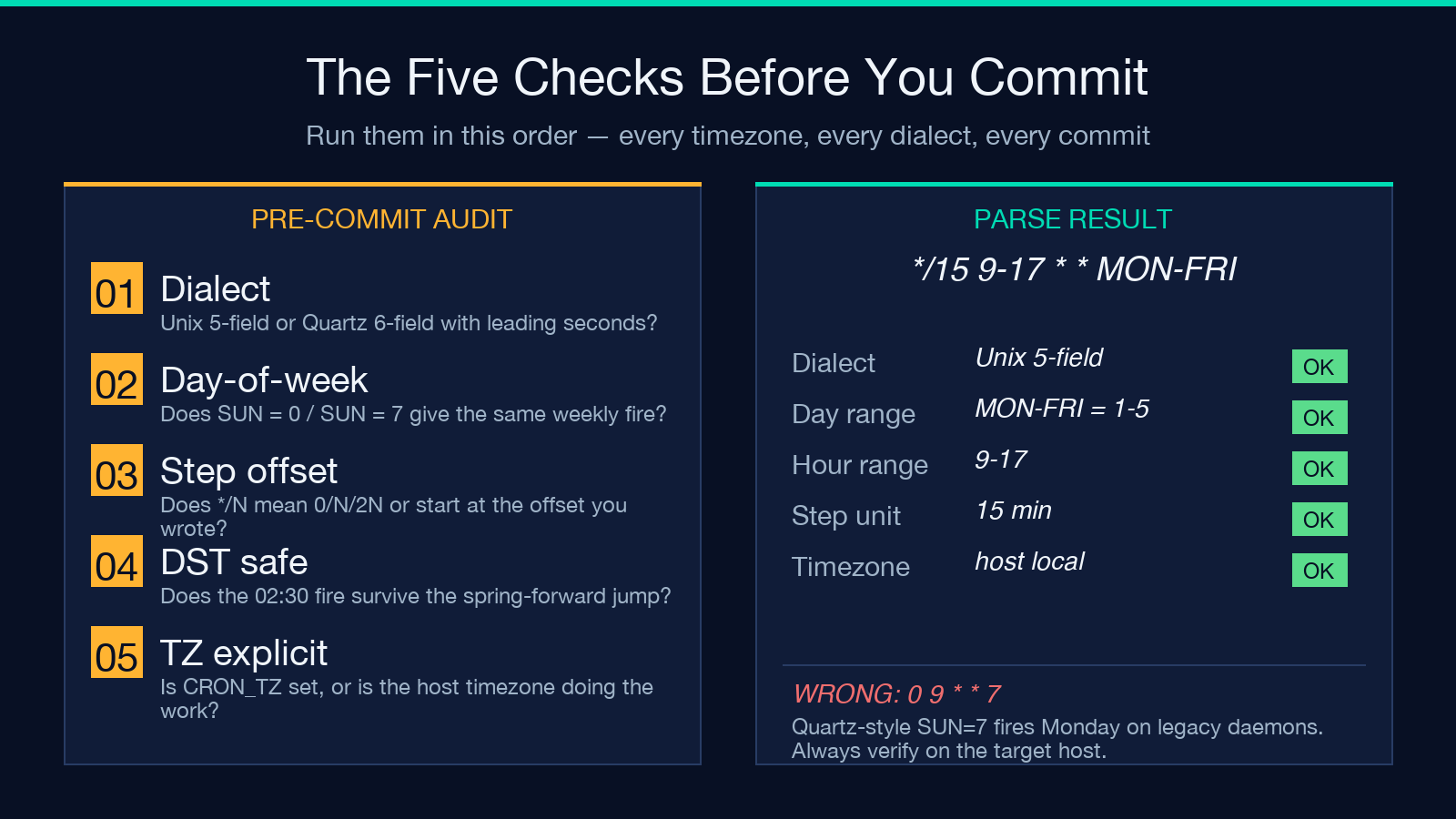
Cron has no native timezone concept — every field is interpreted in the host’s local time. A schedule 0 9 * * * written by a team in Shanghai (UTC+8) and deployed to a server in Frankfurt (UTC+1, CET/CEST) fires at 08:00 Frankfurt time in winter and 09:00 in summer. The Cron Expression Visualizer takes an IANA timezone argument and renders the calendar in that timezone, with a separate UTC reference strip below. When the two strips diverge, the schedule will drift twice a year on the DST transition.
The deeper trap is the schedule that fires at 02:30 local time on a day when DST jumps from 02:00 to 03:00 — the 02:30 fire never happens. The visualizer flags this in the timeline view with a “skipped” annotation on the affected date. For business-critical schedules, the answer is usually to author the cron in UTC explicitly (CRON_TZ=UTC 0 9 * * * in /etc/cron.d/) and accept the wall-clock drift, or to migrate to a scheduler that supports timezone-aware firing. The visualizer is the diagnostic tool that tells you whether you have a DST bug before the user does.
When the visualizer is not enough
The visualizer tells you when a schedule fires. It does not tell you whether the job runs successfully, how long it takes, or whether it overlaps with the previous invocation. For those concerns the visualizer is a starting point — the next layer is a job-runner that logs execution time, returns a heartbeat, and pages when a fire is missed. But the parsing and validation layer is where every missed fire begins, and getting it right starts with seeing the schedule the way the parser sees it.
See the schedule, then ship it
Cron is one of the few configuration formats where the wrong answer is syntactically valid. Every team has a story about the 0 0 * * 0 Sunday-only schedule that turned out to fire every Monday because the day-of-week range started at 1, or the */10 minute field that meant “minute 10 only” in the implementation that got deployed. The Cron Expression Visualizer is the lens that turns the punctuation back into a calendar — and a calendar is what gets defended in code review.
For a catalog of patterns worth lifting verbatim, the Cron Expression Samples and ICS Calendar Samples pages show the schedules that ship in real systems, annotated by use case. Run them through the visualizer before pasting them into your crontab.
