
The right indent style makes a 200-line query readable in five seconds. Most engineers do not pick an indent style on purpose. They paste a query, hit reformat, accept whatever the formatter gives back, and move on. That casual default hides three losses at once: the readability tax on every review after the first, the review comments that never get written because the formatting is too noisy to argue with, and the slow build-up of formatting debt that makes a database team dread its own migration scripts. A SQL formatter that respects four independent controls (dialect, casing, indent, and statement spacing) replaces those losses with one-time configuration that keeps paying off for years. This guide walks through the four controls, the four indent styles, and the four failure modes that make teams switch from default-formatter to Elysia Tools’ SQL Query Formatter & Minifier.
Why a SQL formatter is not a SQL beautifier
The words “formatter” and “beautifier” are used interchangeably in editor plugins, IDE settings, and Stack Overflow answers. They are not the same tool. A beautifier only adds whitespace to make the query readable. A formatter also enforces a dialect, normalizes keywords, applies a casing convention, and renders the result with a stable indent style across files. The distinction matters when a query mixes PostgreSQL JSONB operators with MySQL string functions, or when the same codebase ships to BigQuery for analytics and SQLite for local tests. A beautifier will happily output a query that parses on one engine and fails on the other. A formatter that knows the dialect catches the mismatch before the migration runs.
The SQL Query Formatter & Minifier treats formatting and minification as two modes of one engine, both running on top of the sql-formatter library. Format mode emits a multi-line, syntax-highlighted, copy-ready block. Minify mode collapses the same query into a single compact line for transport or template injection. The dial between the two is the mode toggle; everything else is configuration.
The four controls that actually matter
Most formatters expose a dozen checkboxes and never explain the order in which the choices interact. A useful formatter distills the surface area to four independent knobs and respects them in a fixed order: dialect first, casing second, indent third, statement spacing fourth. The SQL formatter follows that order.
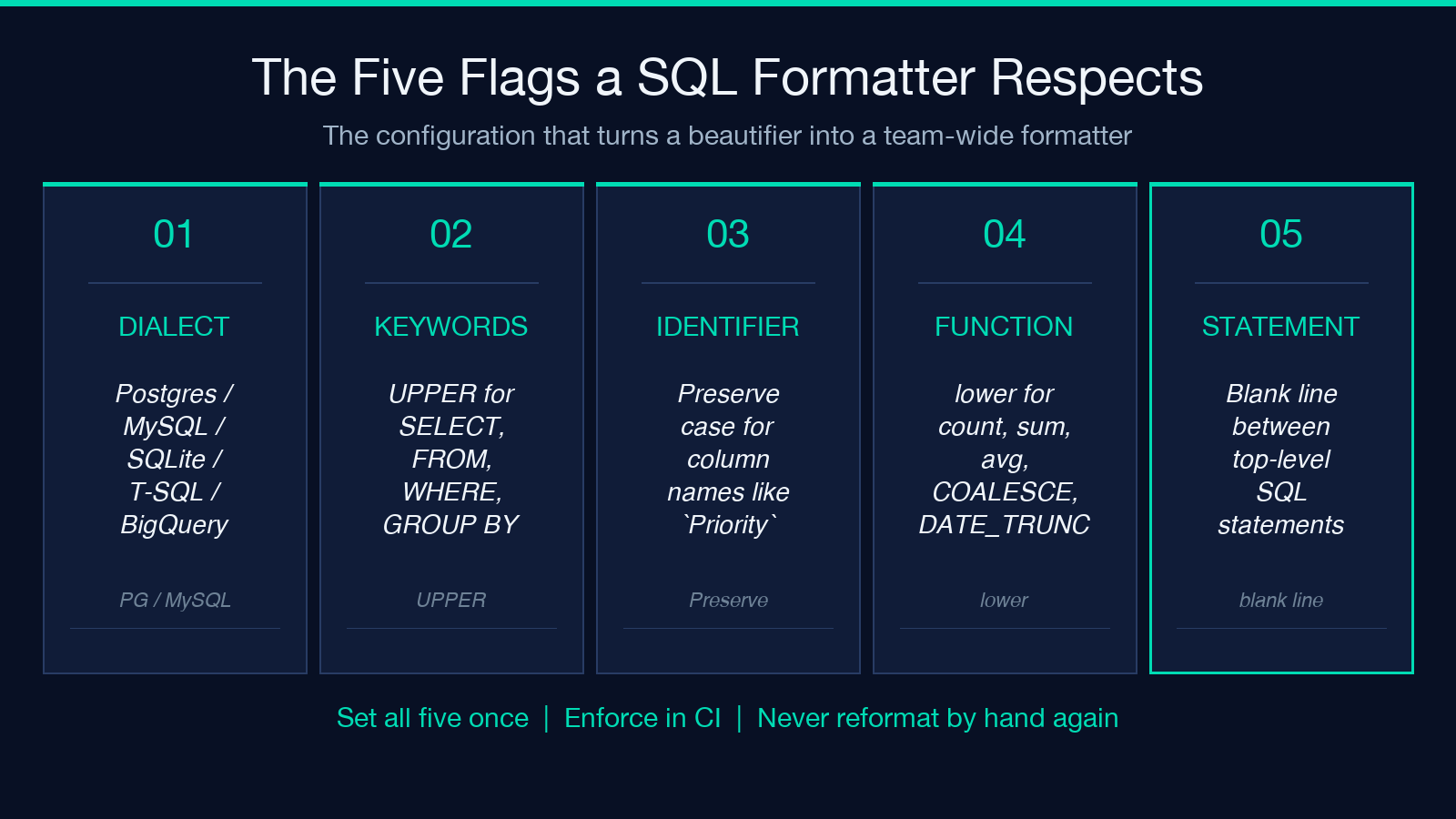
Dialect selects the SQL flavor: Standard SQL, PostgreSQL, MySQL, SQLite, T-SQL (SQL Server), BigQuery, Snowflake, and others. The dialect controls which keywords are reserved, which functions are recognized, and how the formatter parses strings and identifiers. Switching dialect mid-query is not allowed; you commit to one and the rest follows.
Casing is split into three independent selectors: keywords (SELECT, FROM, WHERE), identifiers (table and column names), and function names (COUNT, COALESCE, DATE_TRUNC). Each can be set to Preserve (leave whatever the user typed), UPPER, or lower. The split matters because most style guides want keywords in upper case and column names in lower case, but they want neither to clobber what the original author typed when the case is meaningful (a column called Priority should not be rewritten to priority).
Indent picks the visual alignment, and the choice has real consequences. Standard indent with two spaces is the default in most teams and the safest choice for mixed codebases. The output looks like every example in the PostgreSQL documentation. It does the right thing on short queries and degrades gracefully on long ones, but it does not actively help long queries. Tabular-left indent aligns the right-hand operand of every comparison to the same column. A WHERE clause like created_at > '2025-01-01' AND status = 'shipped' AND amount > 100 becomes a visual table where created_at, status, and amount line up. Reviewers can scan the left column for the column name and the right column for the value. The style wins for any query that is dominated by equality or comparison predicates, which is most production queries. Tabular-right indent does the same alignment but anchors it from the right edge of the longest left-hand side; it reads better when the operands are mixed-type expressions and you want the comparison operators to line up rather than the operands themselves. The fourth style is not an option in the picker; it is the discipline of picking one and applying it across the codebase. A team that mixes standard and tabular-left inside one repo loses more time than it saves on either. Set the team default once, enforce it in CI, and the formatter becomes a non-event.
Statement spacing adds blank lines between top-level statements when a query contains more than one. A migration script with thirty ALTER TABLE statements reads much faster with one blank line between each statement than with the default tight stacking.
What the dialect switch actually changes
Pick the wrong dialect and the formatter silently produces output that breaks the target engine. PostgreSQL uses :: for casts (created_at::date); MySQL uses CAST(... AS ...); BigQuery accepts both but treats SAFE_DIVIDE as a function and MySQL treats division as an operator with no zero-guard. The formatter’s parser is dialect-aware, so it knows which symbols are operators and which are function calls in each flavor. Switching the dialect toggle re-tokenizes the query with the new grammar.
The SQL Query Formatter & Minifier lists the supported dialects in a dropdown and applies the chosen flavor to both the parser and the output renderer. A common pitfall is choosing Standard SQL for a BigQuery query that uses STRUCT literals; Standard SQL does not understand the trailing STRUCT(...) syntax, and the formatter will refuse to parse the input rather than emit a corrupted result. Pick the dialect that matches the target engine, not the dialect that looks familiar.
Casing as code-review shorthand
A code reviewer reads the first three lines of any SQL file to figure out the author’s intent. If the keywords are select and the identifiers are Order_Total, the reviewer’s mental model starts in the wrong place and never recovers. If the keywords are SELECT and the identifiers are order_total, the reviewer’s eyes lock onto the right column immediately.
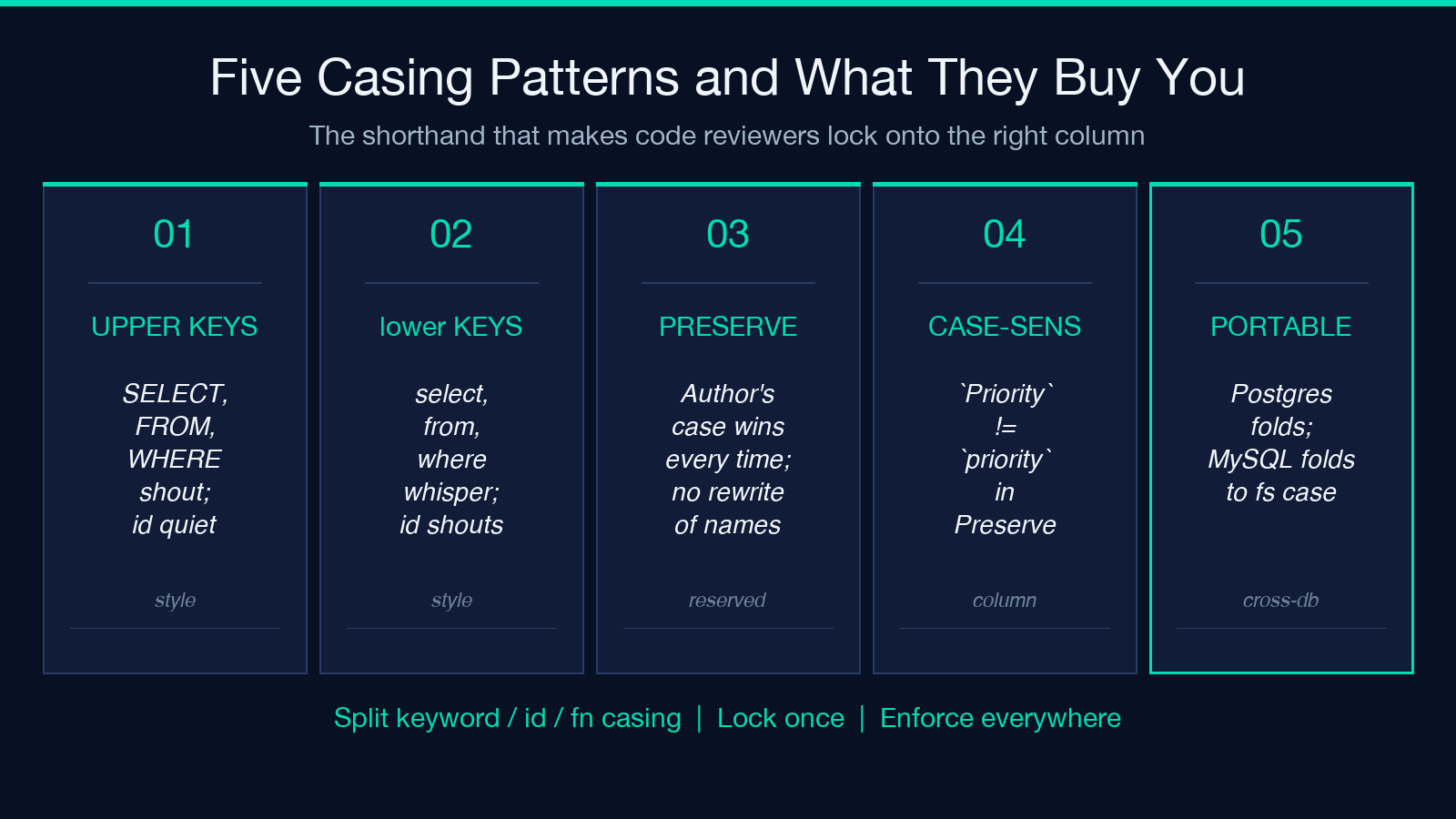
The split between keyword, identifier, and function casing lets a team lock all three to a single convention without losing the ability to override per file. A column called priority (a real word, not a reserved word) should not be rewritten to Priority because the team picked UpperCamelCase for identifiers. Preserve-mode for identifiers respects the original; UPPER-mode for keywords enforces the style guide. The two settings compose without fighting.
A second use of casing is cross-dialect portability. PostgreSQL folds unquoted identifiers to lower case; MySQL folds them to whatever case the filesystem uses. Standardizing on lower-case identifiers makes the same query work across both engines without renaming.
Statement spacing and the migration script
A migration script is the place where statement spacing pays for itself within hours. A typical up.sql for a feature release runs five to twenty statements: create tables, add columns, add indexes, seed reference data, and finally enable row-level security. The statements share a connection and a transaction. Without blank lines between them, the file reads as a wall of ALTER TABLE and CREATE INDEX and the reviewer has to count closing semicolons to find the next logical unit.
Set statement spacing on, and the same file reads as a numbered list. The reviewer can comment on statement #4 without scrolling back to figure out where statement #3 ended. The setting costs nothing at runtime; the formatter inserts the blank lines during the format pass.
Minify mode is not the same as removing whitespace
The temptation to “save bytes” by stripping whitespace from a query is real, and almost always wrong on the database side. A minified query is one continuous string of keywords and identifiers separated by single spaces. The PostgreSQL planner does not care about whitespace, so the execution plan is identical. But the minified query becomes unmaintainable the moment someone needs to debug it. A 200-line CTE with one nested subquery, collapsed to a single line, is a search-and-replace nightmare the next time the columns change.
The right use case for minify is transport. Embedding a query in a Python string literal, a Go template, a Bash heredoc, or a SQL-in-CSV export. The minified query is shorter, has no line endings to escape, and survives round-tripping through log files and copy-paste. The SQL Query Formatter & Minifier minify mode produces a single-line result with stable formatting (no trailing semicolon, no leading newline, single spaces between tokens) that drops cleanly into any of those contexts.
A common mistake is to minify a query, store it in source code, and then lose the original readable version. Keep the formatted version in the repo and the minified version in a build artifact. The minified form is the binary; the formatted form is the source.
Where formatting goes wrong: four failure modes
Failure mode 1: formatter fights the dialect. The author writes a SAFE_DIVIDE(a, b) call for BigQuery and the formatter is set to Standard SQL. The output rewrites the call as a / NULLIF(b, 0), which is valid in BigQuery but not what the author wrote. The fix is dialect-first configuration, not a wrapper function in the query.
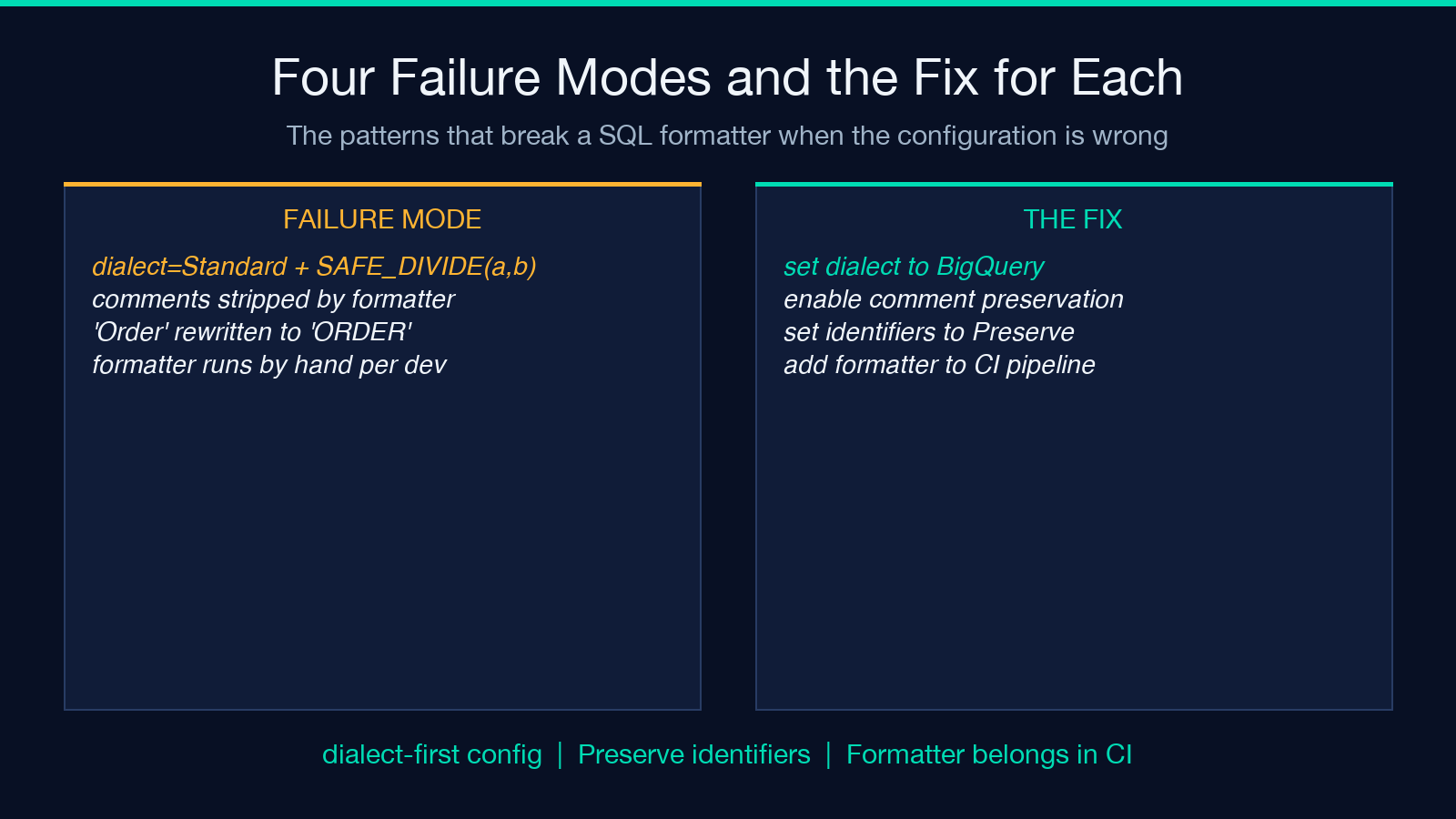
Failure mode 2: formatter strips comments. Some formatters treat -- line comments as syntax noise and remove them. The migration script that explains why the index is built before the foreign key depends on those comments. A formatter that preserves comments (and respects dialect-specific comment markers like /* */ and --) keeps the review-time explanation in the output.
Failure mode 3: formatter fights casing on reserved words. A column called Order (matching the table’s purpose, not the reserved word) gets rewritten to ORDER, which is a reserved word in every dialect, and the query breaks. Preserve-mode for identifiers is the only safe setting for a real-world schema.
Failure mode 4: formatter is run by hand. A team that relies on individual developers running a formatter before commit will produce inconsistent output. The formatter belongs in CI, not in muscle memory. Every PR runs through the same formatter with the same config, and the diff is reviewable.
The SQL Query Formatter & Minifier sidesteps all four by exposing the four controls in the right order, preserving comments in both modes, defaulting identifier casing to Preserve, and producing output that round-trips cleanly through copy-paste.
A practical workflow that holds up in review
Set the four controls once for the team. Pin the dialect to whatever the production database is (PostgreSQL for most teams; BigQuery if the warehouse is the primary store). Choose UPPER for keywords, Preserve for identifiers, lower for functions, and tabular-left for indent. Turn on statement spacing. Save the configuration as a comment at the top of every migration file.
Run every committed SQL file through the formatter in CI. The diff in code review is then a question of what changed in the query, not what changed in the whitespace. When the query itself changes, the formatted output changes; when only the configuration changes, the formatted output changes for every file at once, which is a single, large, well-understood PR.
Keep a minify step in the build pipeline that runs only on queries that ship as strings (Python constants, Go templates, Bash scripts). The formatted version stays in source; the minified version becomes the binary artifact. Both are reproducible from the same input.
For one-off debugging and ad-hoc queries, the SQL Query Formatter & Minifier web tool runs in the browser with the same four controls. A developer can paste a query from a log file, format it with the team default, and drop the readable output into a Slack thread without leaving the browser.
Explore more tools at elysiatools.com.
