
Generate the data from a config, not from a for-loop. If your test fixtures are a hand-typed array of five users named Alice through Eve, every bug your suite can catch is a bug that survives five well-behaved rows. A field-config generator flips that: you describe the shape once, ask for 10,000 records, and get regex-constrained strings, Luhn-valid card numbers, and checksum-correct ID numbers that behave like the messy production data your parser will actually meet. The Test Data Faker Builder takes a field config JSON, a record count, and an export format, and hands back JSON, NDJSON, or CSV. That is the whole contract, and the interesting part is what you put in the config.
The five-row fixture is a false green
Hand-written fixtures encode the author’s assumptions twice: once in the values, once in what the author never thought to type. Nobody hand-types a name with an apostrophe, a 40-character email local part, a phone number with an extension, or a row where an optional field is genuinely absent rather than an empty string. So the CSV writer that quotes wrong, the ORM that truncates at 32 characters, and the JSON consumer that crashes on null all pass review.
Generated data fails differently. You do not get to choose the specific rows, which means you do not get to accidentally exclude the awkward ones. Ask for 5,000 records from a config that includes an optional field and roughly half of them will exercise the absent-value branch you never wrote a test for.
What a field config actually declares
The config is a JSON object describing each column: a name, a generator type, and the constraints for that type. Four generator families cover most fixtures.
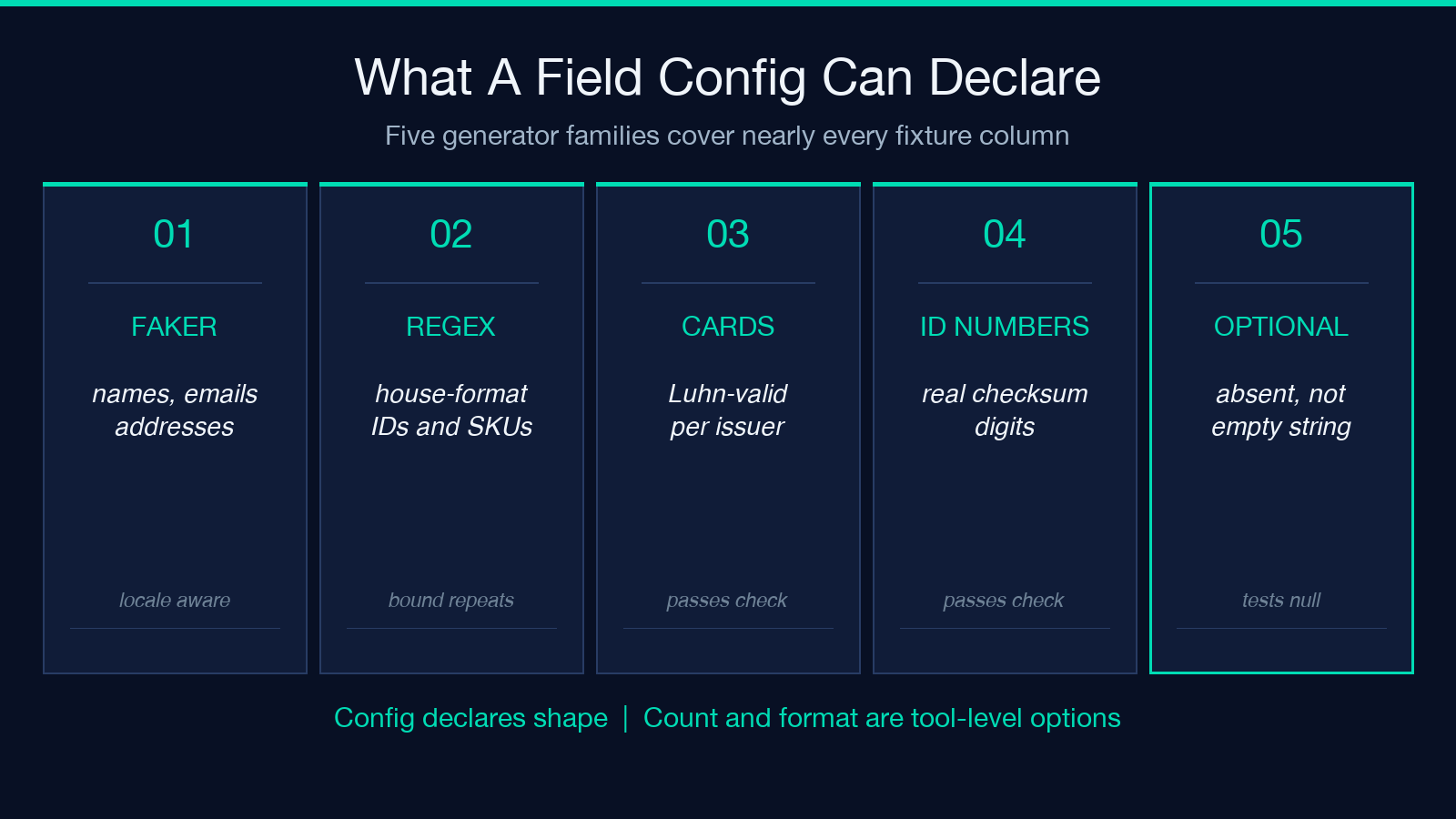
- Faker fields — names, emails, addresses, companies, dates. Locale-aware, so a French address looks like a French address rather than a US address with accents.
- Regex rules — the escape hatch. Give a pattern and get strings that match it: SKU codes, license plates, internal ticket IDs, anything with a house format.
- Credit cards — Luhn-valid numbers per issuer, which matters because a validator that rejects your fixtures is indistinguishable from a validator that works.
- ID numbers — national identifiers with real checksum digits, again so downstream validation exercises the success path instead of failing at row one.
Record count and export format sit outside the field config, as tool-level options. The config describes shape; the count and format describe delivery.
Regex fields are where the leverage is
The faker types are convenient, but the regex field is the one that replaces bespoke scripts. Most real systems have at least one identifier with a private grammar: an order number that is two letters, a hyphen, six digits and a check letter; a warehouse bin like A-12-C-04; a device serial with a fixed vendor prefix.
Writing a generator for those by hand means writing a loop, a random-choice helper, and a zero-pad. Writing them as a pattern means writing the pattern. For opaque identifiers with no internal grammar you are better off with a dedicated UUID generator or a plain random string generator; the regex field earns its place when the identifier has structure worth reproducing. The character-class and quantifier syntax you already use for validation is reused for generation, which has a pleasant side effect: if your generator pattern and your validator pattern disagree, you find out immediately, because the generated rows fail your own validation.
The failure mode worth knowing is unbounded quantifiers. A pattern with an open-ended repeat has no natural stopping point, so keep quantifiers explicitly bounded — write a fixed or ranged repeat rather than an open one.
Three export formats, three different consumers
The export format choice is not cosmetic. Each one lands in a different pipeline.
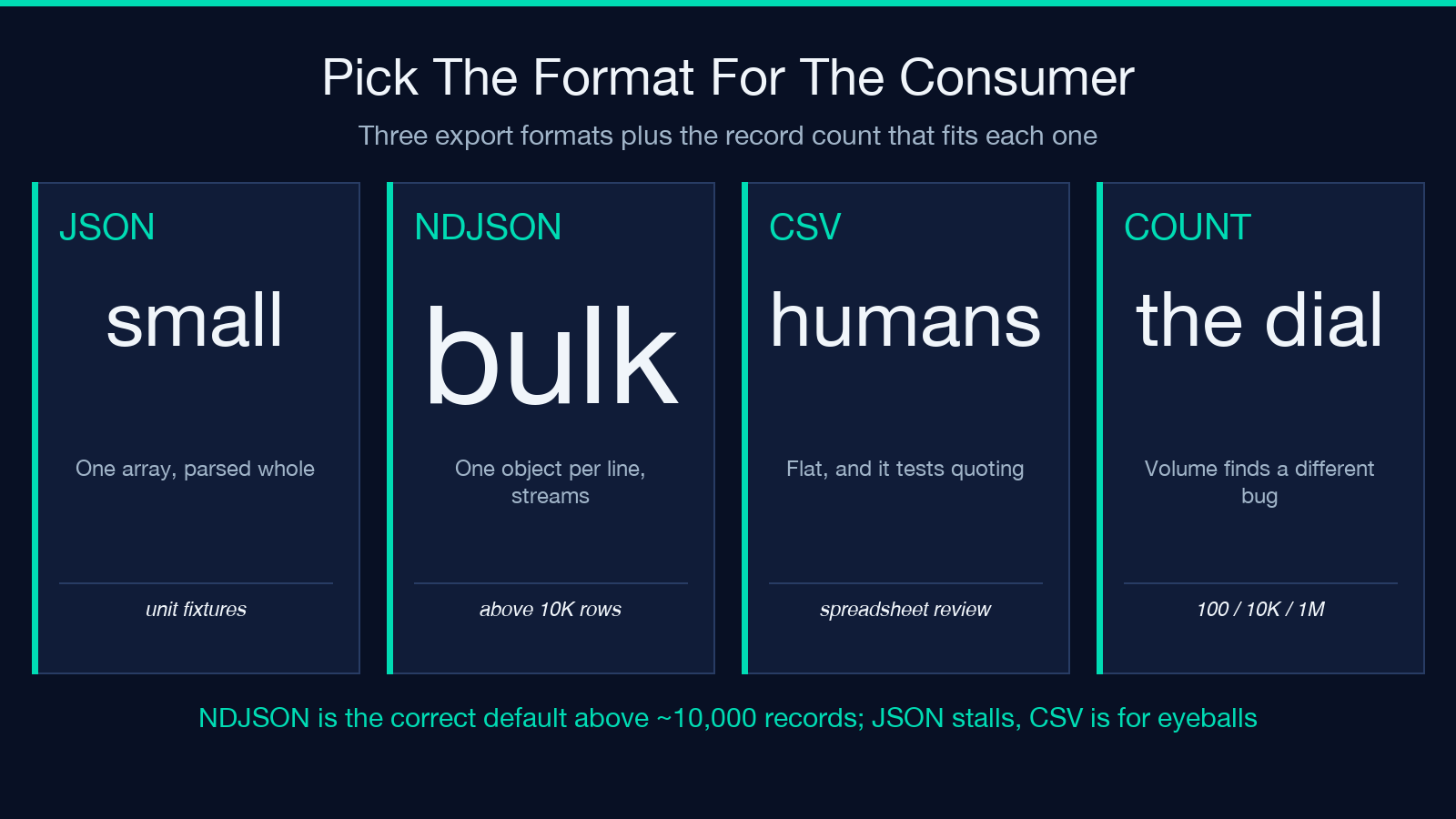
- JSON — one array, easy to load whole. Right for unit-test fixtures and small seed files. Wrong past a few tens of megabytes, because the consumer has to parse the entire array before touching the first record.
- NDJSON — one object per line. Streamable, appendable, and the format most log pipelines and bulk-import endpoints prefer. This is the correct default for anything above about 10,000 records.
- CSV — flat, spreadsheet-friendly, and the one that tests your quoting. Generated names with commas and apostrophes will find a naive CSV writer within the first hundred rows.
If you are seeding a database, NDJSON plus a batch loader beats a single giant JSON array by a wide margin. If you are handing fixtures to a colleague who wants to eyeball them, CSV wins.
Determinism, and why you may not want it
Random fixtures have an obvious drawback: a test that fails once and passes on rerun is worse than no test. The usual fix is a fixed seed, so the same config yields the same rows every run.
That trade is real but often overstated. Seeded data is reproducible and therefore debuggable, but it also freezes your coverage — you are back to a fixture set, just a larger one you did not type. A practical split: seed the data used in assertions that check exact values, and leave the data unseeded for smoke runs and load tests where you want fresh shapes each time. When an unseeded run fails, capture the generated batch as an artifact and promote it to a seeded regression fixture.
Volume changes which bugs you find
The record count is the cheapest dial on the tool, and turning it up finds a different class of defect than turning up the variety.
At a hundred records you find shape bugs: wrong types, missing fields, bad quoting. At ten thousand you find scale bugs: an N+1 query that was invisible at a hundred rows, an index that is not being used, a memory ceiling in a parser that buffers everything. At a million you find infrastructure bugs — timeouts, disk, and the batch size your bulk endpoint silently caps at.
Generating the volume is fast; the value is that the volume is boring to produce, so people skip it. A config plus a count removes the excuse. Testing strategy for where these fixtures fit is covered in the test pyramid examples, and the harness-level integration patterns in the pytest testing sample.
A workable config-review checklist
Before you generate a million rows against the wrong shape, read the config once with these questions.
- Does every field have a constraint? An unconstrained string field generates noise that passes everything.
- Is at least one field optional? If not, the absent-value branch is untested.
- Are the regex quantifiers bounded? Open-ended repeats produce unpredictable lengths.
- Do checksum fields use the checksum generators? Random digits in an ID column exercise only the rejection path.
- Does the export format match the consumer? JSON for small fixtures, NDJSON for bulk, CSV for humans.
Five questions, thirty seconds, and it catches the mistake that otherwise costs you a full generate-and-load cycle.
Where this fits in a test suite
Generated fixtures are not a replacement for the handful of precise, hand-written cases that pin down known bugs. Those should stay hand-written, small, and named after the bug they prevent. What generated data replaces is the padding: the twenty rows somebody typed to make a list view look populated, the seed script that only ever produced happy-path records, the load test that ran against a hundred copies of the same row. When the fixtures need to be served rather than loaded, an API mock server is the natural next hop.
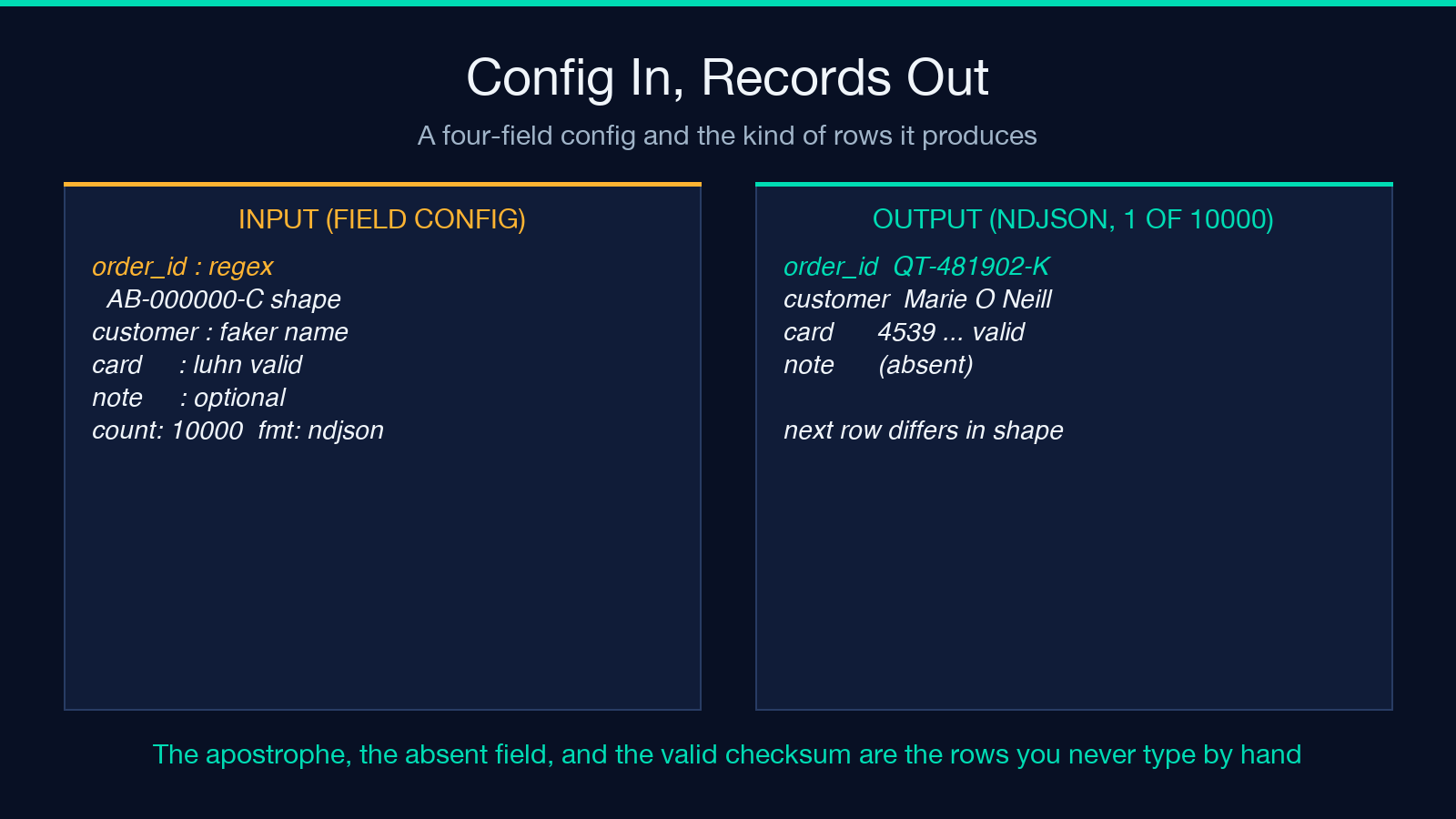
Describe the shape, pick a count, choose a format that matches the consumer, and let the generator produce the awkward rows you would never have thought to type. Explore more tools at elysiatools.com.
