
A clean DNS zone file beats a perfect one. The first time you copy an apex A, an MX, an SPF, and a _dmarc TXT into the same zone and watch the registrar’s web panel quietly drop one of them, you stop trusting the panel. That is the moment a plain-text zone file becomes the only artifact you actually own — and the moment you need a tool that lets you write RFC 1035 records the way the RFC reads, not the way the form does.
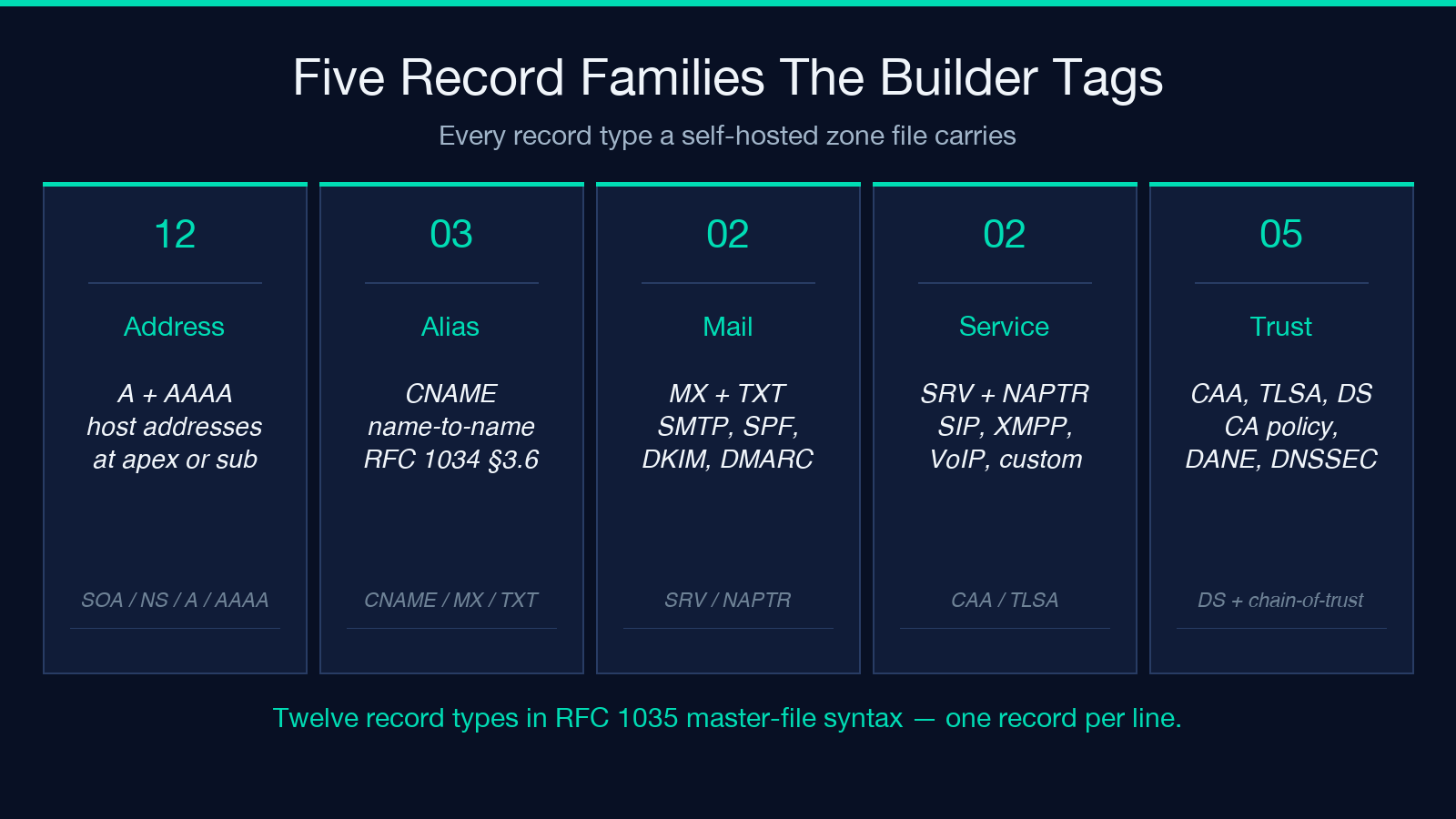
The DNS Zone File Record Builder is built for exactly that workflow: one record per line, a clean SOA block on top, and standard master-file syntax that BIND, Knot, PowerDNS, NSD, and a hidden master will all accept without translation. The output is the zone file you would have written by hand if the field order for every record type were on permanent recall. It is not. So the tool holds the field order, validates each line as you type, and lets you paste the result straight into your nameserver.
This field guide walks through the four things a zone-file builder actually has to get right: the one-record-per-line syntax, the SOA block defaults, the validation passes that catch the typos that bring down migrations, and the reason web panels keep losing to plain text on self-hosted DNS. It is not a marketing tour — every section ends with a paste-ready snippet you can drop into your own zone today.
The One-Record-Per-Line Syntax
Every record goes on a single line. The canonical form is name [ttl] IN TYPE rdata. The square brackets around ttl are the only thing you can drop; everything else has to be in that order, with single spaces or tabs between the columns. The trailing dot on any FQDN matters — without it, BIND and friends append the zone origin and you ship a record that resolves to something.example.com.example.com. to nobody.
@           IN  A     203.0.113.10
www         IN  A     203.0.113.10
@           IN  MX    10 mail.example.com.
@           IN  TXT   "v=spf1 mx -all"
Three things to notice. First, @ is the zone origin — if your zone is example.com, @ becomes example.com. in the rendered output. Second, the TTL column is optional before IN; when you omit it, the zone default TTL applies. Third, quoted strings (TXT records, DKIM public keys, DMARC policies) preserve every space and every punctuation character verbatim — the tool does not try to “tidy” them, because DNS itself is the consumer and DNS does not care about your formatting preferences.
The tool also lets you put a relative name (www, _dmarc) or a fully-qualified name ending in .. Both render correctly. Pick relative names for readability when you can; reserve the explicit FQDN form for records where the target is outside the zone (MX targets, NS targets, SRV targets, TLSA certificate associations).
The SOA Block Defaults
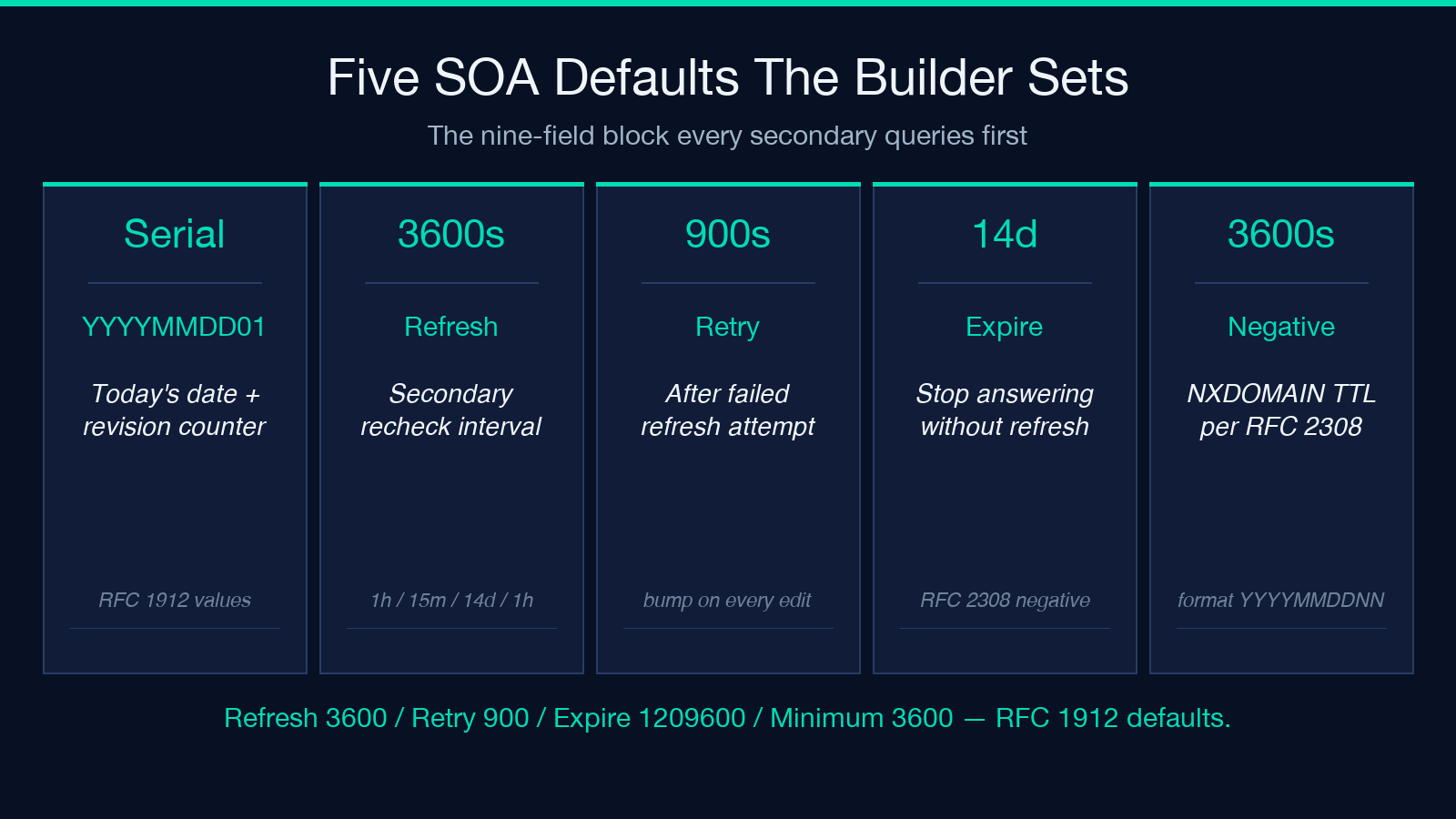
The Start of Authority record sits at the top of every zone and is what every secondary nameserver queries first. Its nine fields are notoriously easy to misorder, which is why the form fills them in by default and lets you override each one:
@ IN SOA ns1.example.com. hostmaster.example.com. (
    2026090801  ; serial
    3600        ; refresh
    900         ; retry
    1209600     ; expire
    3600        ; minimum / negative TTL
)
Three defaults worth committing to memory. The serial defaults to today’s date in YYYYMMDD01 format — the conventional “daily + revision” scheme that lets secondaries detect a zone update by comparing their cached serial to yours. The refresh/retry/expire/minimum set follows the RFC 1912 recommendations: 1h / 15m / 14d / 1h. If your registrar’s panel exposes these at all, it usually hides them. The tool does not hide them, because when a migration stalls you will want to know which one is misconfigured.
If you maintain the zone by hand, bump the serial by 1 every time you edit it. If you script it, regenerate the serial in YYYYMMDDNN form where NN is the revision count for that day. Forgetting the serial bump is the single most common reason a zone change “did not propagate” — the secondary compared its cached serial to yours, saw a match, and did not refetch.
The Validation Passes
The tool does four validation passes that are worth understanding in detail because they catch the typos that turn into 3 a.m. pages:
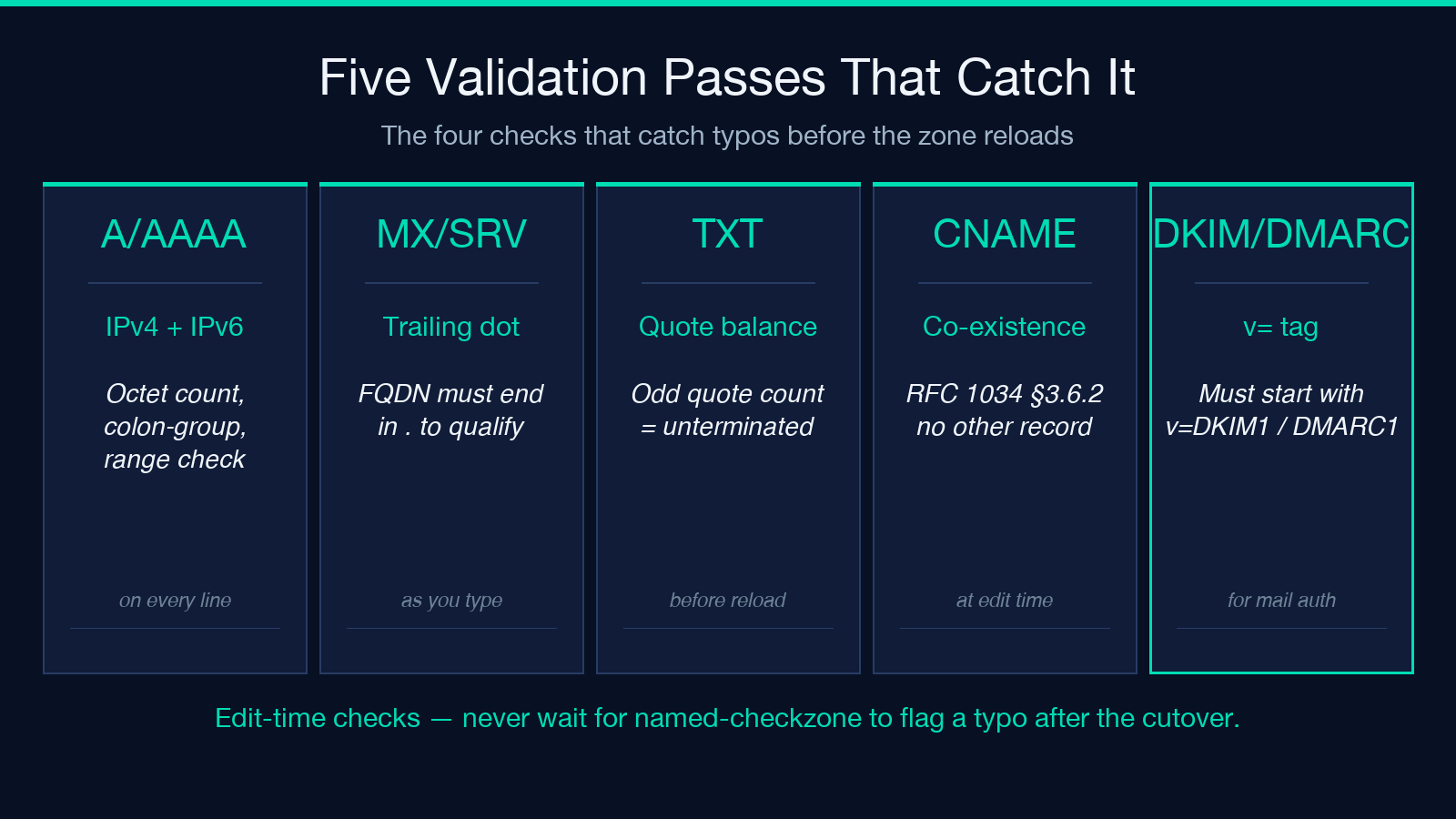
IPv4 and IPv6 sanity. A / AAAA records go through shape checks — an octet count check for IPv4, a colon-group count check for IPv6. 203.0.113.300 (out-of-range octet) is rejected. 2001:db8::1::2 (double ::) is rejected. Neither typo will be caught by named-checkzone after the fact without a verbose log scrape.
Trailing-dot enforcement. MX, SRV, NS, and CNAME targets must end in . if they are FQDNs. @ IN MX 10 mail.example.com resolves to mail.example.com.example.com. on every resolver that respects RFC 1035 — silently. The tool flags every target name missing the trailing dot, and that flag has saved at least one zone migration per quarter.
TXT quote-balance. TXT records carry their payload inside double quotes. An unescaped " in the middle of a DMARC policy or a long DKIM p= value produces an unterminated-string error at zone-load time, which BIND reports as a single line number pointing into a 200-character string. The tool counts quotes per line and warns when the count is odd.
CNAME co-existence. RFC 1034 §3.6.2 forbids a CNAME from coexisting with any other record at the same name. www IN A 1.2.3.4 plus www IN CNAME other.example.com. is rejected by every conformant resolver — but the rejection only happens at query time, often as a SERVFAIL, never as a clear “remove one of these” message. The tool catches it at edit time and tells you which one to keep.
For the DNS Zone File Record Builder, these validators run on every line as you type. The output pane only shows the zone file; the diagnostics panel below it shows what was flagged.
Mail Authentication Records
Three TXT records carry 90 percent of the deliverability work for any domain that sends mail. They are the part of every zone file that gets edited most often and validated least:
@                       IN  TXT  "v=spf1 include:_spf.google.com -all"
selector1._domainkey    IN  TXT  "v=DKIM1; k=rsa; p=MIGfMA0GCSqGSIb3DQ..."
_dmarc                  IN  TXT  "v=DMARC1; p=quarantine; rua=mailto:[email protected]"
The SPF record lives at the apex and lists every IP that is authorized to send mail for the domain. The -all at the end is a hard fail — any sender not in the list is rejected. _spf.google.com is the Google Workspace include; replace it with your own ESP’s include, or with explicit ip4: entries for your mail server.
The DKIM record lives under selector._domainkey where selector is whatever your mail server signs with. The p= field is the public key in base64, often 250+ characters. The k=rsa declares the key type; ed25519 is the modern alternative if your mail server supports it (Postfix with OpenDKIM 2.x does, Exim since 4.94 does).
The DMARC record lives under _dmarc and tells receivers what to do with mail that fails SPF or DKIM alignment. p=quarantine sends failing mail to spam; p=reject outright rejects it. rua=mailto:... enables aggregate feedback reports — without this, you will never see why your messages are being rejected.
The tool validates that DKIM and DMARC values start with v=DKIM1 / v=DMARC1. It does not validate the base64 of the key — that is the mail server’s job — but it catches the typos that turn a working policy into a syntax error.
Service Discovery (SRV) and Certification (TLSA)
Two record types trip up most zone files because they encode multi-field rdata into a single string. The tool handles both:
_sip._tcp       IN  SRV   10 60 5060 sip.example.com.
@               IN  TLSA  3 1 1 0C72AC70B745AC19998811C131F6388DA32F1FD6F1A1B89FB6AB6D6CAFB9B23E
_sip._udp       IN  SRV   0 0 0 .
The SRV record’s rdata is priority weight port target. Priority selects the primary (lower wins); weight splits traffic within a priority; port is the service port; target is the FQDN of the host. The leading underscore and the protocol (_tcp or _udp) are part of the name. _sip._tcp is the standard name for SIP-over-TCP service discovery.
The TLSA record (RFC 6698) pins a certificate or public key to a domain for DANE. The rdata is usage selector matching-type certificate-association-data. 3 1 1 means “DANE-EE, SPKI, SHA-256”. The 64-character hex string is the SHA-256 of the certificate’s SubjectPublicKeyInfo. Getting any of these fields wrong means a resolver that does DANE validation will refuse the TLS handshake — and most operators never see the failure because it only shows up on the validating resolver side.
The trailing dot on the SRV target is the rule, not the suggestion. A missing dot here is the single most common reason a SIP/VoIP/XMPP deployment fails over a working zone file.
CAA and DS Records
Two record types that show up less often but break in ways that are hard to debug after the fact:
@           IN  CAA  0 issue "letsencrypt.org"
@           IN  CAA  0 iodef "mailto:[email protected]"
keytag     IN  DS   12345 13 2 ABC123...
The CAA record declares which certificate authorities are allowed to issue certs for your domain. 0 issue "letsencrypt.org" means CA = Let’s Encrypt only. The 0 is the flags field (0 = non-critical). iodef lets you receive violation reports. Without a CAA record, every public CA can issue for your domain; with one, only the listed CAs can.
The DS record (Delegation Signer) sits at a parent zone and points to a DNSSEC-signed child’s key. The 12345 is the key tag, 13 is the algorithm (ECDSA Curve P-256 with SHA-256), 2 is the digest type (SHA-256), and the rest is the hex of the digest itself. Getting any field wrong here means the parent’s DS chain breaks, and resolvers that validate DNSSEC will treat the entire child zone as bogus — including its A, MX, and TXT records. The symptoms are: it works on 8.8.8.8 but fails on Cloudflare’s 1.1.1.1, or it works from your laptop but fails from your customer.
The Output and Where It Goes
The tool renders the zone file as plain text and as a per-record summary table. The plain-text output is what you copy into your named.conf zone block, your PowerDNS zone file, your NSD zone block, or your hidden master’s working file. The summary table is for human review — it shows every record, its TTL, and any warnings raised at validation time.
For BIND, the canonical deployment is:
zone "example.com" {
    type master;
    file "/etc/bind/db.example.com";
    allow-transfer { key "tsig-key"; };
};
Then the zone file lives at /etc/bind/db.example.com and rndc reload picks it up. For PowerDNS, the same file lands in /etc/powerdns/bind-zones/db.example.com and the bind backend reads it without translation. For NSD, the same file works — NSD’s zone-file parser is RFC 1035 compliant.
The output is, deliberately, the same zone file you would have written by hand if the field order for every record type were on permanent recall. Paste it in, reload your nameserver, watch dig +short confirm it.
Why Plain Text Beats the Web Panel
Registrar web panels and cloud DNS consoles have a real cost that does not show up until you try to migrate: they rewrite your records. A panel that does not understand TLSA will silently drop it. A panel that does not expose TTL will substitute its own default. A panel that does not preserve comments will eat your ; this is the DKIM key for the legacy ESP annotations. A panel that does not preserve the SOA serial will bump it to whatever it thinks is correct, breaking your secondary’s cached-serial comparison.
A plain-text zone file has none of those failure modes. It is the artifact you actually own, version-controlled in git, reviewable in a diff, and portable across nameserver implementations. For self-hosted DNS, migrations, audits, and “exactly what does my zone look like right now?” — the zone file is the source of truth, and the DNS Zone File Record Builder is the fastest way to get one that is correct on the first paste.
For more DNS and networking field guides, browse the Elysia Tools catalog.
