
Stratified train/test splitting is the difference between a model that reports 92% accuracy and one that quietly fails on the 3% minority class — the split, not the algorithm, decides whether your evaluation is honest. Every dataset deserves a reproducible, class-aware split, and a tool that ships the splits as CSV inside a ZIP lets you skip the boilerplate and get to the modeling. This field guide walks through what the Elysia Tools Train/Test Split with Stratification actually does, when to choose a 70/15/15 split over stratified k-fold, and the five questions to answer before you trust any holdout number.
Why Class Balance Decides Whether Your Holdout Means Anything
A stratified split preserves the class proportions of the original dataset in every partition. If your source has 7% fraud and 93% legitimate, the train, validation, and test splits will each carry roughly that ratio instead of letting the random shuffle bury a rare class in the test fold. The same principle extends to multi-label stratification, where every label combination is balanced jointly across folds.
When imbalance is severe (say, 0.4% positives in a 250k-row dataset), even stratification can leave the test fold with too few positives to compute a reliable precision-recall curve. The split tool exposes a SMOTE oversampling preview on the training split so you can see what an oversampled training distribution looks like before committing to it. SMOTE is a tactical move, not a default — use it only when the natural class count is too thin for the model to learn the decision boundary, and never apply it to the validation or test splits.
A Dataset Imbalance Detector & Resampler upstream of the split can quantify the imbalance ratio and suggest resampling thresholds, which keeps you from guessing whether the dataset even needs stratification in the first place.
How the Split Tool Computes Stratified Partitions
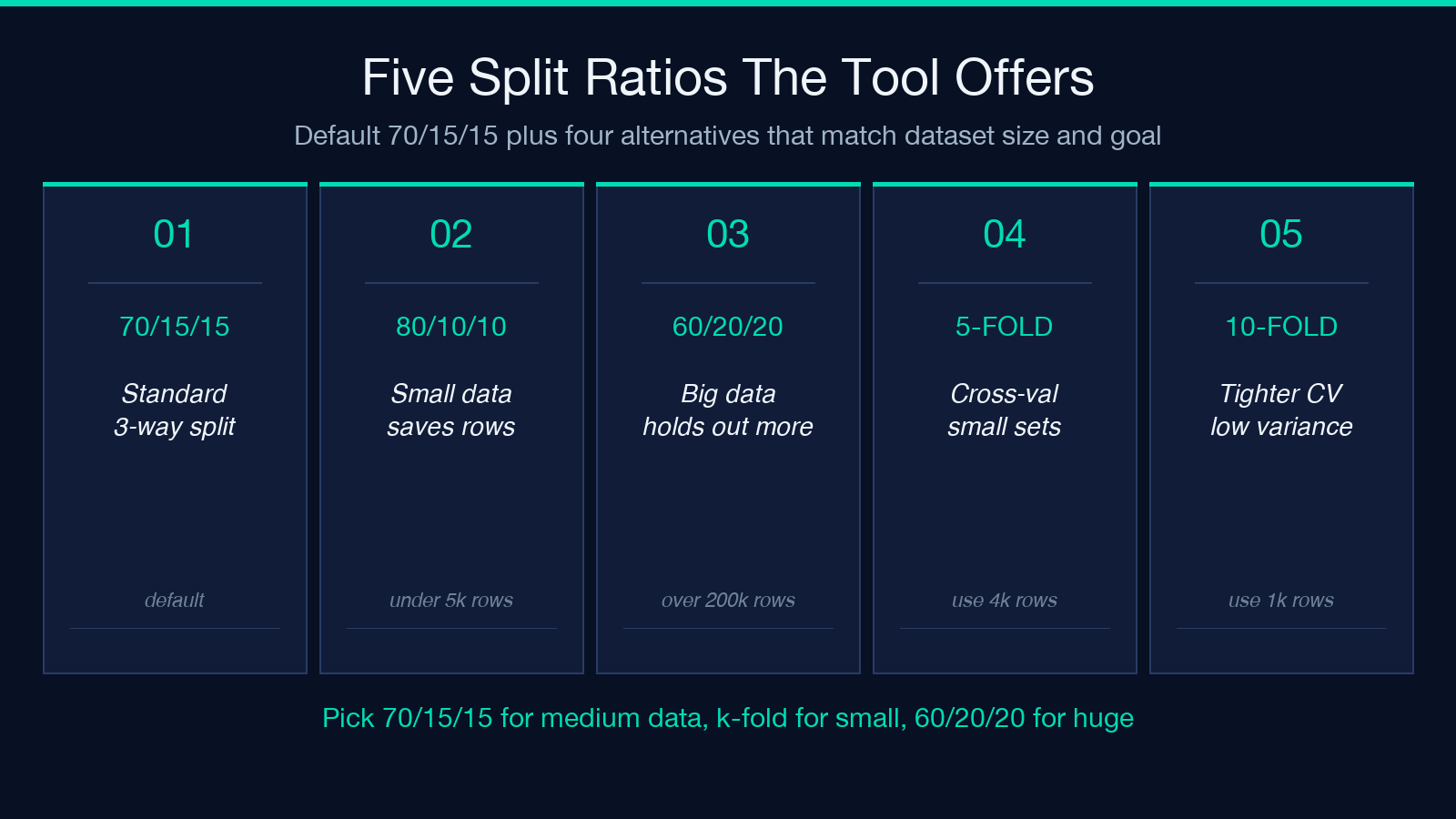
Under the hood, the tool uses a deterministic seeded shuffle so two engineers running the tool against the same dataset a week apart produce identical partitions. The default split is 70/15/15 across train, validation, and test, but every ratio is configurable. For small datasets under five thousand rows, the 70/15/15 ratio wastes too many samples on the holdouts; dropping to 80/10/10 or running 5-fold cross-validation keeps more data in the training set.
The tool reports per-split class distributions with deviation bars, which is the visual cue that stratification is actually working. A deviation bar under 1 percentage point across splits confirms the stratification held; anything over 2 points on a rare class is a signal to revisit the seed or the ratio.
Duplicate-leakage detection runs alongside the split: if the same record appears in both train and test (a common failure mode when datasets are joined before splitting), the tool flags the leakage so you can deduplicate upstream. A Dataset Quality Profiler run before the split surfaces duplicate counts and other structural issues that would otherwise leak into the model evaluation.
Choosing Between Holdout Splits and Stratified K-Fold
The 70/15/15 split is the right answer when you have enough data that 15% of the rows still represents a statistically meaningful holdout. For a 200k-row dataset, the test fold carries 30k rows, more than enough for stable metrics. For a 4k-row dataset, the test fold has only 600 rows, and a single misclassified positive swings the F1 by several points.
Stratified k-fold cross-validation is the right answer when the dataset is small, when you want every row to participate in evaluation exactly once, or when the variance between folds is itself a metric you care about. The tool supports stratified k-fold directly; the per-fold class distribution and the aggregate metrics across folds are both reported in the output ZIP.
A practical hybrid is to use a 70/15/15 split for the final model selection and a stratified 5-fold cross-validation for the model’s reported performance, then report both numbers. The split gives you a clean holdout for the final choice; the cross-validation gives you a confidence interval on the performance estimate.
Reading the Per-Split Deviation Bars
The deviation bar in the output represents the absolute difference between each split’s class proportion and the source dataset’s class proportion. A 1.2 percentage-point deviation on the minority class is excellent; a 4.7 percentage-point deviation on the same class means the rare class got starved in at least one split and the model evaluation is biased.
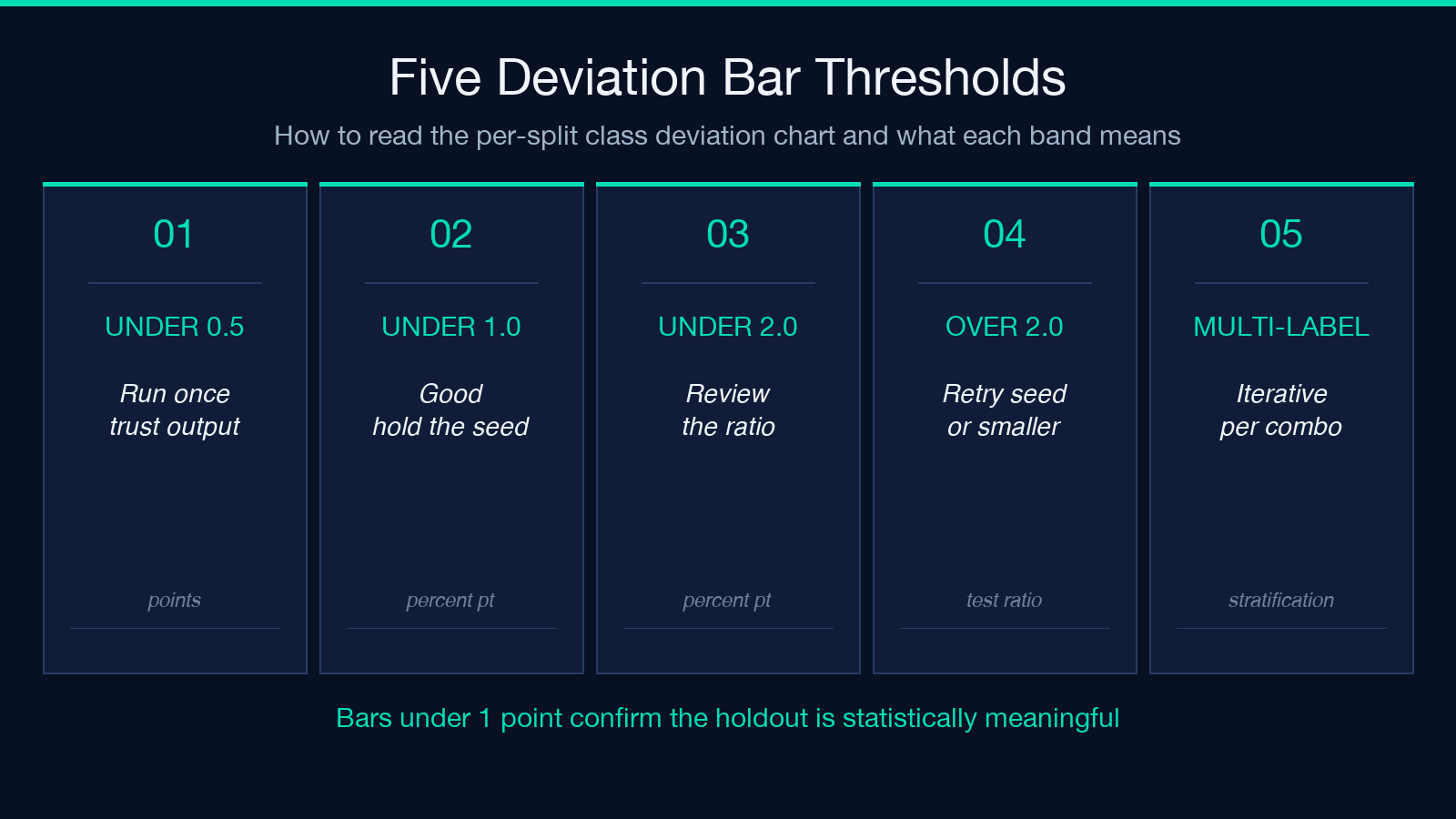
When deviations cluster under 0.5 points across all classes, you can run the split once and trust the output without re-running. When deviations swing, increase the random seed count (the tool supports multiple seeds and reports the seed with the tightest spread) or drop to a smaller test ratio to give the minority class more rows in each partition.
For multi-class problems with five or more labels, stratification gets harder because the joint distribution of label combinations must be balanced. The tool uses iterative stratification for the multi-label case, which is the same algorithm the iterative-stratification Python package implements; the deviation bars there are computed per label combination, not per individual class.
Selecting the Random Seed and Reproducing the Split
The random seed is the single number that determines every row’s partition assignment. A seed of 42 is the default for academic reproducibility, but for production pipelines the seed should be recorded in the model card alongside the dataset version and the training timestamp. The split tool lets you pass any integer seed; once the seed is locked, rerunning the tool produces byte-identical CSV outputs.
When two engineers in different time zones need to verify the same experiment, the seed plus the dataset SHA-256 hash is the minimum identifier that proves the splits were identical. The manifest.json inside the output ZIP records both, so the reproduction step is to download the source dataset, verify the SHA-256, run the split with the recorded seed, and diff the resulting CSVs.
A subtle pitfall is changing the seed between model iterations without changing the dataset. The split tool will silently produce different partitions, which means your “test set” today is not the test set your colleague evaluated against yesterday. Lock the seed at the start of a project, not in the middle.
Exporting and Naming Conventions for Reproducibility
Every split is exported as a separate CSV inside a ZIP archive. The naming convention is <dataset-name>__<split>__seed<N>.csv — for example, fraud-2026__train__seed42.csv. Including the seed in the filename is the single most useful reproducibility trick: a teammate can rerun the exact same partition six months later without digging through notebooks to find the random seed.
The tool also exports a manifest.json inside the ZIP recording the source row count, the split ratios, the class distribution per split, the seed, and a SHA-256 hash of each CSV. Treat that manifest as part of your model’s lineage record — when someone challenges the published accuracy, the manifest is the proof that the holdout was stratified, seeded, and reproducible.
If you want to skip the CSV export and stream the splits into a notebook, the tool exposes a JSON export option that returns the row indices for each partition rather than the full rows. That keeps the response payload small when the source dataset is hundreds of megabytes.
Common Failure Modes the Split Tool Catches
The single most common failure mode is splitting before deduplicating. Near-duplicate records across train and test inflate accuracy by 5 to 15 percentage points and the model appears to generalize when it has merely memorized. The duplicate-leakage check inside the split tool surfaces this in a single click, but the right place to deduplicate is upstream in a Dataset Quality Profiler run, not inside the split tool itself.
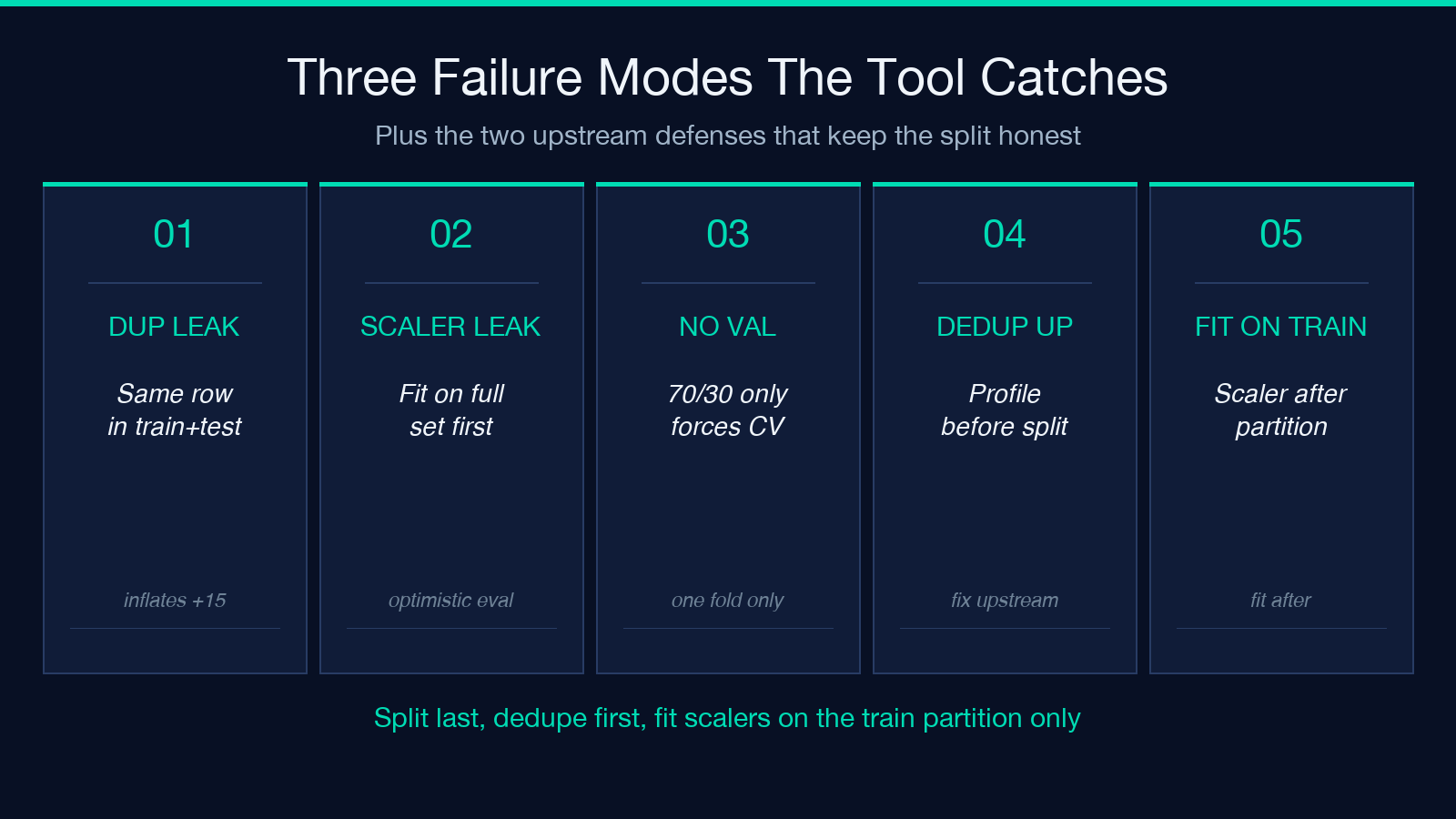
The second most common failure mode is splitting after feature engineering that touched the label. If you fit a StandardScaler on the full dataset before splitting, the test fold’s mean and standard deviation have already leaked into the scaler’s parameters, which produces a subtly optimistic evaluation. The split tool does not refit scalers — that responsibility stays with the modeling pipeline, and the splits are simply the upstream contract.
The third failure mode is treating the validation split as optional. A 70/30 train/test split without a validation set forces you to either report test-set metrics as model-selection metrics (a methodological sin) or to do cross-validation on the train split only (which is correct but slower). The default 70/15/15 split keeps all three partitions honest.
A Five-Question Pre-Flight Checklist
Before trusting any holdout number, run through five questions. First, is the dataset deduplicated upstream? Second, is the split stratified on the label column the model will predict? Third, are scalers and encoders fit only on the training split? Fourth, is the random seed recorded in the manifest? Fifth, does the test split have enough rows of the minority class to compute a stable F1?
If any answer is no, fix the upstream pipeline before running the split. The Train/Test Split with Stratification tool is the final step in the data-preparation chain, not the first — every other tool in the Elysia Data Analysis pipeline feeds into it, and the splits it produces are only as honest as the data that flows in.
Explore more tools at elysiatools.com.
