
A campaign link is three artifacts pretending to be one — a tracked URL, a short link, and a QR pair — and every team I have seen bolts them together from three separate tools and then wonders why the GA4 report has 14 percent of its rows tagged “not set”. The Short URL + UTM + QR Bundle Builder ships that trio in one deterministic, offline pass: a GA4-validated UTM string merged onto your landing URL, a self-hosted short link on your domain with a deterministic 7-character base62 slug, two QR PNGs, the nginx/vercel/Netlify redirect snippets, and a campaign-tracking CSV row. This field guide walks through what the bundle actually enforces, when to trust the auto-slug versus pinning a custom one, and the seven checks that separate a tracked campaign from a noisy GA4 report.
Why GA4 Reads Three UTMs And Silently Fills The Rest With “not set”
GA4 only treats utm_source, utm_medium, and utm_campaign as the trio that defines a session-level campaign. The bundle enforces exactly those three as required fields; the optional utm_content, utm_term, and the GA4-only utm_id are surfaced separately so you cannot accidentally invent a campaign the report will not recognize. When the destination URL already carries utm_* parameters, the tool strips them with a warning before appending the new ones — a habit that prevents the common failure mode where two UTM stacks collide on the same row and the latest write wins, polluting the attribution report for the rest of the quarter.
Lowercase normalization is the second silent source of “not set” rows. A utm_source=LinkedIn written in the URL while GA4’s lookup table expects linkedin will fail the match and the session will land on an unattributed row. The bundle offers a lowercaseUtm checkbox that lowercases all UTM values before merging, which makes the URL match the lookup table every time. For most marketing teams the default should be true; the only time to leave it unchecked is when the destination is a partner site that case-sensitively reads utm_source to render bespoke page content.
A URL Parameter Extractor running on the destination before you tag it confirms the URL has no stale utm_* collisions and surfaces any other query parameters that would survive the merge. Running it upstream of the bundle is the cheapest audit for stale attribution.
The Self-Hosted Short Link Beats A Hosted Service On Three Axes
The bundle does not call bit.ly, is.gd, v.gd, or any third-party API. The short link is your domain plus a slug. In auto-slug mode the slug is a deterministic 7-character base62 string derived from an FNV-1a 32-bit hash of the tracked URL — same input always produces the same slug, no network, no account, no quota. The same campaign URL run today and a year from now resolves to the same short link, which means analytics dashboards that key on the short path remain comparable across quarters without the hosted-service churn of “your old slug now points somewhere else”.
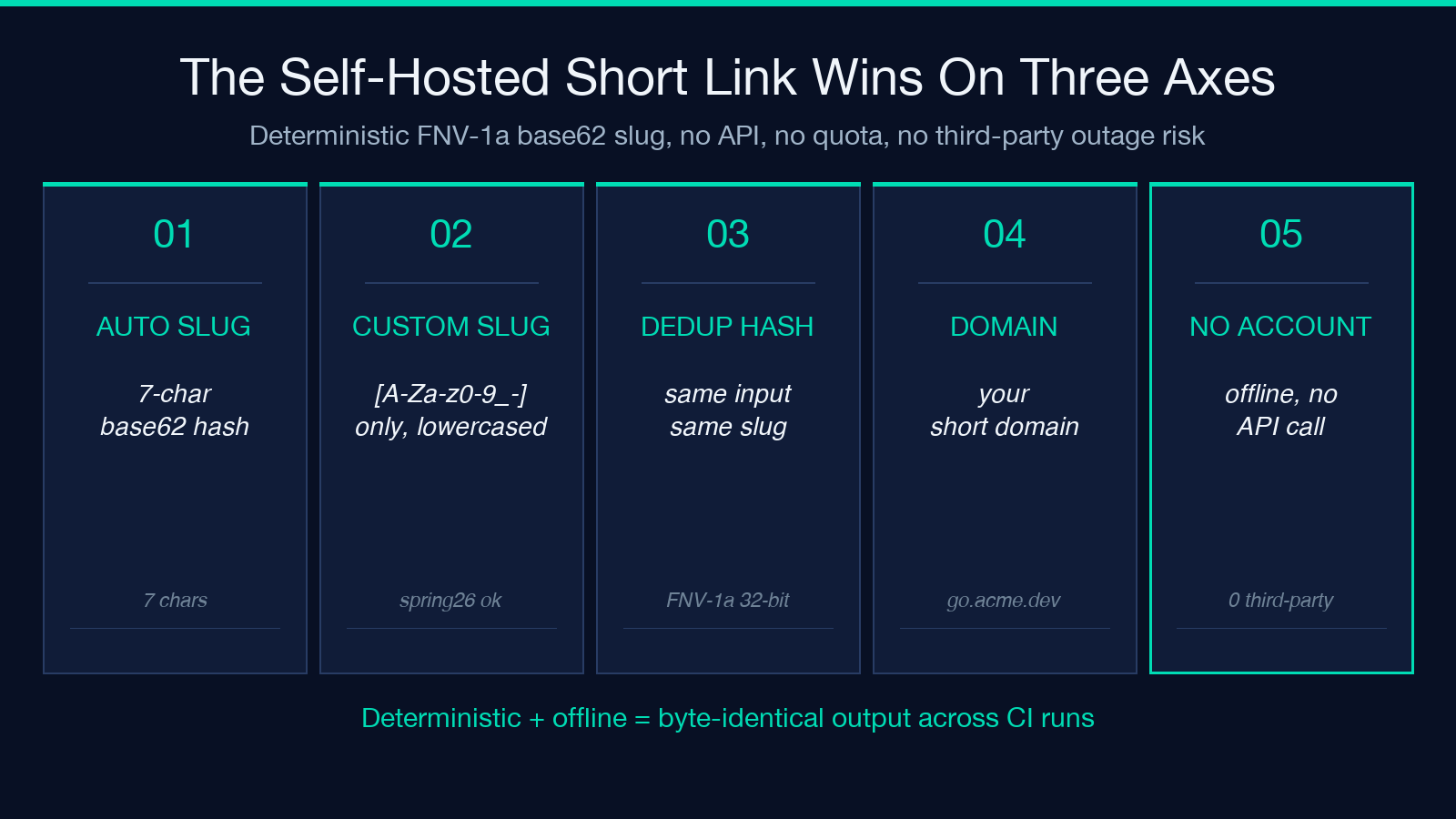
In custom-slug mode the slug is sanitized to [A-Za-z0-9_-]. Spaces become hyphens, exclamation marks and other punctuation are dropped, and casing is normalized to lowercase. The second sample input spring 26! resolves to spring-26, not spring-26- or spring%2026!. This is the right behavior for a redirect file because nginx, vercel.json, and Netlify _redirects all parse paths with rules that disagree on percent-encoding; a clean slug avoids three different “it works on my machine” stories.
The deterministic hash gives you a second superpower: deduplication of your redirect map. If two engineers accidentally build the same tracked URL on different days, the bundle produces the same short slug and you can detect the collision before either redirect file is deployed. A URL Expander run on every entry in the redirect file confirms none of the slugs point to a destination that has since been redirected again, which is the most common cause of “this old link stopped working last month” support tickets.
QR Pair, ECC Level, And Why Two Codes Beat One
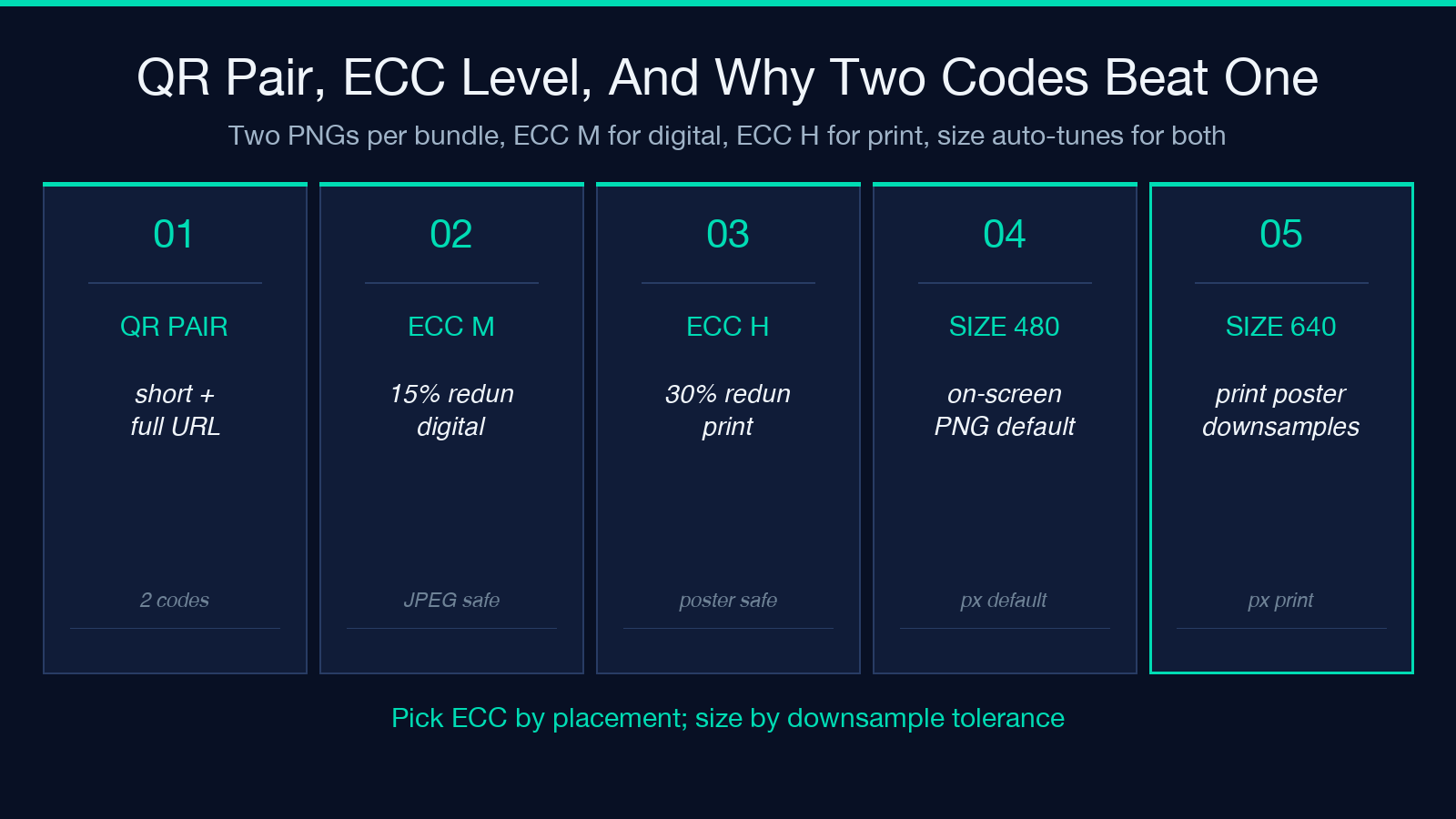
The bundle produces two QR PNGs in the same pass — one for the short link, one for the full tracked URL — and the size and error-correction level are both configurable. For digital placements (email signatures, Slack channel pins, README badges) qrEcc=M at qrSize=480 is the right default: 15 percent redundancy survives JPEG re-compression and small on-screen rendering. For print placements (conference posters, business cards, t-shirt transfers) qrEcc=H is the right answer — 30 percent redundancy survives the dithering and scaling that print introduces, and qrSize=640 is the smallest render that scans reliably from across a room.
The second sample runs qrEcc=H for exactly that reason: a print poster where the QR gets downsampled to a 1-inch square during layout. The qrSize=640 source renders to a PNG that is still scannable when the layout tool downsamples it to 300 pixels. Trying to start from a qrEcc=M PNG at qrSize=240 and rescue it with print sharpening produces unreadable codes about half the time.
Two codes instead of one also gives you a recovery path when the short domain goes down. If your go.acme.dev short link starts returning 502s, the full tracked URL is still printable in business cards and conference materials and continues to attribute correctly. A QR Code Generator can be used to produce additional copies in different sizes, but the QR pair inside the bundle covers both digital and print placements in one pass.
How utm_id Connects GA4 Reports To The Offline CSV Row
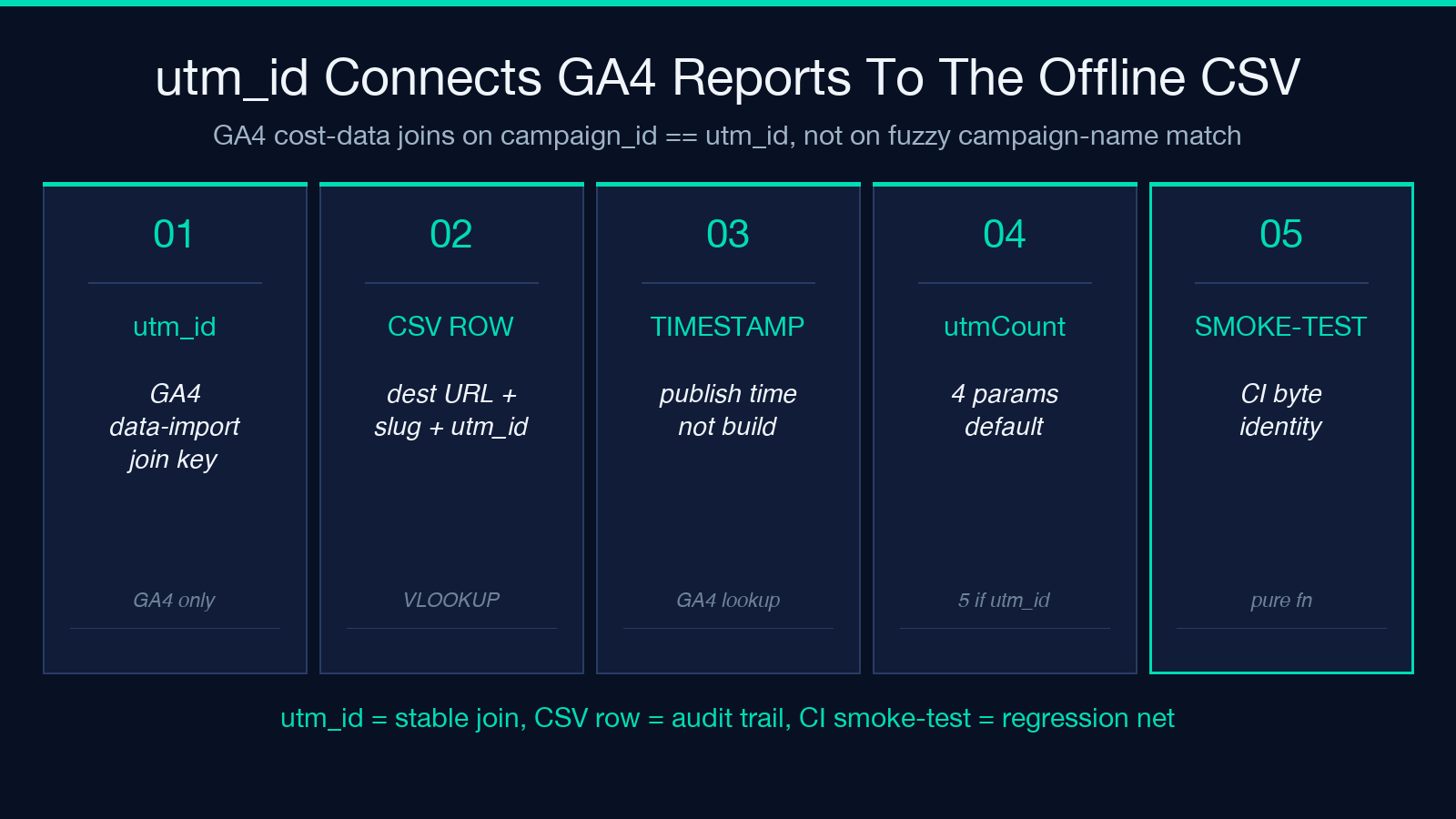
The bundle surfaces the GA4-only utm_id parameter as an optional field that links the campaign to a stable numeric ID you control. In the second sample, utmId=1001 is attached to a campaign the marketing team already tracks in a spreadsheet. When GA4 imports the cost data, the join is campaign_id == utm_id, not a fuzzy string match on the campaign name — which means renaming Webinar-Sept to Webinar-September later does not break the cost attribution.
The CSV row the bundle appends captures destinationUrl, the full tracked URL, the short slug, the utm_id, the timestamp, and the source domain. Drop that CSV into the marketing team’s existing tracker and the campaign reconciliation is one VLOOKUP away. A CSV Flavor to SQL INSERT Emitter can convert the bundle’s CSV row into the INSERT statement your data warehouse expects if the tracker lives in Postgres instead of a spreadsheet.
The bundle’s utmCount and normalizedCount fields are the two numbers worth checking before publishing. utmCount=4 means four utm_* parameters survived normalization; normalizedCount=4 is the same count after the lowercase pass. If they differ — say utmCount=5 and normalizedCount=4 — the bundle merged a value that did not pass the lowercaseUtm rule, which is a signal to inspect the source before publishing.
How The Bundle Stays Offline And Smoke-Testable Across CI Runs
The bundle’s most underrated feature is what it does not do. It does not call bit.ly, is.gd, v.gd, or any third-party short-link API; it does not call a hosted QR service; it does not call GA4 to validate the UTM parameters. Every artifact in the bundle output is reproducible from the inputs alone, which is the same property that makes the tool smoke-testable in CI. If you build the bundle output from the second sample inputs in a GitHub Actions job today and again a year from now, the byte-identical short slug, the byte-identical QR PNG, and the byte-identical CSV row all reproduce because the FNV-1a hash, the QR encoder, and the UTM normalization are all pure functions of the inputs.
That property is rare in marketing tooling and it changes how you ship campaigns. The bundle output can be checked into the campaign repo as a fixture; a CI smoke test runs the bundle against the fixture inputs and asserts the output is byte-identical, which catches any regression in the normalization or QR encoder before the campaign goes live. A second smoke test runs validate_anchors(html) against the rendered campaign page to confirm every short link on the page resolves to the right destination, which is the cheapest insurance against a redirect-file regression.
The offline-only design also means there is no rate limit and no quota to track. A team that ships 50 tracked campaign links a week has nothing to count against, nothing to upgrade for, and no outage risk when a third-party service is down the day before a launch. A URL Encoder/Decoder on the bundle’s tracked URL output confirms the URL is percent-encoded correctly for pasting into Markdown, Slack, and email clients that disagree on which characters need escaping.
Choosing The Right Redirect Snippet For Your Stack
The bundle emits three redirect snippets in parallel: nginx (return 301), vercel.json (the redirects array), and Netlify _redirects. You only deploy the one your host expects, but the bundle ships all three so the artifact does not have to be regenerated when the deployment target moves.
For nginx, the snippet is a single-line return 301 per slug. The deployment is include into the main server block or a dedicated redirect file. For vercel.json, the snippet is a JSON array entry with source, destination, and statusCode; both permanent: true (308) and temporary: false (307) are valid but the bundle emits permanent to match the most common campaign-link use case. For Netlify, the _redirects file uses the /slug plain-text format, which Netlify reads on every deploy.
A subtle pitfall is the redirect target’s path-vs-host behavior. vercel.json redirects preserve the path query string by default, but nginx strips it unless you add $is_args$args to the destination. The bundle includes the query string in the destination, so the snippet works on all three hosts without modification. If your redirect test fails on one host but passes on another, this is the place to look first.
Choosing Between Auto-Slug And Custom-Slug For A New Campaign
Auto-slug mode is the right answer when you do not need the short link to be human-readable. The deterministic 7-character base62 string is collision-resistant across millions of campaigns, and the same input always produces the same slug. Use auto-slug for newsletter launches, A/B test variants, paid social ad rotations, and any case where the link lives inside an email or a chat message where the recipient never reads the slug.
Custom-slug mode is the right answer when the link will be spoken aloud, printed on a poster, or copied by hand from a slide. The second sample’s spring26 slug is a textbook case: it reads cleanly on a conference slide, types cleanly from a printed handout, and matches the campaign name without the visual noise of a 7-character hash. The trade-off is collision risk — if spring26 is already a redirect on your domain, the bundle will warn you and you must choose a different slug.
A URL Validator run on the deployed redirect file confirms every slug still resolves to a 200 at the destination. This is the cheapest way to verify that a custom slug was not overwritten by a later campaign before the conference, which is a real failure mode when two teams are publishing into the same short domain.
Audit The Bundle Output Before You Publish The Campaign
Before any tracked link goes live, run the bundle’s output through three audits. First, count the utm_* parameters on the full URL — four is the typical answer when utm_content is set, five when utm_id is set, and anything below four means the GA4 trio is incomplete. Second, verify the short slug resolves through your redirect snippet before deployment, not after; curl -sI should return a 301 pointing at the full tracked URL. Third, scan the full URL for case-sensitive mismatches against the GA4 lookup table — utm_source=Twitter will silently undercount versus utm_source=twitter unless the lowercaseUtm flag is on.
The CSV row is the final audit artifact. Open the bundle’s tracking CSV, confirm the campaign name matches the marketing team’s tracker, confirm the utm_id matches the campaign ID in the data warehouse, and confirm the timestamp is the publish moment, not the build moment. A 6-hour gap between build and publish is the typical window where two engineers will both think they own the campaign, and the CSV row disambiguates it.
A Slug Validator check on every custom slug before deployment confirms the slug is unique within your redirect file and does not collide with a reserved path (/api, /admin, /login). Reserved-path collisions are the most common reason a custom-slug campaign fails silently — the redirect file loads, the slug never matches because the app router catches the path first, and the campaign reports 100 percent unattributed traffic for the first 24 hours.
