
One paragraph with a single <RLI> token can flip its visible order twice. If you have ever pasted mixed Latin and Hebrew into a chat, watched the period land on the wrong side, or debugged a PDF where a parenthetical in the wrong script rendered the brackets backwards, you have already met the Unicode Bidirectional Algorithm. The UAX #9 spec is famously dense — it has roughly 30 rules split across P (paragraph), X (explicit levels), W (weak types), N (neutrals and paired brackets), I (implicit levels), and L (reordering and mirroring) — and a single paragraph can touch every family at once. The Unicode Bidi Paired Bracket Isolate Embedding CF Rule Explainer walks the full pipeline rule by rule so you stop guessing and start seeing the X-pass stack, the sos/eos of each isolating run, the BD16 bracket-pair clauses, and the L2 reversal passes that produce the visible string.
What the Tool Actually Shows You
The interface is a single textarea that accepts text in logical order plus an optional paragraph direction. You can paste bidi control characters as named tokens like <LRI>, <RLI>, <FSI>, <PDI>, <LRE>, <RLE>, <PDF>, <LRO>, <RLO>, <LRM>, <RLM>, <ALM>, or as \uXXXX escapes if your editor strips the literal characters. Three paragraph directions are available: auto (P2/P3 first-strong detection), LTR (paragraph level 0), and RTL (paragraph level 1). The output is a full walkthrough — paragraph level, isolating run sequences with their sos/eos, the X-pass stack trace, weak type resolutions through W1–W7, paired-bracket resolutions through N0a–N0d, neutral resolutions N1–N2, implicit levels I1–I2, and the L1/L2/L4 reordering with glyph mirroring. For each step you see which rule fired and which character changed.
The Three Rules That Cause the Most Headaches
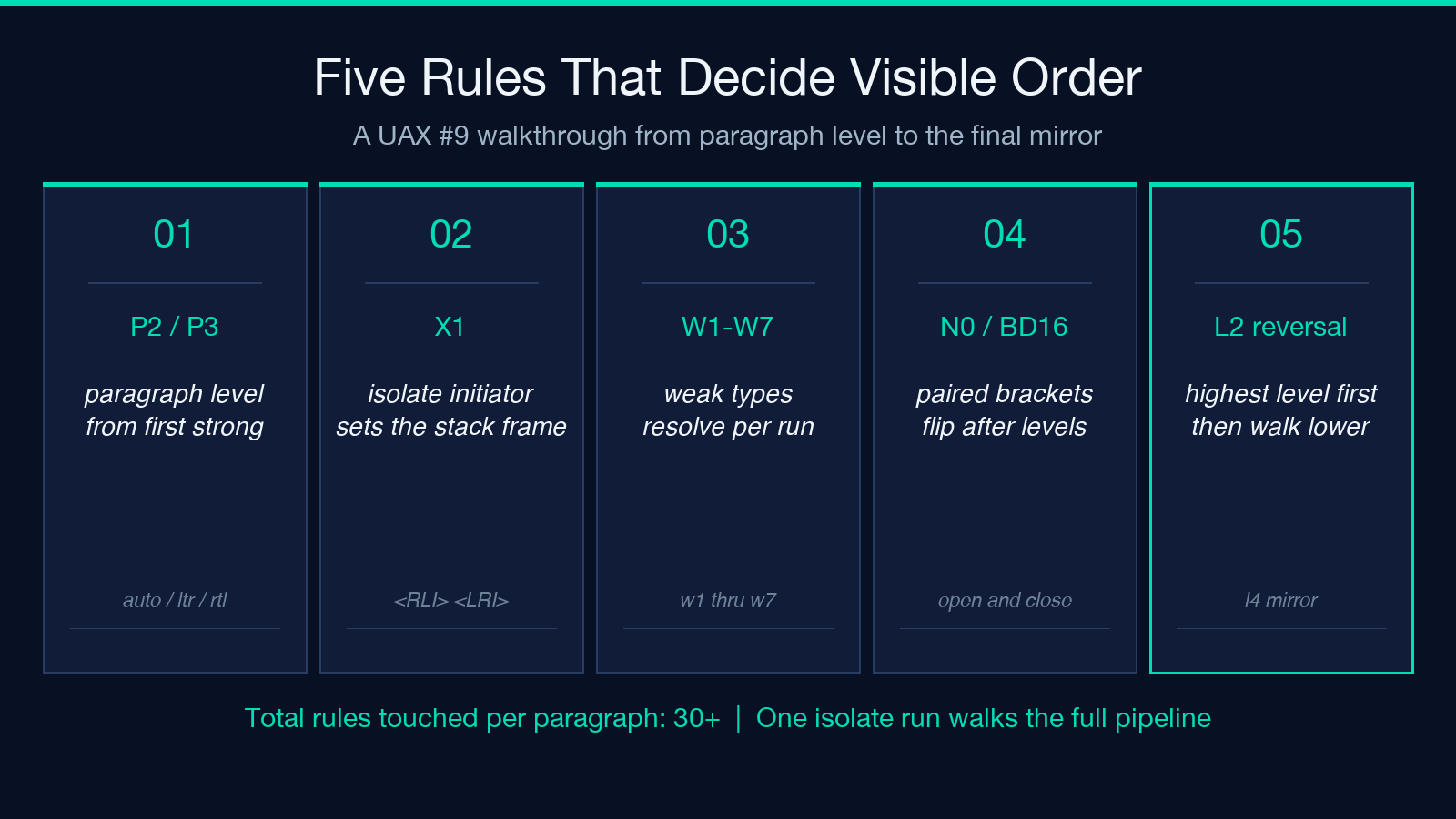
Most rendering surprises trace back to three rules: X1 (the directional status stack), N0 (paired brackets), and L2 (reversal at the highest level plus reversal at lower levels). X1 is where an isolate initiator like <RLI> pushes a new stack frame and sets the embedding level of the next character to the current level plus one — every character until <PDI> is treated as an isolated run, which means its level is set independently from the surrounding paragraph. N0 (BD16) is the bracket-pair rule that scans an isolating run for matching brackets after the levels are all assigned and resolves them by flipping brackets whose level is lower than the enclosing run’s level. L2 reverses contiguous runs at the highest level, then walks lower levels and reverses contiguous runs at each level whose direction is reversed — for a paragraph with both Latin and Hebrew inside an <RLI> isolate, two reversal passes can land on opposite sides of the visible string.
Why Isolate Run Sequences Matter
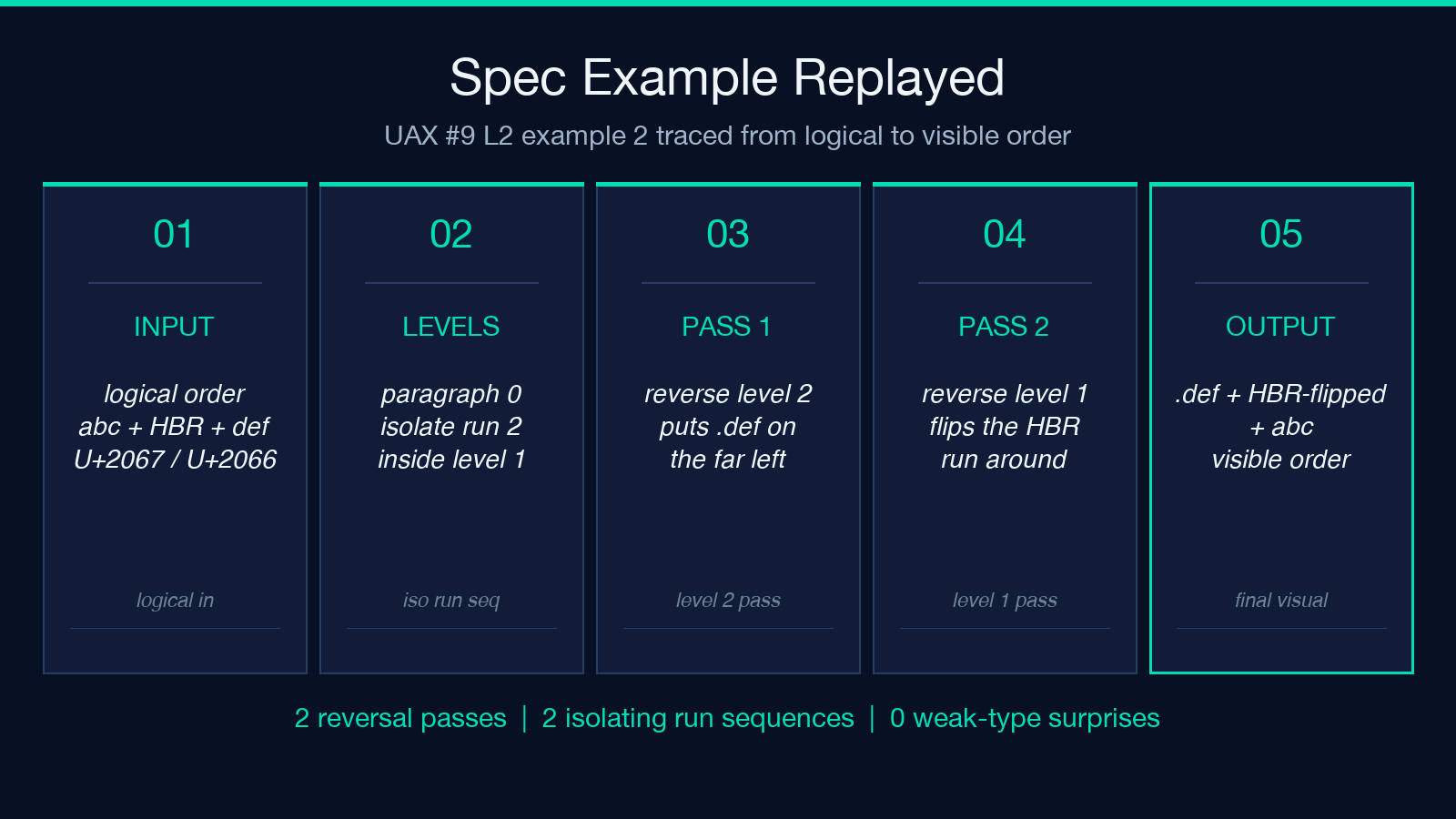
Introduced in Unicode 6.3, isolating run sequences are the trickiest part of the modern bidi algorithm. An <RLI> (or <LRI> or <FSI>) does not just raise the embedding level — it freezes the sos/eos (start-of-sequence and end-of-sequence) of the isolated run, runs the full W/N/I pipeline inside that run as if it were its own paragraph, then resumes the outer paragraph at the matching <PDI>. The CF part of the tool’s name stands for “consecutive formatting” — <FSI> and <PDI> are part of a single 2010s-era addition that lets the bidi engine resolve script-neutral runs without committing to LTR or RTL until it has scanned the run’s content. The explainer shows you exactly which rule made which decision: when the spec example <RLI>abc אבג def<PDI>. lands as .def גבא abc, the tool traces it to paragraph level 0, two isolating run sequences, reversal passes at levels 2 and 1.
Paired Brackets Are Where Surprises Hide
If you mix Arabic, Hebrew, or other RTL scripts with parentheses, square brackets, or curly braces, the N0 rule (BD16 in the spec) reorders the bracket pair so the opening bracket points the correct way for its final visible position. The catch: N0 only kicks in after the X, W, N1, N2, and I rules have finished, so the bracket’s level is the level it ended up at after I1/I2, not its original embedding level. If you ever paste אב (cd) אב and see אב )cd( אב in the rendered output, that is N0 doing its job — the (cd) subsequence is at level 2 inside an <RLI>, N0 sees the matching pair, sees the outer run is at level 1, and flips both brackets to point inward. The tool’s walkthrough makes this visible step by step, which is far more useful than guessing from a rendered glyph.
Reverse the Order of Operations to Debug a Bug
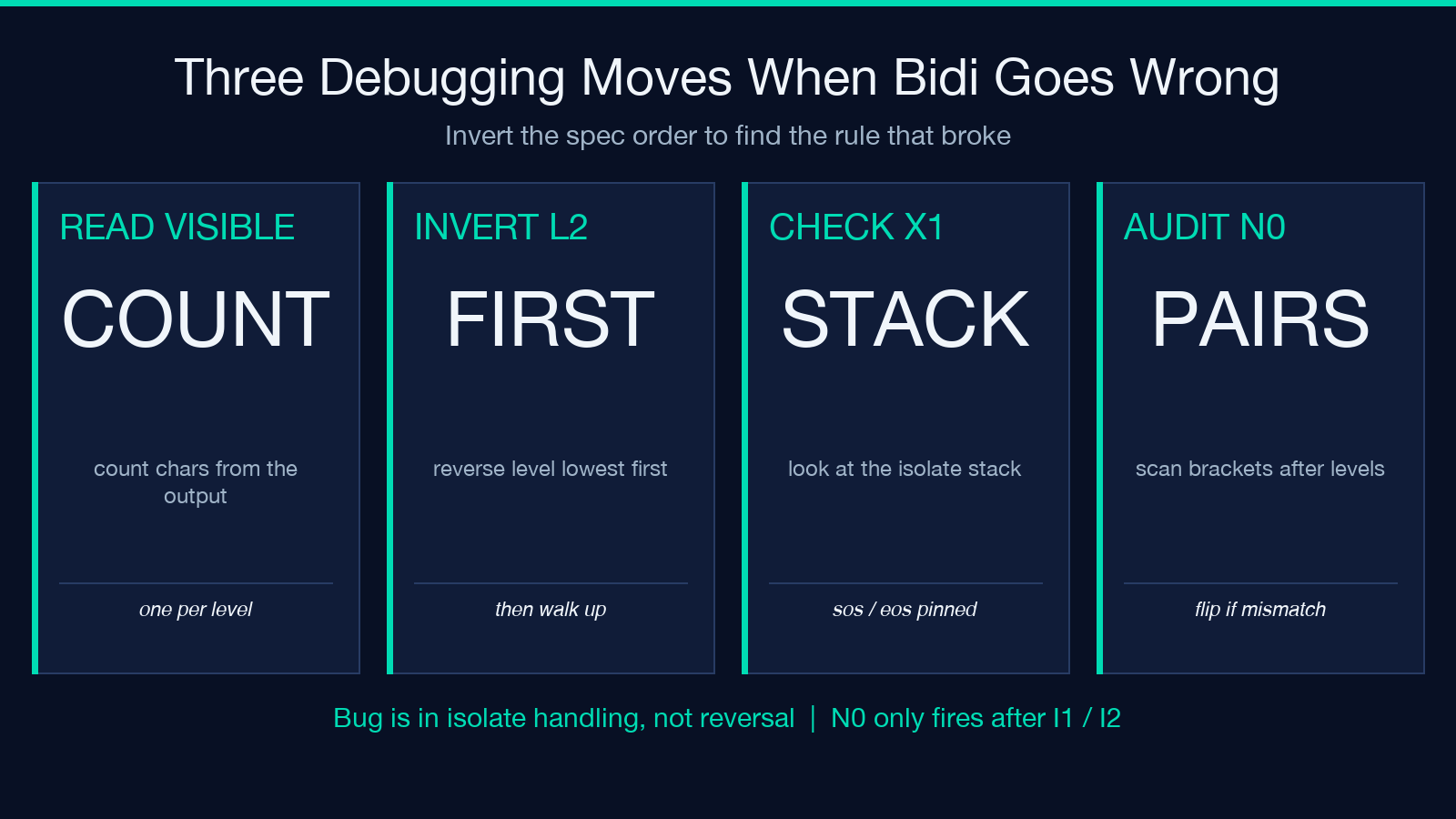
When you suspect a bidi bug, the fastest debugging move is to invert the usual order of operations. Most developers read text left to right and try to figure out the embedding level for each character by hand — that path leads straight into the spec’s twisty maze. Instead, take the visible string you got, count the characters, and ask: where would the reversal passes put each character? The L2 rule reverses at the highest embedding level first, then walks lower levels. So if you have a paragraph at level 0 with a single <RLI> isolate at level 1, L2 reverses the level-0 run and then the level-2 run inside the isolate — but not the level-1 run that contains the isolate. If your reversed order looks wrong, the bug is almost always in the X1 isolate handling, not in the reversal pass itself.
Three Worked Examples Worth Replaying
The tool ships with two spec-aligned example replays. The first is the canonical UAX #9 L2 example 2: <RLI>abc אבג def<PDI>. — watch paragraph level 0 produce two isolating run sequences, watch the level-2 reversal inside the isolate put .def on the far left, watch the level-1 reversal flip the Hebrew run into the right order, and observe that the final display is .def גבא abc. The second example is the N0 paired-bracket case: אב (cd) אב — paragraph level 1 with an <RLI>-free layout, N0 flips both brackets inward. Both examples have assertions metadata that the tool checks against the spec — paste them in, you get exactly the spec’s expected visible string. If you want to extend the tool’s coverage to your own use cases, the assertions dictionary lets you add your own test cases: hand it a logical-order input plus a known-visible-string output, and the tool walks the entire pipeline to show why those two strings match.
When You Should Reach for This Tool
The bidi explainer is the right tool when you are debugging rendering of mixed-script paragraphs, when you need to teach someone how UAX #9 actually reorders text, when you are writing a script that emits bidi controls and need to confirm the levels land where you expect, or when you are reviewing a localized UI for languages that mix Latin and RTL scripts. It is not a high-performance runtime bidi library — for that you want ICU or a native bidi renderer. It is an interactive debugger and learning environment, with the rare feature of showing every intermediate state. Run it on a paragraph you think you understand, and the X-pass stack trace alone is usually enough to surface a hidden assumption.
A Note on L4 Mirroring and Why It Trips People Up
L4 is the easy rule to forget. After L2 has done all its reversal passes, L4 walks the final visual order and replaces every mirrored glyph (parentheses, square brackets, curly braces, certain punctuation) with its mirror partner at the current embedding level. The mirror map is in Unicode’s BidiMirroring.txt data file, and the explainer applies it automatically — so when you see ( become ) in the visible output and you did not paste ), that is L4 mirroring, not N0 paired-bracket resolution. The two rules cooperate but are independent, and the explainer’s walkthrough distinguishes them by labeling each step with the rule that fired.
Debug bidi with confidence at the Unicode Bidi Paired Bracket Isolate Embedding CF Rule Explainer, and explore more Unicode and text-processing tools at elysiatools.com.
