
Drift between dev and prod is the silent failure that survives every code review. A staging environment that secretly runs a different FEATURE_X value than production is the difference between a release that flips a flag and one that lights up a feature before its auth guard is in place — and the difference is invisible until you read the file. The Environment Config Diff Visualizer at Elysia Tools treats that comparison as a first-class artifact: paste a JSON, YAML, TOML, or ENV bundle for each environment, and the tool returns a tree view that flags missing keys, drifted values, and redundant fields in one pass.
Why “Just Diff the Files” Stops Working at Three Environments
A naive diff dev.yaml prod.yaml answers the wrong question when you have staging in between, when secrets need to be masked before the report can leave your laptop, and when one environment uses YAML while another uses ENV. The third case is the real trap: a developer who edits dev.yaml and adds a new key, but does not propagate it into the .env.production file consumed by the deploy container, will pass the local diff, pass the staging diff, and break the production boot. The visualizer accepts each side as its own native format and normalizes them into a single tree before comparison, so FEATURE_X: true in YAML and FEATURE_X=false in ENV become the same node under the same key. Browsing live sample bundles for .env files at Elysia Tools Samples shows the format variety a typical microservice ships with — one process expects JWT_SECRET, the next expects JWT_SECRET plus JWT_TTL, and the third requires JWT_SECRET to be set or refuses to start. A line-by-line diff hides the optional-key semantics; a normalized tree diff surfaces them.
The Three Drift Classes the Tool Catches
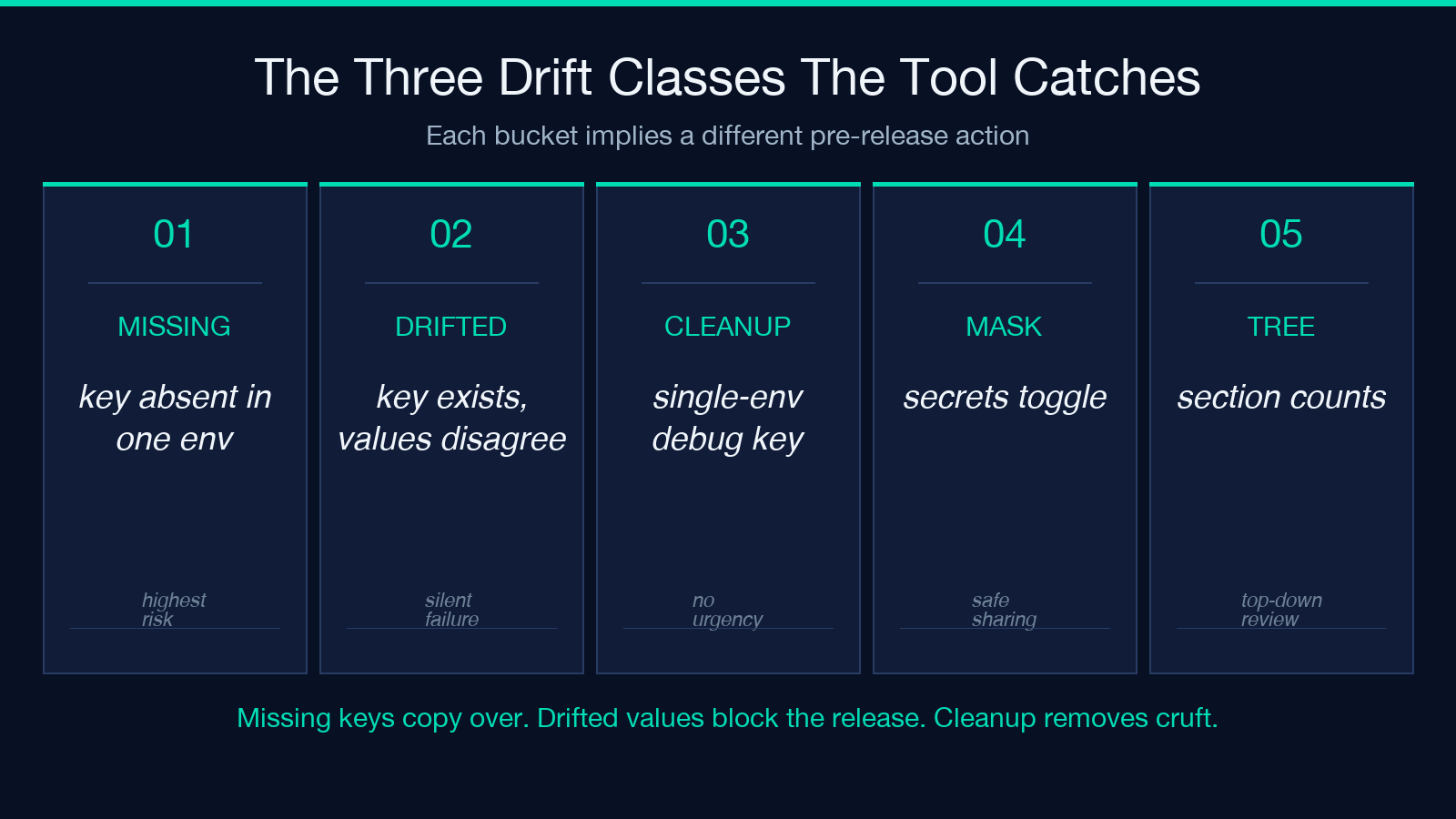
The visualizer groups every difference into one of three buckets, and each bucket implies a different action. Missing keys are the easiest to fix — copy the value over, restart the service, ship. Drifted values are the most dangerous — they pass deploy validation because every key exists, but they disagree on what the value should be. Cleanup candidates are the ones that survive merge resolution but should not: keys that exist only in dev for debugging, experimental flags that never made it to production, or deprecated aliases that two services both consume but only one actually honors. A typical Kubernetes deploy bundles all three at once; the live Kubernetes YAML samples page shows a ConfigMap and a Secret that share three keys and disagree on two of them. The visualizer’s maskSecrets toggle is what makes the report safe to attach to a PR — every value matching a typical secret pattern (SECRET, KEY, TOKEN, PASSWORD, _URI with credentials) is replaced with ** before rendering.
How the Tree View Reorders the Report
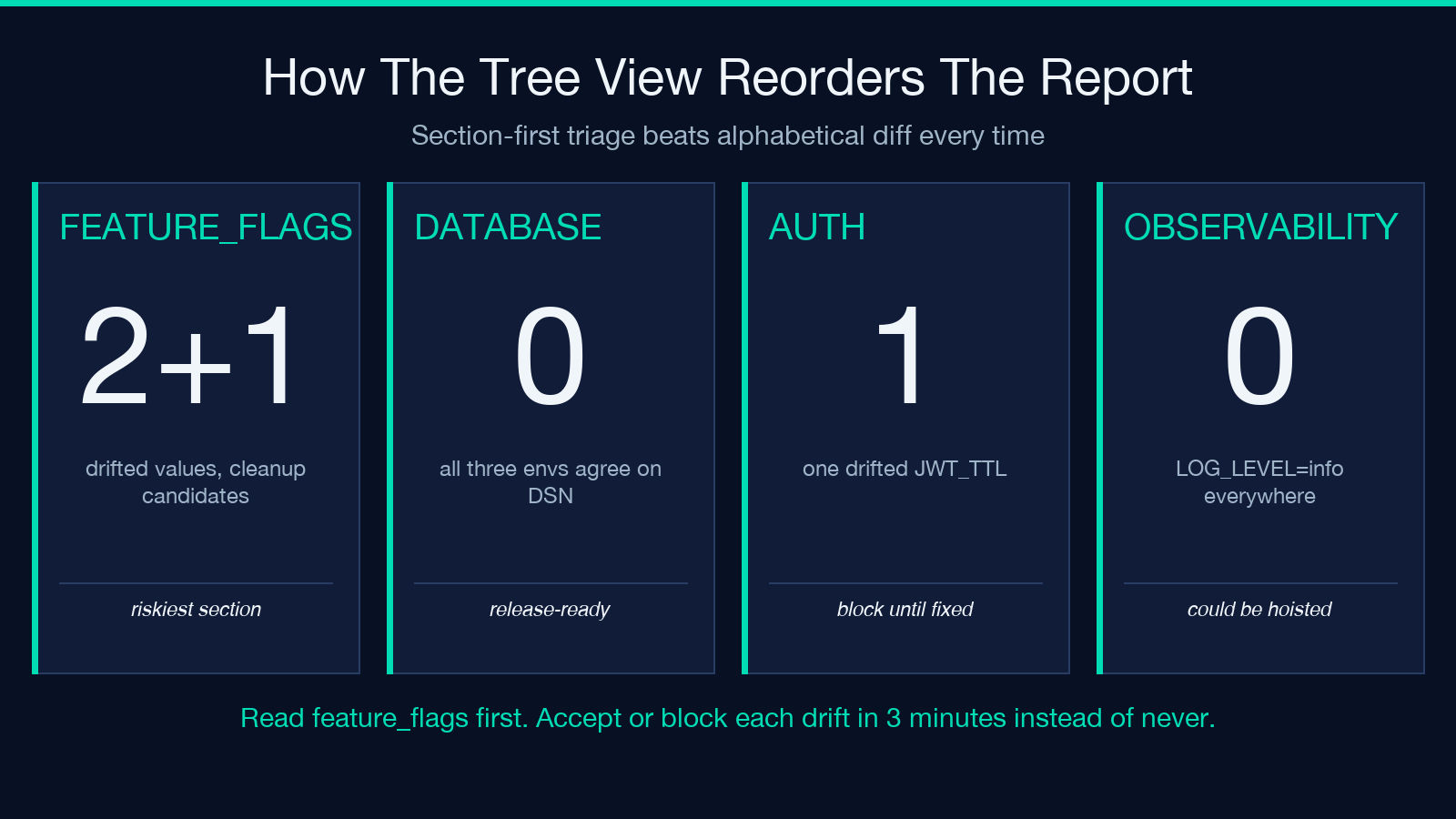
A flat diff list is alphabetical and chronological, which means the key that just broke production lands somewhere in the middle and you scroll past it. The visualizer’s showTree toggle regroups the report by section: database, feature_flags, auth, observability, external_services. Each section is a collapsible block with its own count of missing, drifted, and cleanup items, and the section header carries the count. So a five-section report that opens with feature_flags: 2 drifted, 1 cleanup tells you the release is risky without reading a single leaf node. This is the difference between a diff you read end-to-end and a diff you triage by section. The audit step changes from “find every difference” to “decide whether the feature_flags section’s two drifted values are blockers or noise” — a question with a real answer in three minutes instead of a real answer never.
The Mask-and-Share Workflow for Production Reports
The most useful application of the visualizer is not local debugging — it is the pre-release review. Build a config bundle for dev, staging, and production from the actual files (not the committed ones), paste them in, toggle maskSecrets, and generate a tree report. Attach the rendered HTML to the release PR. The reviewer reads it the same way they read a code diff: top-down, by section, accepting or rejecting each line. If the reviewer sees FEATURE_X: true in dev and FEATURE_X: false in prod, they can either accept the change (intentional disable) or block the release (mistaken disable). The same workflow with secret-masked output is what makes the report safe to share outside the on-call rotation — no DATABASE_URL with embedded credentials escapes through the review tool.
What the Cleanup Suggestions Tell You About Your Service
The third bucket — cleanup candidates — is the visualizer’s most opinionated output, and the one that requires the most interpretation. A cleanup candidate is a key that exists in one environment but never propagates to the others, or a key whose value is identical across all three environments and could therefore be hoisted to a shared base config. The first pattern usually points to a developer who added DEBUG_LOG_LEVEL=verbose to their local env and forgot to remove it; the second usually points to LOG_LEVEL=info sitting in three files where it should sit in one. Neither is urgent, both are real, and both cost nothing to fix once a month when the diff report makes them visible. The cleanup pass is the difference between a config tree that grows without bound and one that stays roughly the same size year over year.
Comparing Across Formats Without Losing Information
The most subtle feature is the format negotiation. Paste a YAML bundle on the left and an ENV bundle on the right, and the visualizer produces a single tree where every key from either format appears under the right section. A YAML feature_flags:n X: true and an ENV FEATURE_FLAG_X=true (assuming the convention that underscored ENV keys correspond to nested YAML keys) become the same node, and the sectioning stays consistent. This is the operation that breaks every line-by-line diff tool — they see the two sides as fundamentally different files and refuse to align them. The visualizer aligns them by key, masks sensitive values, and reports the diff at the key level. The audit step is the same: read the section, accept or reject the drift, ship.
The Pre-Release Routine That Uses This Every Time
The recipe that survives contact with a real release calendar is: take a snapshot of every config file the service actually loads at boot, paste each into its own box, render the tree, attach the masked HTML to the PR. Skip the snapshot, and you are comparing the files you wish were deployed to the files that are deployed — and the answer is always “they disagree” because the answer is always wrong. The snapshot is the only honest input. Once the snapshot is in the visualizer, the comparison is fast, the report is shareable, and the pre-release review has a real artifact to read. Two weeks of doing this on every release will reveal that most of your config drift is concentrated in three or four sections, and you can wire those sections into a CI check that fails the build on any drift at all. The drift report stops being a manual review step and becomes a build gate.
When the Tree Says “No Drift” and the Service Says Otherwise
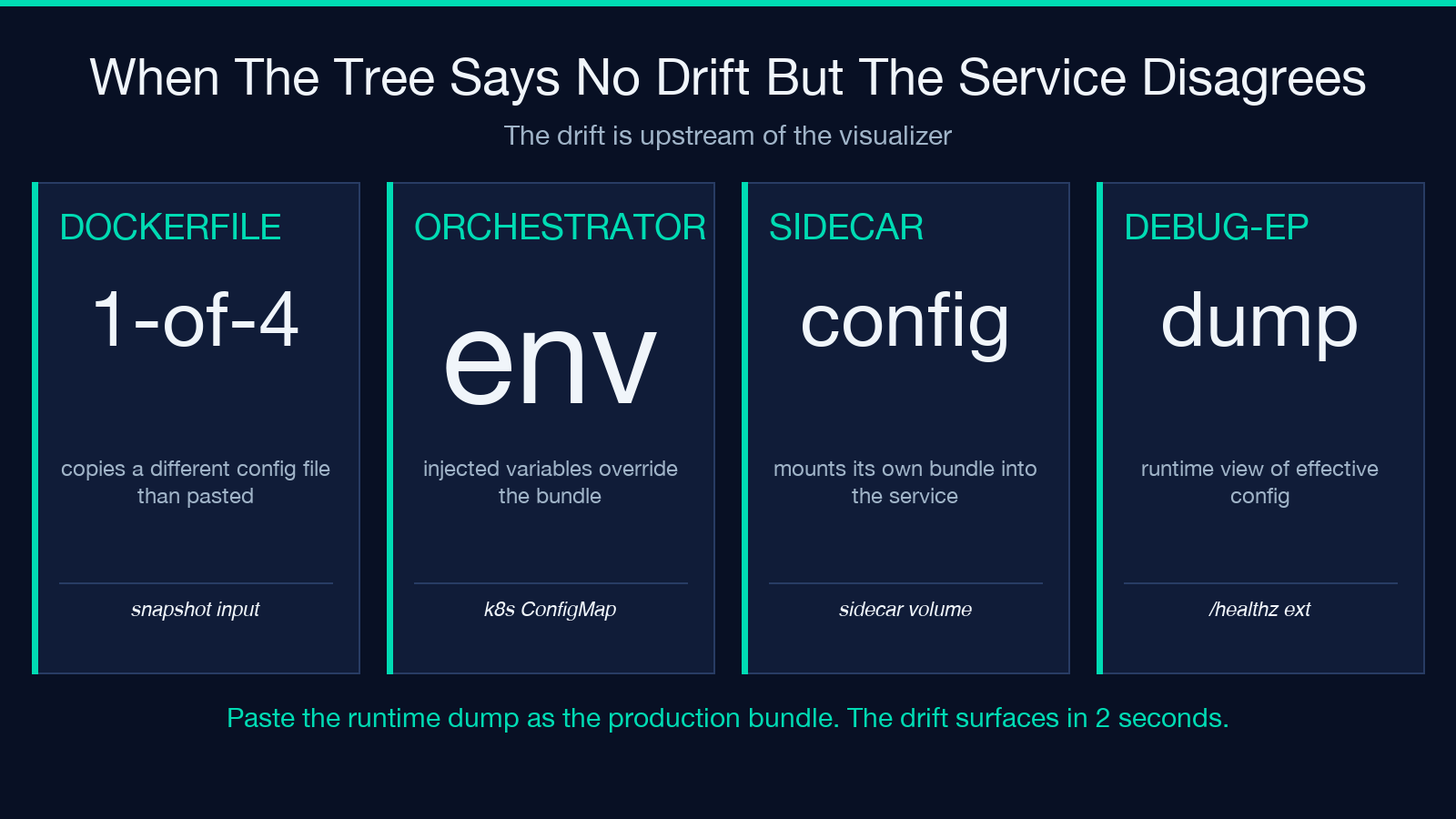
The visualizer is precise about what it compares: keys and values from the bundles you paste. It cannot detect a drift that lives outside the bundle — a Dockerfile that copies a different config file than the one you pasted, an environment variable injected by the orchestrator that overrides what you thought the value was, a sidecar container that mounts its own config into the service. If the tree says “no drift” and the service still disagrees, the drift is upstream of the visualizer. The right next move is to dump the service’s view of its own config — most runtimes expose this through a debug endpoint or a /healthz extension — and paste THAT into the visualizer as the production bundle. The drift, if it exists, will surface in the tree report, and the section that disagrees will tell you whether the drift is the orchestrator’s fault or the snapshot’s. Past that, the visualizer is the right tool for file-level drift and the wrong tool for runtime-level drift; the two together cover most of what a release review needs to catch.
Browse more comparison and debugging tools in the Elysia Tools catalog — the visualizer is one of several that operate on configuration and deployment artifacts.
