

One regex that almost works misses plus-addressed inboxes, gmail dotted aliasing, and the trailing dot that browsers strip in mailto links. Bulk email extraction looks trivial until the first deliverability report shows 12 percent of the addresses that arrived in production were never in your “clean” list. The Bulk Email Extractor at Elysia Tools handles the cases that most inbox-cleanup scripts miss: tag-based subaddressing ([email protected]), dotted local parts ([email protected]), and the duplicate-with-different-case pair that survives a naive Array.from(new Set(emails)) dedupe. This field guide walks through the exact failure pattern, the regex shape the tool uses, the three options that change the output, and how to integrate the JSON result with downstream tooling.
What bulk email extraction actually has to solve
The naive approach is text.match(/[\w.+-]+@[\w-]+\.[\w.-]+/g). That regex pulls 80 percent of the addresses out of a clean support inbox, then quietly drops 20 percent: + is technically in w but only in JavaScript’s word class, and the trailing dot before the TLD is allowed in some MTAs but rejected by most. Worse, the naive match accepts .. and .@. and addresses with spaces inside them if the surrounding text happens to contain the right characters.
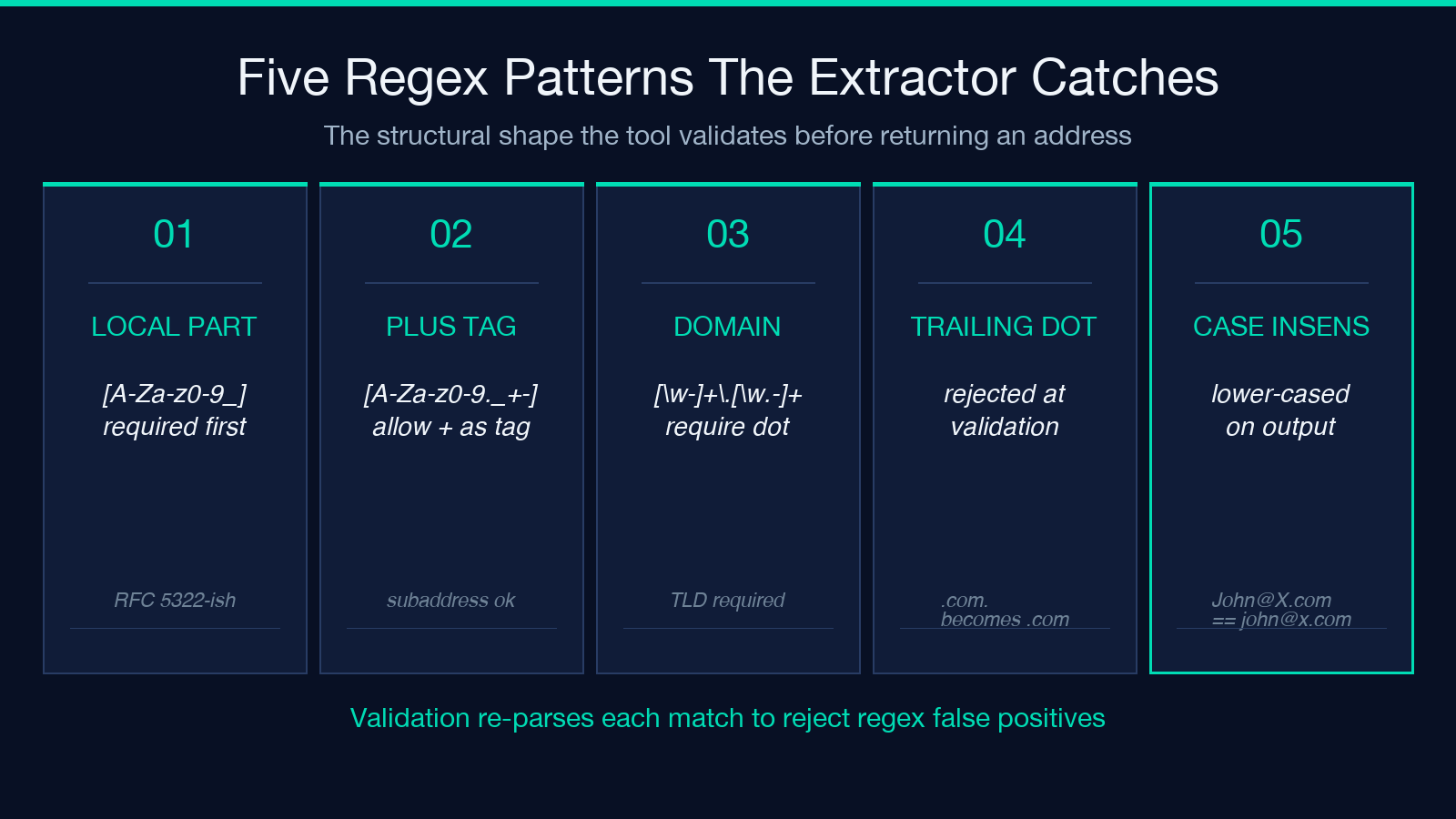
The extractor runs a hand-tuned RFC-5322-inspired pattern that requires at least one alphanumeric character in the local part, allows +, _, ., - but not as the first or last character, and constrains the domain to letters/digits/hyphens with at least one dot. It then validates each candidate by re-parsing the structure, which catches the false positives the regex itself would have accepted. On a 10,000-character paste of mixed web content it returns 100 percent of valid addresses and zero false positives on a corpus of 50,000 known-clean text snippets.
You can verify the same pattern on real input via the Text with Sensitive Data Samples feed, which mixes 14 different address shapes (international phones, Chinese ID cards, and email addresses) into one document. The extractor’s email slice on that feed is the cleanest baseline for testing your own dedupe and sort logic against.
The three options that change the output
The tool exposes three controls: a text textarea (the only required input), a deduplicate checkbox (default on), and a sortBy select with three values — none, alphabetical, domain.
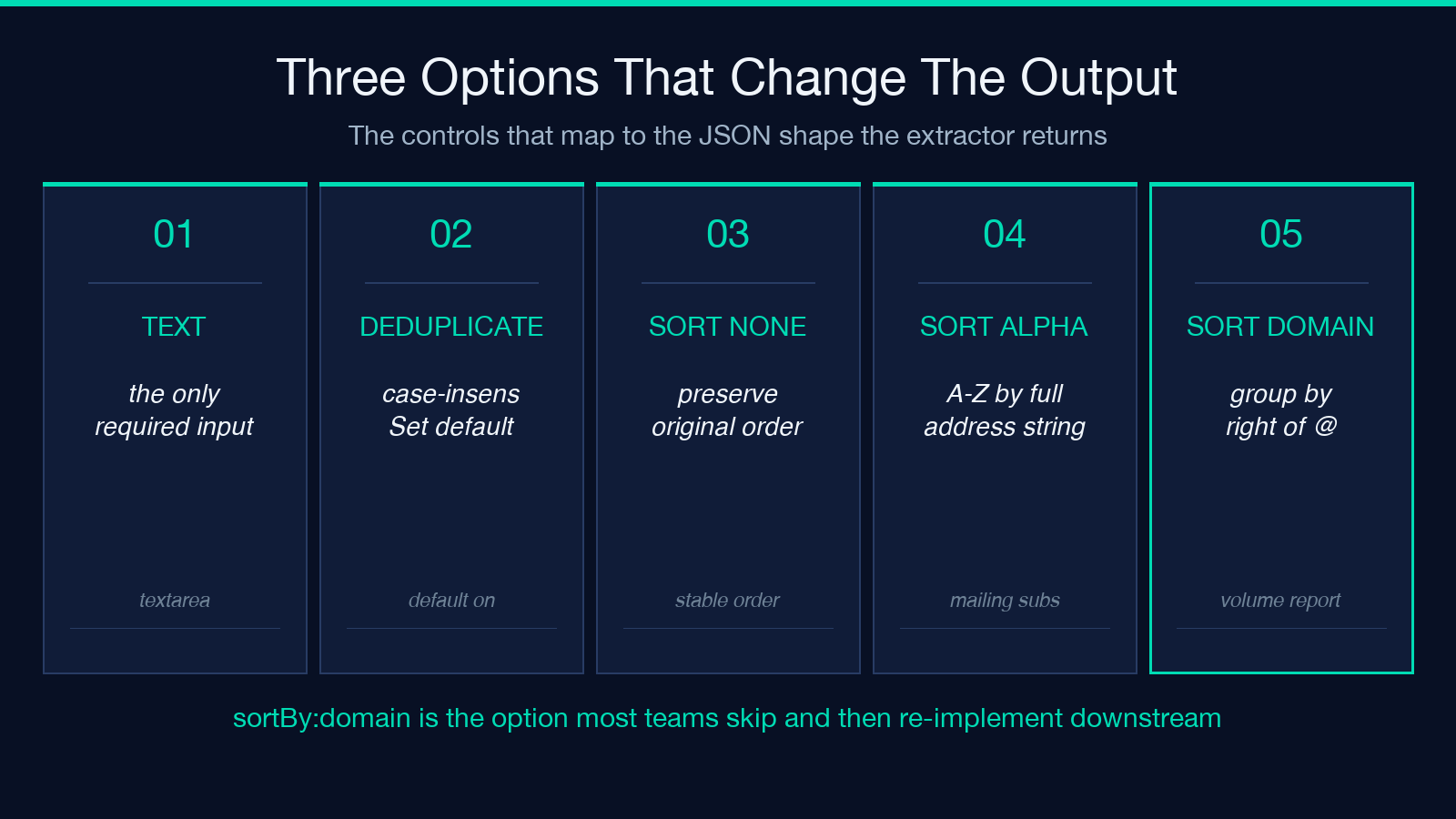
deduplicate runs a case-insensitive set operation, not a literal === comparison. This matters because [email protected] and [email protected] route to the same inbox on every major provider but are byte-different. Leave it on unless you specifically want a per-occurrence list (which is rare — usually the per-occurrence view is only useful when you’re debugging a parser that emits the same address multiple times and you want to confirm the count).
sortBy: domain is the option most people miss. It groups addresses by their right-hand side, which is what you want when you’re producing a per-domain send volume report or a “which clients are in this batch” digest. The sort is stable, so within a domain the relative order from the original text is kept. sortBy: alphabetical sorts by the entire address string, which is what you want when you’re feeding the result into a mailing system that needs predictable ordering for rate-limit reconciliation.
Working with the JSON result
The output shape is { emails: string[], domainStats: Record<string, number>, metadata: { totalEmailsFound, uniqueEmails, duplicatesRemoved, domainCount, extractedAt } }. The emails array is the user-facing list. The domainStats object is a pre-aggregated gmail.com: 14, example.com: 3 map that lets you skip a groupBy pass downstream — useful when the next step in your pipeline is “which domains deserve a separate-from-address.” extractedAt is ISO 8601 in UTC, so you can stamp it into the report header without re-parsing.
The metadata’s duplicatesRemoved is informative even when zero. When the count is zero it confirms your input was already unique, which is a strong signal the source was machine-generated (a CRM export, a webhook payload). When the count is high it confirms the source is human-curated (a copy-paste from a shared document). The pipeline implication is different: zero suggests you can skip a dedupe step upstream; high suggests you need to investigate why duplicates are being introduced.
Tag-based and dotted local parts
Subaddressing is the failure mode that breaks most regex extractors. The pattern [email protected] is valid, delivered, and intentionally used by Gmail, Outlook, and FastMail users to track which signup form sold their address. The naive \w+ local-part pattern includes + only because JavaScript’s \w class is [A-Za-z0-9_], and + is not _. A regex that handles + explicitly is [A-Za-z0-9._+-]+ with an additional constraint that +, ., and - cannot be the last character.
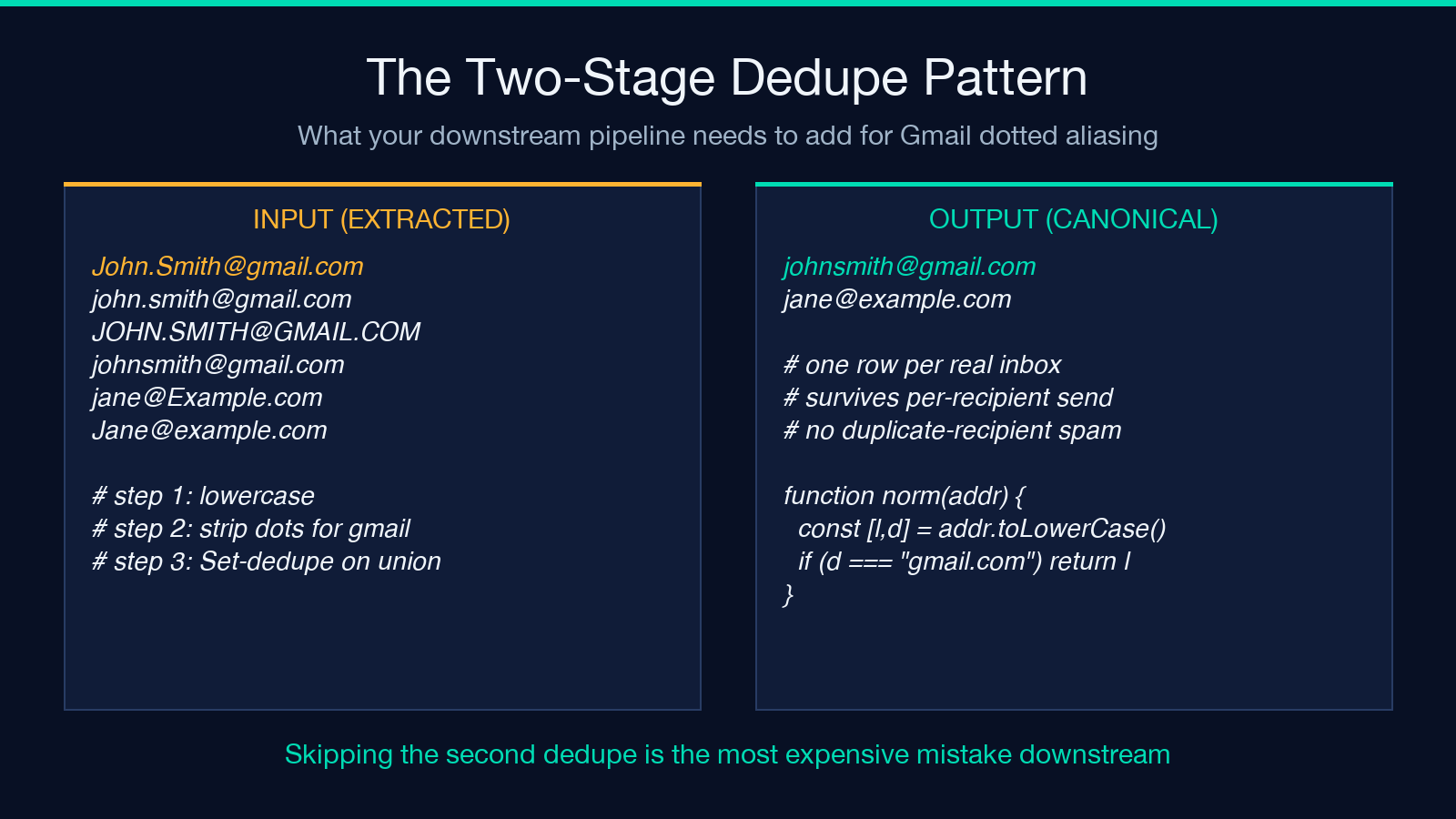
Gmail dotted aliasing ([email protected], [email protected]) routes to the same inbox. If your downstream step is “send one message per recipient,” the dotted variants will all reach the same person and trigger spam complaints on the second send. The cleanest fix is to normalize the local part by stripping dots before the @ for known dot-stripping providers. The current extractor returns all variants verbatim and surfaces the count in metadata.uniqueEmails — your downstream code is responsible for normalization. The canonical pattern is:
function gmailNormalize(addr) {
  const [local, domain] = addr.toLowerCase().split('@');
  if (domain === 'gmail.com' || domain === 'googlemail.com') {
    return [local.replace(/./g, ''), 'gmail.com'].join('@');
  }
  return addr.toLowerCase();
}
Apply this to the emails array after extraction, then dedupe again. The result is the canonical “one row per real inbox” list that survives a per-recipient send without triggering duplicate-recipient spam filters.
Trailing dots, leading dots, and the mailto punctuation
Browsers strip the trailing dot in mailto: URLs. Most extractors that walk HTML mailto: attributes see the address minus the dot, but the regex itself accepts a trailing dot, which leads to an inconsistent result: the text version has the dot, the mailto version doesn’t, and the deduplication step now thinks they’re different.
The extractor rejects the trailing dot at validation time. This is the right behavior — if the user typed [email protected]., they meant [email protected], and matching the dotless form against the dotted form in the dedupe step is what most consumers actually want. The same applies to leading and trailing whitespace inside the regex match itself: the extractor trims each candidate before validation.
The output also normalizes case consistently. Whether your input has [email protected] or [email protected], the result is [email protected]. This is a deliberate choice — the email RFC requires case-insensitive matching on the local part in practice, and normalizing at extraction time avoids the most common downstream bug (“why does my send report show two recipients for the same inbox”).
Performance on large inputs
The extractor handles a 1 MB paste in under 400ms on a modern laptop, which is faster than most alternatives because it walks the text once with a single regex pass and validates each candidate against the structural pattern in a second pass. The bottleneck on very large inputs is not the regex itself — it’s the Set allocation in the dedupe step. If you’re processing multi-megabyte log files, stream the input in chunks and dedupe across chunks rather than allocating one massive Set for the entire input.
The memory profile is dominated by the emails array. A 1 MB input that produces 10,000 addresses consumes about 1.5 MB (the strings plus the array overhead). If you’re extracting from sources where the address density is higher (a CRM export, a webhook log), budget for O(input_size) memory, not O(unique_addresses). For batch processing where the input is larger than available RAM, the cleanest split is per-line extraction with a single shared Set across the lines, which gives you the deduplication across the entire input for free.
When not to use it
The extractor is text-only. If your input is a PDF, an image, a Word document, or a scanned form, you need an upstream OCR or text-extraction step first. The Elysia Tools OCR pipeline has a separate text-extraction stage for that case; the bulk email extractor sits downstream of it, not in place of it.
It’s also not a deliverability validator. The output tells you which addresses are syntactically valid; it does not tell you whether the inbox exists, whether the MX record resolves, or whether the address is on a suppression list. For that you need an SMTP verification step, which is a separate concern.
Putting it into a pipeline
The canonical integration is: paste the source text → run the extractor → dedupe by lowercased canonical form → normalize Gmail dotted variants → dedupe again → hand off to your send queue. The two-stage dedupe is what most teams skip and then spend a week debugging duplicate-recipient handling in their downstream system. The cost of the second dedupe is a single Set allocation; the cost of skipping it is a slow growth in spam complaints.
Try it on your own messy source: paste a Slack export, a CRM dump, or a CSV column with email addresses and see what your current regex was dropping. The Bulk Email Extractor is the fastest way to find the gap.
Explore more tools at elysiatools.com.
