
A solver is a filter on top of a dictionary, and the dictionary is the product. When seven tiles sit on your rack and the clock is bleeding, the difference between finding JARGON and missing it is rarely the algorithm — it is the order in which the engine consults the word list, groups by length, and decides what counts as a valid play. Treat the tool as a small piece of search infrastructure and most of the strange behaviors stop being strange.
The dictionary is bigger than your brain, but smaller than you think
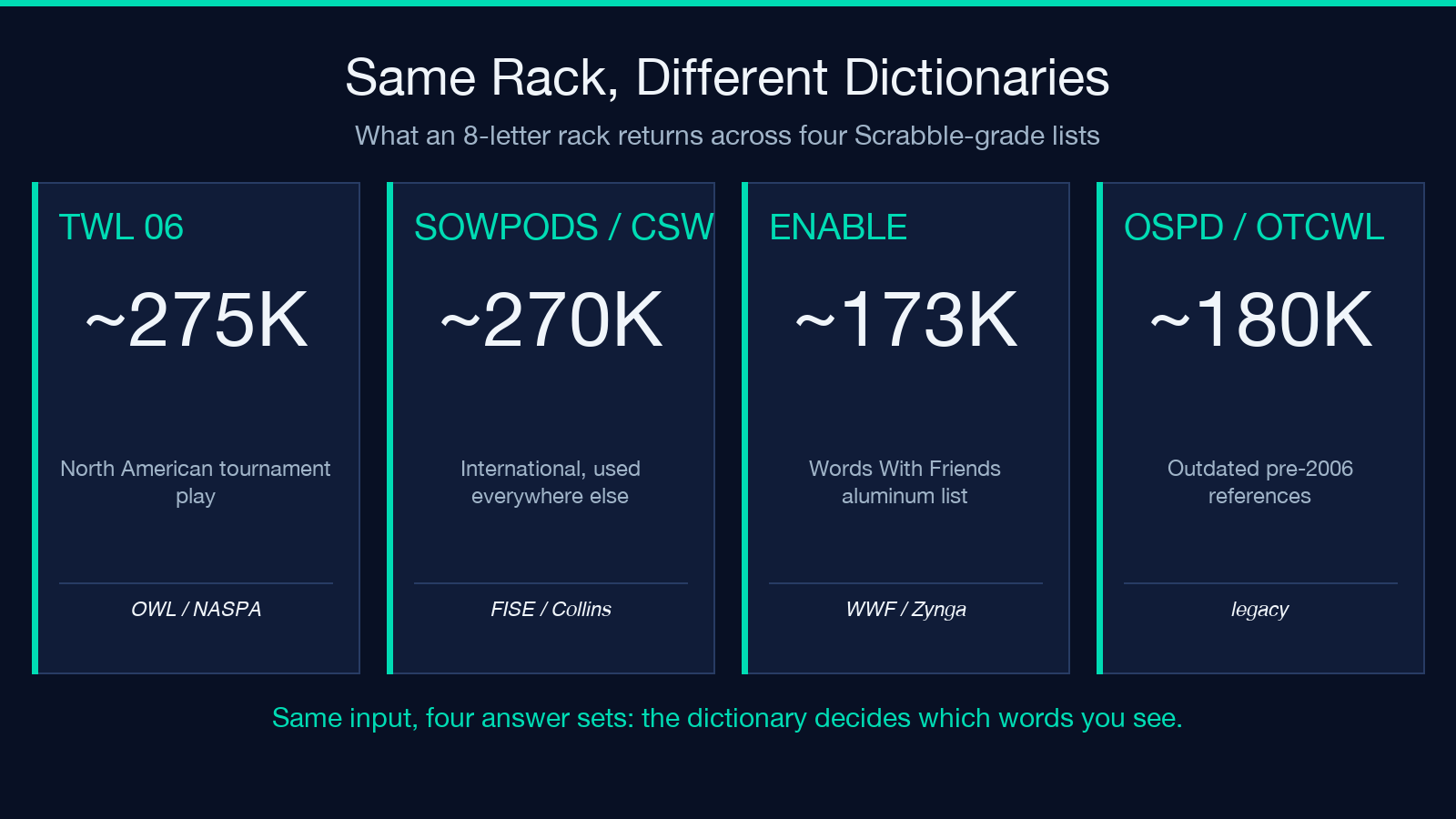
The first thing to internalize about any word unscrambler is that it is, almost literally, a Set<string> with a permutation engine bolted on. A typical Scrabble-grade dictionary ships around 275,000 entries — large compared to the 30,000–40,000 words a fluent speaker actively uses, small compared to the 470,000+ entries in the full OED. That gap is why a solver can occasionally produce a word you have never seen, and why it can also miss a real word you know perfectly well. If the solver is using TWL06, SOWPODS, or an open-source derivative, the answer set you see is the union of the dictionary and your letter multiset, nothing more.
The useful design choice to look for in the tool is whether it lets you filter the dictionary. A good anagram solver exposes two knobs that beginners underuse: minimum word length and maximum word length. Most players want 4–7 letter results, but the most interesting moves (the bingos that score 50+ in Scrabble) come from length 7–8. Trimming the dictionary to that band is the difference between a 200-row result table and a 12-row one you can read.
Why your second guess is usually in the result list
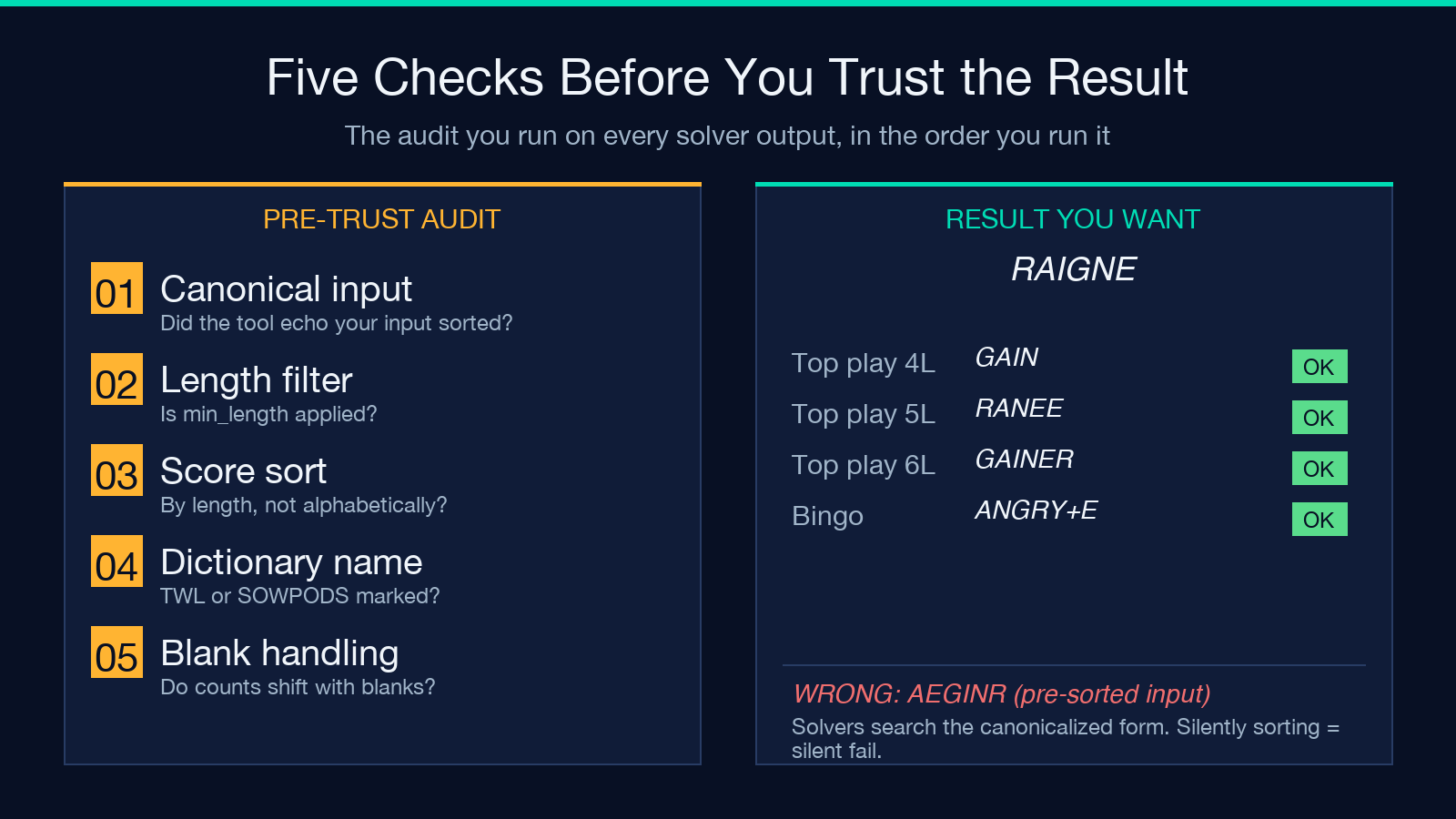
The single most common complaint about anagram solvers is “it gave me nothing useful.” Nine times out of ten, the input string was wrong — usually because the player typed the rack in alphabetical order (AEGINR) when the actual order was RAIGNE, and the engine sorted silently. Good solvers show the input back in canonicalized form before searching. If yours does not, take the user-visible output with a grain of salt.
The second most common complaint is “it gave me 800 words, where do I start?” The answer is to sort the result list by length first, then by score. Most tools default to alphabetical, which is useless for play. The right habit is: ask for 4–6 letter words, take the top 5, then ask for 7+ and take the top 3.
How the search actually works under the hood
Every solver worth using runs the same algorithm in different clothes. Sort your input letters, sort each dictionary word’s letters, build a Map<List<int>, List<string>> where the key is the sorted letter multiset and the value is every word with that signature. To unscramble, sort your rack the same way and look up the bucket. That is the entire algorithm. The interesting work is in the bucket size — if a signature matches 200 words, the solver should warn you that you have a generic rack and that the “good” plays are buried in there.
The catch is that this algorithm has no concept of board position, hook letters, premium squares, or two-letter words until you bolt scoring onto it. A pure Scrabble helper is a string -> List<string> function; a real Scrabble player needs string + board_state -> List<(string, int)>. If the tool you are using claims to do Scrabble scoring, look for the board input field. If it does not ask for one, it is lying.
Filtering, blank tiles, and the trap of “exact match”
The two features that separate a real word finder from a toy are blanks and length filtering. A blank tile (?) acts as any letter. The correct way to handle it is to enumerate 26 possible substitutions, intersect each with the dictionary, and union the results. Bad solvers either ignore blanks entirely (giving you CAT from ?AT but never BAT) or brute-force the whole dictionary 26 times (slow, but correct). If the tool handles blanks correctly, it will give you slightly different result counts depending on whether you mark a tile as blank.
Length filtering is the other lever. If you set min_length = 3, the engine should skip 2-letter results. Most tools do. Some do not, which is why your “short” racks return 600 words instead of 60.
The dictionary disagreements that catch even careful players
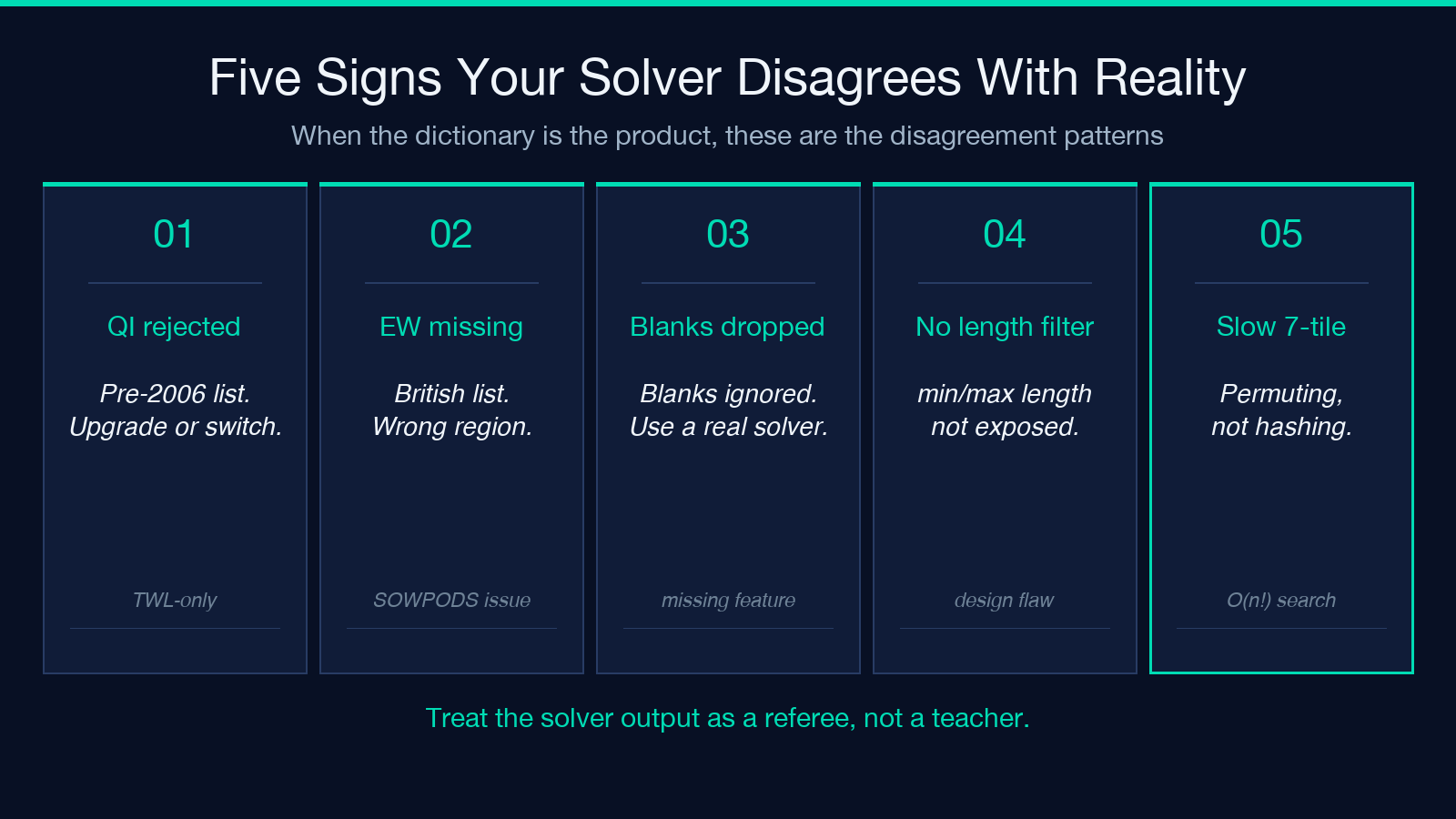
Two words fail in surprising ways. The first is QI — a 2-letter valid Scrabble word in TWL but rejected by SOWPODS-derived lists that predate 2006. If your solver rejects QI, it is using an outdated international list. The second is EW — common on North American boards, sometimes missing from British lists. The fastest test: enter QEWFGHIJK and confirm you get QI and EW in the results.
The deeper point is that a solver reflects the editorial choices of its dictionary maintainer, not linguistic truth. Treat the output as a referee, not a teacher.
Performance: why seven letters takes longer than five
A 5-letter rack has 5! / (a!b!c!) permutations, bounded by 120. A 7-letter rack has 7! / (a!b!c!), bounded by 5040. A solver that enumerates all permutations runs 40x slower on a 7-letter rack than on a 5-letter rack, which is why the bingo search feels sluggish. A solver that hashes dictionary signatures by sorted letters runs in O(1) lookup regardless of rack size — the entire difference between the slow and fast tools is whether they permute-then-lookup or canonicalize-then-lookup.
If the tool you use feels slow when you type 7 tiles, it is the wrong algorithm. There is no excuse in modern hardware for a 7-letter lookup to take longer than a 5-letter one — both should be sub-100ms on the client.
When the dictionary disagrees with the tournament rules
This is the pitfall no one warns you about. The official TWL (Tournament Word List, used in North American Scrabble) excludes some words the official SOWPODS (used everywhere else) includes, and vice versa. A solver that ships with one dictionary will mark a word as valid that the tournament chair marks as invalid. If you play competitively, find out which dictionary your tool ships. If you play socially, ignore this entirely.
The other dictionary trap is the opposite one: the solver marks a word as invalid because it ships with a wordlist that drops regional forms, slang, or rare scientific terms. If you see QI marked as invalid, the dictionary is wrong for North America. If you see ZA rejected, the dictionary is wrong for international play.
Putting it together: a three-step ritual
When you sit down with a real solver, the loop is the same every time:
1. Enter the rack as the letters appear on your stand, in any order. Do not pre-sort. 2. Set min_length = 4 and max_length = 7 for normal play, or 7–8 for bingo hunting. 3. Sort results by length, take the first 5 that you can defend to a partner, and stop looking.
That last step is the trick. A solver gives you every legal word. Your job is to pick the one that fits the board. The tool does not know about X next to a double-letter, the S you need to hook, or the triple-word you are parked in front of. Treat the unscramble letters output as a list of candidates, not a list of plays.
Explore more tools at elysiatools.com.
