
Atbash is the only classical cipher where encryption and decryption are the exact same operation — the alphabetic mirror is its own inverse, so the same function undoes itself. That symmetry is what makes it the cleanest teaching example in the substitution family, and it is also why the Atbash Cipher tool is a single-mode utility with no separate decode button needed.
This field guide walks through how the cipher maps each letter, where the boundary cases sit (digits, punctuation, multi-script input), and how to verify your own output by hand when a result looks wrong. The point is not to memorize a table — it is to understand why the symmetric mapping is a property of the alphabet itself, not of the encoding algorithm.
What Atbash actually does
Atbash reverses the alphabet: A ↔ Z, B ↔ Y, C ↔ X, and so on through M ↔ N. Each letter maps to its mirror position — position i from the start becomes position 27 − i from the start. Every Latin letter has exactly one mirror partner, and applying the mapping twice returns the original character. That involution is the mathematical reason encode and decode are identical operations on the same input.
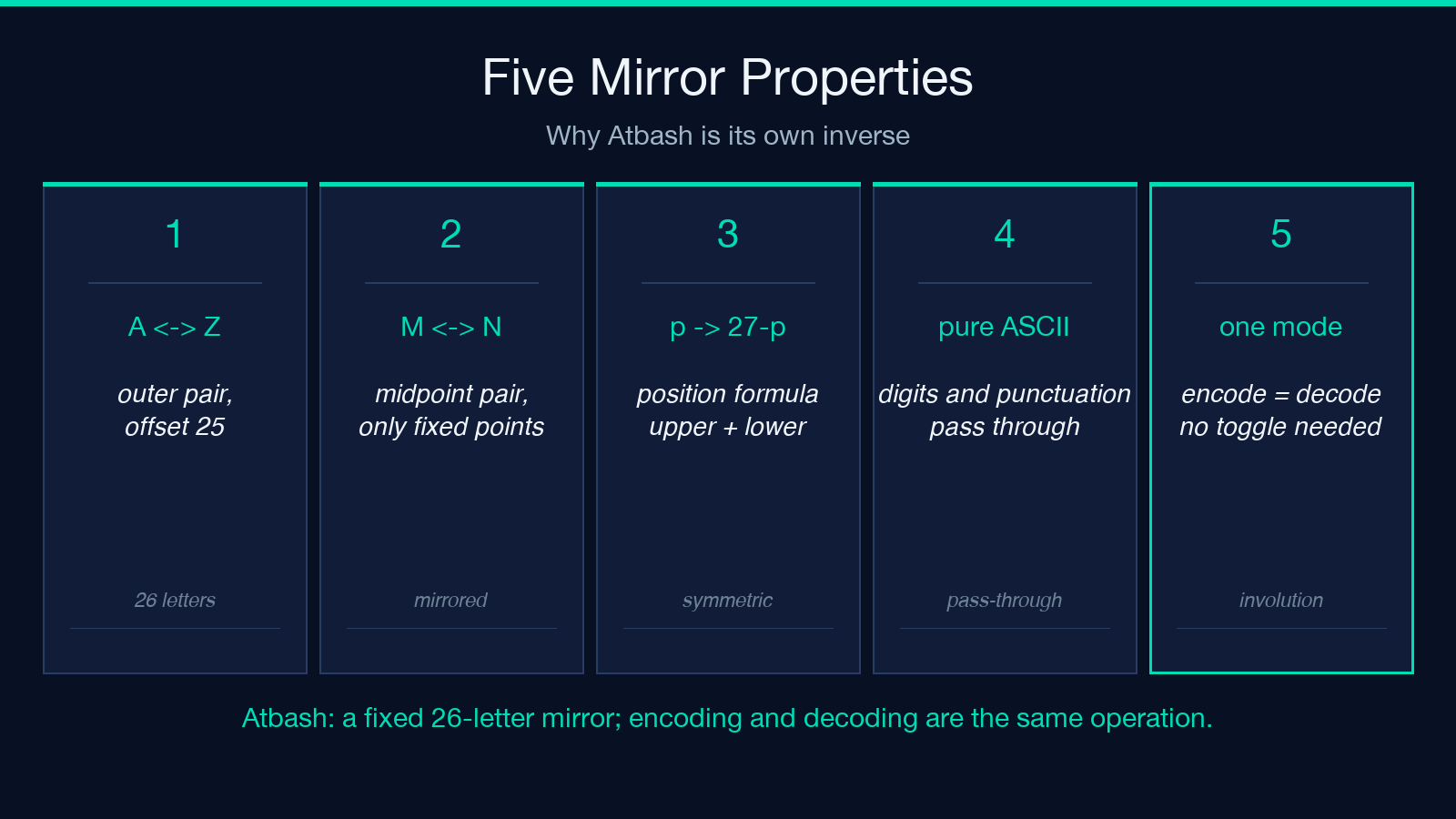
The formula: for an uppercase letter with position p (A=1, B=2, …, Z=26), the encoded position is 27 − p. Lowercase follows the same rule with a ↔ z. Anything that is not a Latin letter — digits, punctuation, whitespace, CJK characters, accented Latin — passes through unchanged because the alphabet has no defined mirror for it.
Run “HELLO” through the mirror and you get “SVOOL”. Run “SVOOL” through the mirror again and you get “HELLO” — without telling the algorithm which direction you intended.
The position formula in plain arithmetic
The mirror maps each letter by its numeric position in the alphabet. Assign A=1, B=2, ..., Z=26, then the encoded position of a letter at position p is 27 − p. That formula covers every Latin letter — uppercase and lowercase use the same arithmetic, just with different letter sets.
Try J (10): 27 − 10 = 17, which is Q. The reverse Q (17) → 27 − 17 = 10, which is J. The pair (J, Q) is its own mirror. The midpoint of the alphabet sits at (27 − 13) = 14, which is the only fixed point: M ↔ N because 13 → 14 and 14 → 13. No other letter maps to itself because the mirror always crosses the midpoint.
The mirror is a 13-shift self-equivalence
Atbash and ROT13 happen to coincide on the 26-letter Latin alphabet: every Atbash mirror position is exactly 13 positions away from the original, which is the same arithmetic that ROT13 uses. The two ciphers therefore produce the same output for ASCII English text, and they share the same self-inverse property. The difference shows up the moment you leave the 26-letter boundary: ROT13 is a Caesar shift defined for any alphabet size, while Atbash is specifically the 26-letter mirror.
That coincidence is also why a quick sanity check on the Atbash Cipher output is so fast — you can re-run the tool on the result and confirm it returns the input, or you can verify by hand using the position formula 27 − p for any suspect letter.
Worked example: a sentence through the mirror
Take WKH TXLFN EURZQ IRA MXPSV RYHU WKH ODCB GRJ — this is “the quick brown fox jumps over the lazy dog” after Atbash encoding. Each letter has been replaced by its mirror, and the spaces and punctuation are unchanged.
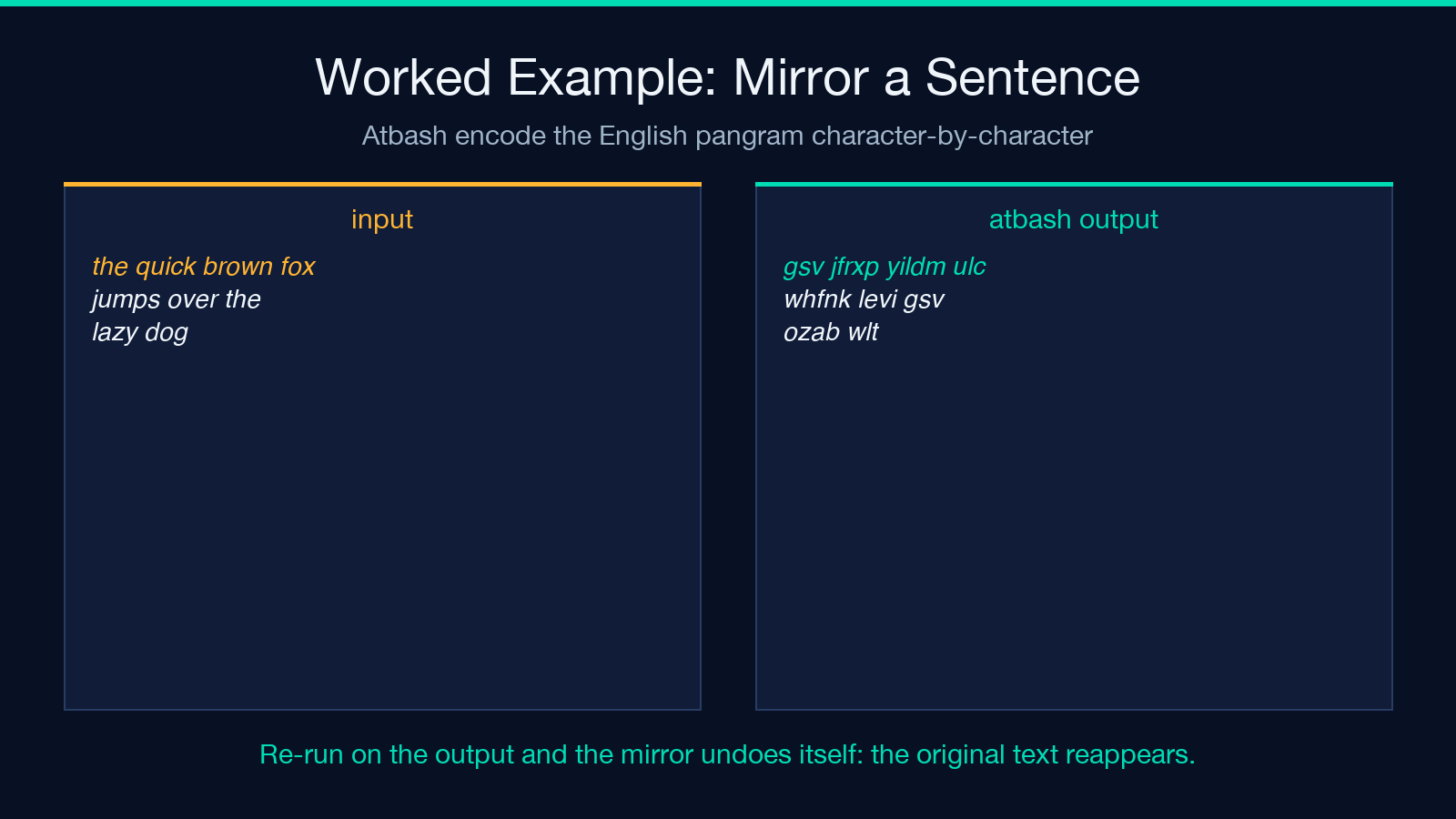
Decoding by hand is mechanical. W → T (position 23 → 4, and 27 − 23 = 4 ✓), K → H (11 → 16, and 27 − 11 = 16 ✓), H → E (8 → 19, and 27 − 8 = 19 ✓). The first three characters WKH decode to THE. Apply the same lookup across the rest of the sentence and the original English text reappears.
This is also where the tool’s input/output flow becomes obvious. The same input box that accepts plaintext accepts ciphertext; the same output box returns the mirrored version of whichever you typed. There is no mode-switching cost, no separate “decode” button, and no risk of running the wrong direction.
Boundary cases: digits, punctuation, and multi-script input
Atbash is defined only for the 26-letter Latin alphabet. Three boundary classes come up in real input:
- Digits and punctuation —
0,1,9,!,?,.,,,-,_all pass through unchanged. The mirror has no defined position for them, so the algorithm leaves them as-is. This means a phone number like555-0123stays exactly555-0123after Atbash encoding, with no transformation. - Accented Latin — letters like
é,ñ,ü,çare outside the 26-letter mirror. Most implementations leave them unchanged; some normalize first to a Latin base letter and then mirror, which can changeétoV(sincee → vin the mirror andE → Vis the only position in the table for that base letter). - Mixed-script input — CJK characters, Cyrillic, Greek, Hebrew all pass through unchanged because they are not in the 26-letter mapping table. The output preserves their original bytes.
When the input is pure ASCII English, these edge cases never come up. The moment you start encoding an email address, a code snippet, or a sentence with smart quotes, the pass-through behavior matters and the output length matches the input length exactly.
Verifying your output by hand
Three quick checks catch most mistakes:
- Re-run on the result — because Atbash is its own inverse, feeding the output back through the tool should reproduce the original input exactly. Any drift means a non-Latin character was handled differently than expected.
- Spot-check letter positions — for any suspect letter, the formula
27 − pgives the mirror position.J (10) → Q (17),Q (17) → J (10),P (16) → K (11),K (11) → P (16). The pair structure is the same in both directions. - Length match — Atbash never inserts or deletes characters. If the output is shorter or longer than the input, something else happened (likely the input contained a non-Latin character that some preprocessor dropped).
These checks are the kind of thing that a quick visual review of the tool output replaces with a button click, but they are useful when you are encoding or decoding outside the browser or auditing a script that uses Atbash as a preprocessing step.
Where Atbash fits in a modern pipeline
Atbash has no cryptographic value — the cipher is trivially breakable because the mapping table is fixed and public, and frequency analysis defeats it on any input longer than a sentence. Where it earns its place is in teaching: substitution ciphers are the simplest non-trivial cipher class, and Atbash is the simplest substitution cipher because the substitution is its own inverse.
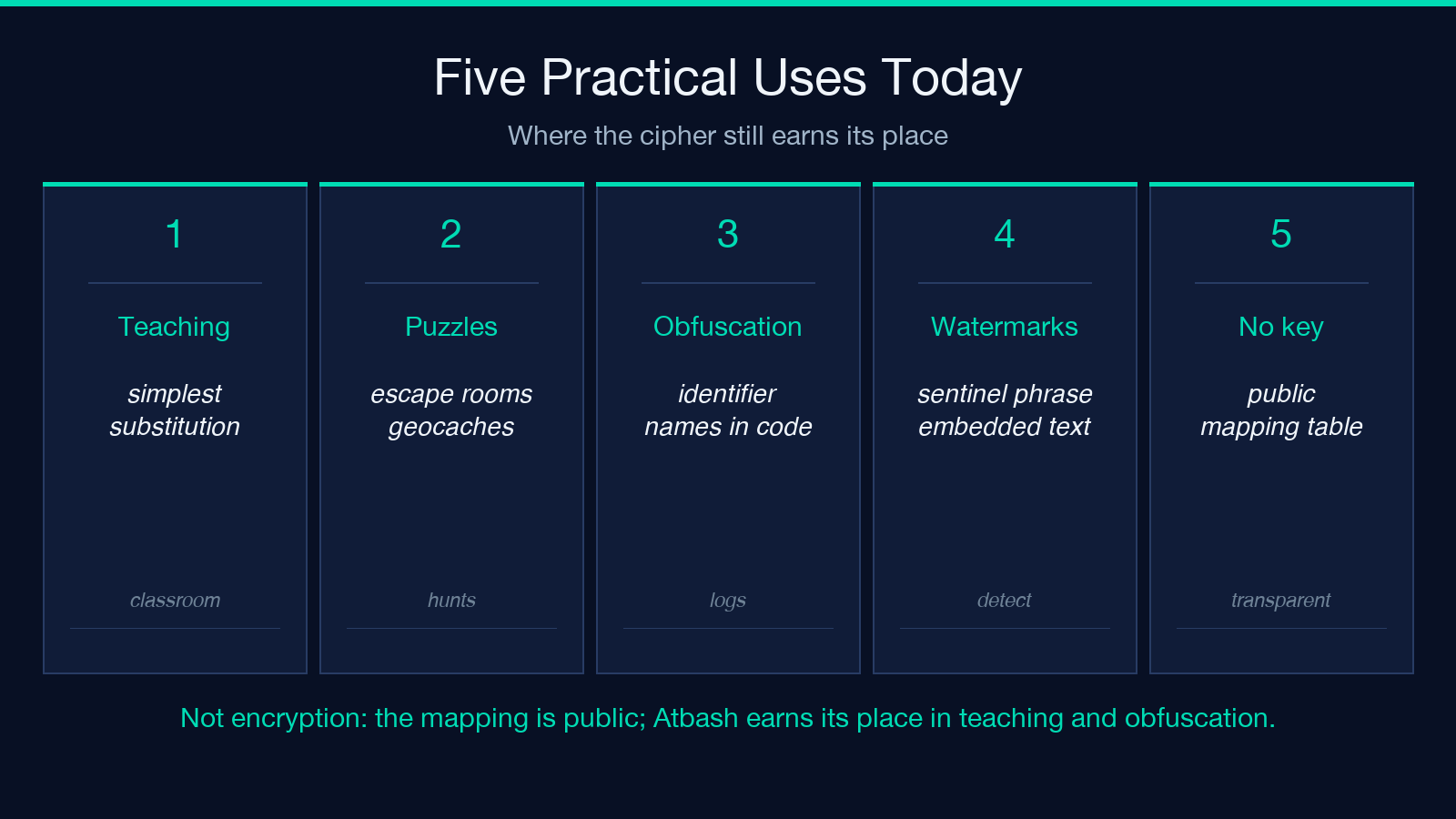
Three practical uses still come up:
- Puzzle construction — Atbash-encoded clues appear in escape rooms, geocaches, and puzzle hunts because the encoded text is recognizable English once decoded, which gives solvers a “yes, this is the right track” confirmation without external tools.
- String obfuscation in code — some scripts use Atbash on identifier names to obscure logs without adding encryption overhead. The mirror is fast, has no external dependency, and reverses cleanly when needed.
- Text watermarking — encoding a sentinel phrase in Atbash before embedding it in a longer document lets a downstream reader detect the original phrase with a single lookup, without the encoding being obvious to a casual observer.
For all of these, the Atbash Cipher is the canonical reference implementation. It runs entirely client-side, has no mode-switching, and returns the result instantly. For related encodings — Base32, Base64, ROT13 — the same tool family covers the adjacent use cases under Format Conversion.
Closing: a one-line takeaway
Atbash is a fixed 26-letter mirror, symmetric by construction, and the same input box handles both encode and decode because the function is its own inverse. If you can read a substitution table, you can audit any Atbash output by hand; if you cannot, re-running the tool on the output reproduces the input exactly.
Try it once on a sentence, then on an email address, then on a sentence with mixed punctuation — the boundary cases will surface in the same order every time, and the pass-through behavior will stop being a surprise after the second run. The cipher is the simplest classroom example in the substitution family, and the tool that wraps it is correspondingly simple.
Explore more text and encoding utilities at elysiatools.com.
