
The first row of a CSV is metadata until it isn’t, and the moment a downstream loader tries to parse it as data the whole import fails for reasons the upstream export never warned you about. The Header Remover at Elysia Tools takes that first row and the next two or three that follow it and turns them into a clean header-less file your database, your ML pipeline, or your fixed-column consumer can read without negotiation, with three removal modes, five separator dialects, and a validator pass that catches column-count drift before the importer does.
What the Header Remover actually does
The Header Remover is a single-pass text transformer that drops the first N rows of a CSV and returns the remainder. The “remove header” operation looks like a one-liner until the upstream file comes from Excel and the second line is a multi-cell comment, the third line is an empty line, and the fifth line is the actual header that the columns of the file are organized around. The tool walks six decisions: how many rows to remove, whether to skip leading empty lines after the removal, which separator to use when re-emitting the cleaned CSV, whether to validate column alignment, whether to preview the removal without committing it, and which output format to return. The Header Remover at Elysia Tools defaults to removing exactly the first row with the comma separator, validating the column alignment, and emitting the result in CSV — three defaults that cover 80 percent of “I just need the data without the header” jobs and break on the other 20 percent in ways that are predictable and fixable.
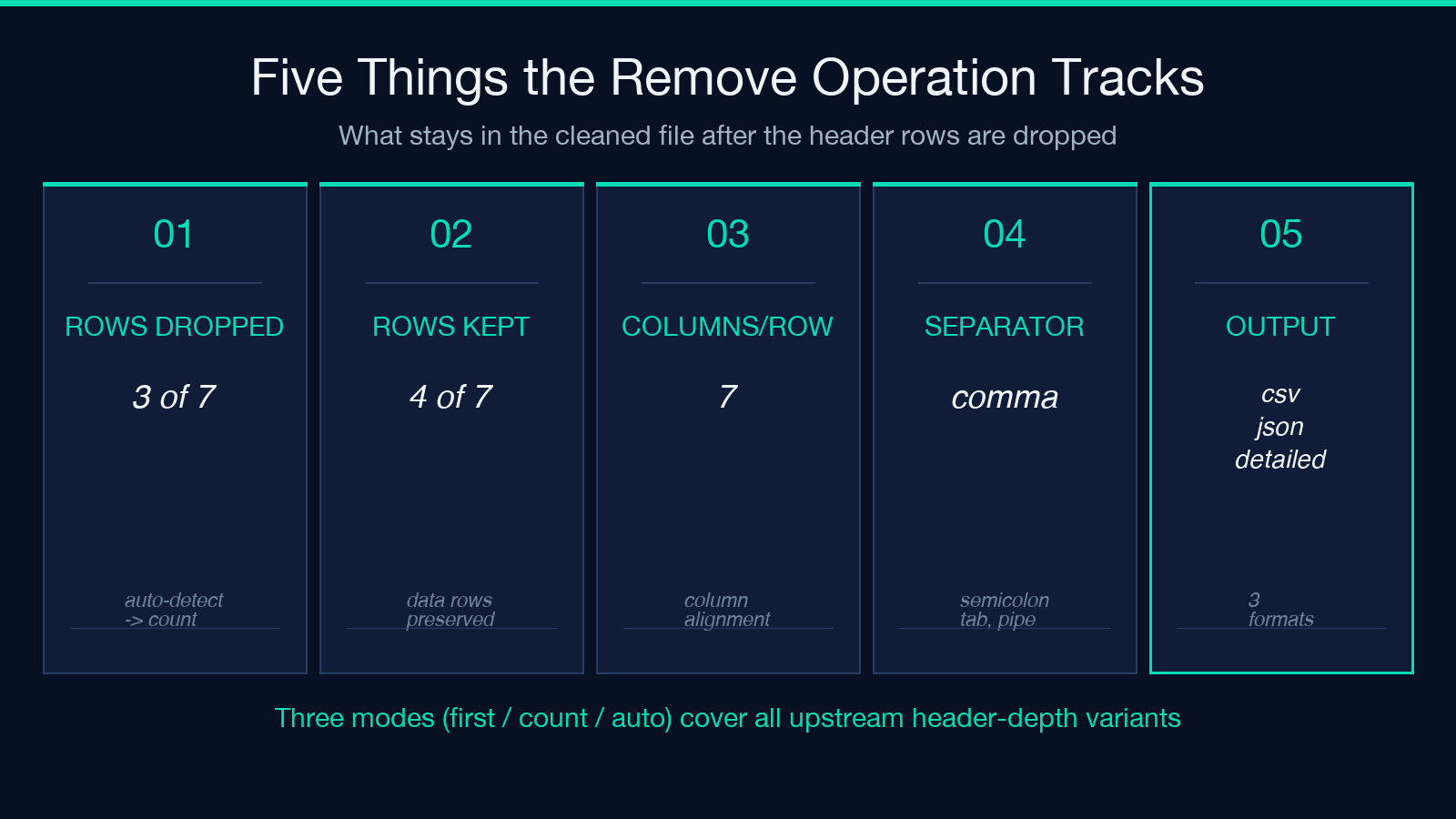
The output format switch matters more than it looks. Returning the cleaned CSV keeps the file shape identical to the input minus the dropped rows, which is what every database loader and most analytic tooling expects. Switching to JSON wraps the result as {"headers_removed": N, "data": [...]} with each row as a string array — useful when the next stage of the pipeline is a JSON consumer and you want to ship the metadata about how many rows were dropped alongside the cleaned data. The detailed report format keeps the removed rows visible at the top of the output as a comment block, then re-emits the data rows; that is the format you reach for when you need to hand the cleaned file to a human reviewer who wants to confirm the right rows were dropped without opening the tool again.
Why “remove first row” is wrong more often than it is right
The naive case — remove exactly the first row — assumes the upstream exporter wrote one header row and one header row only. Real exports break this assumption in three consistent patterns. Microsoft Excel on Windows writes a single-row header with a UTF-8 BOM prepended; the BOM is invisible in the text but the byte sequence shows up as the first three bytes xEFxBBxBF, and a loader that strips only the first row still treats the BOM as a column-name prefix. SAP BW writes a 3-row or 4-row export block where the first row is a column header, the second is a unit-of-measure row (EUR, %, qty), the third is a metadata row, and only the fourth row is the actual data. Power BI exports an empty line above the header when the source query returned zero rows on the first call, leaving a stray blank line above the column names. In each case “remove first row” drops the wrong line; in the SAP case the importer then chokes on a unit-of-measure row labeled EUR as if it were a column.
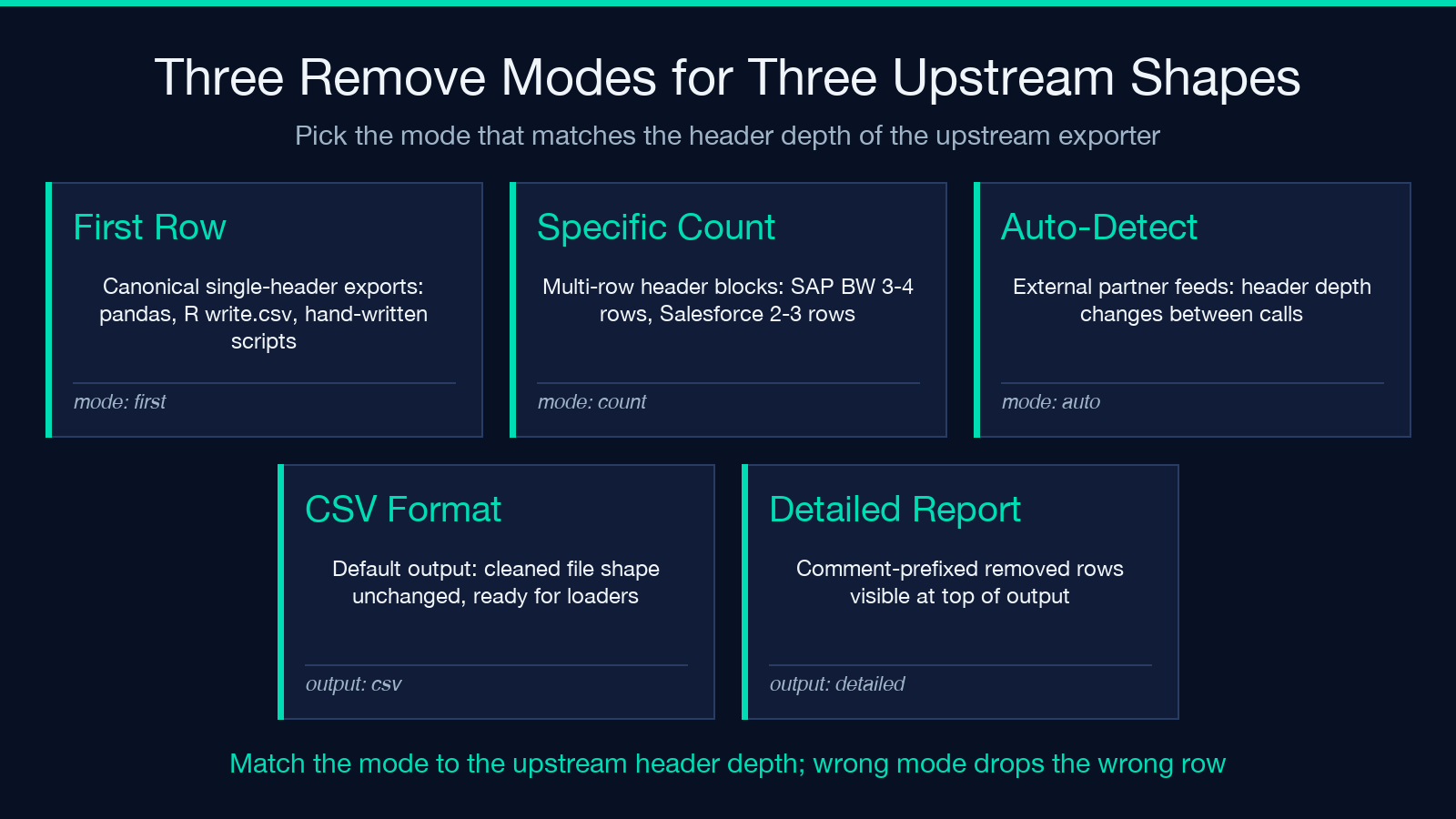
The Header Remover offers three modes precisely because the “first row” assumption fails regularly. Remove First Row handles the canonical case — single header, comma-separated, ASCII-clean. Remove Specific Number of Rows handles the SAP and Power BI cases where the metadata block is two to five rows deep. Auto-Detect Headers walks the first ten rows looking for the first non-empty, non-numeric, non-quoted line as the row-header boundary; it is the right choice when the export is from a tool whose header-row count varies between calls. Each mode reaches the same endpoint — header-less CSV data rows — through a different decision boundary. Picking the right mode is the difference between a clean import and a four-hour debugging session that ends with someone opening the CSV in Notepad.
The three remove modes and when each one fires
Mode selection is the most consequential decision in the tool. First-row is correct when the export comes from a known source with one header row — a Python pandas to_csv() call, an R write.csv(), a hand-written export script. Specific count is correct when the upstream is a corporate exporter (SAP, Oracle, Salesforce) whose header block is more than one row — set Number of Header Rows to the documented depth, which is usually 3 or 4. Auto-detect is correct when the export comes from an external partner whose header depth is not documented and changes between calls — let the tool walk the first ten rows and pick the first plausible header line. The cost of the wrong choice is silent: a cleaner that removes two rows from a three-emit looks identical to one that removes one row from a four-emit, until the importer reports a column-count error on row 47 and the four-hour debug begins.
The supporting options matter as much as the mode. Skip Empty Lines strips leading blank lines after the header removal — without it, a Power BI export with a stray blank above the header drops that blank line into row 1 of the cleaned file and the importer chokes on the empty row’s column count. Validate Data walks every remaining row after the removal and confirms each row has the same column count as the header did; if a row’s column count drifts, the output marks the row rather than silently shipping a misaligned CSV. Preview Removal returns the would-be-removed rows as a comment block at the top of the output without actually removing them — the right flag to flip when the upstream is unknown and the human reviewer wants to confirm the right rows were identified before committing. The Header Remover at Elysia Tools leaves all three flags off by default; turn them on for any non-canonical export.
A worked example: a 4-row SAP BW export with a unit-of-measure line
Take a 4-row SAP BW export whose header block looks like this:
Material,Plant,Period,Quantity,Unit,Value,CCurrency
matl_id,alpha_id,YYYYMM,qty,delta,value,USD
metadata: enterprise_sap_v3, exported 2026-09-30
100-200,1001,202609,30,140,2800.50,USD
100-201,1001,202609,30,150,3000.00,USD
100-202,1002,202609,30,160,3200.00,USD
Set Remove Mode = Remove Specific Number of Rows, Number of Header Rows = 3, Skip Empty Lines = false, CSV Separator = Comma (,), Validate Data = true, Preview Removal = false, Output Format = CSV Format. Paste the block into the CSV Content field and the tool returns:
100-200,1001,202609,30,140,2800.50,USD
100-201,1001,202609,30,150,3000.00,
100-202,1002,202609,30,160,3200.00,USD
Three rows of data, header block gone, column count 7 on every row. The third row’s empty USD cell is a legitimate zero-value in the SAP source — the validator confirms column count, not placeholder content. Switch Output Format to JSON Format and the tool returns {"headers_removed": 3, "data": [["100-200",...], ...]}, ready to feed straight into a JSON consumer. Switch Preview Removal on and the output keeps the three header rows visible at the top of the comment block so a teammate can verify the right rows were identified before committing. Drop the same block into the Header Remover and the panel returns the cleaned CSV, the JSON wrapping, or the comment-prefixed detailed report in a single pass.
Boundary cases that change the answer
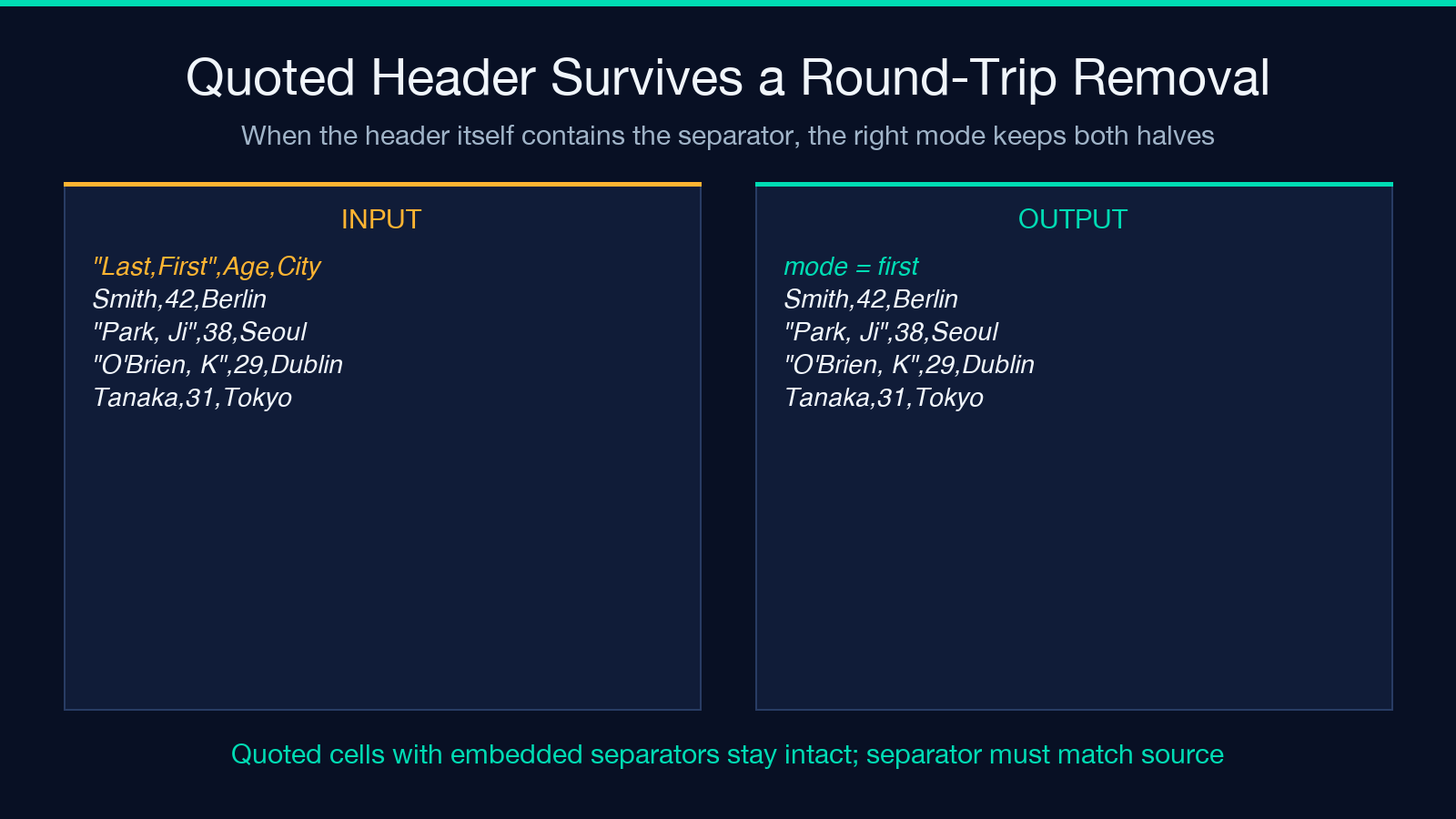
Five input shapes collapse the formula or change its meaning. First, an empty file returns an empty file — the tool does not synthesize a header row, and the validator does not flag a 0-row file as an error. Second, a single-row file (header only, no data) returns the cleaned file with zero data rows and headers_removed: 1 in the JSON wrapping; the importer that expects data rows needs to handle the zero-row case separately. Third, a file with no header at all (data only, first row looks like data) — Remove First Row removes the first data row, which is a silent data-loss bug; Auto-Detect Headers refuses to identify a header and the validator flagging reports “no header detected”, which is the correct outcome. Fourth, a header row with quoted cells containing the separator ("Last,First",Age,City) — the tool treats the quoted cell as a single field and does not split on the embedded comma, but the file must use the matching separator (comma) for the parser to see the same field boundaries as the writer. Fifth, a non-comma separator (semicolon for European exports, tab for SAS exports, pipe for legacy mainframe exports) — set the CSV Separator dropdown to match the source or the column alignment drifts on the first quoted field.
Two more boundaries wrap the header handling: a UTF-8 BOM at the start of the file makes the first column name byte-prefixed (ufeffMaterial instead of Material) and the validator reports the first column name as “byte-prefixed”; switching CSV Separator = Comma (,) and Remove Mode = Remove First Row still drops the right row, but the imported column names carry the invisible prefix unless the next-stage tool also strips it. The BOM Character Remover on Elysia Tools strips the prefix before the Header Remover runs for a fully clean import. The second wrap: a CSV whose header row is the only row — a metadata file with column labels but no data — returns an empty file. The tool does not synthesize a placeholder data row to keep the column labels visible, and the JSON wrapping reports data: []. The validator correctly does not flag the empty file as an error.
Verifying the output with the validator and preview flags
Three checks confirm the header removal was right. First, the row count — headers_removed in the JSON wrapping should match the documented header depth of the upstream; if the upstream is SAP BW with a 4-row export block, the JSON should report headers_removed: 3 (or 4, depending on whether the metadata line is treated as a header). Second, the column alignment — every remaining data row should have the same column count as the original header did; the validator output flags any row that drifts. Third, the value of the first remaining row — for an export where the header was at row 1 and the data starts at row 2, the first remaining row should be a plausible data row (numeric or date-like, not column-name-shaped). Two operational flags make the verification easier. Preview Removal returns the would-be-removed rows as a comment block at the top of the output without actually removing them — flip this on when the upstream is unknown and the reviewer wants to confirm the right rows were identified. Validate Data walks every remaining row after the removal and confirms column alignment; with it on, the tool’s output marks misaligned rows in the detailed report format and adds a "valid": false flag at the row level in the JSON wrapping. The Header Remover at Elysia Tools returns the validator flagging as a per-row annotation in the JSON wrapping and as inline row markers in the detailed report format.
Where Header Remover sits among the CSV-cleanup tools
Header Remover is one branch of CSV-cleanup. Sibling tools on Elysia Tools cover the adjacent problems: the CSV Deduplicate Rows tool removes duplicate data rows after the header has been dropped, useful when the upstream aggregator double-counted; the CSV Column Reorderer reorders the remaining columns after the header removal, useful when the upstream and downstream disagree on column order; the CSV Malformed Row Surgeon repairs misaligned rows in the body of the file after the header has been dropped, useful when the upstream occasionally writes a row with a missing column. Each tool shares the same separator-aware parsing and the same column-alignment validator; running all four on the same upstream file — Header Remover first, then Deduplicate, then Reorder, then Surgeon — produces a clean header-less CSV that is ready for a database loader without any further touch-up.
Closing
The Header Remover compresses a single decision, “How many rows at the top of this CSV are metadata?”, into a three-mode picker with a validator pass and a preview flag. Set the mode to match the upstream’s documented header depth, flip on the validator for any non-canonical export, and the next time a database loader chokes on a CSV’s first row being column-name-shaped instead of data-shaped, the answer is a six-input panel instead of a four-hour debug.
Explore more data-processing tools at elysiatools.com/en/tools.
