
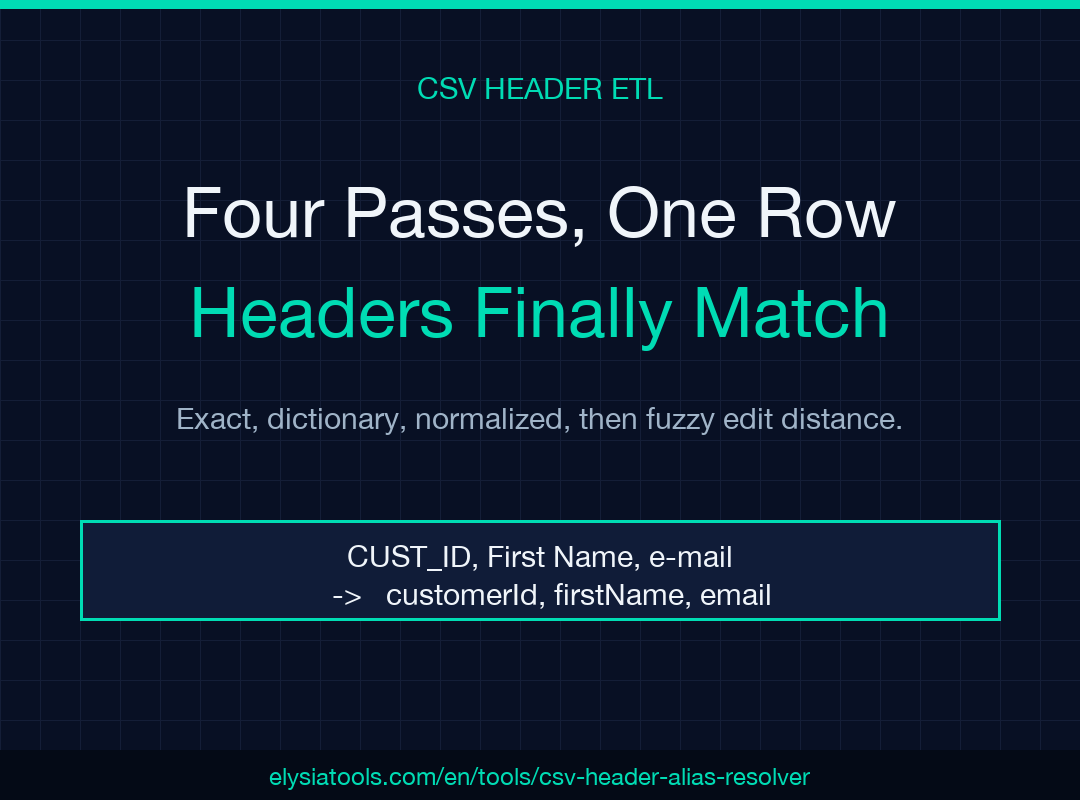
Four passes, one row at a time, and the headers you didn’t write finally line up with the schema you did. Every data pipeline hits the same wall: source CSV has CUST_ID, target schema wants customerId, and the join breaks. The CSV Header Alias Resolver at Elysia Tools folds each source header through exact, dictionary, normalized, and fuzzy-edit-distance passes, surfaces the winning method and confidence for every column, and returns a coverage table that tells you which schema slots are still missing before the load step fails downstream.
This guide walks through the four passes in execution order, then a worked example mapping a messy store export onto a clean CRM schema. By the end you’ll know how to pick the right threshold, when to add an alias dictionary, and why fuzzy alone can rescue a header that’s two typos away from a clean match.
Why Header Drift Breaks ETL Loads
Every join key in a relational warehouse starts with a column name. If that name differs between the source feed and the target schema, the JOIN silently produces zero rows, the dashboard reads zero, and the engineer gets paged at 3 AM. The drift shows up in three shapes: case (User_ID vs userId), separator (first name vs firstName vs first_name), and abbreviation (cust id vs customer id). A fourth shape — typos like frstname or emaiil — only surfaces when humans hand-edit the headers between exports.
A naive LOWER(header) = LOWER(schema) match catches case, fails on separator, fails on abbreviation, and is helpless against typos. A pure Levenshtein match catches typos but blows up on legitimate distinctions (customer_id would match customer_id_clean at 0.85 confidence, an unwanted collision). The fix is layered: each pass handles the shape it knows best, and only escalates to the next pass when the current one fails. The CSV Header Alias Resolver runs four passes per source header in order, picking the first non-empty hit.
The Four Passes in Execution Order
The resolver does not run all four passes and pick the highest score. It runs them in order and stops at the first pass that produces a match. This ordering matters: passing customerId through Levenshtein against a target schema of customer_id would return a 0.88 confidence match — wrong, because the normalized pass handles it cleanly at 1.0. The order is exact, dictionary, normalized, then fuzzy.
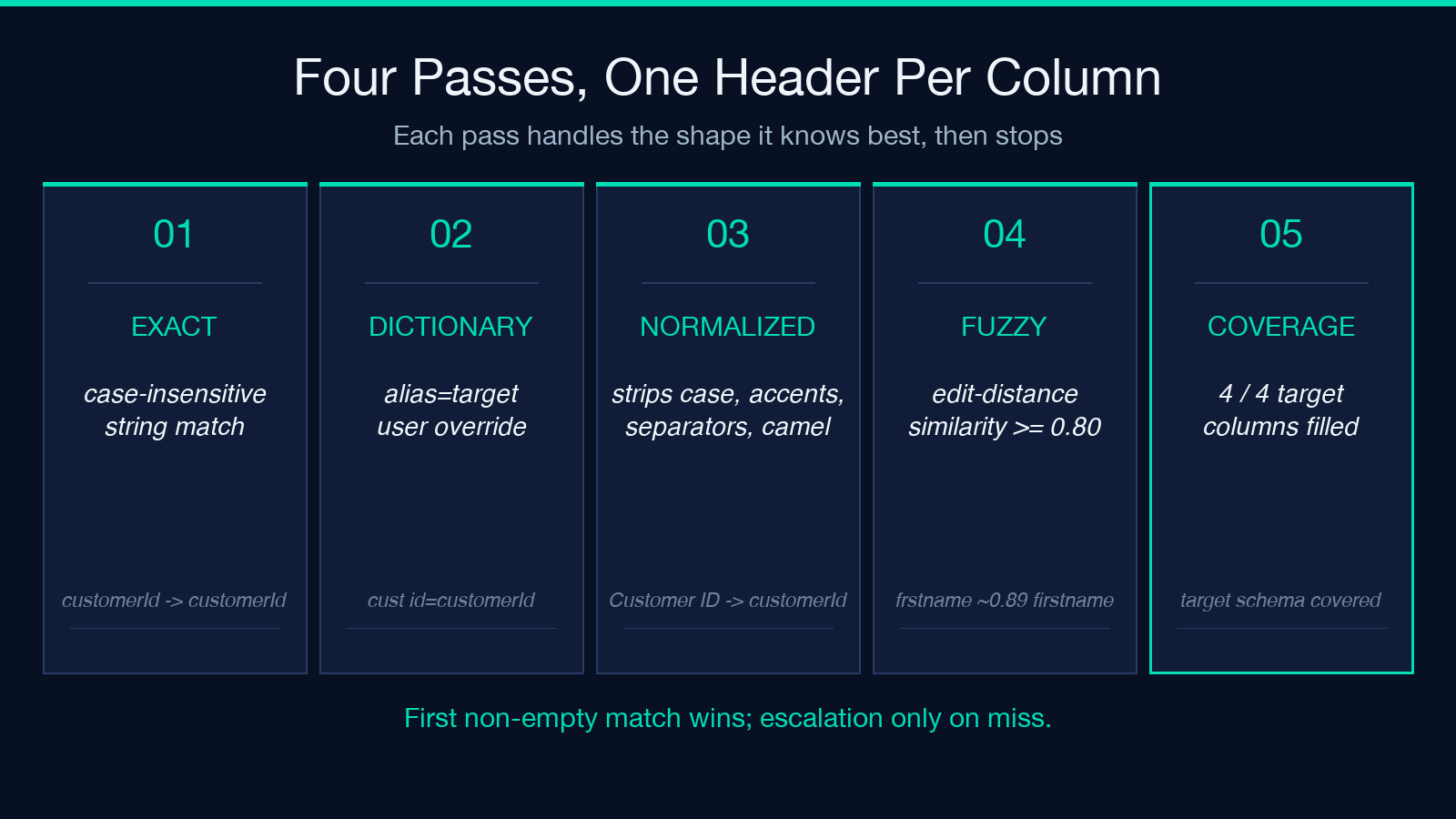
Exact. Case-insensitive string comparison. customerId → customerId. Wins when the source header is already in canonical form.
Dictionary. One alias per line, alias=target. cust id=customerId rewrites cust id to customerId before any other pass sees it. Dictionary entries always beat normalization — that’s the point. If you say cust id means customerId, that mapping is intentional and should win over what the normalized form would compute.
Normalized. Strips case, accents, separators (_, -, ), and camelCase word boundaries so Customer ID → customer_id → customerid, customerId → customerid, and customer_id → customerid all collapse to the same canonical key. Then exact-matches the canonical key against the canonicalized target schema.
Fuzzy. Edit-distance similarity at the chosen threshold (0.95, 0.88, 0.80, or 0.70). Catches typos (frstname → firstname at 0.89) and spacing variants the normalizer missed (e_mail → email at 0.80). Returns the highest-scoring target column above the threshold, or empty if nothing clears.
Worked Example: Store Export → CRM Schema
The classic ETL problem: a Shopify export arrives daily with CUST_ID, First Name, e-mail, Phone Number. The CRM schema wants customerId, firstName, email, phone. A naive lower-and-join produces zero rows.
Paste the CSV, set the delimiter to comma, paste the target schema (one column per line), and add a small alias dictionary:
cust id=customerId
customer id=customerId
phone number=phone
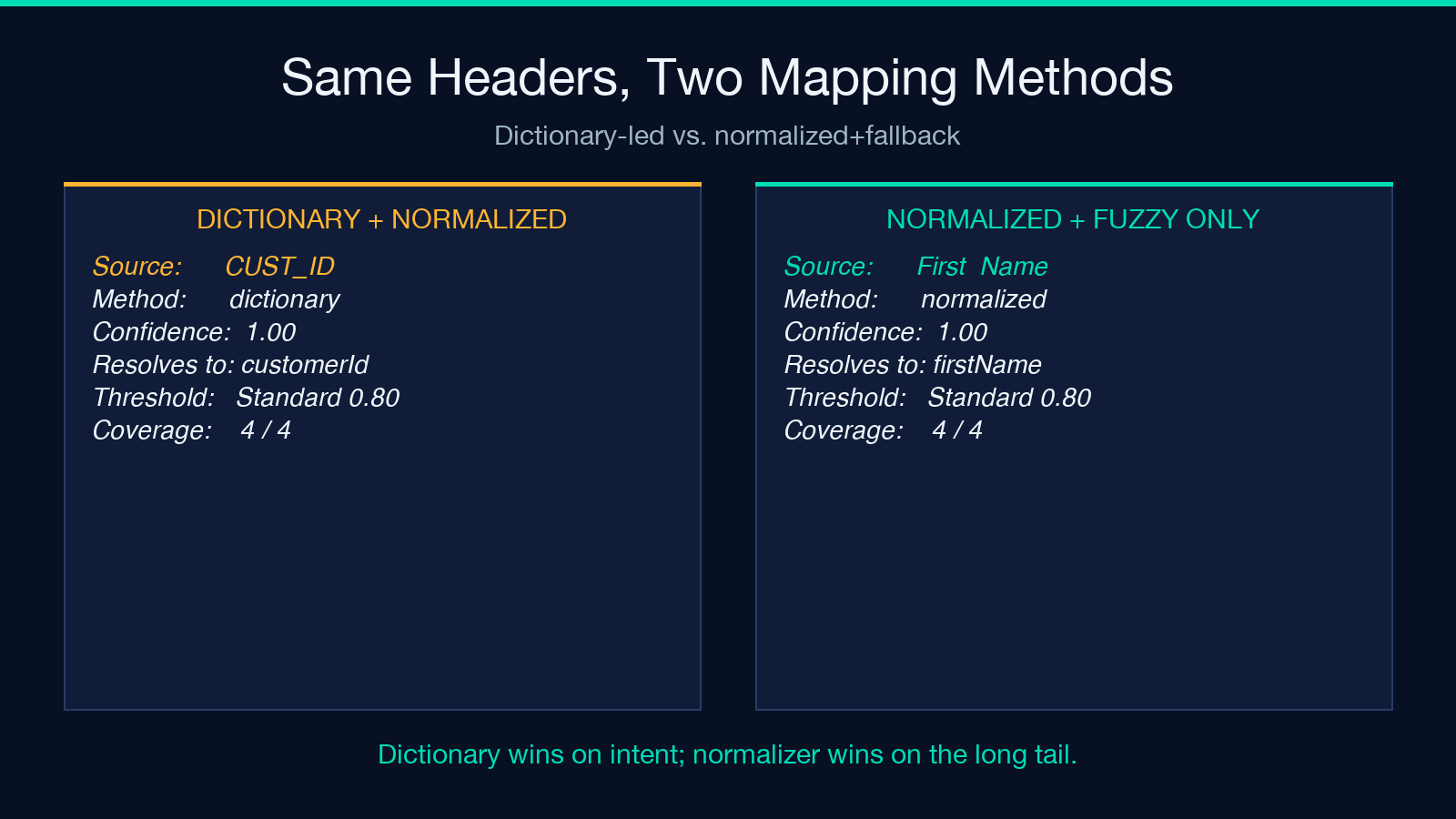
Leave the threshold at Standard (0.80) and toggle “Output normalized CSV”. The resolver runs:
| Source header | Resolves to | Method | Confidence | |—|—|—|—| | CUST_ID | customerId | dictionary | 1.00 | | First Name | firstName | normalized | 1.00 | | e-mail | email | normalized | 1.00 | | Phone Number | phone | dictionary | 1.00 |
Coverage: 4/4. The normalized CSV export now has the four canonical headers, and the JOIN to the CRM lands every row. The full pipeline lives at Elysia Tools and runs entirely in the browser, so no data leaves your machine.
Fuzzy-Only Mode: When the Dictionary Is Empty
Some pipelines can’t pre-build a dictionary because every source uses a different header convention. Drop the alias dictionary, lower the threshold to 0.70, and let the resolver fall back to normalization plus fuzzy.
Given:
First  Name,frstname,emaiil
Grace,Hopper,[email protected]
Target schema: firstName, email. Output:
| Source header | Resolves to | Method | Confidence | |—|—|—|—| | First Name | firstName | normalized | 1.00 | | frstname | firstName | fuzzy | 0.89 | | emaiil | email | fuzzy | 0.83 |
Coverage: 3/3 at lenient threshold. The two typos clear 0.70 because their Levenshtein distance is small (one deletion each). Crank the threshold to 0.95 and frstname falls back to fuzzy: empty — a coverage warning that forces a human to add a dictionary entry.
Threshold Tuning: Where Each Band Cuts
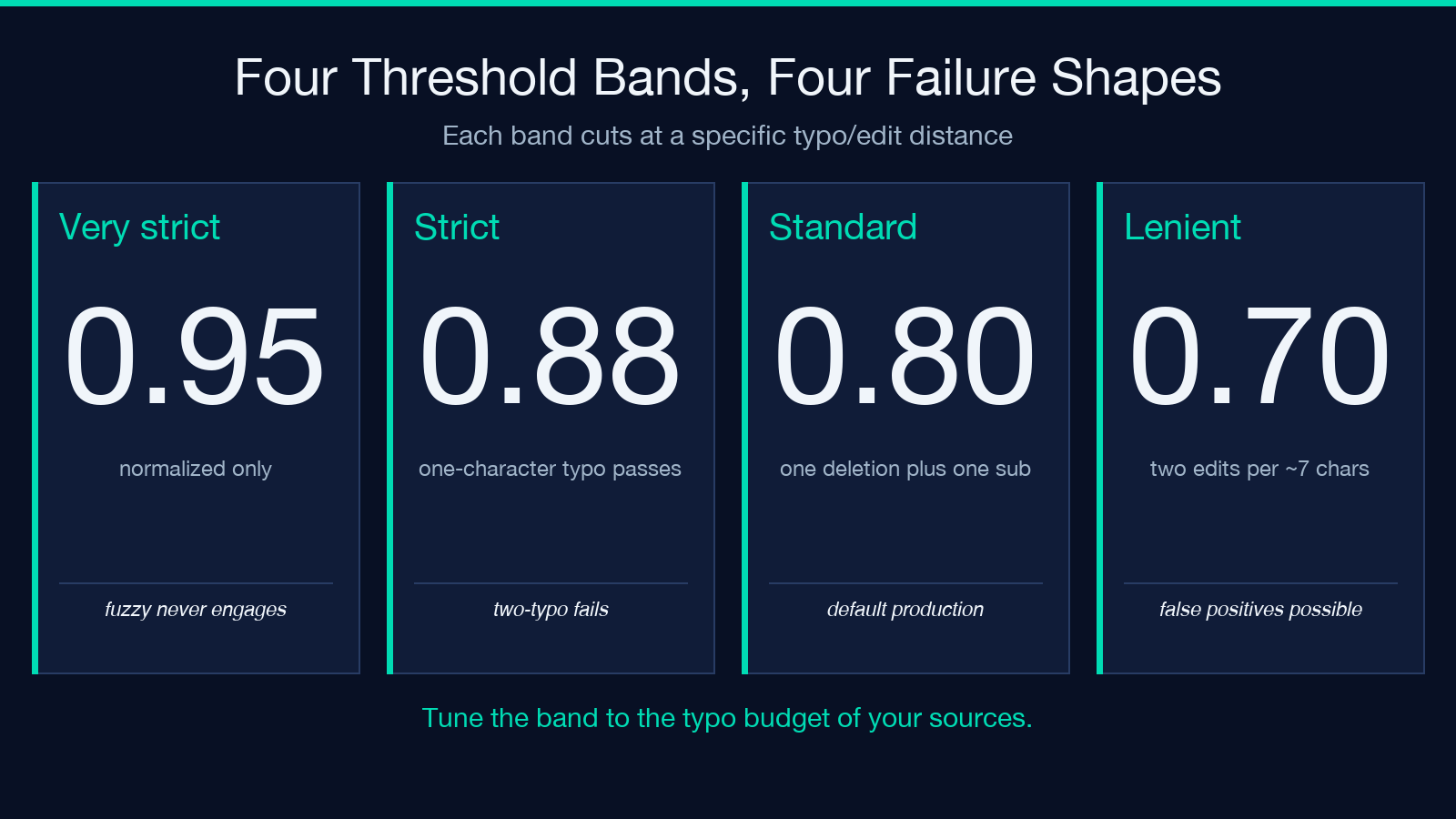
The four thresholds are not arbitrary. They correspond to specific failure shapes:
- Very strict (0.95) — only normalized matches win. Fuzzy never engages. Useful when you want the resolver to fail loudly on any header that doesn’t have a clean canonical form, forcing a dictionary entry for every exception.
- Strict (0.88) — single-character typos pass, two-character typos fail. Default for production ETL where one typo per column is the realistic upper bound.
- Standard (0.80) — one deletion + one substitution, or two deletions. Catches
e_mail→email(separator inserted),frstname→firstname(one deletion). - Lenient (0.70) — two edits per ~7 chars. Catches
emaiil→emailbut also matchescustomer_id_clean→customer_id, which can produce false positives on suffixed column names. Use only with a target schema review.
The fuzzy pass always returns the highest-scoring target column above the threshold. If two target columns both clear the threshold, the higher score wins. If the resolver reports two headers resolving to the same target column at high confidence, that’s a real collision — your target schema has overlapping names and needs dedup before the load.
Output Coverage: The Missing-Column Table
Coverage is the resolver’s most important output. It tells you which target schema slots are still empty after all four passes — the columns the load will populate with NULL because nothing in the source matched them.
A 100% coverage table is green. Anything below 100% means the schema expects a column the source doesn’t carry (typical when a downstream column was added after the source was built) or every source variant failed every pass (typical when the target column name has a typo). Both cases need human review; the resolver won’t guess.
When a column appears in the source but doesn’t appear in the target schema, the resolver surfaces it as an unmapped source. The mapping table is bidirectional: every source header has a row, and every target column either gets a source or sits empty. Unmapped source columns are usually safe to drop, but they’re worth scanning — sometimes the source has an email_backup column that the CRM should also ingest.
Choosing Between Dictionary and Normalization
The two are not interchangeable. A dictionary entry is intentional: you’re declaring cust id means customerId, period, even if a future source spells it cust_id and the normalized pass would have caught that anyway. The dictionary wins by design.
Use the dictionary when:
- The source and target have a known semantic gap (abbreviation, internal jargon).
- The normalized form would produce a wrong match (
cust idandcustomer idboth normalize tocustomerid, but if your schema has bothcustomerIdandcustomerIdHash, you need the dictionary to disambiguate). - A specific source variant must always land on the same target regardless of what the normalizer computes.
Use pure normalization when:
- The source is well-formed but inconsistent in case/separator.
- You don’t want to maintain a dictionary across multiple sources.
- The target schema is stable and the normalizer covers all known variants.
Most production pipelines run both: a small dictionary for known intentional mappings plus normalization for the long tail. The CSV Header Alias Resolver at Elysia Tools handles this in a single pass, surfacing both the method and confidence for every column so you can audit which path each header took.
Try It on Your Own Pipeline
The fastest way to find your real header-drift problem is to paste the most recent CSV that broke a JOIN, paste the target schema, and look at the coverage table. If coverage is below 100%, the missing rows tell you which source variants the normalizer missed and which columns the source genuinely doesn’t carry. A 10-line dictionary usually closes the gap.
For more on related data-wrangling tools, browse Elysia Tools — the catalog covers CSV, JSON, schema validation, and the full ETL-helper stack that lives next to the header resolver.
