
A Markdown pipe table is not a data structure. It is a rendering instruction that a human reads with their eyes, and the moment you try to turn it into rows you discover how much the format quietly let you get away with. Cells whose width does not match the header, cells that are empty but meant to be zero, cells containing a literal pipe that a naive splitter tears in half. The Markdown Table to CSV JSON Schema tool exists because that gap between how a table looks and how a table behaves is where data quietly gets lost, so this guide works through what the converter actually infers, what it refuses to guess, and how to check the result before it reaches a schema.
Why a Markdown table is harder to parse than it looks
The syntax is deliberately permissive. The delimiter row that marks the boundary between header and body is optional in practice, alignment markers like ---: and :---: carry no data, and a cell may hold an escaped pipe written \| that is a literal character rather than a column separator. Split a row on | and you get cells that do not match the header count, an escaped pipe split into two fragments, and a trailing empty string from the closing delimiter.
Take the row | a | b | c | and split it naively. You get four fields, not three, because both end pipes produce empty strings. That single artifact inflates every column index by one and turns a correct conversion into a quietly wrong one. Alignment markers add another layer: | --- | ---: | :---: | --- | is not a data row at all, yet a splitter that treats it as data will infer four string columns from a row that contains no values.
The practical consequence is that a table can render perfectly in a README and still be structurally ambiguous as data. Alignment, nullability and column types are all implied by convention rather than declared anywhere. Any converter has to infer them, and every inference is a place where a wrong guess becomes a wrong export.
What type inference actually decides
Type inference is the step most likely to surprise you, because the answer depends on whether every value in the column agrees. The tool reads each column independently and promotes it only when all non-null cells match the same shape. It distinguishes integer, number, boolean, date, date-time and string, and it settles ties in a fixed order rather than by majority vote.
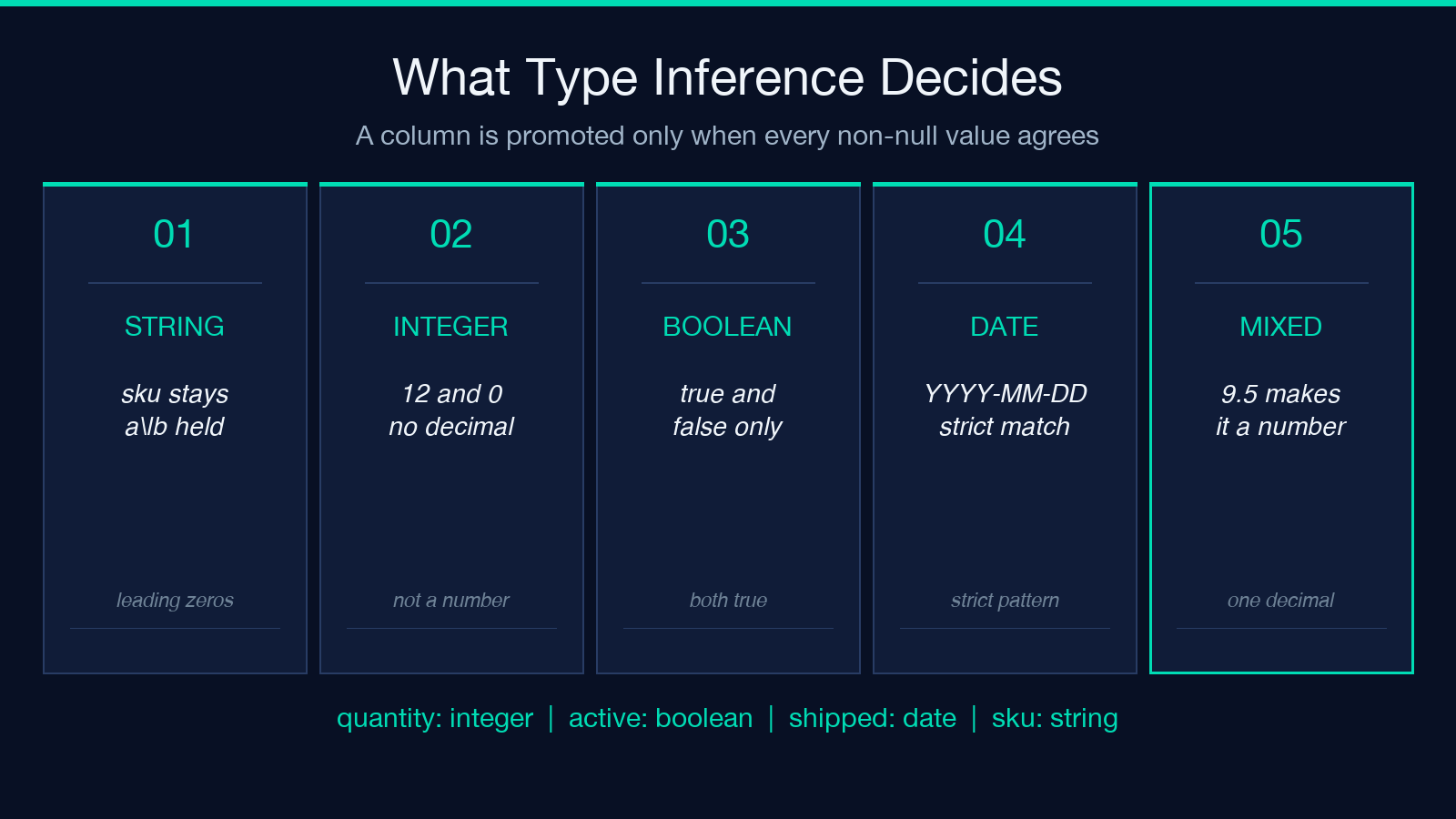
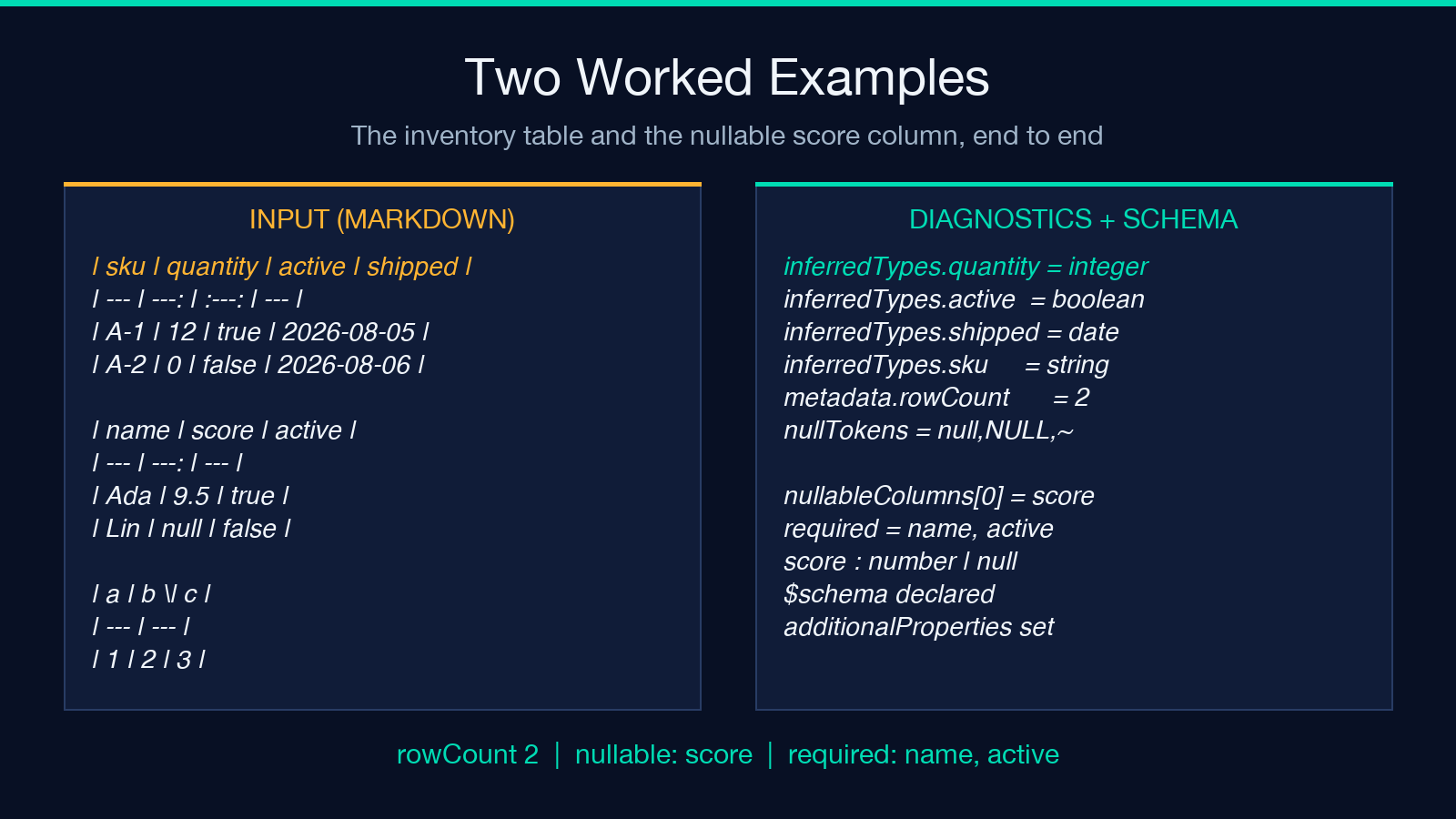
Working through the canonical inventory example makes the rules concrete. Given the header | sku | quantity | active | shipped | with rows A-1 | 12 | true | 2026-08-05 and A-2 | 0 | false | 2026-08-06, the inferred types are string for sku, integer for quantity, boolean for active and date for shipped. The integer column qualifies because both values are bare digits with no decimal point, and 0 counts as an integer rather than a falsy null. The date column qualifies on the strict YYYY-MM-DD pattern.
That table exports as two data rows under a single header line, sku,quantity,active,shipped. You can reproduce the whole thing at Elysia Tools and inspect the inferred metadata rather than trusting the CSV text alone.
The integer versus number trap
The most common inference surprise is the integer and number boundary, and it cuts in the direction people rarely expect. A column containing 12 and 0 is an integer. A column containing 12 and 9.5 is a number. A column containing 12 and 9.5 is not promoted to a number just because most rows look numeric, because one decimal value in the column means the column genuinely holds fractional quantities and an integer schema would reject valid data.
The reverse trap is worse. A column containing 12 and abc is not a number column with one bad row; it is a string column, and the correct fix is upstream at the source table rather than downstream in the export. If your exporter silently coerced that abc to zero you would have manufactured a data point that never existed.
There is also a family of values that look numeric but are not. Leading zeros on identifiers, a trailing percent sign, a currency symbol, a thousands separator, or a value wrapped in quotes all break the bare-digit pattern. Postal codes, phone numbers, product SKUs and account numbers all belong in string columns, and inferring them as integers is the fastest way to lose a leading zero permanently. If a column must stay text no matter what it contains, declare it rather than hoping the sample data is clean.
Null tokens, empty cells, and the required set
An empty cell and a cell containing a literal null are different things in Markdown, and conflating them quietly reshapes your schema. The tool takes an explicit list of null tokens, so null, NULL and ~ are treated as absent while a genuinely empty cell is handled by the same absence rule. Everything outside that list stays a string, which means a cell containing the word none is data, not a gap.
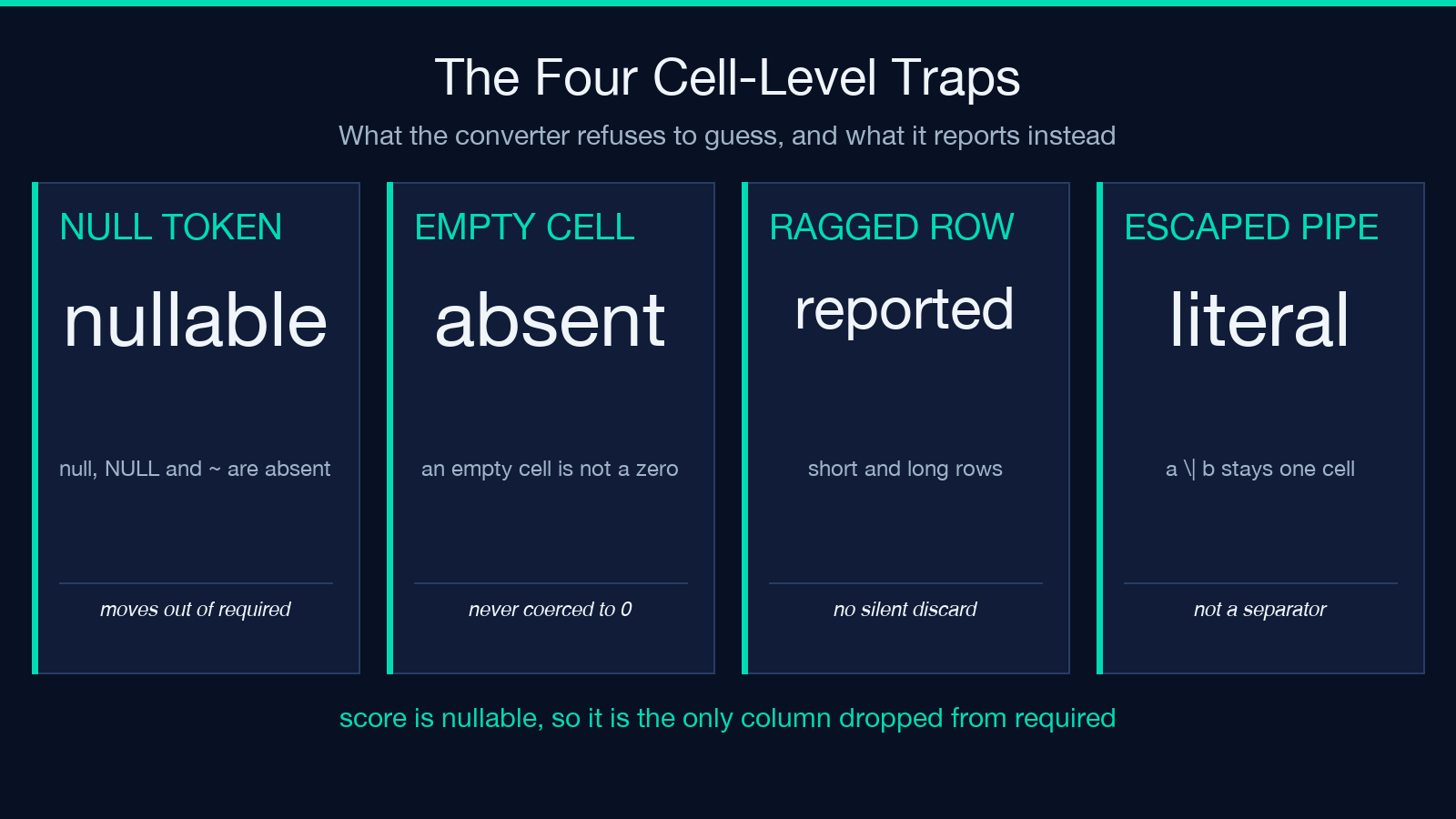
This distinction is what drives the required set in JSON Schema output, and the canonical example shows it precisely. Given | name | score | active | with rows Ada | 9.5 | true and Lin | null | false, the nullable column is score and the non-null columns are name and active. Only score moves out of the required list, so the generated schema requires the two columns that are genuinely always present and permits score to be missing or null.
The result is a schema with a score property typed as a number that also accepts null, expressed as a union of number and null. Under a required mode of non-null the output carries the standard $schema declaration and an additionalProperties setting so that unexpected keys are handled deliberately rather than ignored. Marking a column required because it happens to be non-null in your two-row sample is the failure mode to watch for: absence of evidence in a small table is not evidence of a constraint.
Alignment, ragged rows, and the no-silent-discard rule
The behaviour that separates a trustworthy converter from a convenient one is what happens to a row that does not match the header width. The rule is that no cell is ever silently discarded. When a data row has too few or too many cells, the converter reports the mismatch as a diagnostic and preserves what was actually there instead of padding or truncating to make the shape fit.
Consider a header declaring three columns followed by rows carrying two cells and then four cells. A lenient parser pads the short row with empty strings and truncates the long one, and you end up with a table where a value has been silently relocated into the wrong column. That is worse than a hard failure, because the export looks clean and the data is now wrong. The diagnostic makes the problem visible at the point where it can still be fixed.
Alignment markers are handled on the same principle. The delimiter row is recognised and excluded from the data rather than being converted into a row of four empty string cells, and the alignment hints are recorded as metadata about the source table rather than being treated as values. It is worth checking that metadata when a column comes out as string unexpectedly, because a missed delimiter row is a common cause.
Escaped pipes and the cell that is not a separator
The last parsing trap is the literal pipe. A cell whose value contains a pipe is written with a backslash escape, so a \| b is a single cell containing a | b, not three cells. Splitting on every pipe character produces a \ and b as separate fields, which silently shifts everything after it one column to the left.
Correct handling means a parser that recognises the escape before it treats the character as a delimiter. The escaped pipe survives into the output as a literal pipe, so the exported CSV or JSON keeps the original value intact, and a cell containing a path, a regular expression alternation, or a compound name such as a street address with a unit separator all round-trip correctly.
This is also the case where quoting matters downstream. Once a value contains a delimiter of the output format itself, the exporter has to quote it so the CSV re-parses to the same number of fields. A value that arrives correct and leaves quoted is fine; a value that arrives split is a defect that no downstream step can detect.
Verifying the export before you trust it
Four checks cover most of what can go wrong, and all four are cheap. First, compare the row count in the diagnostics against the number of data rows in your source table; the canonical example reports a row count of two for two data rows, so any other number means rows were added or lost during parsing.
Second, read the inferred type for each column rather than assuming it. If a column you expected to be numeric came out as string, the cause is almost always one non-conforming value, and the fix belongs in the source table. Third, list the nullable columns and compare them against the required list; any column you believe is always present but shows up as nullable points at a null token in the data, often a placeholder someone typed rather than a real value.
Fourth, spot-check one row end to end. Confirm that its cells appear in the same order in the output as in the source, and that any escaped pipe survived as a literal pipe. If a compound value arrives in one field, the parser handled the escape correctly. For a table with unusual structure you can compare against reference material first, since a plain delimited dataset at CSV samples shows the shape a correct CSV parse produces and makes a broken one obvious by comparison.
Where to take the export next
The three output formats answer three different questions, and choosing among them is the last decision worth making deliberately. CSV is for reloading into a spreadsheet or a database loader where the types have already been checked. JSON rows are for moving data into code, where the inferred types survive as real JSON types rather than as text that must be re-parsed on the far side.
JSON Schema is the one that changes how you work downstream, because it encodes the constraints you just discovered. A required list built from non-null columns, a numeric column typed as a union of number and null, and an explicit additionalProperties setting give a validator something to enforce from the first request instead of after you have processed a thousand malformed records. Starting from a schema rather than from raw text is what turns a formatting convenience into a real boundary check. When validation is the real problem rather than conversion, the JSON Schema Validator at Elysia Tools will check a payload against the schema this tool generates.
Whatever you export, keep the diagnostics. The row count, the inferred type per column and the list of nullable columns are the record of what the converter believed, and they are the fastest way to answer a question three weeks later about why a column of identifiers turned into integers. Convert the table, read the diagnostics, and only then let the output leave your hands. For a wider range of source documents to test against, Markdown samples covers everything from a single heading to a nested document, and the full catalog at elysiatools.com is where to go once the question is no longer about tables at all.
