
A pattern extractor does not find what you meant. It finds what its regex allows. I ported the six extraction modes behind Text Extractor into Python, ran twenty short test strings through them, and counted 37 matches: 6 emails, 5 phone numbers, 7 URLs, 14 numbers, 5 dates. But the ugliest returns are not the missing ones. They were a phone number sliced out of the middle of a 15-digit order ID, and a number that came back as 0. with the decimal point still attached and nothing after it.
Six modes, five hardcoded patterns
The tool offers six extract types: emails, phones, URLs, numbers, dates, and custom. Five of them are a single regular expression literal pasted into a switch statement. Only the sixth compiles anything new, and only that branch can fail.
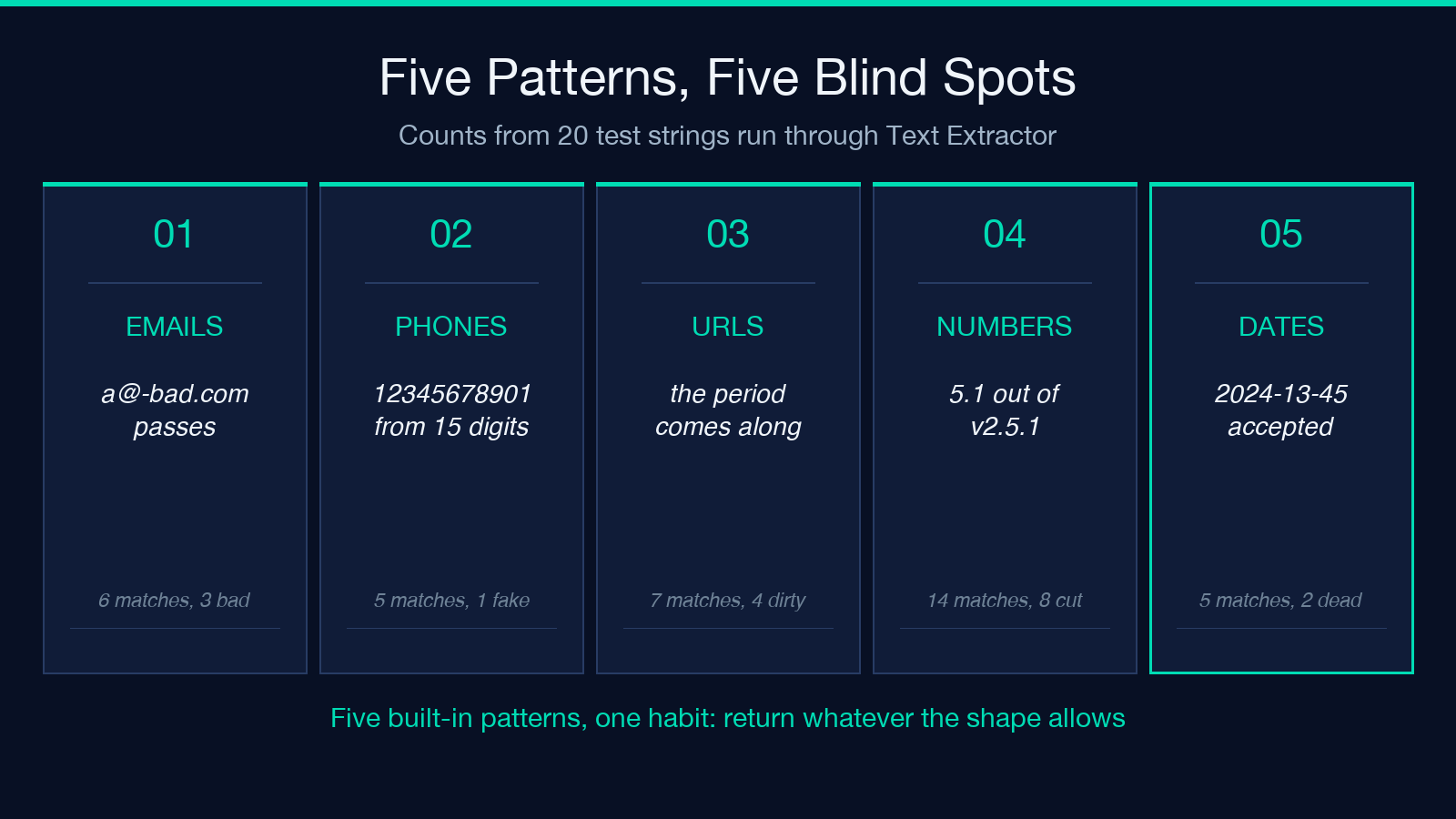
That split builds most of this article. The five built-in patterns are fixed strings in the source, so you cannot tune them from the interface. You pick a type, paste text, and read the list it returns — the output quality is decided before you arrive. The pattern is the contract, and the contract has edges you never agreed to.
The set is small: 5 hardcoded literals, 1 branch that calls new RegExp(customPattern, flags), and 0 configuration paths for the rest. When a pattern finds nothing, the tool returns No matches found in the result, the error, and the message fields at once. When it finds something, it joins the matches with newlines, commas, or deduplicates them. Either way, the interesting part sits upstream. Explore the live form at Elysia Tools and watch the count change as you edit a line.
The case toggle is wired to one branch
There is a checkbox labelled Case Sensitive. It looks like a global setting.
It is not. According to the source, that variable is read exactly once, inside the custom branch, where new RegExp(customPattern, flags) assembles a pattern from your text. The five built-in literals carry their own /g at the end and never read the variable. Toggling the checkbox while extracting emails changes nothing, because the email pattern holds no case-insensitive flag and no branch that would use one.
The quirk survives because it hides. Each built-in character class lists both cases ([a-zA-Z0-9._%+-]), so the results look right with case folding switched off. The toggle is a placebo on five of six modes, and the one mode where it works is the one where you typed the regex yourself and already knew to write [A-Z].
The email pattern accepts a leading hyphen in the domain
The email pattern is [a-zA-Z0-9._%+-]+@[a-zA-Z0-9.-]+\.[a-zA-Z]{2,}. The local part is reasonable. The domain is where it goes loose: [a-zA-Z0-9.-] allows dots and hyphens anywhere inside a domain, including the positions DNS rules forbid.
For example, a@-bad.com matches. So does a@b..com, with two consecutive dots and an empty label between them. Both strings are unroutable, and a mail server would reject either one when it reaches RCPT. The extractor hands them to you with the same confidence it gives a real address.
The pattern also removes real addresses that look unusual. user@localhost returns nothing, because the pattern forces a dot and a two-letter suffix. Punycode fares worse: ivan@example.xn--p1ai comes back as ivan@example.xn, cut at the double hyphen, because [a-zA-Z]{2,} cannot cross into digits. Six matches across my four test strings, and three of them were invalid or mangled. That ratio shows the shape of the filter. An extractor is a filter with a shape, and this shape means “looks like the general idea of an email”.
Phone numbers get sliced out of longer digit runs
The phone branch is a North American 3-3-4 pattern: an optional country code, then three digits, three digits, four digits, with optional brackets, dots, spaces, or hyphens between the groups. It carries no word boundaries at either end.
Without boundaries, the pattern does not need a phone number to find one. I fed it Order 123456789012345 shipped. — fifteen digits, no separators, an order ID — and it returned 12345678901, an eleven-character match that started at position one and stopped when the digit budget ran out. Eleven digits is not a phone number in any dialling plan.
Numbers inside the pattern’s home region come through cleanly. Three formats pass intact: 415.555.0100, (415) 555-0132 and +1 415 555 0199 all matched whole. A bare ten-digit string matched too, which is the intended behaviour and the reason the failure above exists. The pattern cannot separate a phone number from a run of digits that happens to be long enough.
International numbers fall outside. For instance, +44 20 7946 0958 returned nothing, because the optional country code only accepts a leading 1. Five matches across four strings, one of them fabricated from an order ID.
URLs swallow the punctuation that follows them
The URL branch alternates two shapes: https?:// followed by any run of non-space characters, or a bare www. host. The first shape is greedy and holds no idea where a URL ends.
So punctuation that lives outside the URL gets absorbed. See https://example.com/docs/page.html. returns the URL with the sentence’s full stop attached. https://example.com/a?b=1). returns the closing bracket and the period. Markdown and HTML wrappers do the same: an inline Markdown link hands back the URL with its closing parenthesis attached, and an angle-bracket autolink hands back the URL with a trailing >.
Four of my seven URL matches carried at least one character that was not part of the URL: a trailing period, an unbalanced bracket, and two angle brackets. Clicking any of them breaks, and pasting one into a link checker reports a 404 for a page that exists. The fix in practice is to strip .,;:)]}>'" from both ends before you use the value, and to trim ) only when it is unbalanced — a rule you write once, because no extractor will guess it for you.
Numbers lose their commas, signs, and decimal points
The number pattern is \b\d+\.?\d*\b, which reads as “digits, an optional dot, more digits, bounded by word boundaries”. It works on clean decimals and breaks on anything formatted.
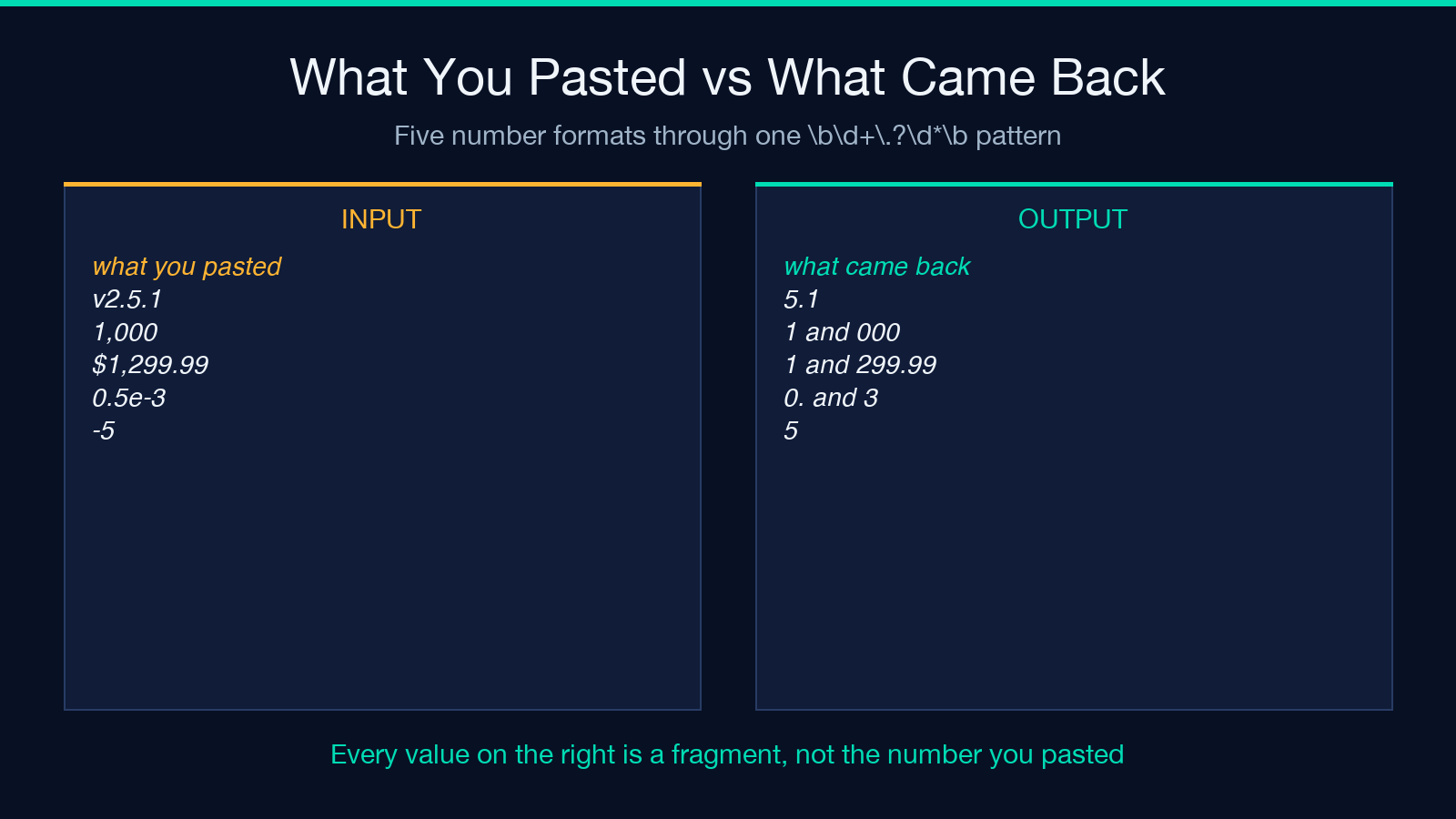
v2.5.1 returned 5.1. The 2. never came back, because the match had to begin at a word boundary and the v blocked the first digit. 1,000 returned two matches, 1 and 000, and $1,299.99 returned 1 plus 299.99: the comma creates a boundary, so it reduces one amount to pieces. 0.5e-3 returned 0. and 3, because the pattern gave up on the exponent, backtracked the fractional digits to nothing, and still reported the leading 0. — a dot is a boundary, and the trailing \b was satisfied.
Eight of the fourteen number matches across my four strings were fragments of a larger token; six were correct. The fragments: 5.1 out of v2.5.1, 1 and 000 out of 1,000, 1 out of $1,299.99, 0. and 3 out of 0.5e-3, and 1.2 plus 3 out of 1.2.3. If your pipeline sums that column, the total is wrong in a way that raises no error and returns no empty result. The extractor shipped fourteen matches, and fourteen is a plausible count.
Dates accept 2024-13-45 and reject 1.2.3
The date branch tries two shapes: one-to-two digits, separator, one-to-two digits, separator, two-to-four digits; or four digits, separator, one-to-two digits, separator, one-to-two digits. The separators are /, -, or ..
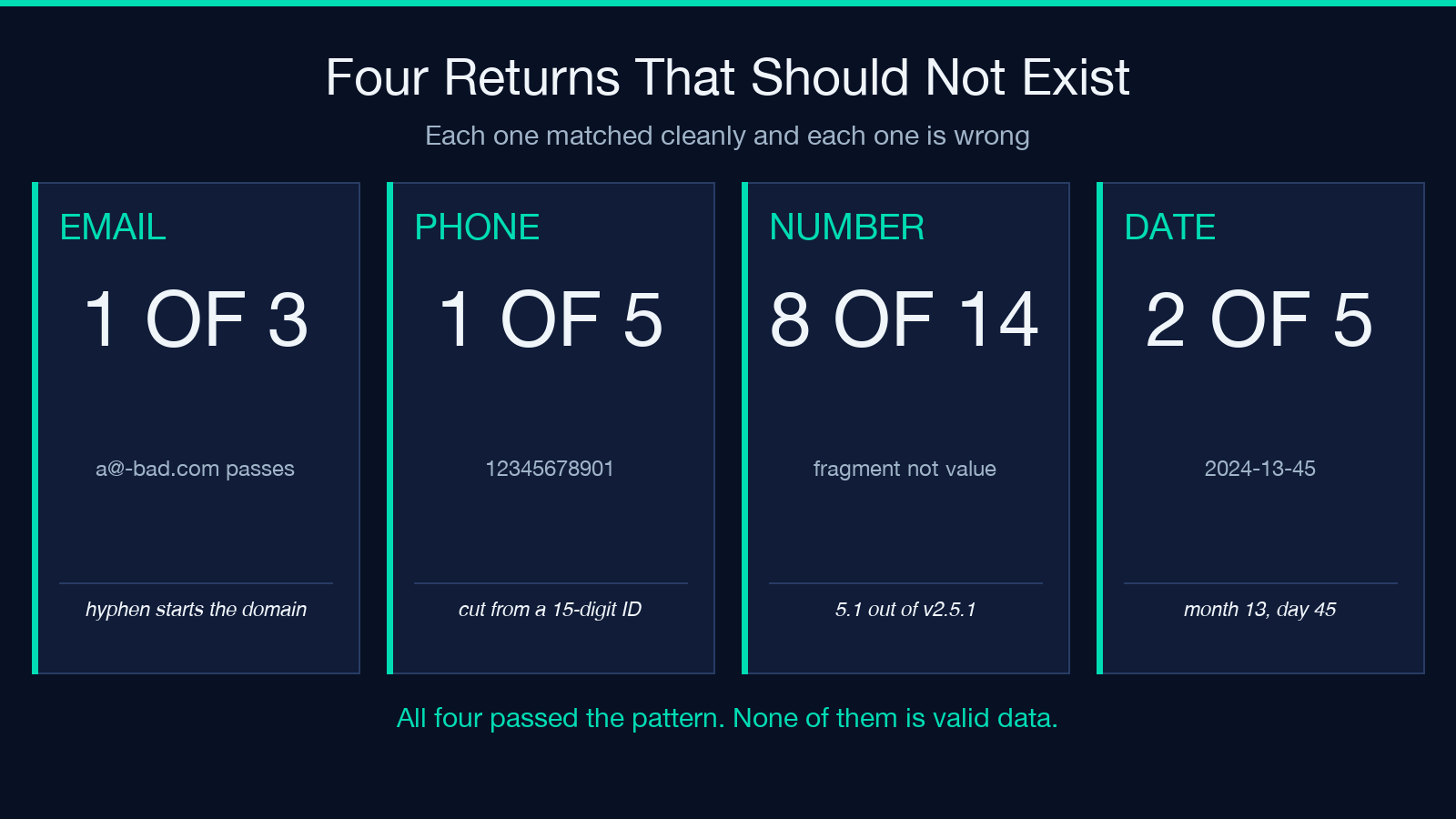
No range check appears anywhere in it. 2024-13-45 matched — month thirteen, day forty-five. 99/99/9999 matched too. A calendar parser would reject both, and the extractor gives them the same standing as 2024-11-21.
The reverse failure is quieter. 1.2.3 does not match, even though it carries three parts, because the final group requires at least two digits and 3 is one. For instance, a log line holding 192.168.0.1 survives untouched, since the first group caps at two digits — fortunate for anyone pulling dates out of logs full of IP addresses, though that is luck, not intent. 11.21.2024 matched; the same value written as 1.2.2024 would not. Two of my five date matches were impossible dates: 2024-13-45 and 99/99/9999. Here the pattern proves a separator counter, not a calendar.
Treat the match list as evidence, not as data
Read the count mode closely, because it writes Found 3 matches into the result, the error, and the message fields at the same time. A caller that treats a non-empty error as failure will report a failure on a run that succeeded. That is a small thing until it sits inside a job that pages someone at 3 a.m.
So what do you do with an extractor whose six modes each hold a known blind spot? Use it to look, not to decide. Run the text through, read the count, then read the matches. If the count is zero, the pattern is the reason, not the text. If the count is high and the values look odd, suspect a boundary, not a data problem. For anything feeding a database, a sum, or a billing line, replace the extraction step with a parser or a validator — code that knows a date must exist on a calendar and a phone number needs a plausible length. Two checks belong behind any extractor: 1 length rule per field, and 1 calendar check per date column.
I did not test the interface rendering, and a Python port can drift from a JavaScript engine on regex corners. I measured the behaviour by reading the tool’s source and running the same patterns against fixed strings, and I observed one shape behind five of six modes; the counts are reproducible on those inputs, not a survey of real traffic. Check the tool at Elysia Tools and browse the catalogue at elysiatools.com before you point it at a spreadsheet you care about.
The point is not that the patterns are careless. Each one is a reasonable first guess, and the tool is honest about being a text extractor, not a data parser. The point is that a match is a coincidence of characters. 2024-13-45 is an excellent match and an impossible date; 12345678901 is a perfect eleven-digit string and a phone number that nobody owns. A pattern extractor does not know what an email is. It knows what an email looks like — so what happens when the next column arrives with a comma in it?
