You click a blog post. The address bar reads something like blog.flowrust.com/articles/the-slug-validator-three-rules. Quiet. Reasonable. Searchable. But that tidiness isn’t an accident, and it isn’t a luxury — it is the result of three invisible rules that every working URL on the open web has already agreed to obey.
When a slug breaks one of them, the page still loads. Search engines still index it. People still share it on social. The damage is quieter: a 404 in your analytics, a duplicate-content flag in Search Console, a copywriter quietly retyping the title by hand because the CMS auto-saved the wrong thing.
The Slug Validator is the smallest, most boring-looking tool you’ll ever bookmark — and the one that saves the most links. This is what it actually decides, and why the rules are stricter than they look.
What “valid slug” actually means
A URL slug is the part after your domain. https://blog.flowrust.com/articles/the-slug-validator — the slug is the-slug-validator. The whole purpose of a slug is to be readable by three audiences at once: humans, search engines, and the framework that routes the request.
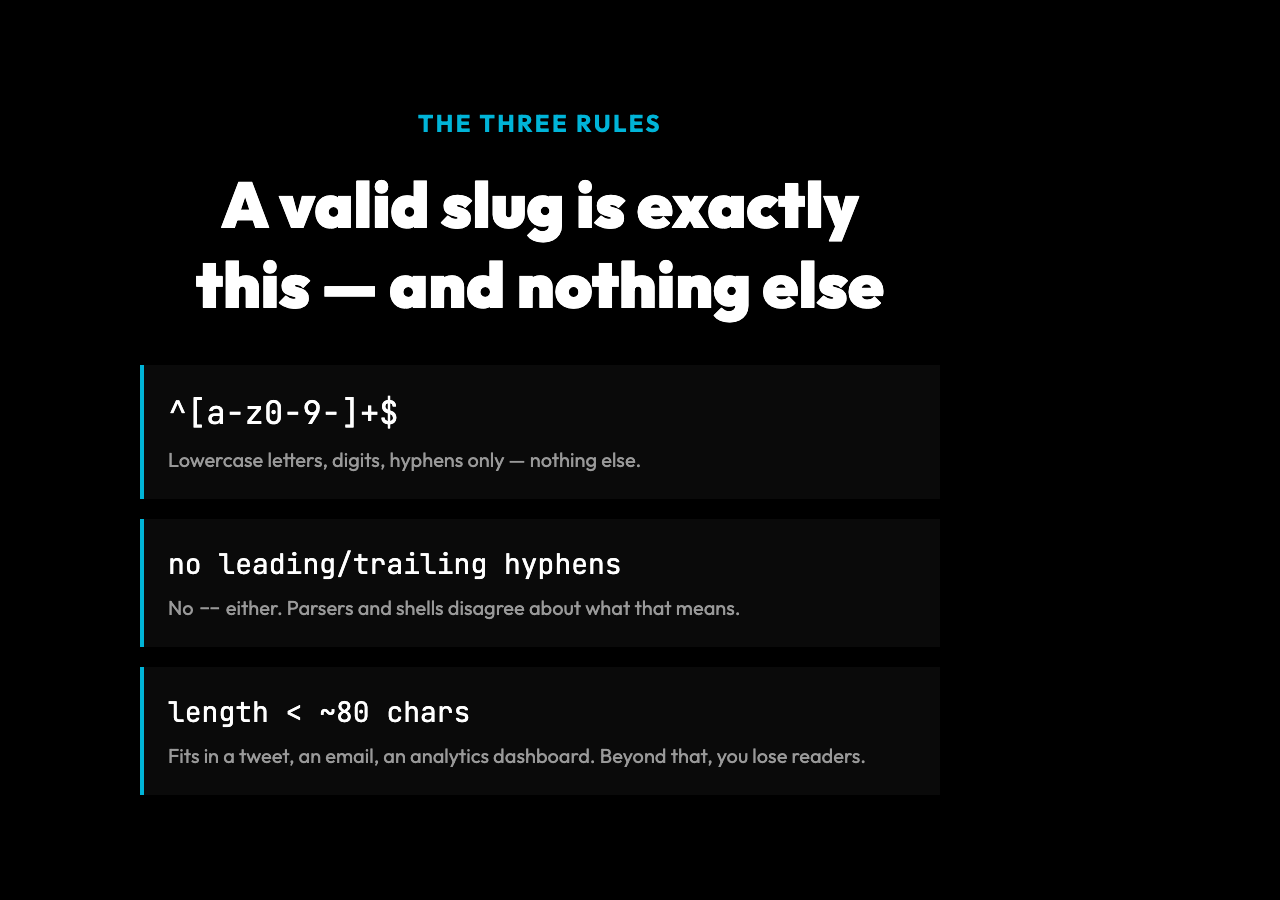
For all three to be happy, the slug has to obey three rules:
- Lowercase letters, digits, and hyphens only. No spaces, no uppercase, no punctuation. Underscores are technically tolerated in some stacks (Rails, older Python web frameworks) but rejected in most URL parsers and CDN configs.
- No leading or trailing hyphens, and no consecutive hyphens.
---helloandhello---confuse parsers.--in the middle reads as a comment in some shells and breaks Markdown anchor generation. - Bounded length. Most CMS auto-generate slugs from titles, and titles are getting longer. A 200-character slug fits in no chat message, breaks in email clients, and looks broken in analytics dashboards.
That is the entire specification. There is no RFC that defines a slug, but every framework that matters — Next.js, WordPress, Django, Rails, Astro, Hugo, Eleventy — implements some version of those three rules. The Slug Validator encodes the strictest common subset, which is why it returns “invalid” for things that some other tools would silently accept.
You can run any string through the tool at elysiatools.com/en/tools/slug-validator. The output is binary: valid, or a list of which rule failed.
The four failure modes no one catches manually
Most slugs that fail validation fail in one of four predictable ways. The reason is that humans think in titles, not in slugs. The translation is lossy.
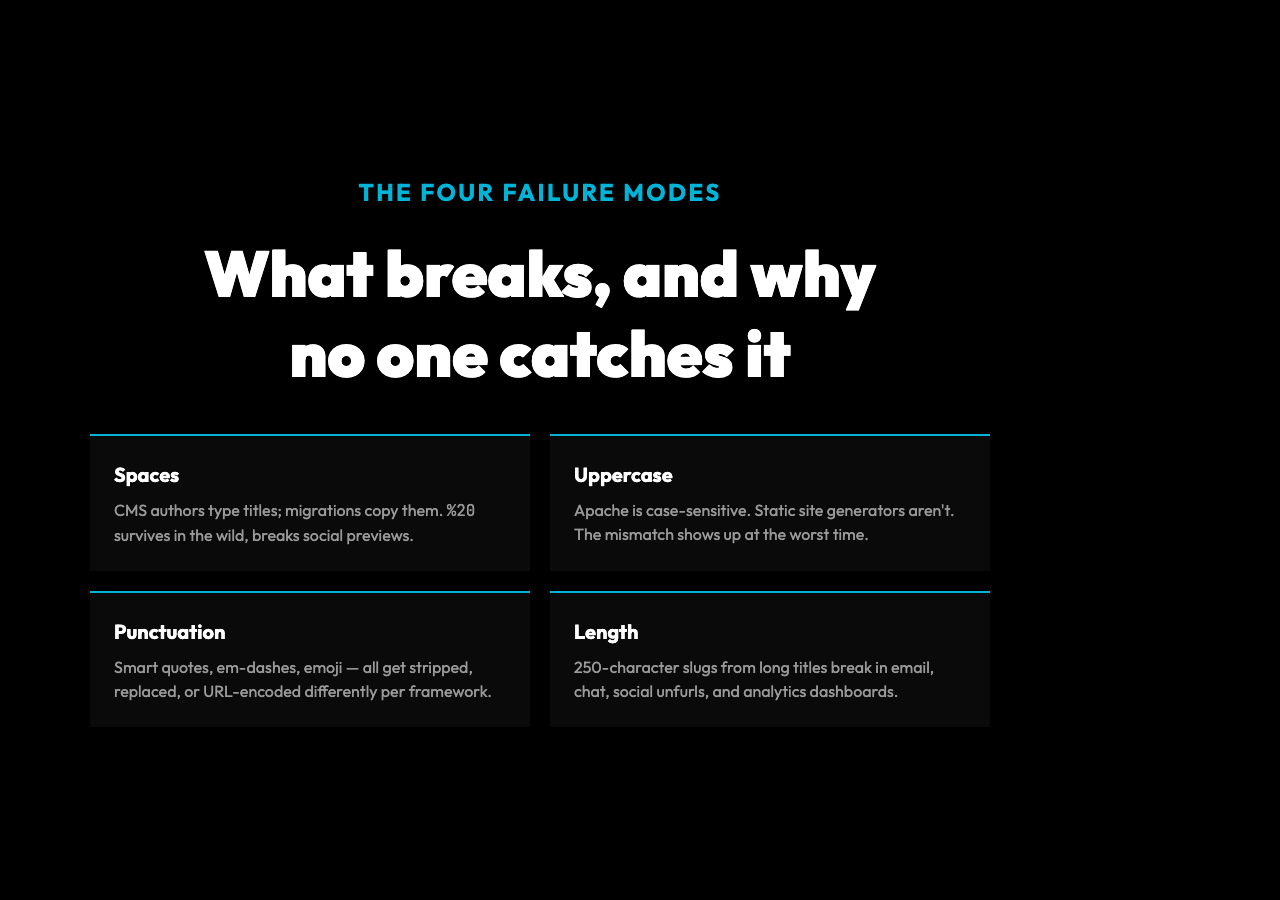
Spaces. The most common bug. A CMS author types My New Blog Post and saves. The auto-slugifier in WordPress replaces spaces with hyphens, but only if the title field is set first. If a developer hardcodes the slug in a migration, the spaces survive. Browsers percent-encode them as %20, which technically works but is unreadable in logs, gets stripped by some social-card previewers, and fails the canonical-URL check that Google’s crawler runs.
Uppercase. My-New-Blog-Post is valid in Express.js and fails in most static site generators. Apache’s mod_rewrite is case-sensitive by default on Linux. The cleanest fix is to lowercase at write time, never at read time, and the Slug Validator enforces this at write time.
Punctuation and special characters. Hello, World! is what the user typed. Hello--World- is what most slugifiers produce, which then fails rule 2 (consecutive hyphens). Em-dashes, smart quotes from Word, and emoji get stripped, replaced, or URL-encoded depending on the framework. None of those outcomes are predictable. The only safe move is to validate after slugifying and reject anything that didn’t come out clean.
Length. A 250-character slug from a 50-word title looks fine in the editor and is unusable in the wild. Twitter truncates URLs at 23 characters in some clients. Slack unfurls URLs differently above 80 characters. Email clients add line breaks. The Slug Validator’s maxLength option — defaulting to something sane — is the only thing standing between you and a slug that fits in no preview, ever.
A worked example: “My New Blog Post!”
Take the title My New Blog Post!. The CMS’s auto-slugifier probably produces one of these:
| Raw input | Auto-slugified | Valid? | Why |
|---|---|---|---|
| — | — | — | — |
My New Blog Post! | My New Blog Post! | No | Spaces, uppercase, exclamation mark |
My New Blog Post! | my-new-blog-post | Yes | Lowercased, hyphens, no specials |
My New Blog Post! | My-New-Blog-Post- | No | Uppercase, trailing hyphen |
My New Blog Post! | My--New--Blog--Post | No | Consecutive hyphens, uppercase |
The first row is the most common in production. A developer writes a migration script that copies the title into the slug column without transformation. The site renders, the URLs work, the analytics break six months later when someone notices that 12% of incoming links are pointing at URLs the search engine has never seen. Run that input through the Slug Validator and you get a clear list of the three violations, with the suggested corrected version right next to it.
This is the case where the tool earns its keep: not in the CMS, where you can fix it by clicking “regenerate slug”, but in CI, where a 30-line script can reject any pull request that introduces an unvalidatable slug into the content table.
Optional settings that change the verdict
The strict default catches most problems. Two optional flags handle the cases where your project legitimately needs to relax one of the rules.
allowUnderscores: true — for API endpoints, internal routing tables, and any legacy code where the slug is also used as a filename. Underscores are not URL-safe in the strict sense, but they survive in the wild. The Slug Validator treats them as the only acceptable special character when this flag is on. Spaces and other characters are still rejected.
maxLength: 50 — for SEO and social sharing, where longer slugs are actively harmful. The default is conservative; for a news site that wants tight URLs, dropping to 40 or 50 is reasonable. The validator checks length after the other rules, so a slug with uppercase letters and the wrong length fails on the first check, not the length one.
There’s a third option that doesn’t appear in the UI but matters in practice: rejecting slugs that match reserved routes. admin, api, login, static, wp-admin, wp-content are not invalid as strings, but they’re invalid as slugs in almost every framework. The fix is to maintain a reserved-words list alongside the validator and reject any slug that matches.
How this connects to what search engines actually do
Google’s crawler doesn’t read your slug for ranking purposes. It uses canonical URLs, sitemap entries, and backlinks to determine which version of a page is the “real” one. But every time a slug changes — say, when a CMS auto-regenerates it from a typo fix — the old URL becomes a 404 unless a redirect catches it.
The hidden cost of invalid slugs is redirect drift. A blog with 800 posts and inconsistent slug rules can accumulate 4,000 redirect entries over a year, all of which have to be served on every request, and all of which dilute the link equity that would otherwise flow to the canonical version. Validating slugs at write time prevents the drift at the source. It’s the same logic that keeps schema validation in your build pipeline even when the database would happily accept the malformed input.
If you’re working on URL parsers, content pipelines, or any system that takes user input and turns it into a slug, the validator is also worth running in reverse: feed it known-bad examples from your logs and confirm it catches them. If it doesn’t, your version of “valid” is wider than the one downstream systems expect.
How to use it without making it part of every workflow
The tool runs in a browser. For one-off checks — a CMS author pasting a draft title, a developer confirming a hand-edited slug, a content team auditing a legacy archive — that’s enough. Drop in the string, get the result, move on.
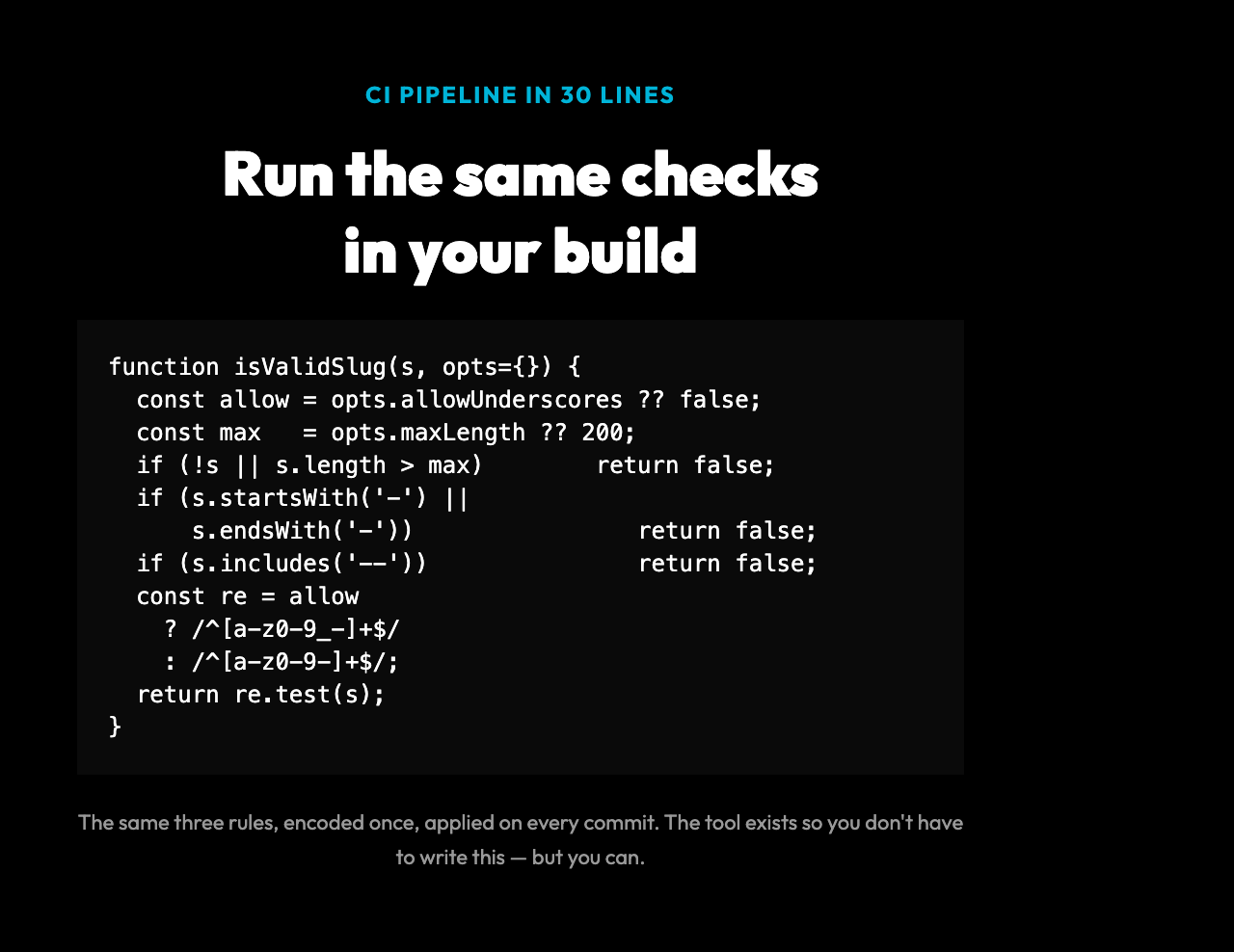
For pipelines, the same checks can be reproduced in 30 lines of regex:
function isValidSlug(s, { allowUnderscores = false, maxLength = 200 } = {}) {
if (s.length === 0 || s.length > maxLength) return false; if (s.startsWith('-') || s.endsWith('-')) return false; if (s.includes('--')) return false; const pattern = allowUnderscores ? /^[a-z0-9_-]+$/ : /^[a-z0-9-]+$/; return pattern.test(s); }
The point isn’t to avoid the tool — the tool exists so you don’t have to write that function. The point is that the rules it enforces are simple enough to encode, short enough to memorize, and universal enough that the same code works in any stack.
For more real-world input, the Samples collection has a categorized set of valid and invalid slugs you can use for testing — including edge cases with consecutive hyphens, leading dots, and Unicode characters that look like ASCII but aren’t.
The real takeaway
A clean URL isn’t a polish item. It is the contract between your content, your search ranking, and every other system that touches a link. Most teams treat slug rules as something the CMS handles, and discover — usually during a migration, a redesign, or an analytics audit — that the CMS handled about 80% of them and the remaining 20% is what shows up in the 404 report.
The Slug Validator is the smallest tool on your bench and the one that catches the largest class of invisible bugs. Run it on every new piece of content before it goes live, run it on your archive when you change frameworks, and run it on your routing table when you add reserved words. The rules are three lines long and the cost of getting them wrong compounds silently for years.
Then look at your redirect chain. Somewhere in there, an old link is still pointing at a slug the new system doesn’t know exists. That’s the next bug. The Slug Validator doesn’t catch it. Nothing does, until you go looking — and when you do, you’ll find that the question is not whether your redirects are right, but whether anyone is keeping them that way on purpose. The point is that the three rules are simple, and the discipline of applying them is not. That’s the whole game.