The conversion looks fine in the playground. You paste a <Order> tag, the tool spits out {"Order": {...}}, you ship it, and on Tuesday the production SOAP client throws a namespace error you have never seen before. This is the trap that XML to JSON converters hide in plain sight. The XML you tested with had no xmlns, no soap: prefix, no attributes holding the actual data, and exactly one child element per wrapper. The SOAP response you receive in production has all of those, and the JSON that comes out the other side silently rewrites the meaning of every element.
This article walks through the five things your XML to JSON tool strips out by default, shows a real SOAP envelope before and after, and gives you a one-glance cheat sheet for the four checkboxes that decide whether your output is round-trip safe. Convert with the XML to JSON Converter.
What the XML spec says vs what JSON parsers assume
XML and JSON look like cousins but they are built on different theories of data. XML elements have an attribute bag, a namespace, and child elements all in one place. JSON objects have a flat key value layout where every value is either a string, number, boolean, array, or nested object. The moment you run xml2js, xml.etree, or any browser based converter over a real document, the converter has to make a choice for every one of those XML features: keep it, prefix it with @, drop it, or pack it into a string. Each tool picks different defaults, and that is where the breakage starts.
Five things your XML to JSON tool strips out by default
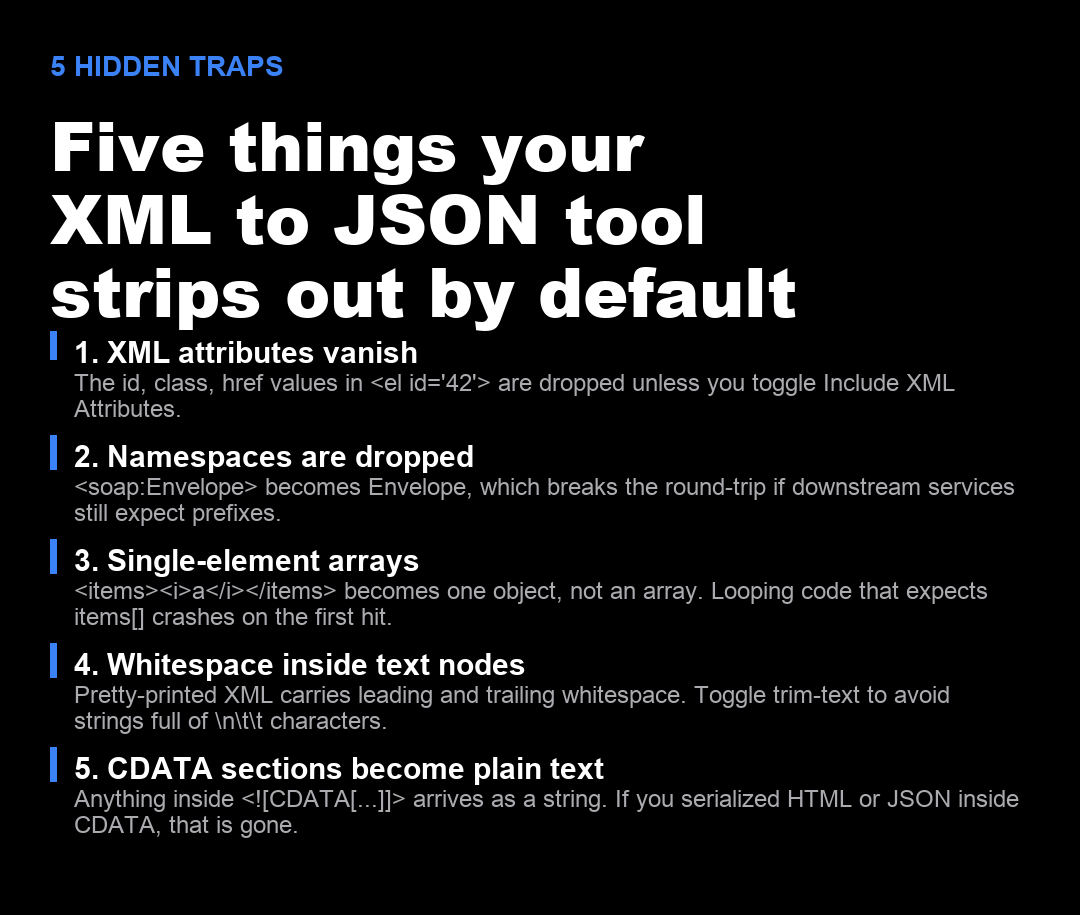
Open the same XML document in three different converters and you will get three different JSON outputs. Here are the five differences that show up in almost every real world document, in the order they tend to bite you.
- XML attributes vanish. The
id,class, andhrefvalues inside<el id="42">are dropped unless the converter exposes an “Include Attributes” toggle. SOAP responses put the order id, the action code, and sometimes the entire authentication token inside attributes, so dropping them is not a no-op. - Namespaces are dropped.
<soap:Envelope>becomes"Envelope"in the JSON. If the receiving service is namespace aware, it will reject the document. Most tools strip prefixes by default because the result is prettier, but prettiness is not the same as correctness. - Single element arrays collapse to a single object.
<items><i>a</i></items>becomes{"i": "a"}instead of{"i": ["a"]}. If you have a frontend loop expectingitems.i.forEach(...), the loop throws on the first hit. Toggle “Simplify Single Element Arrays” off and the schema stays consistent. - Whitespace inside text nodes is preserved. Pretty printed XML carries leading and trailing whitespace into the JSON. The string
"\n\t\tAcme\n\t"is not the string"Acme", and a database that hashes those values will produce different keys. Toggle trim text on if you are feeding the result into a search index. - CDATA sections become plain text. Anything inside
<![CDATA[...]]>arrives as a JSON string. If you serialized HTML, JSON, or Base64 inside CDATA so the XML parser would not choke on the angle brackets, the result is now an opaque blob that the next consumer has to decode by hand.
A real SOAP envelope before and after
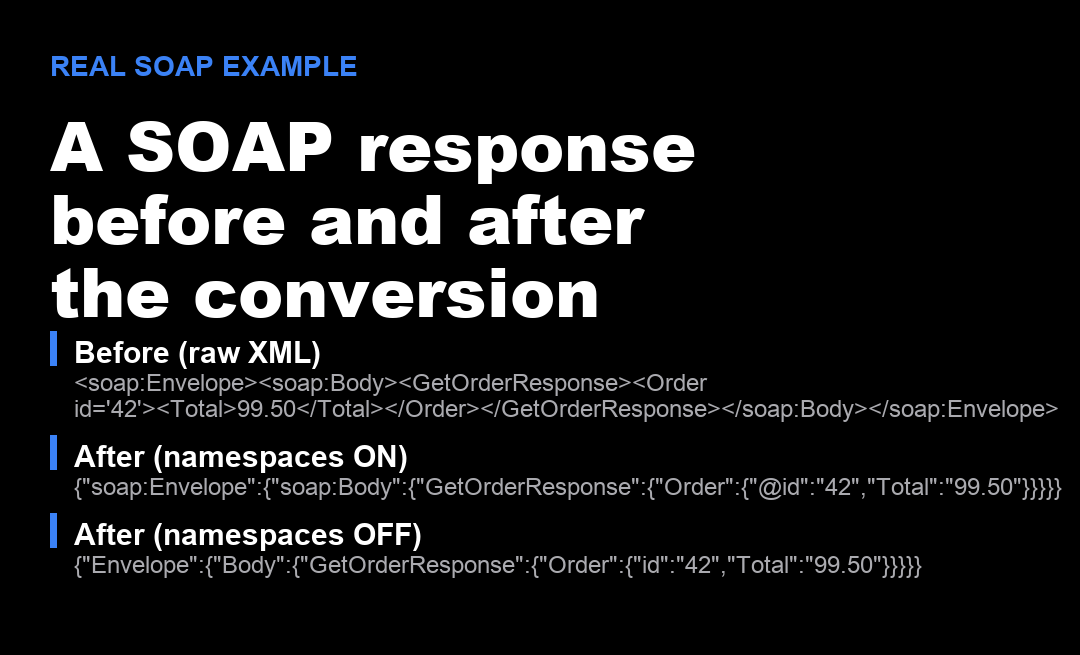
Here is a minimal SOAP response from a fictional order service. The actual namespaces, the attribute holding the order id, and the nested body wrapper are all in play. The two conversions below show the same document with namespaces on and off, both produced from the XML to JSON Converter.
<soap:Envelope xmlns:soap="http://schemas.xmlsoap.org/soap/envelope/">
  <soap:Body>
    <GetOrderResponse>
      <Order id="42">
        <Total>99.50</Total>
      </Order>
    </GetOrderResponse>
  </soap:Body>
</soap:Envelope>
With namespaces kept on, the output preserves the soap: prefix and the @id attribute. The structure is verbose but it round-trips: a downstream XML serializer can rebuild the original document byte for byte. With namespaces off, the same input produces a cleaner object tree that is perfect for a Mongo collection or a Firestore document, but cannot be sent back to a namespace aware SOAP client without being rejected.
When to toggle each checkbox
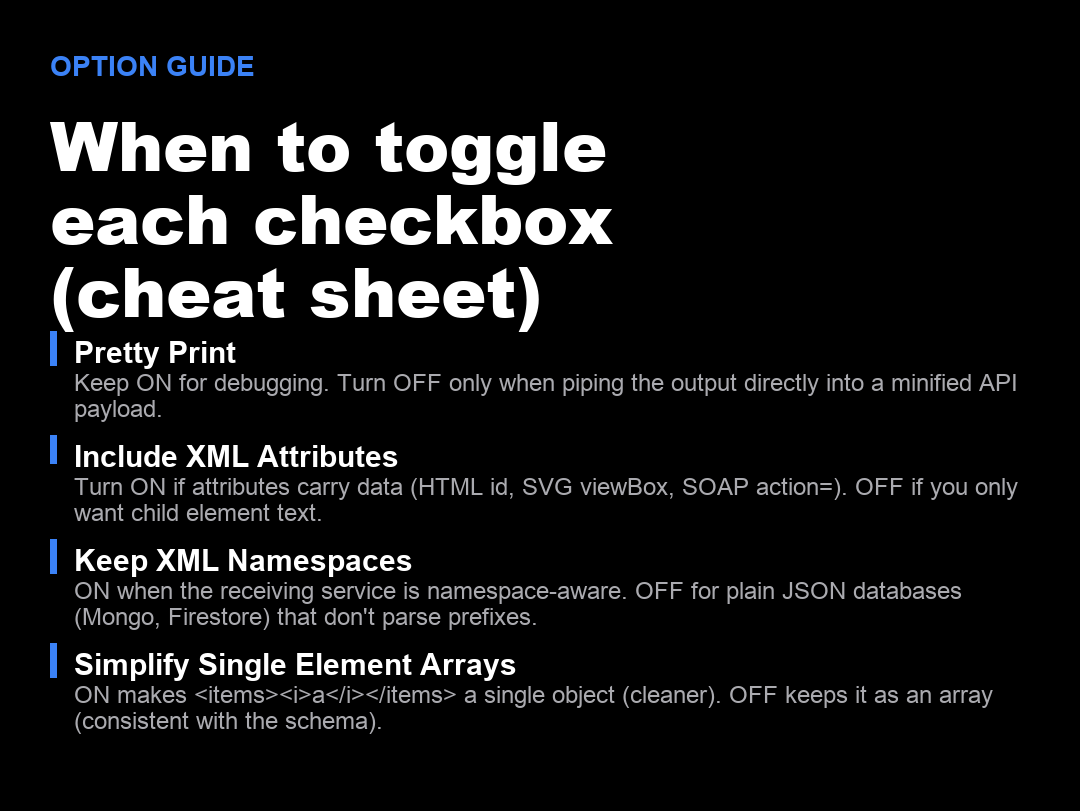
There are four toggles that matter and the defaults are not always what you want. Here is the cheat sheet.
- Pretty Print is on by default. Keep it on for debugging, reading, and saving to disk. Turn it off only when you are piping the output into a minified API payload and every byte counts.
- Include XML Attributes should be on for SOAP, HTML, and SVG inputs where the attributes carry real data. Turn it off when the document is a clean data export and the attributes are just metadata like
xmlns:xsi. - Keep XML Namespaces should be on when the receiving service is namespace aware and off when the consumer is a plain JSON database like Mongo, Firestore, or DynamoDB that does not parse prefixes.
- Simplify Single Element Arrays is the one people flip the wrong way. Turning it on makes the output cleaner but inconsistent. Turning it off keeps the schema predictable. Pick one convention and apply it to your whole pipeline.
What the output is actually for
Most teams that hit this trap are not building a generic XML parser. They have one of three concrete jobs and each one wants different defaults.
The first job is feeding a NoSQL document store. Mongo and Firestore do not care about namespaces, do not care about CDATA, and do not want pretty printed whitespace. They want a flat object with strings and numbers. For this case, turn namespaces off, turn simplify single element arrays on, and strip text whitespace.
The second job is feeding a frontend framework that needs to walk the structure. React, Vue, and Svelte code that does data.orders.map(...) depends on the array being an array even when it has one element. Turn simplify single element arrays off and keep attributes on so the @id keys do not collide with child element keys named id.
The third job is feeding another XML consumer. This is the rare case and the one where pretty print and namespaces both need to be on. The output is a staging format and the consumer is going to parse it again. In that case, do not bother with the converter and call xml2js with the round trip flag, or skip JSON entirely and use a proper XSLT pipeline. If you need JSON in between, the XML to JSON Converter with every toggle on is the closest you will get without writing code.
Closing thought
XML to JSON is not a lossless conversion. Every tool makes decisions about attributes, namespaces, and array shape, and those decisions are invisible until the receiving system rejects the output. The fix is not to find a better converter, it is to know which four checkboxes match the consumer and click them on purpose. The XML to JSON Converter exposes all four as visible toggles, defaults to the human readable side, and lets you re-run with one click when the integration team tells you the namespaces are gone.
Explore more tools at elysiatools.com.