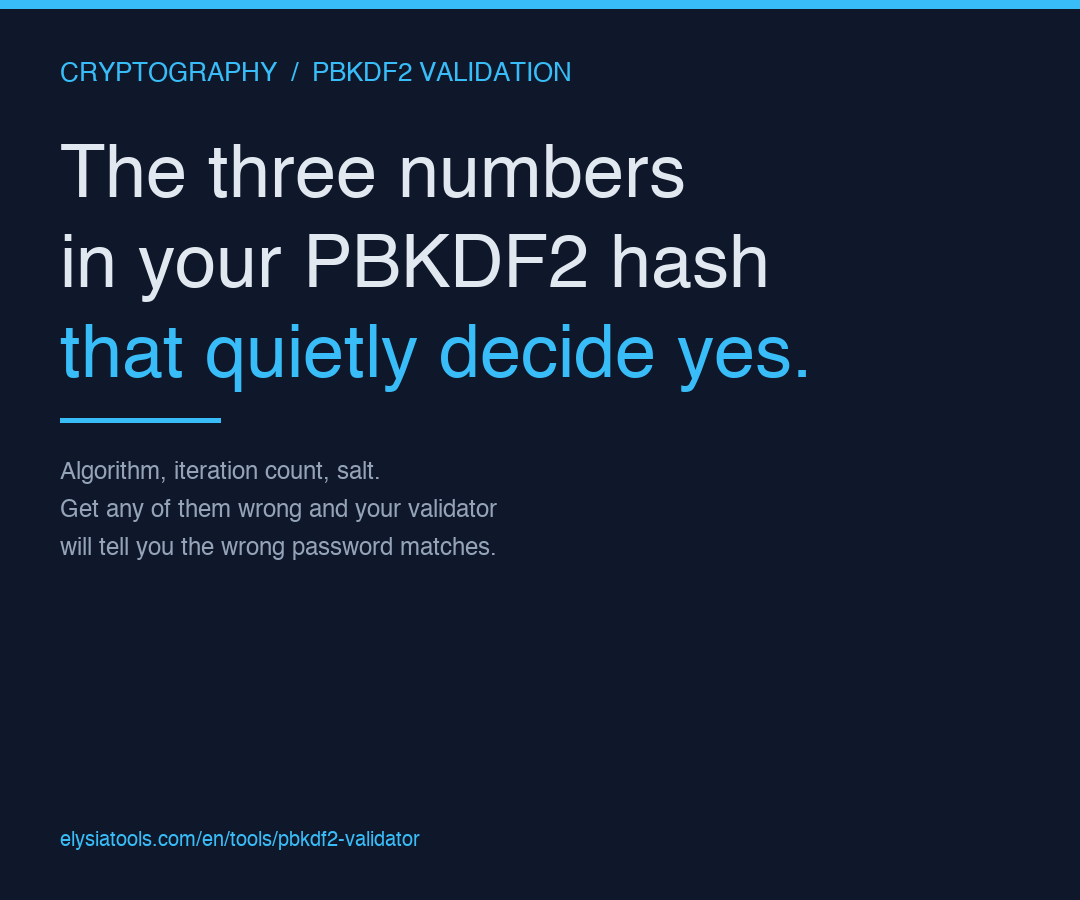
Most engineers treat PBKDF2 validation as a yes/no function: hand the validator a password, hand it a stored hash, get back a boolean. But a PBKDF2 hash carries three configuration numbers that the validator has to read correctly before it can answer. If any one of them is parsed wrong, the validator will happily tell you a wrong password matches your stored hash. Or it will reject every password for a user who is in fact typing the right one at the login screen.
The PBKDF2 Validator on Elysia Tools reads the standard PHC-string format, applies the algorithm + iteration count + salt the way your authentication library is supposed to, and tells you in one line whether the password is correct. Knowing which of those three numbers trips up most production validators is the difference between a confident deployment and a quiet auth-bypass bug.
The Hash Format Your Database Probably Stores
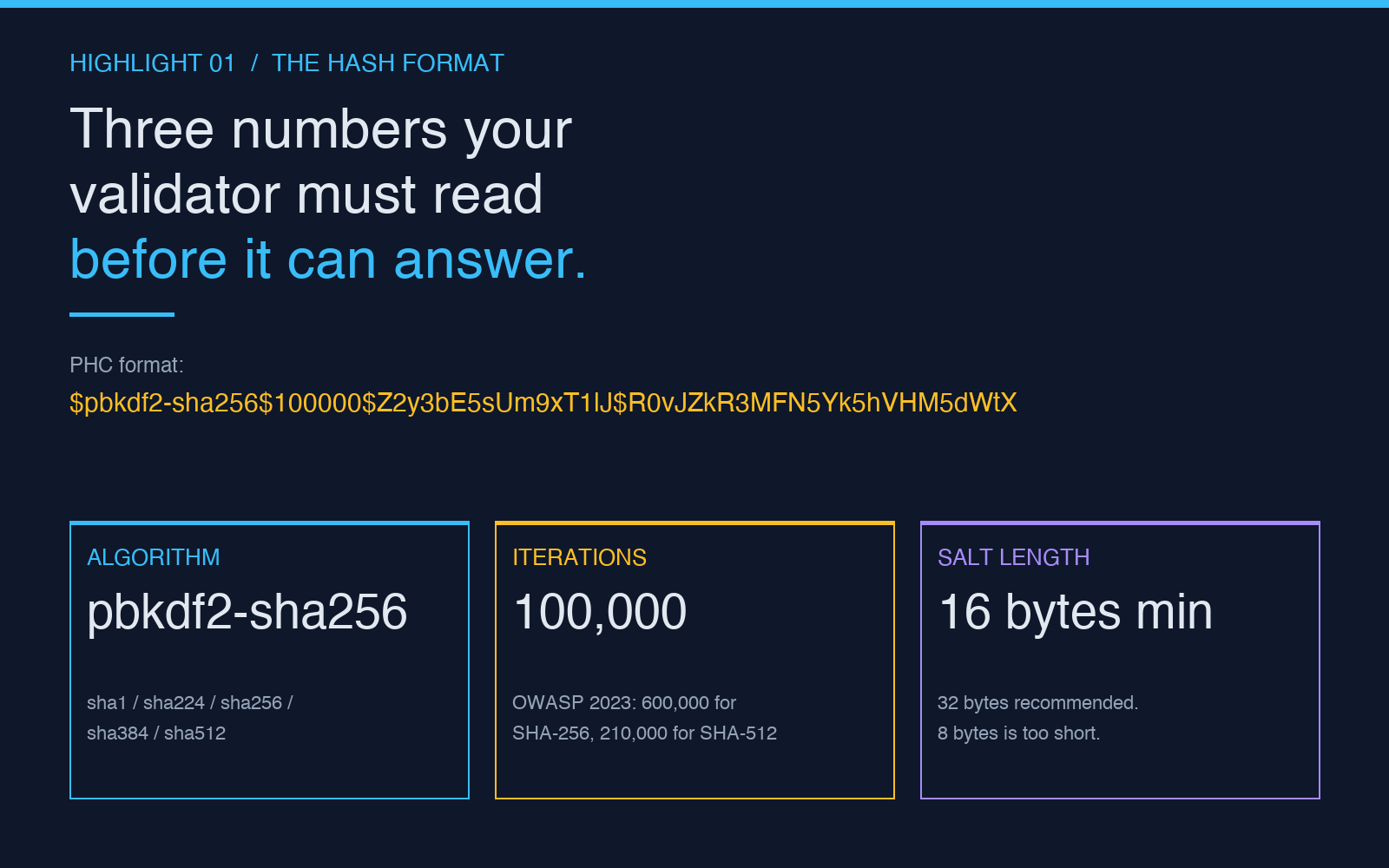
PBKDF2 hashes are not opaque blobs. They are ASCII strings. The most common wire format is the modular PHC syntax:
$pbkdf2-sha256$iterations$base64-salt$base64-hash
For example:
$pbkdf2-sha256$100000$Z2y3bE5sUm9xT1lJ$R0vJZkR3MFN5Yk5hVHM5dWtX
Three numbers live inside that string. The algorithm identifier (pbkdf2-sha256) is the first; the iteration count (100000) is the second; the salt length encoded in the base64 segment is the third, even though it is not printed numerically. The base64-hash is the result. None of those three are optional. None of them can be substituted silently. The validator reads them in order.
What tends to break in production is not the password. It is the algorithm token. A library that expects pbkdf2-sha256 but receives PBKDF2-SHA512, or pbkdf2_sha256 with an underscore, will throw or silently downgrade. The PBKDF2 Validator accepts the five common variants (sha1, sha256, sha512, sha224, sha384) in both the canonical and underscore-separated form, which is what your auth library probably emits. If you are migrating a user table from one library to another, those token differences are exactly the kind of thing that blocks a thousand valid logins for no good reason.
The Iteration Count Is the Only Number You Get to Choose
PBKDF2 is unusual among password hashes because every other parameter is fixed by the algorithm choice, but the iteration count is a knob you turn at hashing time and that the validator must honor at verification time. If your application hashes with 600,000 iterations and your validator was compiled against a library that defaults to 1,000, every password gets rejected. The reverse is also a bug: hash with 1,000, validate with 600,000, every password also gets rejected, because the recomputed hash will never match the cheap stored one.
The right pattern, codified by OWASP in 2023, is at least 600,000 iterations for PBKDF2-HMAC-SHA256, and 210,000 for PBKDF2-HMAC-SHA512. The reasoning is wall-clock: at those counts, a single login attempt takes about 250ms on commodity server hardware, which is comfortable for the user and punishing for an offline attacker. Going higher (1,000,000+) buys you a few more years of margin against GPU farms but every extra 100,000 iterations is a 17% slowdown on the login flow. Most production systems stop at 600,000.
What the validator needs to do, and what the PBKDF2 Validator does by default, is read the iteration count from the hash string itself rather than from a global config. If you re-tune your iteration count upward and your validator is reading a stale config value, you have a quiet outage. The hash-as-source-of-truth pattern is the only one that survives migrations, library upgrades, and the slow creep of hardware.
The Salt Length You Probably Forgot to Audit
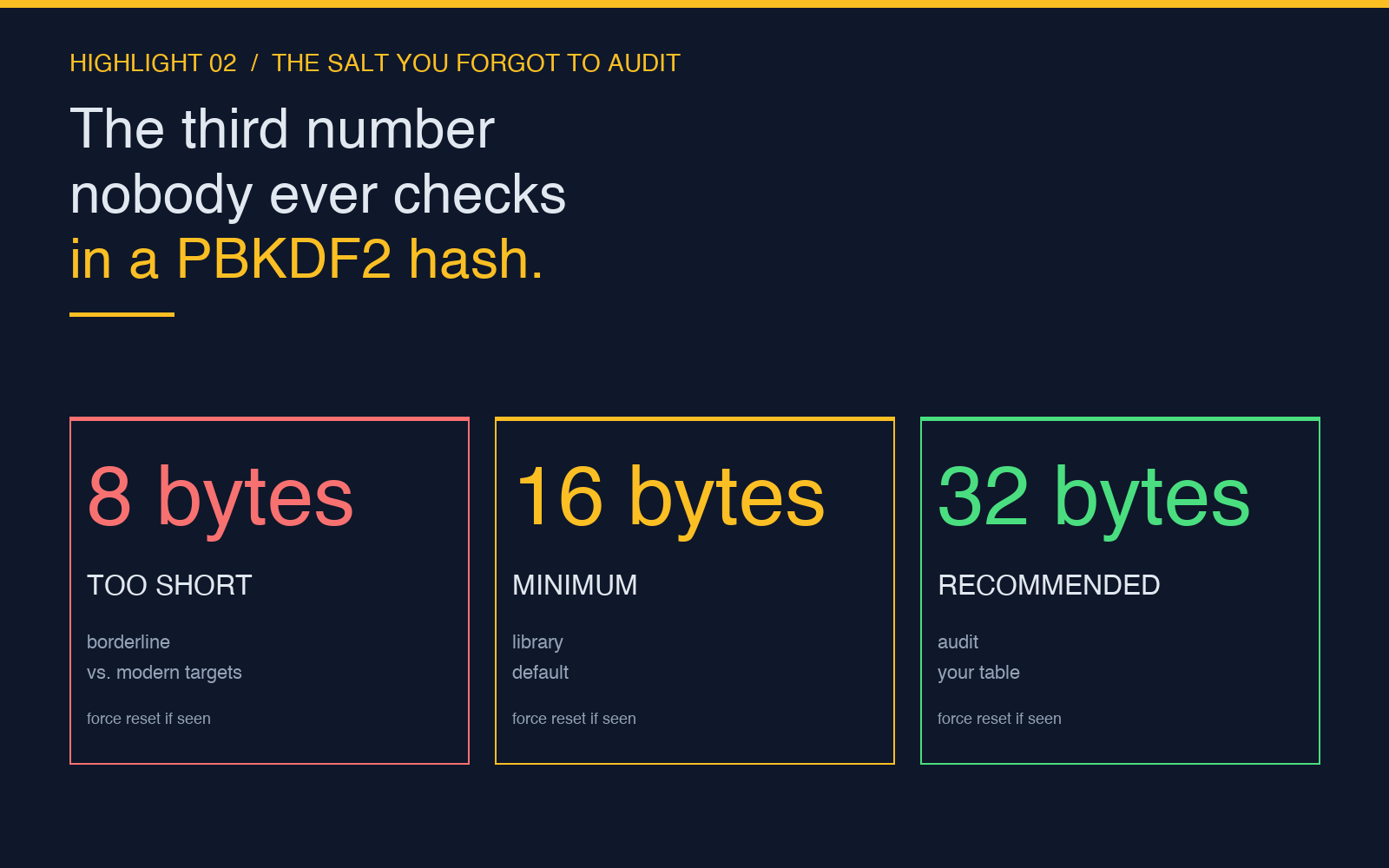
The third number is the one nobody ever checks. PBKDF2 salts should be at least 16 bytes, ideally 32 bytes. Most libraries default to 16, but several popular ones (older Node crypto defaults, certain Java configurations) historically emitted 8-byte salts, which is below the modern recommendation. The salt is what stops two users with the same password from getting the same stored hash, and 8 bytes is borderline: it is enough to defeat casual rainbow tables but not enough to defeat a targeted pre-computation against a 100,000-user table.
The validator does not enforce a minimum salt length, because enforcing it at verify time is too late: the hash is already in your database, with whatever salt length was generated years ago. What the validator does is read the salt verbatim from the hash string, base64-decode it, and use it as-is. If the salt is 8 bytes, the recomputed hash is computed with an 8-byte salt. If the salt is 32 bytes, the recomputed hash uses 32. The math is identical, but the security margin scales with the salt length, and the audit you should be doing on your own user table is: are there any PBKDF2 hashes with salt lengths below 16 bytes? If yes, those rows are the soft underbelly of your auth system. Force a password reset on them, hash the new password with a fresh 32-byte salt at 600,000 iterations, and move on.
For a quick way to check the salt length encoded in any specific stored hash, the validator’s verbose output will show you the decoded salt byte count alongside the iteration count and the recomputed hash. That single line of output is the audit signal you need.
What a “Yes” From the Validator Actually Means
A correct PBKDF2 validator does three things in order, and any one of them failing should produce a clean “no”:
- Parse the algorithm token. If the token is not in the supported set, return a configuration error, not a “password is wrong” response. A configuration error is loud; a wrong-password response on a misconfigured hash is the kind of bug that takes down a production login flow with no obvious cause.
- Read the iteration count and salt from the hash. Do not pull them from a global config. If the count or salt is missing or unparseable, return a configuration error.
- Recompute the hash with the password, the parsed salt, the parsed count, and the parsed algorithm. Constant-time compare the result against the stored hash. If they match, return “yes.” If they do not, return “no.”
The PBKDF2 Validator follows that exact path. Paste the password, paste the stored hash, click validate, get a one-line answer that includes the algorithm that was read, the iteration count, the recomputed hash, and a yes/no verdict. If you are writing your own auth library, the validator is a useful oracle for the question “did I parse this hash the way the standard says?” — paste a known-good hash, paste a known-good password, confirm the validator agrees with your library’s answer.
Where PBKDF2 Stops Being the Right Tool
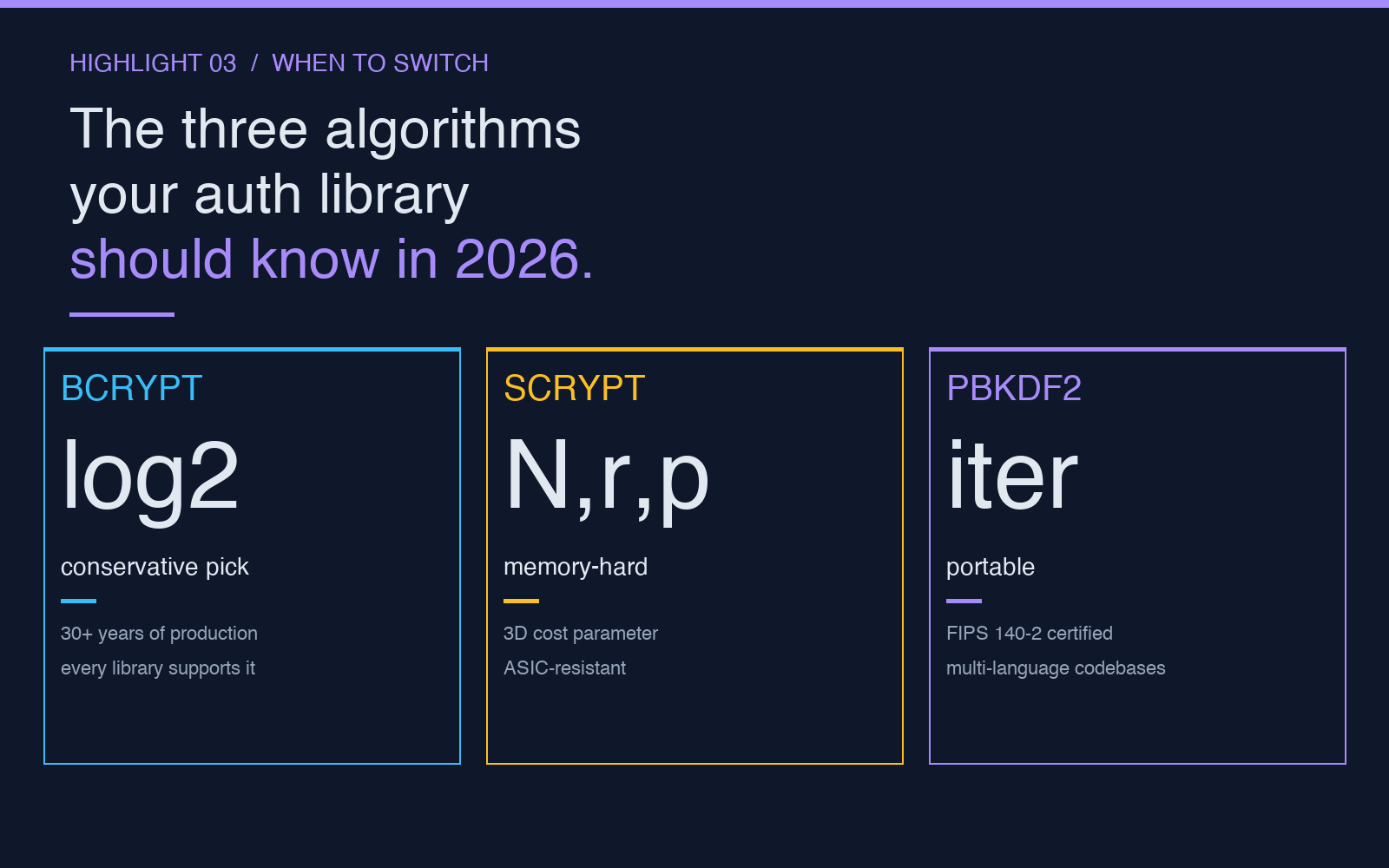
PBKDF2 is the right choice when your password hashing needs to be portable across languages and runtimes — it is the most widely implemented KDF in the world, present in every standard library since the late 1990s. It is the wrong choice when memory-hardness matters. PBKDF2 is CPU-hard but not memory-hard, which means an attacker with a custom ASIC can compute PBKDF2 hashes much faster than a CPU-bound user can, narrowing the cost gap that the iteration count is supposed to widen.
For new deployments where you control the auth library, bcrypt and scrypt are the modern defaults. Bcrypt is the conservative pick — 30+ years of production deployment, every library supports it, the cost knob is a single log2 number that is easy to reason about. Scrypt is the harder pick — the cost parameter is a three-dimensional (N, r, p) tuple that is harder to tune but buys you memory-hardness on top of CPU-hardness. PBKDF2 remains the right tool when you are constrained to FIPS-certified modules (it is in FIPS 140-2) or when you have a multi-language codebase where bcrypt or scrypt would require a new dependency in every service.
For verifying a stored PBKDF2 hash in a hurry, the validator on Elysia Tools is the fastest path: no install, no library, no config file. For generating a fresh PBKDF2 hash at the right iteration count, the companion PBKDF2 Generator is the matching tool. And for the broader picture of what a strong password hash actually looks like in 2026, the full Cryptography collection walks through bcrypt, scrypt, and PBKDF2 side by side.