Every data pipeline eventually meets a value it does not expect. The temperature sensor reports 99.4 when no human is in the room. The payment system logs a -$1,500 refund against a $50 order. The CSV import accepts a 2147483648 integer that overflows the destination int32 column. The pipeline does not crash. It rewrites the value, drops the row, or ships a number that quietly shifts the mean of every downstream model.
That is the work of a range check, and most data teams treat it as janitorial. The boundary processor runs at the end of the clean step, applies a default min and max, and ships the result. Nobody asks which columns the rule touched. Nobody asks what the rule did to the rows it changed. Nobody asks whether the rule and the model are looking at the same distribution.
The Data Boundary Processor is built to make those questions answerable. It treats boundary decisions as a first-class modeling step: pick a detection method, pick a strategy per column, audit what changed, and write the rules down so the next person on the team can read them. The rest of this article walks through the five decisions that matter and the four ways each one quietly lies.
Why a default range check is a modeling decision
Range checks rewrite the data you train on. They are not a janitorial pass; they are a statement about which rows the model should see and which rows it should not. A [0, 100] clip on a temperature column says “the world I expect the model to learn from has no values outside this window.” When production returns 110 the model panics, because the training set never showed it that input. The clip was a promise, and the clip forgot to keep it.
Treat the range as part of the model contract. Write it next to the feature definition. Review it when the model is reviewed. The boundary processor exists so the rule has a home outside of one developer’s notebook.
The five ways to handle a value out of range
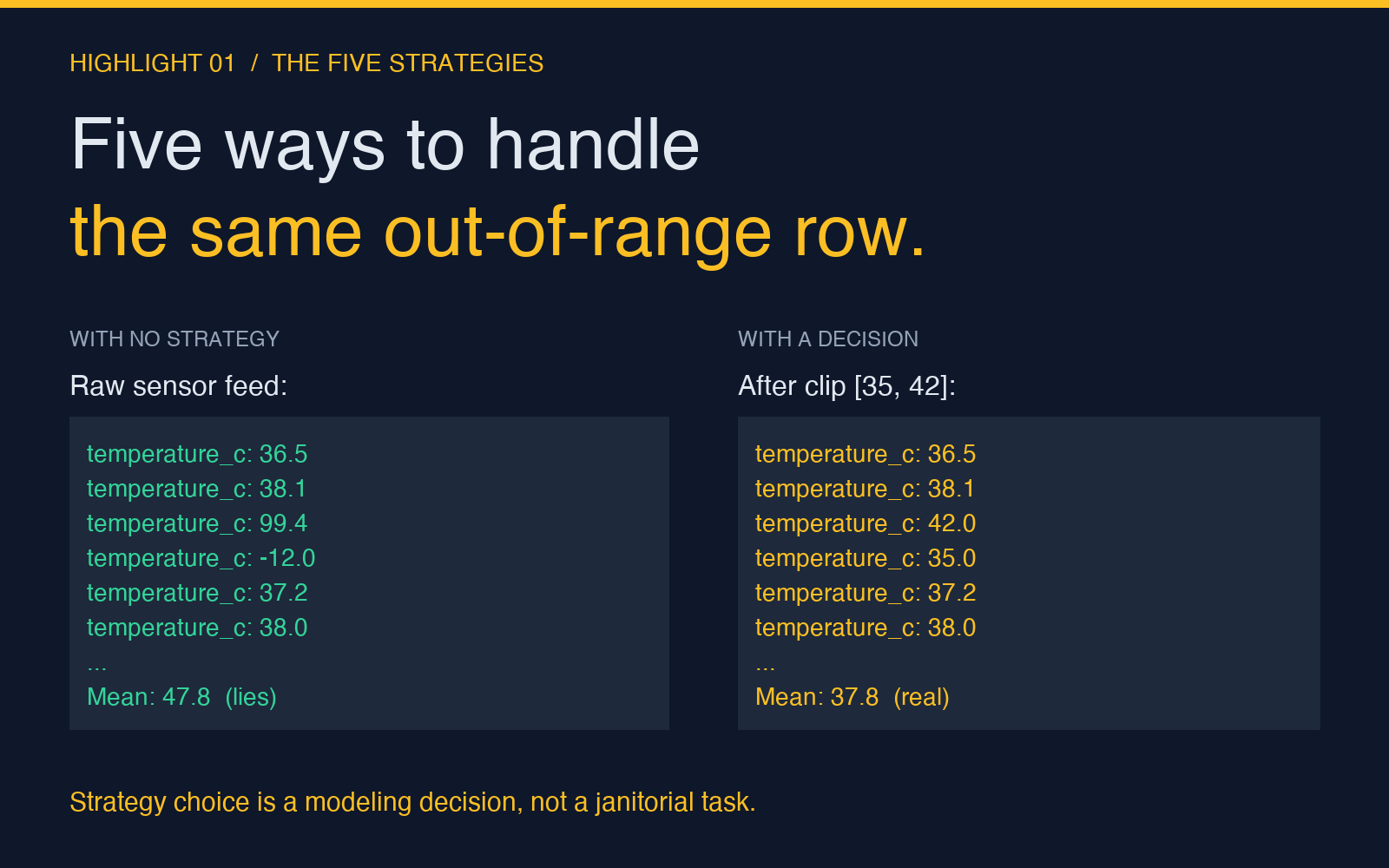
There is no single right answer. Each strategy makes a different promise to the model.
- Clip — Replace the value with the nearest boundary. Useful when the boundary is a real physical or business limit and out-of-range values are sensor faults, not data. The mean and percentile are preserved, the outliers are not.
- Remove — Drop the row entirely. Useful when the row is unrecoverable, but the dataset shrinks and downstream joins may break. Always log the row count removed per column.
- Replace with NaN — Keep the row, mark the value as missing. The right answer when a downstream step can handle missing values (imputation, missing-aware models). Do not replace with the mean silently — that hides the distribution shift.
- Replace with a sentinel — Use a value the model has been trained to recognize as “out of range.” Useful for monitoring, but the sentinel must be a value the production data could not otherwise produce (
-999for a temperature column,0for a price column). - Transform — Apply
log,sqrt, orarcsinhso the value is in a stable range. Useful for heavy-tailed data where the outliers are real and the boundary is just a display problem.
The boundary processor lets you pick a strategy per column, with the option to log the original value alongside the rewritten one. That single column — value_before_boundary — is the difference between “the data was clean on Tuesday” and “we know which row was the broken sensor.”
Four ways to decide what out-of-range means
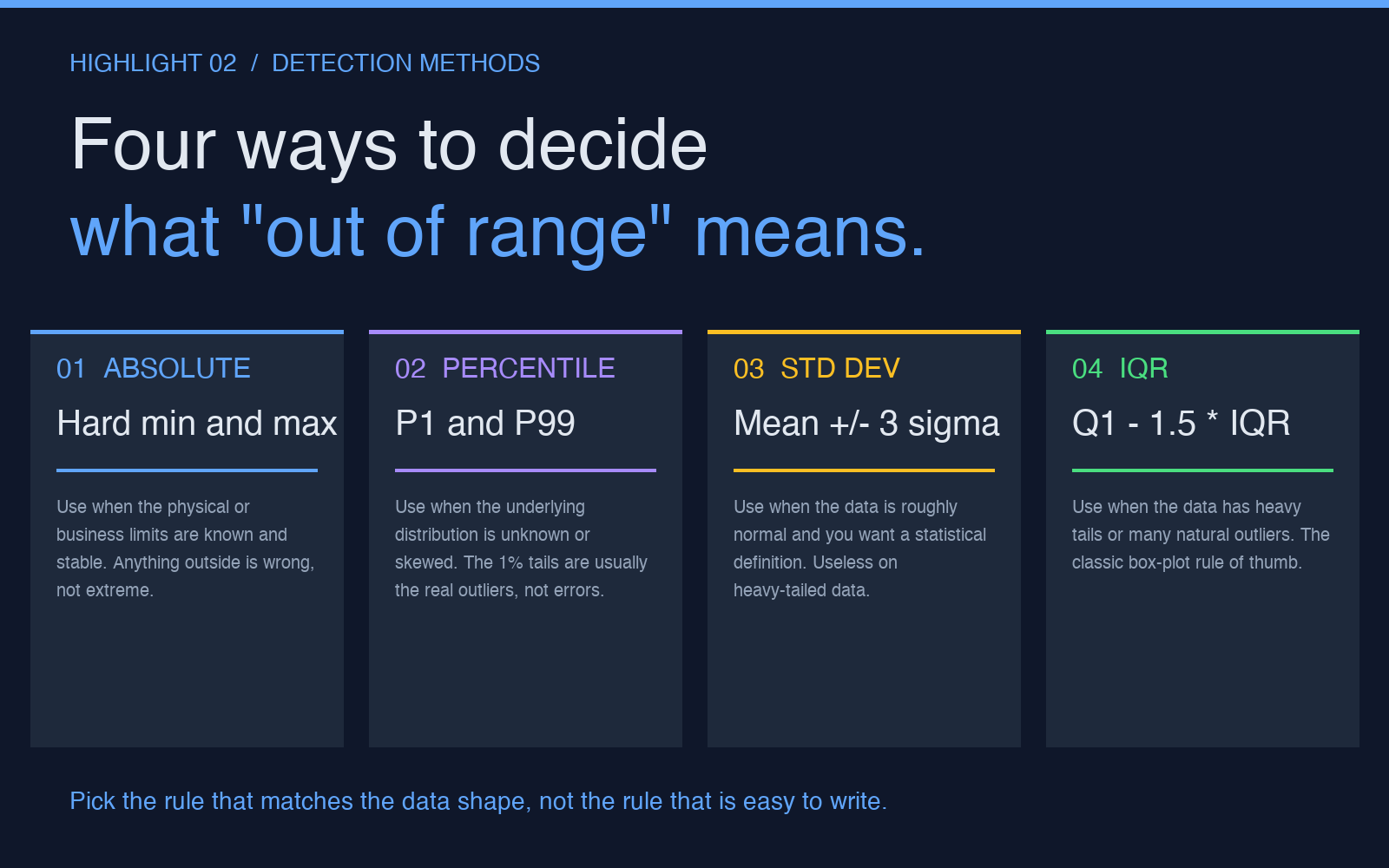
The rule that decides which rows are out of range is at least as important as the rule that decides what to do with them. Pick the rule that matches the shape of the data, not the rule that is easy to write.
- Absolute — Hard min and max. Use when the limits are physical or contractual (
0 ≤ temperature ≤ 60for a freezer sensor,0 ≤ age ≤ 120for a healthcare form). The rule is auditable, the values outside it are wrong. - Percentile — P1 and P99, or P0.1 and P99.9. Use when the distribution is unknown or skewed. The 1% tails are usually the real outliers, not errors, so clipping them shifts the model less than clipping the physical extreme.
- Standard deviation — Mean plus or minus three sigma. Useful on roughly normal data, useless on heavy tails. A
$10Mrefund in a dataset of$50orders moves the mean, the standard deviation, and the resulting threshold — the rule masks the very value it was supposed to flag. - IQR — Q1 minus 1.5 times the interquartile range, on either side. The classic box-plot rule of thumb, robust to outliers because it ignores them. The right default when you do not know the distribution and cannot afford to learn it.
For most production systems, a per-column rule table is the right shape: a column name, a detection method, the parameters, and the strategy. The boundary processor’s rules input is a CSV with exactly that shape. The Data Outlier Processor does the same for multivariate outlier detection (rows that look fine on every column but wrong together) — the two tools compose.
The four pitfalls every range check hits
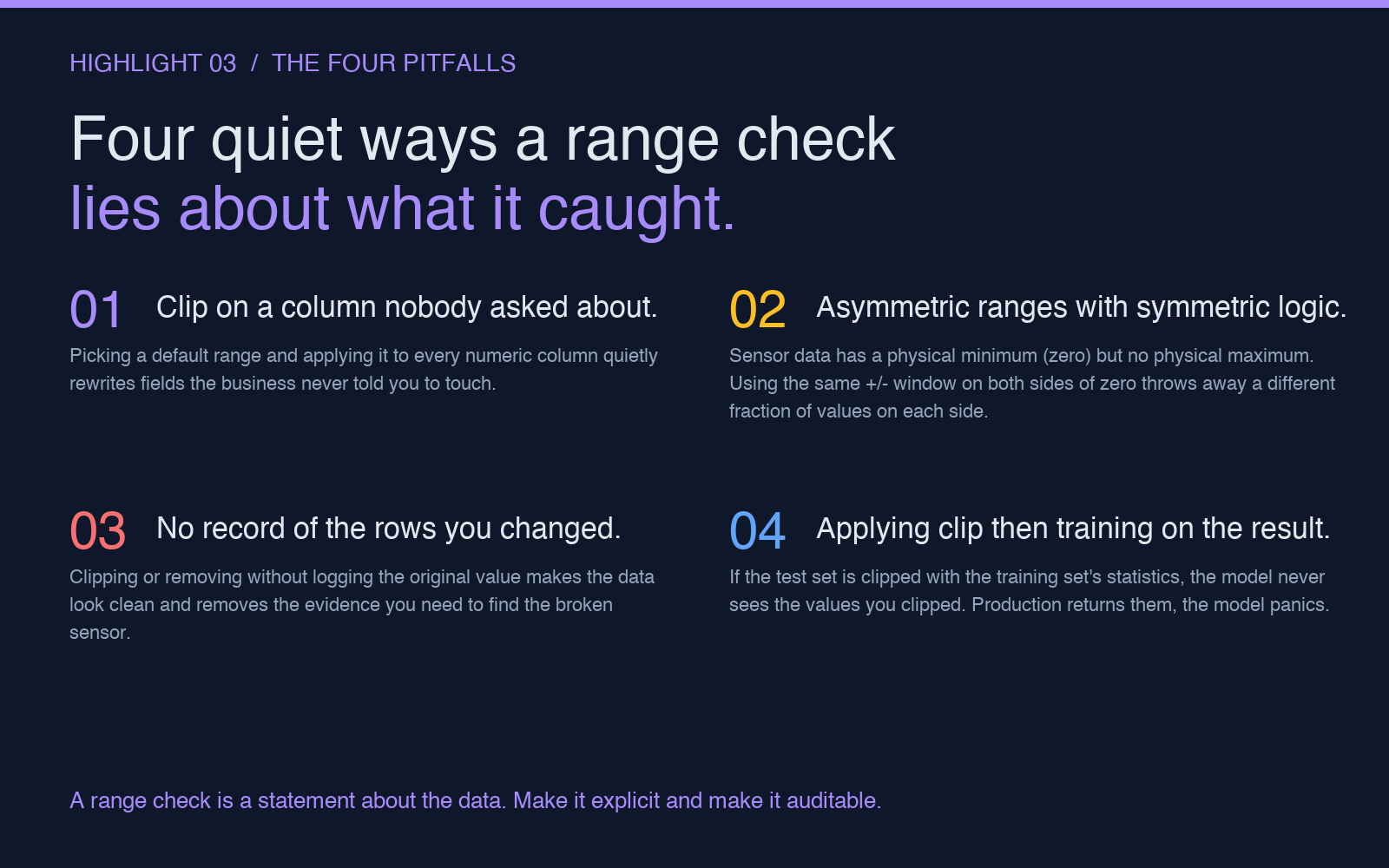
Most of the damage from boundary processing happens quietly. The audit passes, the data looks clean, and the model is quietly worse. The four pitfalls below are the most common.
- Applying one rule to every column. A
[0, 100]default applied to every numeric column silently rewrites fields the business never told you to touch. Theidcolumn and theagecolumn have different definitions of “out of range,” and the rule should know it. - Symmetric rules on asymmetric data. A temperature column has a physical minimum (zero, or absolute zero) but no physical maximum. A
[-10, 50]clip discards 0.1% of the data on the high side and 5% on the low side. Asymmetric boundaries need asymmetric handling. - No record of the rows that changed. Clipping and removing without logging the original value makes the data look clean and removes the evidence you need to find the broken sensor. The fix is one extra column:
value_before_boundaryandbounds_applied. - Clipping the test set with training statistics, then training. If the test set is clipped with the training set’s min and max, the model never sees the values you clipped. Production returns them, the model panics, and the postmortem blames the data, not the rule.
Each pitfall is fixable in one line of code. The fix only matters if the rule and the audit happen before the model trains on the result. A range check is a statement about the data — write it down, version it, and review it with the model.
When to use the boundary processor, and when to skip it
The boundary processor is the right tool when the dataset has numeric columns with values that can be checked against a rule, when the rule changes per column, and when the audit log of which rows were changed is part of the deliverable. It is the wrong tool when the dataset is text, when the boundaries are categorical, or when the team has not decided whether clipping or removing is the right strategy. In the last case, the boundary processor will still run, but the output will be a clean dataset and an undecided team.
For a 10-column CSV with two numeric columns that need a range check, the boundary processor is overkill — a single numpy.clip call is fine. For a 200-column production dataset with 40 columns that need different rules and a model team that needs to audit each one, the boundary processor saves a week of meetings and a quarter of debugging.
The tool is part of the Elysia Tools Data Processing collection, alongside the Data Outlier Processor for multivariate outliers, the data-deduplicator for exact and fuzzy row dedup, and the data-range-limiter for one-shot bulk limits. The collection’s design assumption is that data quality is a pipeline, not a single tool. The boundary processor is one step in that pipeline.
The takeaway
Range checks rewrite the data, so they are part of the model. The five strategies (clip, remove, NaN, sentinel, transform) are five different promises to the downstream model. The four detection methods (absolute, percentile, standard deviation, IQR) are four different ways to decide which rows the promise applies to. The four pitfalls (one-size-fits-all, asymmetric data, no audit, train-test split) are four ways the promise is silently broken.
The Data Boundary Processor is the simplest way to make all four promises explicit, auditable, and reviewable. Open the tool, drop in a CSV, set per-column rules, and export both the cleaned data and the audit log. The next time a model panics in production, the postmortem will start with the rule that wrote the value, not with a guess.
For more on the data processing collection and how the tools compose, browse the rest of Elysia Tools.