Your orders table says customer 47,847 placed 312 orders last year. Your customers table says customer 47,847 does not exist. The dashboard has been showing phantom revenue for months because no one ever checked the foreign keys. This is the failure mode that the Foreign Key Validator was built to catch, and it is far more common than most engineering teams want to admit.
Referential integrity is the silent contract between two tables. A foreign key column promises that every value in the child table corresponds to a real row in the parent table. When that promise breaks — because a parent row was hard-deleted, because an import skipped referential checks, because two systems were merged without a reconciliation pass — every join, every report, every ON DELETE CASCADE cascade becomes a question mark. The Foreign Key Validator surfaces those breaks as a list of orphaned records you can act on, not as a 500 error three weeks after the fact.
What an orphaned record actually looks like
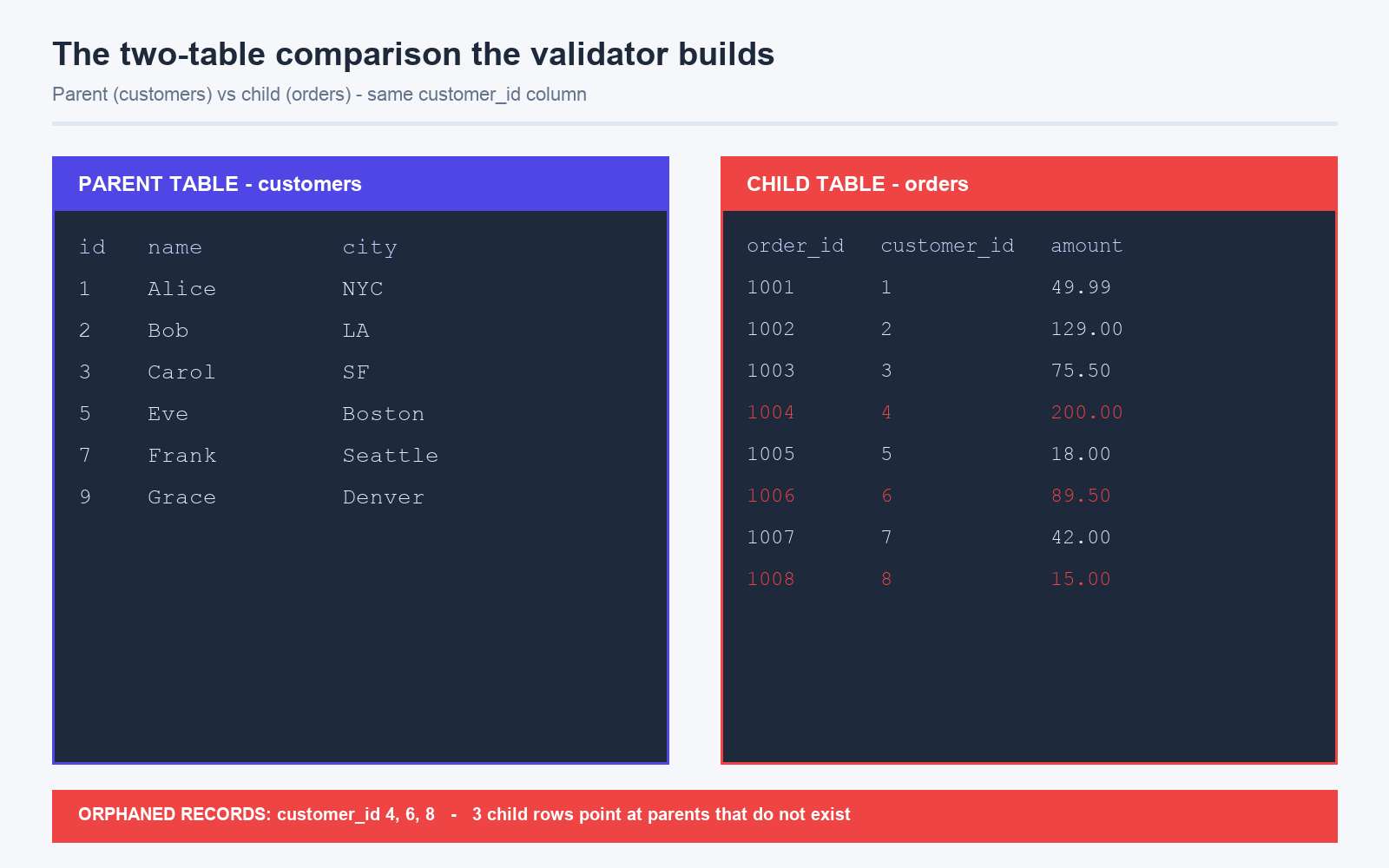
Imagine a child table that tracks support tickets and a parent table that tracks the customers who opened them. The customer_id column on the tickets table is supposed to point at the id column on the customers table. If a customer closes their account and the application does not run a hard delete, the parent row vanishes but the tickets — and their references — remain. Now every dashboard query that joins on customer_id produces a row of NULLs. Worse, the application keeps trying to send a win-back email to a customer who no longer exists.
The validator surfaces this in two directions. Orphaned children are rows in the child table whose foreign key has no matching parent row — the case above. Missing children are the inverse: parent rows that have no incoming references, which is sometimes intentional (a customer with no tickets) and sometimes a sign that the child table import was truncated. Both directions are reported, with the offending key value highlighted, so you can decide which side of the relationship is broken.
Three situations where manual checks silently fail
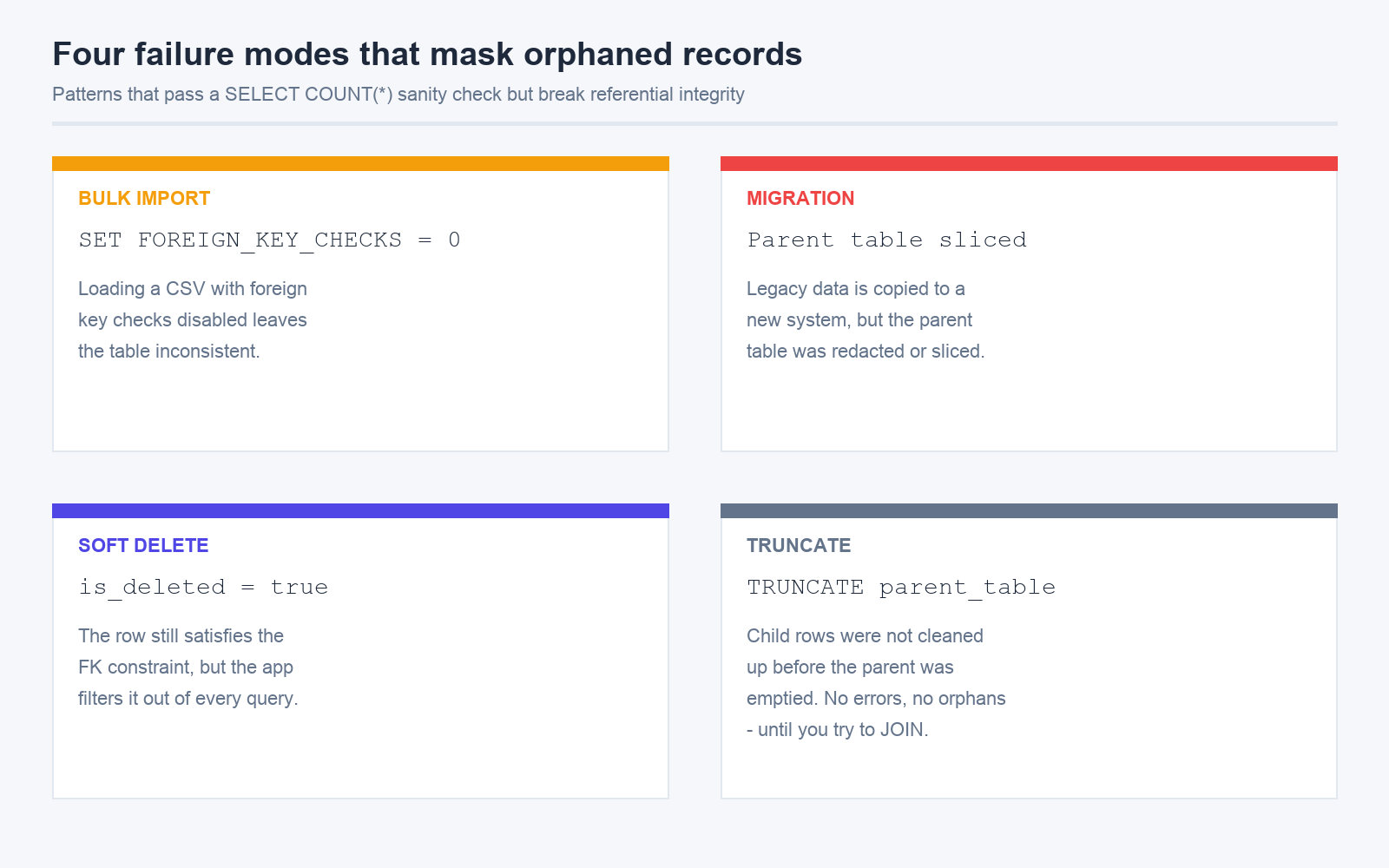
Most teams think they have referential integrity covered. In practice, three patterns break the assumption without anyone noticing.
- Bulk imports that disable foreign key checks. Loading a CSV with
SET FOREIGN_KEY_CHECKS = 0or with a tool that runs inNOCHECKmode is a common performance trick, but it leaves the table in an inconsistent state until the checks are re-enabled. A nightly job that runs the import without re-enabling checks will accumulate orphans on every cycle. - Cross-system migrations. When you copy data from a legacy system into a new one, the foreign key columns often survive but the parent tables are sliced, redacted, or anonymized. The new system has referential integrity among its own tables but not against the old one. Reconciling the two requires a validation pass, not a join.
- Soft deletes that leak. A row marked
is_deleted = trueis still present in the parent table, so the foreign key check passes — but the application filters it out of every UI query. From the validator's perspective, the relationship is intact. From the user's perspective, the child row points at a ghost.
None of these show up in a SELECT COUNT(*) sanity check. They only show up when you compare keys explicitly across both tables, which is exactly what the Foreign Key Validator does.
Running a validation pass in practice
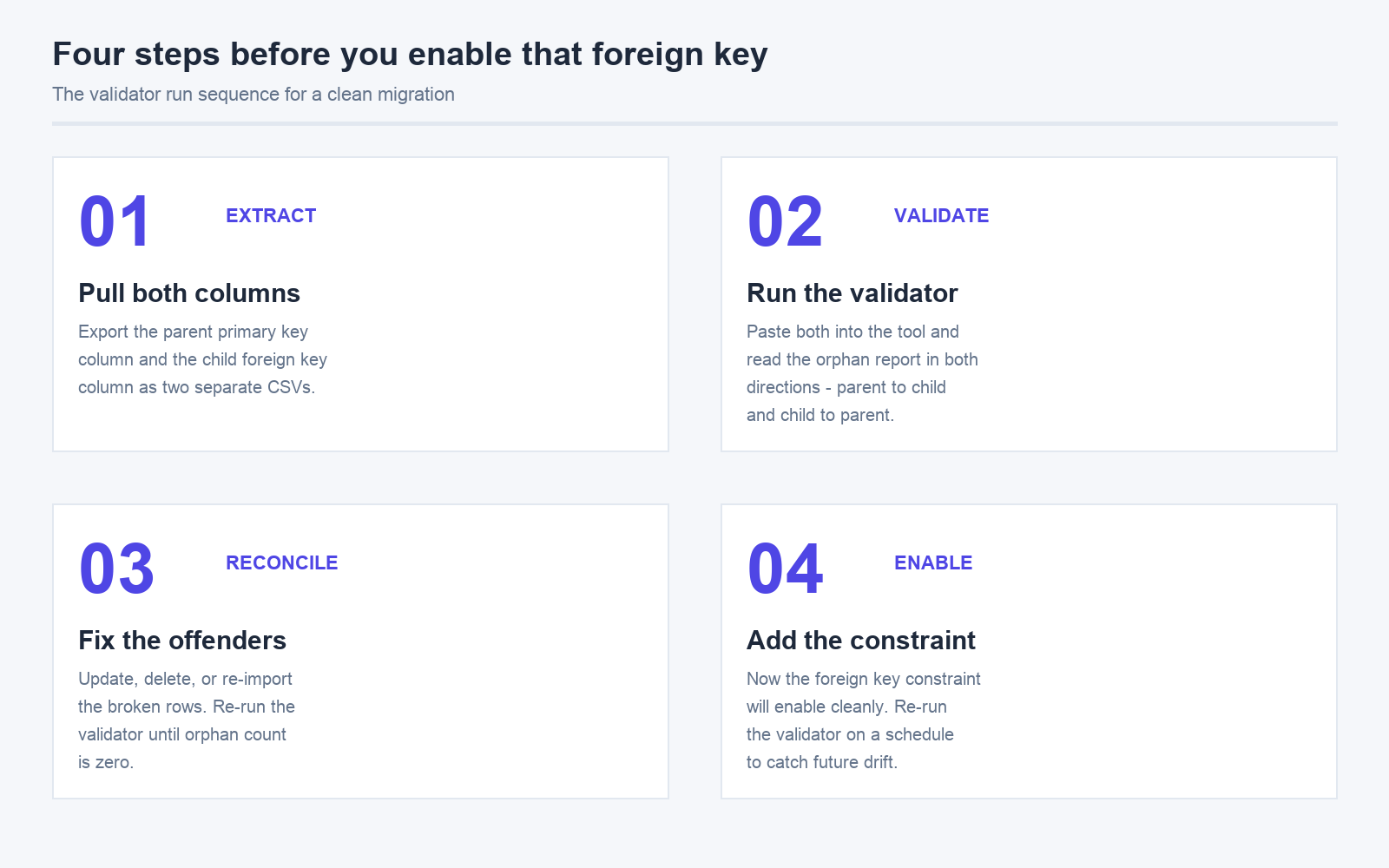
The validator takes two CSVs and two column numbers — one for the parent table, one for the child table. Paste the parent's primary key column, the child's foreign key column, and it walks both lists, reporting every value that exists on one side but not the other. The output is a side-by-side breakdown: which parent keys have no children, which child keys point at nothing, and a count of each direction.
For larger datasets, this is much faster than writing a LEFT JOIN ... WHERE parent.id IS NULL from scratch, because the validator already handles the column indexing, the case sensitivity, and the whitespace trimming that tends to bite hand-rolled scripts. Pair it with the Data Deduplicator on the child side and the Duplicate Column Remover on the parent side, and you have a full data-cleaning pipeline that runs in a browser tab.
Reading the report without panicking
The first time you run the validator against a production table, the orphan count will look alarming. It usually is not. A small percentage of orphans — under 1% of the child table — typically means an import ran in the wrong mode, or a soft delete pattern is in play. A larger percentage — over 10% — means the parent table was sliced during a migration, and the relationship you thought existed does not. Either way, the report tells you which key values are affected, so you can fix the data, fix the import, or fix the model — whichever is actually broken.
For more complex validation, the validator supports multiple key formats and cross-table analysis. Run it on a representative sample first to see the failure shape, then expand to the full dataset once you know what you are looking for. The MySQL Database Samples are a good test corpus: they include parent-child structures with intentional orphans, so you can verify the validator is reporting what you expect before pointing it at your own data.
The case for running this before a migration
Database migrations are the moment when orphaned records become catastrophic. A foreign key constraint added to a child table that has 12,000 orphans will fail to enable. The migration stalls, the rollback plan is unclear, and the engineering team is suddenly in an incident channel for what looked like a routine schema change. Running the Foreign Key Validator the week before the migration, and again the day before, costs ten minutes and saves an evening.
This is the broader pattern: referential integrity is a property of the data, not of the schema. A schema with foreign key constraints can still hold orphans if the constraints were ever disabled. A schema without foreign key constraints can still be clean if someone is checking. The validator closes the gap by treating the relationship as a question to be answered, not a constraint to be assumed. Run it often, run it before big changes, and run it on the data you actually shipped, not the data you meant to ship.
Explore more data-cleaning tools at elysiatools.com.