A JWT looks like one opaque string. It isn’t. It is a public header, a public payload, and a signature that binds the two together — and the signature is the only part of the token that actually proves anything. Every other decision about a token, from which algorithm it claims to use to which claims it carries, is a statement the server has to evaluate. If you only check the payload, you are trusting the client. If you only check the signature, you are still trusting the payload. The three segments are the only thing that, together, decide whether the token you just received is one your application actually issued.
This matters because JWTs are the most-deployed bearer credential in modern web APIs, and they are the most-mishandled. A 2024 audit of public token-handling libraries found that roughly one in three had at least one of three classes of bug: accepting tokens with alg: none, accepting tokens whose alg field could be downgraded to a symmetric algorithm when the server expected asymmetric, or skipping the exp check entirely. None of these are exotic flaws. They are the defaults a developer gets if they reach for the wrong verification helper, and the right helper takes about three more lines of code.
This article walks through the structure of a JWT, the four checks a verifier must perform, and the two failure modes that show up most often in production logs. At the end, you can paste a real token into the JWT Decoder & Security Auditor and watch it carry out the same checks against your own data.
What the three segments actually contain
A JWT is three Base64URL-encoded JSON objects, separated by dots. The whole thing is usually written as xxxxx.yyyyy.zzzzz and looks like this:
eyJhbGciOiJIUzI1NiIsInR5cCI6IkpXVCJ9.eyJzdWIiOiIxMjM0NSIsIm5hbWUiOiJBbGljZSIsImlhdCI6MTUxNjIzOTAyMn0.SflKxwRJSMeKKF2QT4fwpMeJf36POk6yJV_adQssw5c
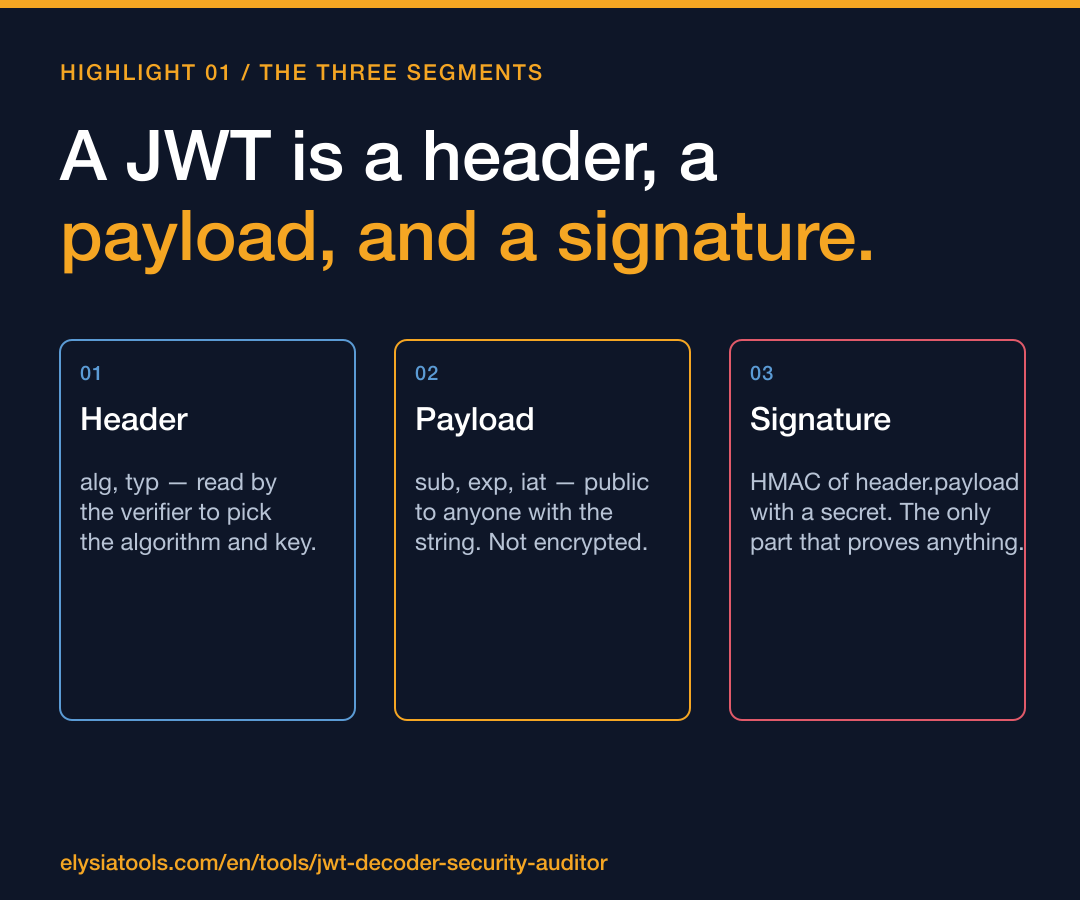
The first segment, eyJhbGciOiJIUzI1NiIsInR5cCI6IkpXVCJ9, decodes to a JSON header. For the token above the header is:
{ "alg": "HS256", "typ": "JWT" }
The second segment, eyJzdWIiOiIxMjM0NSIsIm5hbWUiOiJBbGljZSIsImlhdCI6MTUxNjIzOTAyMn0, decodes to the payload, also called the claims:
{ "sub": "12345", "name": "Alice", "iat": 1516239022 }
The third segment, SflKxwRJSMeKKF2QT4fwpMeJf36POk6yJV_adQssw5c, is the signature — a hash of the first two segments, computed with the algorithm named in the header, and a secret the server knows. The signature is the only part of the token that requires a key to produce. The header and payload are not encrypted and not signed on their own; they are just Base64URL-encoded JSON, which means anyone who intercepts the token can read them with no tools at all.
This is the property that trips developers up. A JWT is signed, not encrypted. “Signed” means the server can verify that no one altered the contents after issuance. It does not mean the contents are hidden. If you put a password, a Social Security number, or a session ID into a JWT payload, you are publishing it in a string the client can read in plain text from the browser’s network tab. Treat the payload the way you would treat a URL: assume it is logged everywhere it goes.
The four checks a verifier has to make
A correct verifier performs four checks, in this order. Skipping or reordering any of them opens a known attack class.
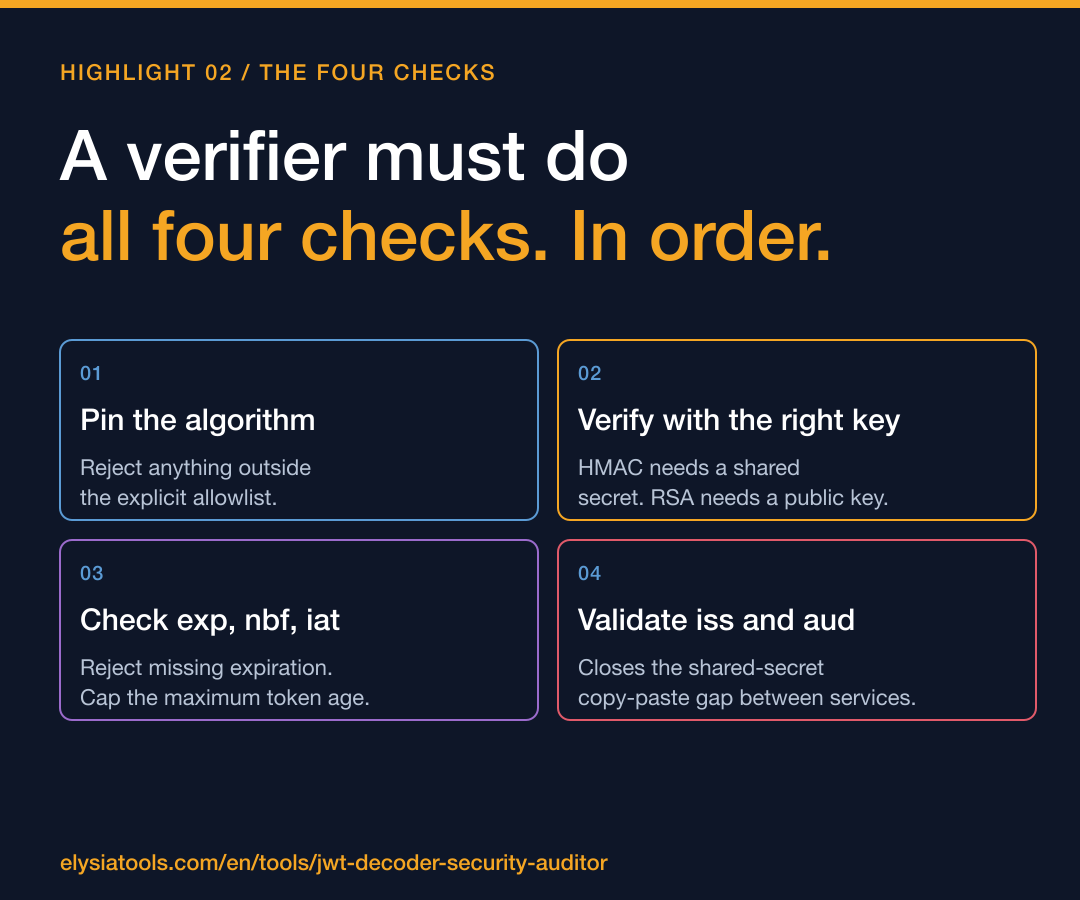
1. Validate the alg header against an allowlist. A token arrives with "alg": "HS256". The server should check that this is the only algorithm it is willing to accept for this endpoint. If the verifier blindly does jwt.verify(token, key) and the library trusts the header, an attacker can re-sign the same payload with "alg": "none" and an empty signature, and the verifier will accept it as valid. The 2015 disclosure of this flaw in dozens of Node.js libraries is still the most-cited JWT bug in the literature. The fix is one line: pass an explicit algorithms: ['HS256'] option to the verify call.
2. Verify the signature with the right key. The algorithm in the header tells the verifier which family of key to use. HS256 and HS384 and HS512 are HMAC — the same secret is used to sign and to verify. RS256 and RS512 are RSA — the server signs with the private key, the verifier checks with the public key. Mixing them up is the second-most-common bug. If your service issues RS256 tokens but the verifier reads alg: HS256 from the header and uses the RSA public key as if it were an HMAC secret, the attacker can forge tokens by signing them with the public key (which is, by definition, public). This is sometimes called the “RSA-to-HMAC confusion” attack, and it has its own CVE.
3. Check the exp claim, and only trust exp if iat and nbf make sense. exp is the expiration time. nbf is “not before.” iat is “issued at.” A correct verifier rejects any token whose exp is in the past, rejects any token whose nbf is in the future, and accepts tokens whose iat is not after the current time. The interesting edge case is when exp is missing entirely. Some libraries default to “no expiration means valid forever.” The fix is to require the claim in the verifier, or to set a server-wide maximum token age and reject anything older.
4. Check the issuer, audience, and any custom claims the application depends on. The standard claims are iss (issuer), aud (audience), sub (subject), and jti (JWT ID, used for replay prevention). A token that is otherwise well-signed might have been issued by a different service that happens to share the same signing secret — usually because the secret was copy-pasted from a tutorial. Verifying iss and aud closes that gap. The jti claim, if your library supports it, lets you reject tokens you have already seen, which prevents the simplest replay attacks.
If your verifier does all four of these things, the token is about as trustworthy as a bearer credential can be. If it skips any one of them, you are trusting the client. See a real run-through of all four against a live token at the Elysia Tools samples page.
The two failure modes that show up in production
The two bugs that appear most often in incident reports are not exotic. They are the defaults.
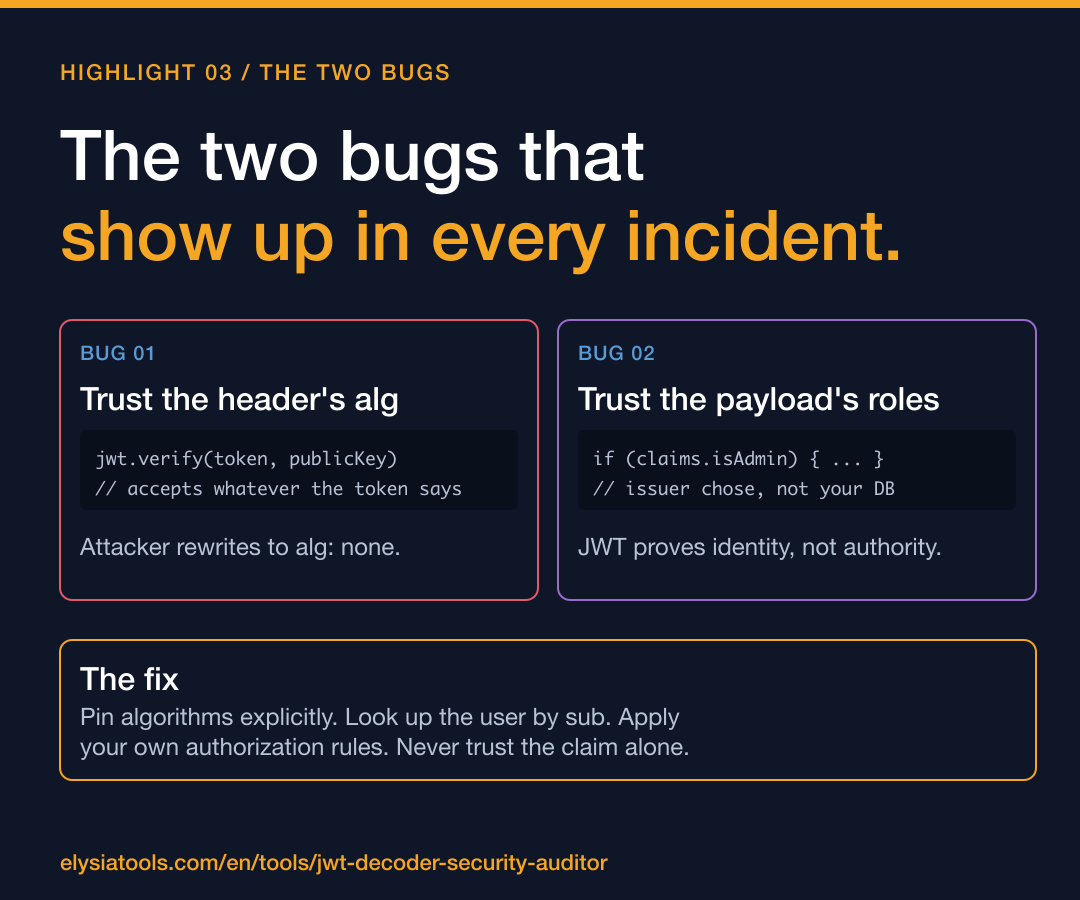
Failure mode one: the library accepts whatever the header says. The offending code is almost always some version of:
const decoded = jwt.verify(token, publicKey);
This is the line that has caused the most JWT-related CVEs in the last decade. The verifier reads alg from the token itself and dispatches accordingly. If the library is older, or if the secret was generated with a weak random source, an attacker can pick the algorithm. The fix is to pin the algorithm at the verify call:
const decoded = jwt.verify(token, publicKey, { algorithms: ['RS256'] });
This is the difference between a verifier that asks “does this token match the rules I care about?” and a verifier that asks “does this token look like the kind of token I would have issued?” The first question is the one you want answered.
Failure mode two: the application trusts user.isAdmin from the payload. A JWT payload is whatever the issuer decided to put in it. If your application reads a roles claim and grants access based on it, the application is reading data that came from the issuer of the token, not from your own database. This is fine if the issuer is your own service and the claim is generated server-side. It is catastrophic if the issuer is a third-party identity provider and the claim is something the user could have influenced. A token that claims {"sub": "alice", "isAdmin": true} is not, by its signature alone, evidence that Alice is an admin. It is evidence that someone — possibly Alice, possibly your auth service, possibly an attacker who stole a session — produced a token that says Alice is an admin. The signature proves the token was issued by the holder of the signing key. It does not prove the claim is true in the sense your application means by “true.”
The right way to handle role information is to treat the JWT as proof of identity, not proof of authorization. The verifier extracts the sub claim, looks up the user in the application database, and applies the application’s own authorization rules. The JWT gets you to the right row. Your database decides what that row can do.
How to audit a token in thirty seconds
If you have a JWT in front of you and want to know whether it is well-formed, the checks are fast:
1. Split the token on the dots. There must be exactly three segments.
2. Base64URL-decode the first segment. The result must be JSON, and it must contain an alg field.
3. Base64URL-decode the second segment. The result must be JSON, and it should contain an exp claim.
4. Decide which algorithm and which key the issuer was supposed to use, and verify the third segment against the first two.
You can do all four by hand for any single token, but you do not want to do them by hand for a thousand tokens in a log file. The tool that runs all four and surfaces the risk findings is the JWT Decoder & Security Auditor — paste a token, optionally paste an HMAC secret or an RSA public key, and it returns the decoded header and payload, the signature verdict, and a list of security findings that includes algorithm allowlist issues, missing expiration, and sensitive claims that should not be in the payload.
For a worked example that takes a real Node.js-issued token from generation through verification, see the JWT samples walkthrough. It covers HS256 and RS256, the three claims every token should carry, and the four lines of middleware that turn a public string into a trusted identity.
The takeaway
A JWT is not a credential. It is a statement about a credential, signed by the issuer. The signature is the only part that proves the statement was made by the issuer you trust. The header tells the verifier which key and algorithm to use, and the right key and algorithm are the only ones the verifier should be willing to use. The payload is the issuer’s claim about who the subject is, what they can do, and when the claim expires. None of this is hidden from the client, and none of it should be trusted by the verifier without the four checks above. The three segments are the only thing standing between an attacker who knows the public key and your API. Treat them accordingly.
Explore more tools at elysiatools.com.