
A good heading font and a good body font are not the same problem. A font pairing lab exists because picking one typeface is a personal taste call, but picking two that read together across a heading, a paragraph, a UI label, and a code block is a typographic system problem. The Web Font Pairing Lab gives you a side-by-side preview of 22 curated Google Fonts faces, seven proven pairing presets, and per-side weight and line-height controls — then hands you a copy-paste CSS @import plus custom-property variables so the pair you preview is exactly the pair that lands in your stylesheet.
Why pairing is a different problem from picking
If you have ever shipped a landing page that looked crisp in Figma and mushy in production, the culprit is rarely the heading font on its own. It is the interaction between two faces at three different sizes — the hero, the body, and the small print. Pairing is not “what looks nice” — it is the discipline of choosing two faces whose x-heights, apertures, and rhythm stay legible when they meet at the same baseline.
The four questions a font lab has to answer:
– Do the two faces share enough x-height that the eye does not trip when the heading transitions to a paragraph? – Does the heading’s display weight overpower the body’s regular weight, or is the contrast balanced? – Are the letterforms related enough to feel like one system (geometric, humanist, slab, monospace) but different enough to establish a hierarchy? – Can you copy the pair into a stylesheet without rewriting each font’s URL by hand?
Most static “Google Fonts pair” blog posts only answer the first question. The lab answers all four in one place — and exports the answer.
Anatomy of the Web Font Pairing Lab
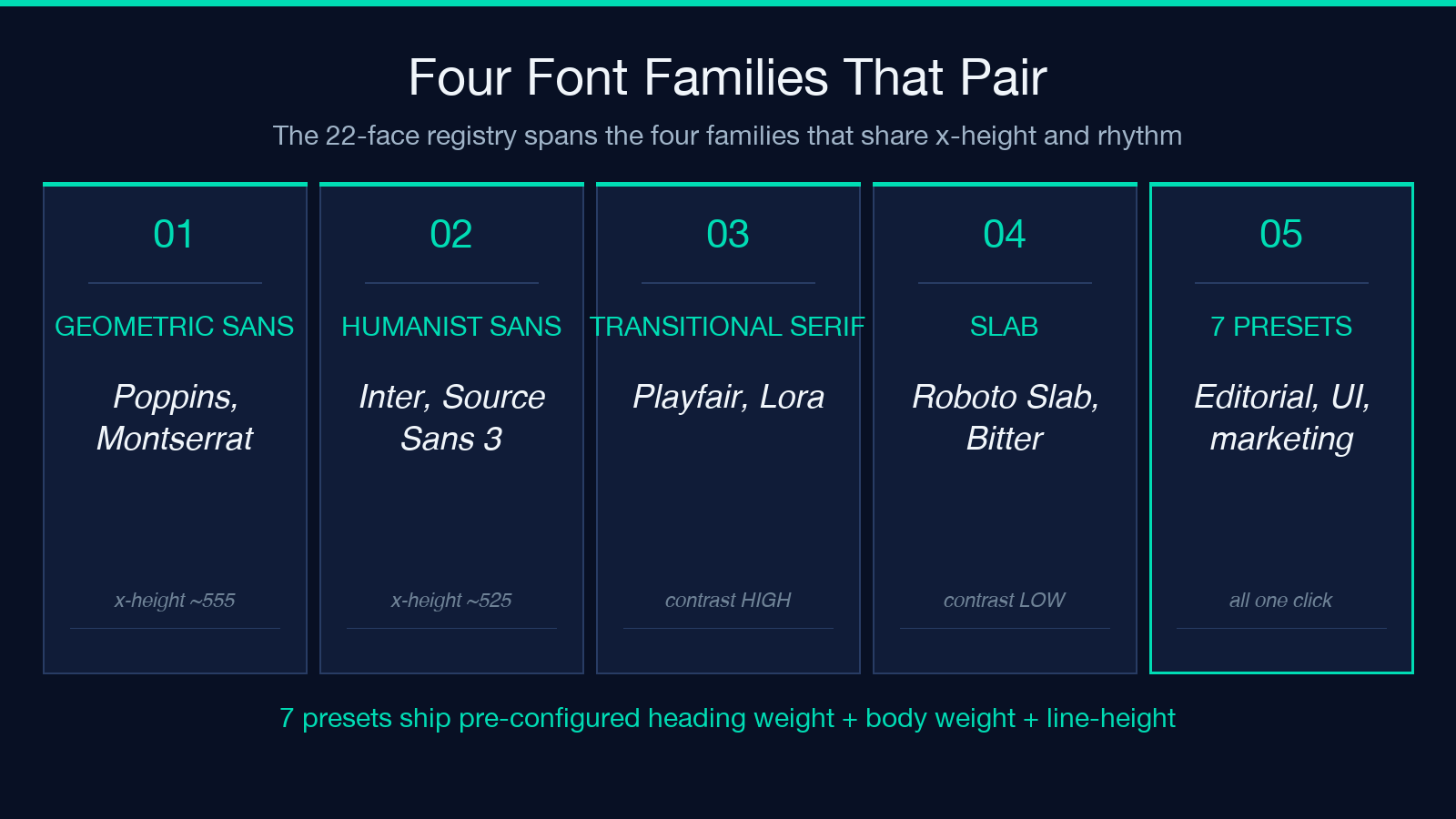
The lab is built around three panels: a heading + body preview that updates in real time, a registry picker on the left that lets you swap either face from a 22-font curated set, and a code panel at the bottom that regenerates a CSS @import plus a custom-property block as you change the preview.
The 22 faces are not “all 1500 Google Fonts” — they are a curated subset selected to span the four families that pair well together: a geometric sans (Poppins, Montserrat, Raleway), a humanist sans (Inter, Work Sans, Source Sans 3), a transitional serif (Playfair Display, Lora, Merriweather), and a slab (Roboto Slab, Bitter). Within each family you get two or three weights so the contrast between heading and body is dialed in by the lab, not guessed at.
The seven presets are not random — they are the seven pairings that designers actually reach for when they need a one-line decision: Playfair + Source Sans 3 for editorial sites, Inter + Inter (different weights) for software UI, Montserrat + Lora for marketing pages, Roboto Slab + Roboto for documentation, and so on. Each preset preconfigures the heading weight, the body weight, the body line-height, and the type scale so you start from a known-good pair, not a blank canvas.
How the preview translates to your stylesheet
The lab does not just show you a screenshot — it produces a CSS block that matches what you see. The output has three sections: an @import line that loads both faces from Google Fonts, a :root block with custom properties for each font family plus the heading and body sizes, and a couple of utility rules that assign the families to <h1>–<h6> and <p>.
A typical export looks like this:
@import url('https://fonts.googleapis.com/css2?family=Playfair+Display:wght@600;700&family=Source+Sans+3:wght@400;600&display=swap');

:root {
  --font-heading: 'Playfair Display', Georgia, serif;
  --font-body: 'Source Sans 3', system-ui, sans-serif;
  --font-size-heading: 2.25rem;
  --font-size-body: 1.0625rem;
  --line-height-body: 1.6;
}

h1, h2, h3, h4, h5, h6 {
  font-family: var(--font-heading);
  font-weight: 700;
  line-height: 1.2;
}

p, li, dd {
  font-family: var(--font-body);
  font-weight: 400;
  line-height: var(--line-height-body);
}
That block is the entire handoff. Paste it into a stylesheet, link the stylesheet, and the lab’s preview is the page you ship.
Choosing between display serif + humanist sans versus sans + sans
The most common pair on the modern web is a display serif for the heading and a humanist sans for the body. Playfair Display + Source Sans 3 is the canonical example: Playfair’s high contrast strokes signal “editorial” at hero size, and Source Sans 3’s open apertures keep paragraphs readable at 16px. The lab’s first preset picks this exact pair.
The other common pattern is sans + sans — same family, different weights. Inter at 700 for headings and Inter at 400 for body is the dominant pair in software UI because the eye registers the weight contrast without the family shift. The lab’s second preset is exactly this.
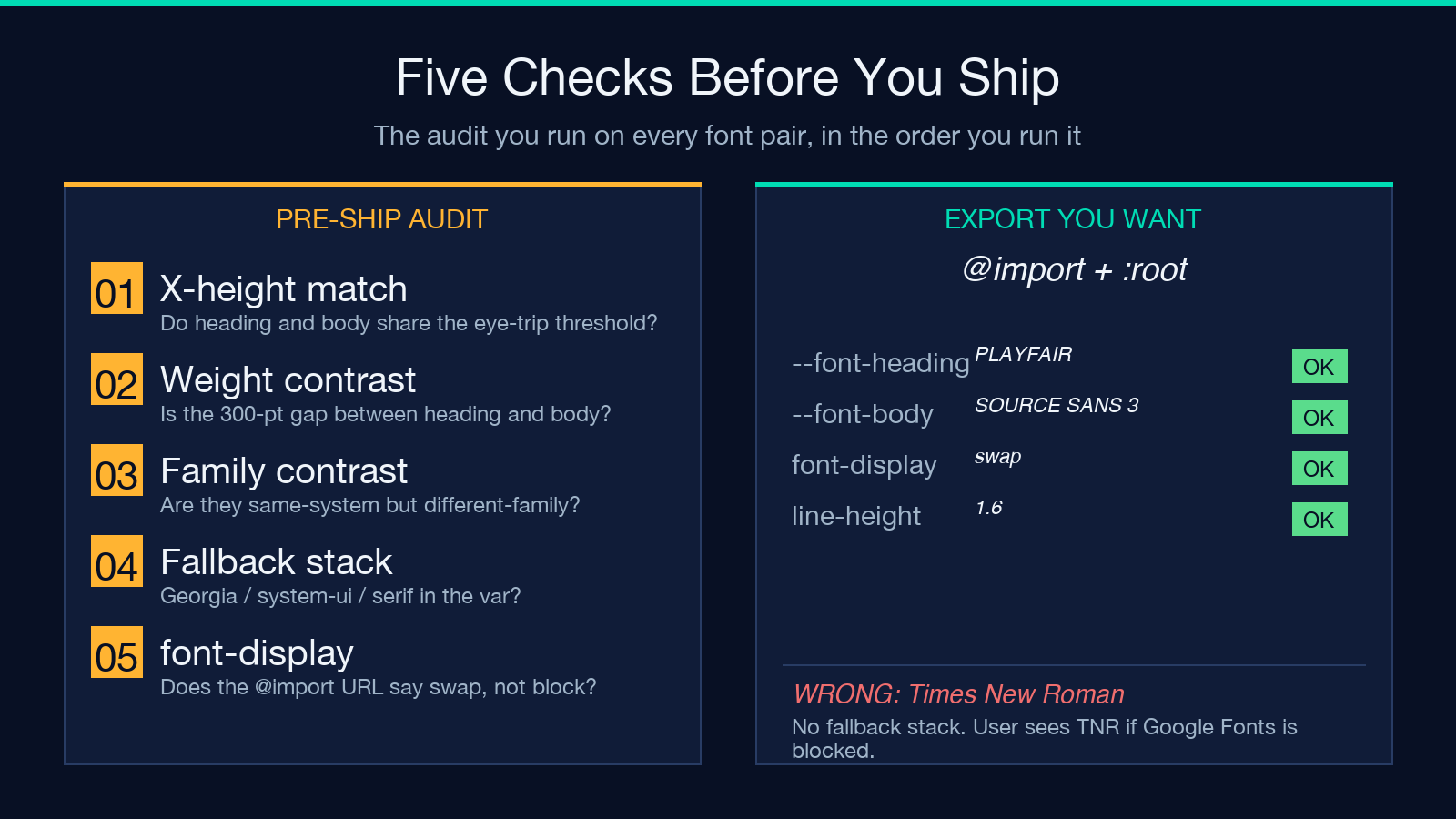
The trap with sans + sans is that without a clear weight gap, the heading disappears. The lab exposes this directly: dial the heading down to 500 and watch the hierarchy flatten. Dial it up to 800 and the body feels underweight. The right answer for sans + sans is usually a 300-point weight gap (400 body, 700 heading) — the lab lets you find that empirically instead of guessing.
What the weight and line-height sliders actually do
Three sliders control the preview: heading weight (300-900), body weight (300-700), and body line-height (1.3-1.8). They are not decorative — they are the three knobs that decide whether a pair reads as a hierarchy or a flat block.
Heading weight is the loudest knob. At 300, even a display serif like Playfair reads as a soft subhead; at 900, the same face becomes a marketing-page hero. The lab defaults each preset to a weight that works for that pair — preset 1 (Playfair + Source Sans 3) ships at 700/400, preset 2 (Inter + Inter) ships at 700/400, preset 5 (Roboto Slab + Roboto) ships at 600/400.
Body line-height is the quietest knob but the most expensive to get wrong. At 1.3, a paragraph feels like a footnote; at 1.8, it feels like a children’s book. The lab’s default 1.6 is the right answer for 16-18px body text on a screen; if you are shipping 14px body text, dial it up to 1.7.
When to use a curated preset versus picking from scratch
If you are shipping a marketing page, a blog, or a docs site, start from a preset. The seven presets exist because the seven pairs are the seven answers that have already been refined. The “from scratch” path is for when you have a brand typeface that is not in the registry, or when you are matching an existing design system.
The from-scratch path is also where the lab earns its keep: the 22-face registry is the right size to test the four families without overwhelming you. If the registry had 200 faces, the search space would be too wide; if it had 4, the pairs would be too constrained. 22 faces is the sweet spot where every pairing decision is a typographic decision, not a scrolling decision.
A quick way to tell when you should escape the presets: if you find yourself wanting to mix two faces from the same family (like Playfair Display + Lora), the preset is wrong and you should switch to a different preset rather than fighting the registry. The registry is curated to keep pairs in different families on purpose.
How the export handles custom properties and fallbacks
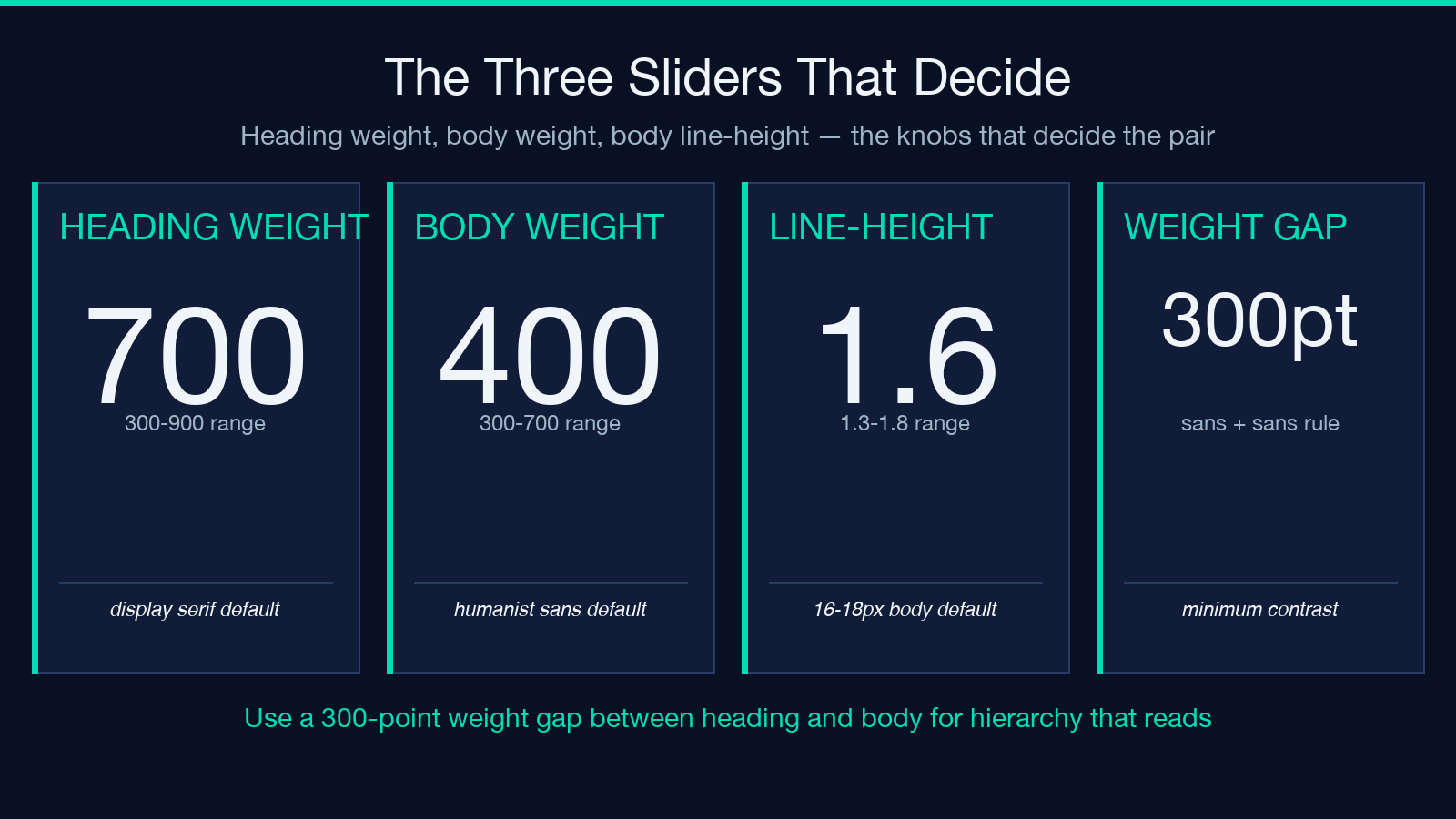
The lab’s CSS output is not just the two @import URLs — it ships a :root block with six custom properties and a fallback stack for each. This is the part most static pairing guides skip, and it is the part that decides whether the pair degrades gracefully when the user’s network blocks Google Fonts.
Each --font-* variable has three fallbacks: the Google Font face, a system face in the same family (Georgia for serifs, system-ui for sans), and a generic family (serif, sans-serif, monospace). If Google Fonts is blocked, the user sees Georgia or system-ui instead of Times New Roman, which is the difference between a graceful degradation and a 1995-looking page.
The lab also sets font-display: swap via the @import URL, which means the browser renders fallback text immediately and swaps in the Google Font when it loads. Without swap, the user stares at invisible text for the 200-500ms it takes to fetch the font. This is a one-line difference in the URL but a UX cliff, and the lab’s export gets it right by default.
Putting it together
The Web Font Pairing Lab is the missing layer between “I picked a heading font” and “my site is shipped.” The seven presets cover the 80-percent case; the 22-face registry and the three sliders cover the other 20. The CSS export with custom properties, fallbacks, and font-display: swap is the part you would have to write by hand if you were doing it from a blog post.
For more typography-adjacent work, the CSS Easing and Animation Visualizer and the Border Radius Generator handle the rest of the typographic system’s neighborhood. Browse the full design toolset at elysiatools.com/en/tools.
