
The fastest way to make a header, banner, or social caption look like it just survived a buffer overflow is a flat, smashed, corrupted-letter aesthetic, and the right tool is a glitch-text generator that replaces each letter with a neighbouring broken Unicode glyph and lets you pin the result with a seed. “Glitch” as a visual style gets used for system-failure messages, horror titles, “404” graphics, end-of-the-world loaders, and indie-game logos. The look is intentional: the text reads horizontally, the strokes are wrong, but the eye still picks out the underlying word. The way to land that look reliably is to use real Unicode characters — Cyrillic and Greek look-alikes, IPA symbols, block elements, geometric shapes spliced in — and to stop trying to do it with CSS effects that fail the moment your text leaves the browser. The Glitch Text generator replaces each letter with a neighbouring broken glyph, gives you an intensity slider, and accepts an optional seed so the same input always produces the same corrupted look.
Why CSS glitch effects always break on copy-paste
CSS glitch effects look great in the browser and fall apart the moment you copy-paste the text. The standard recipe is a text-shadow stack with three or four offset colour copies plus a clip-path: inset(...) animation. The resulting text reads as glitched in the browser, but when you Cmd+C the visible characters and paste them into a tweet, README, or Discord message, the paste is the original, un-glitched source. The glitch was never in the bytes; it was in the rendering layer. The recipient’s renderer does not have your text-shadow rules, so the pasted text looks normal.
Unicode-styled glitch survives the copy-paste because the decoration is baked into the code points. A letter S rendered as ȿ (U+023F, Latin small letter s with swash tail) is genuinely that character. Pasted into a tweet, a terminal, a PDF, or a CI log, it stays ȿ. The visual effect is preserved at every render layer because the render layer is irrelevant — there are no CSS rules to drop, no fonts to load, no animation timing to maintain. The same logic that makes fancy Unicode styles survive (see the Fancy Text Generator field guide for the long version) applies to glitch text: data, not presentation, is the durable layer.
There is a second reason CSS-only glitch is fragile. Most “glitch” CSS recipes rely on mix-blend-mode: difference or filter: hue-rotate() plus a keyframe animation. Both depend on the destination renderer’s compositing pipeline, which is not the same in Chrome, Safari, Firefox, headless Chromium for screenshots, or PDF preview. The same CSS renders correctly in 80% of destinations and visibly wrong in 20%. Unicode-styled text renders consistently because the rendering target is forced to draw the character code point at the position the layout engine specifies — the same way a plain S always renders as an S regardless of which browser.
Glitch is flat; zalgo is vertical
The existing Zalgo Text Generator in the same Elysia Tools family does a different kind of broken: it stacks Unicode combining marks on top of each character so the glyphs “grow” vertically, with diacritics piled several layers deep. The aesthetic is creepy, oozing, and reads as “haunted text” — perfect for Halloween, horror, and deliberately unstable UIs. Glitch text, in the deliberate split between the two tools, replaces each letter with a neighbouring broken glyph so the text stays flat horizontally. The result is “smashed data,” not “haunted data.” A third sibling, the Mirror Text generator, flips the entire string character-by-character so it reads as a horizontal reflection, which is the right pick when you need “this used to face the other way” rather than “this used to be letters and now it isn’t.”
The two aesthetics answer different creative briefs. Zalgo reads as something alive and growing past its bounds. Glitch reads as something that was once normal and has been corrupted — the broken-Cyrillic look, the tofu-character look, the “your terminal dropped a byte” look. Use zalgo for a DO NOT ENTER sign that should look unhinged. Use glitch for a SYSTEM ERROR heading that should look like the system was unplugged mid-write. Same family, different mood.
A practical note on the difference: zalgo is built from combining marks, which are zero-width characters that attach to the preceding letter. Glitch is built from substitution — the original letter is replaced, not augmented. Zalgo text is searchable in some tools (the underlying letter is intact, with diacritics stacked around it). Glitch text is not searchable as the original word, because the original letters are gone. If you need the text to remain Ctrl-F indexable, zalgo is the safer choice. If you need the text to look genuinely corrupted and don’t care about search, glitch is the one.
How the glitch-text engine picks each replacement
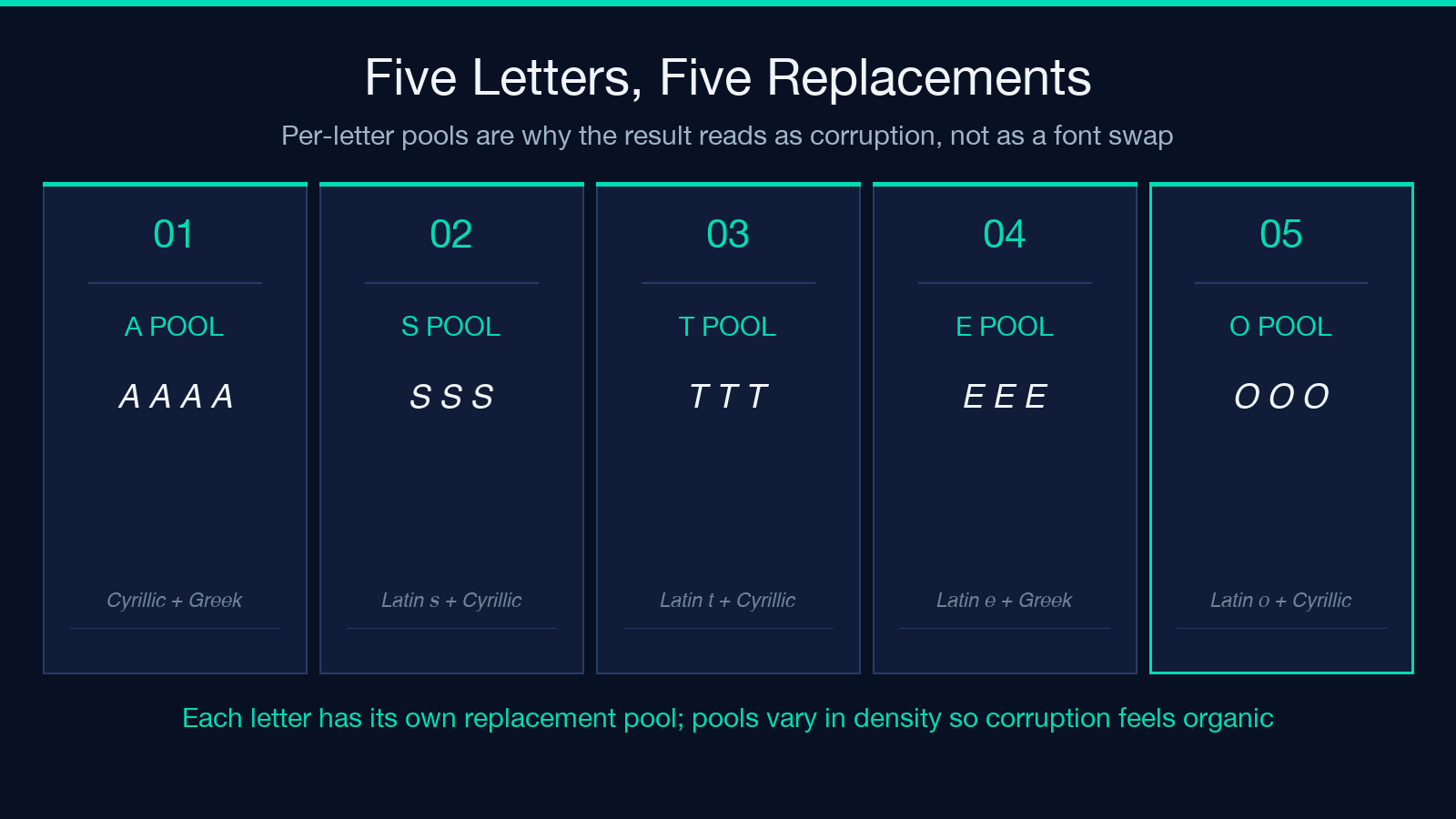
The Glitch Text generator maintains a per-letter pool of “broken” candidates. For the letter S, the pool includes ȿ (Latin small letter s with swash tail), Ѕ (Cyrillic capital letter DZE — visually an S), ꜱ (Latin small letter s with high stroke), and one or two IPA symbols that look like a damaged S. When a letter is selected for replacement, one candidate is picked at random from the pool. The intensity slider controls how often a letter is replaced: at Light, roughly 30% of letters are replaced; at Medium, the default, roughly 60%; at Heavy, roughly 90%. The numbers are tuned by eye, not calibrated to a mathematical model — the goal is a corrupted look, not a reproducible distribution.
Each letter has a different pool, which matters because some letters have more obvious look-alikes than others. A has plenty: А (Cyrillic), Λ (Greek capital lambda), Ἀ (Greek capital alpha with psili), Ⓐ (circled Latin capital letter A). Q is harder — the visual shape is distinctive — so the pool may include a Q with a tail that breaks off into a diacritic, or a Q with an unusually thick descender. The variation across letters is what makes the result feel like a real corruption rather than a uniform font substitution.
A second pass splices in block-element fillers (█▓░) after a small fraction of replaced letters. This is what gives the result the “data-corruption” texture. Without the block-element splices, glitch text looks like a Cyrillic font, not a corrupted buffer. The splices are rare (roughly 1 in 8 replaced letters gets a follow-up block), so they read as punctuation, not as a different character set. Whitespace is left untouched on purpose so words stay separated and the output is still scannable.
The intensity slider is a vibe control, not a severity scale
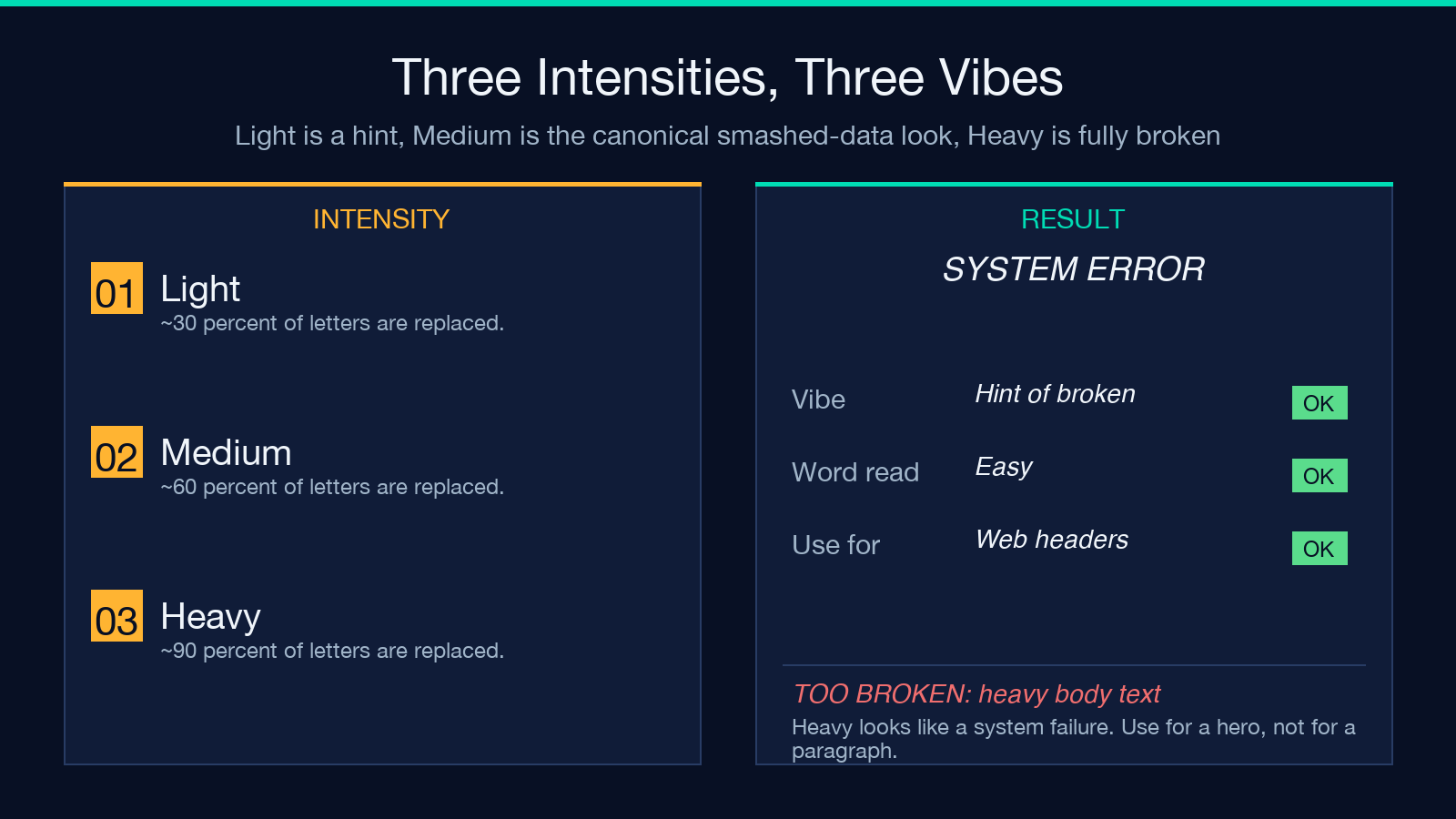
The Light / Medium / Heavy intensity choices map to a roughly 30% / 60% / 90% replacement rate, but the right way to think about them is as different vibes, not as a “more corruption is better” slider. Light reads as “a hint of glitch” — useful for a header where the underlying word still needs to be readable on first glance. Medium is the balanced default and the most common choice for a poster, banner, or social caption. Heavy reads as “the system is fully broken” — useful for a “SYSTEM ERROR” or “DATA LOST” hero, but too noisy for a body paragraph.
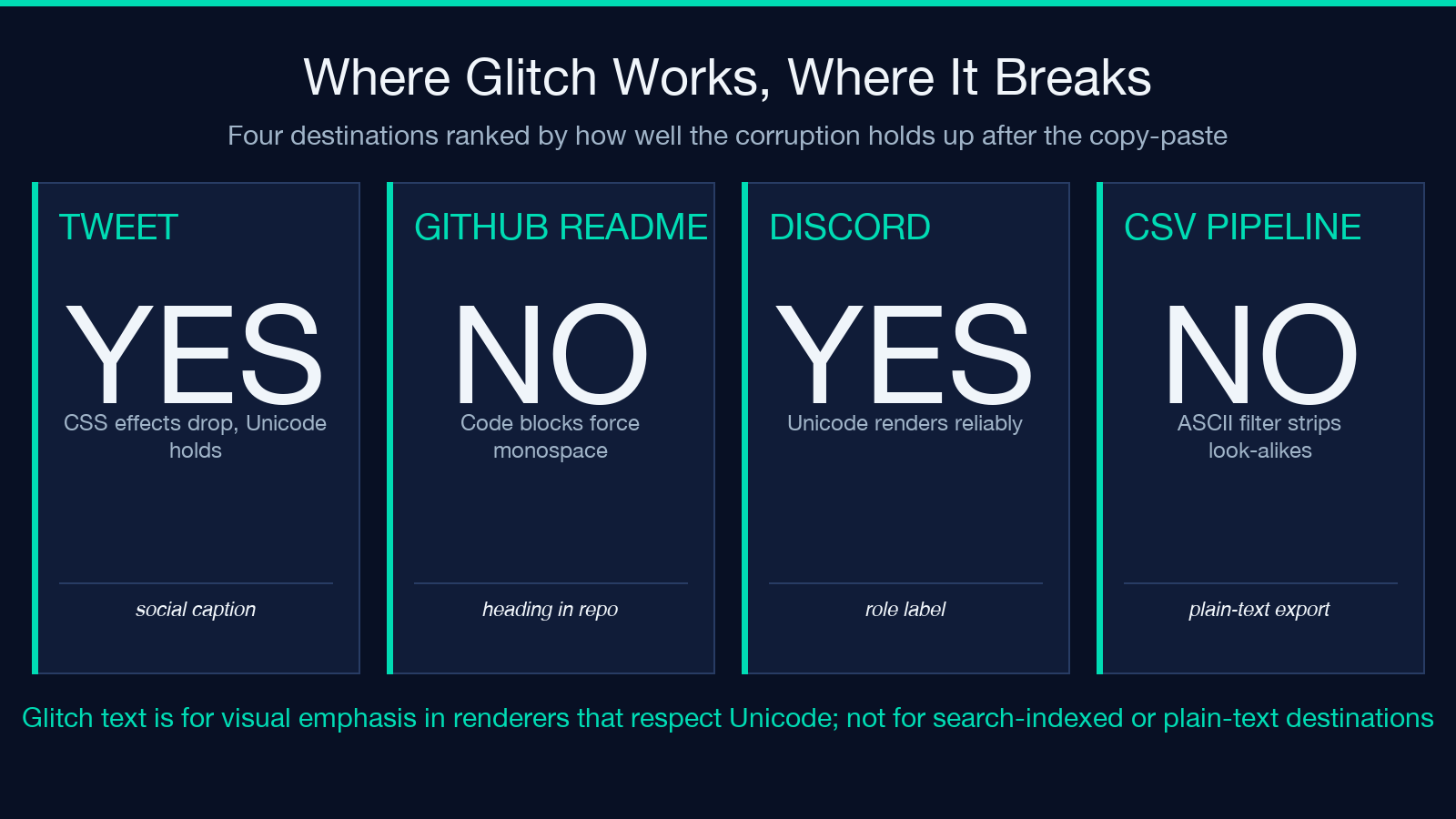
The right intensity depends on the destination. For a 280-character tweet, Light is the safest choice because the eye needs to land on the underlying word without straining. For a 32-character Discord role label, Heavy is fine because the label is short enough that the eye can resolve it. For a README title, Medium is the right default. The slider exists so you can tune by destination rather than commit to a single severity.
A common mistake is to assume Heavy looks the most “glitchy” and use it everywhere. It looks the most broken. Broken is not the same as glitchy. Glitch is the visual quality of “this used to be normal and is now wrong”; broken is the visual quality of “this is no longer legible.” For most use cases, the look you want is “wrong but still readable,” which is Medium.
Pin the look with a seed
The optional Seed field is the feature that makes glitch text reproducible. Without a seed, every run gives a fresh random selection, so the same input twice produces two different corrupted strings. With a seed, the underlying RNG is initialized to that number, and the same input + intensity + seed always produces the same output. The practical use case is matching a look across runs: design a hero with glitch text in iteration one, get the seed from the URL, paste it into the next run, and the corrupted string comes back identical.
The deterministic seed matters most when the same word appears in multiple places and you want them to glitch in the same way. A website header that says SYSTEM ERROR glitched in the page header and SYSTEM ERROR glitched in a 404 page should look the same — the same letter pool, the same block-element splices, the same intensity. Without a seed, the two SYSTEM ERROR strings would diverge on every character except the spaces, and the brand looks inconsistent. With a seed, the two strings are bit-identical and the brand stays coherent.
The seed is also a debugging tool. If a glitch string renders with an unexpected tofu character in one browser but not another, seed the run, change one letter at a time, and find the letter whose pool contains the problematic candidate. The seed makes the corruption auditable in a way that “random per run” never will be.
What the tool does with your input
Paste a string, pick an intensity, optionally enter a seed, and the result is a single-line corrupted string. The whole computation runs in the browser, so the input never leaves your machine. The output preserves whitespace and punctuation exactly — commas, periods, exclamation points, dashes, and spaces all pass through unchanged. The letters are the only thing that gets replaced, and even then, only some of them depending on the intensity.
Try a short, evocative phrase first. SYSTEM ERROR at Medium intensity with no seed produces a corrupted-but-readable result that is the canonical use case. The middle letters (S, T, E, M, space, E, R, R, O, R) get replaced often; the leading S and trailing R may or may not, depending on the random selection. The result is the kind of “smashed data” look that works for a hero heading, a 404 page, or a tweet about a failed deployment.
For a known-good demonstration, System Error with intensity medium and seed 42 produces Syȿᴛem Eяrоr — the corruption is visible (the first s is now ȿ, the t is now ᴛ, the first r is now я, the o is now о), but the underlying words are still recognisable. The same input without a seed produces a different corruption, which is fine for a one-off but wrong for a reproducible brand asset. Pick a seed once, reuse it.
Limits and edge cases worth knowing
Three limits are worth knowing. First, because the replacement glyphs are real Unicode characters, the output survives copy-paste — but the original letters are gone. A Ctrl-F search for SYSTEM in a glitch-rendered page will not find the underlying word; the byte sequence is no longer the same as the original. If searchability matters, use plain text plus a CSS effect. Second, the look-alike pools are not exhaustive for non-Latin scripts. Cyrillic and Greek letters cover most Latin alphabet positions, but accented Latin letters (é, ü, ñ) have fewer candidates and may produce tofu when the pool runs dry. The seed-based reproducibility helps here — you can audition seeds until you find one without tofu. Third, the corrupted output is not stable across fonts. A monospace terminal will render some look-alike letters differently than a proportional display font, and a PDF viewer may fall back to a different font for the exotic code points. The visual look is best-effort, not guaranteed.
A practical edge case: pasted into a platform that strips non-ASCII characters, the glitch falls apart. Some terminal emulators and CSV importers apply a “convert to ASCII” filter, which discards the look-alike characters and leaves the unreplaced letters behind. The corruption degrades to “some letters dropped.” For social and web destinations, this is not an issue. For plain-text pipelines, the right move is to keep the source text and apply the glitch in a layer downstream of the importer.
Putting it together
Glitch text is the right tool when you want a “smashed data” aesthetic that survives the copy-paste, when the underlying word is allowed to be a little harder to read, and when a CSS effect is not an option. The Glitch Text generator builds the corruption from a per-letter pool of Unicode look-alikes, exposes an intensity slider for the vibe, and accepts a seed for reproducibility. Use Light for a hint of glitch, Medium for the canonical smashed-data look, Heavy for a fully-broken header. Pin a seed once you have a look you like, paste the seed back in on the next run, and the corruption comes back identical. The output is real Unicode — the look is in the bytes, not in the rendering layer. Explore more tools at elysiatools.com.
