
The Mod-11 check digit is the quiet workhorse behind ISBN-10, ISBT-128 blood bags, Norwegian fødselsnummer, and a dozen other identifiers you have typed into a form this week. It is a single arithmetic operation: multiply each digit by a position-dependent weight, sum the products, and check whether the remainder modulo 11 equals zero. That single rule catches every single-digit typo and most transposition errors before they reach a database, and it costs no more than a few CPU cycles per validation. The Mod-11 Checksum Calculator on Elysia Tools lets you validate an existing number under three weight schemes or generate a new check digit from any prefix in seconds, no spreadsheet needed.
This guide walks through how Mod-11 works, why three different weight schemes exist, how to validate and generate in practice, and the edge cases (the X check digit in ISBN-10, the partial-modulo trap in generate mode) that the tool handles for you. By the end you will know which weight scheme to pick for which identifier, how to verify an ISBN-10 you typed in by hand, and how to generate a syntactically valid Mod-11 number when a legacy form demands one. Try the calculator as you read at Elysia Tools.
What the Mod-11 algorithm actually does
Mod-11 is a weighted-sum modulo-11 check. Given a string of digits d_1 d_2 ... d_n and a weight scheme w_1 w_2 ... w_n, you compute sum(d_i * w_i) mod 11 and check whether the result is zero (for a complete identifier) or use the result as the next check digit (for a generate-mode prefix).
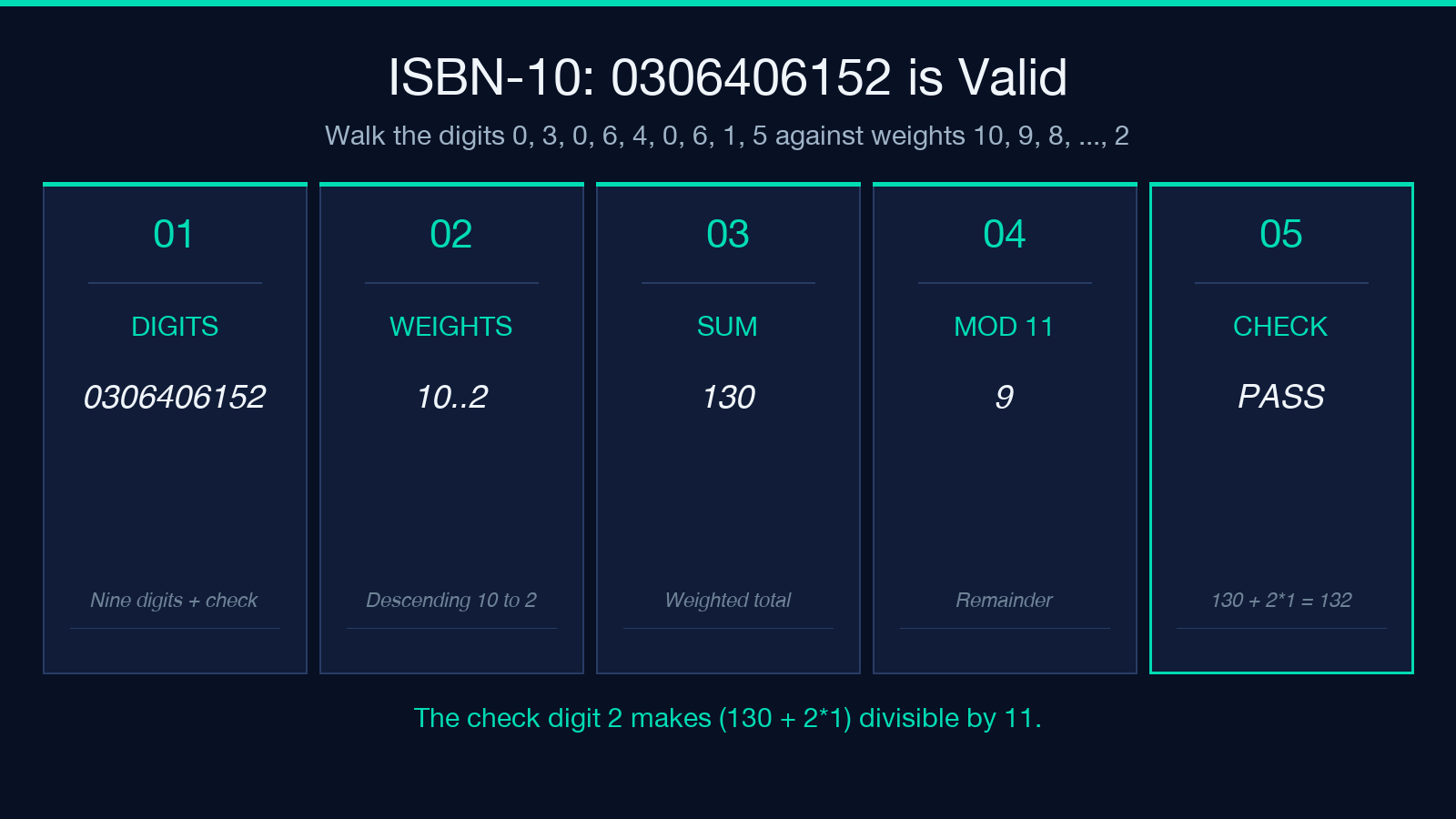
For ISBN-10 the canonical weight sequence is 10, 9, 8, 7, 6, 5, 4, 3, 2. The classic example is 0306406152, the ISBN for “The C Programming Language” by Kernighan and Ritchie:
- 0×10 = 0
- 3×9 = 27
- 0×8 = 0
- 6×7 = 42
- 4×6 = 24
- 0×5 = 0
- 6×4 = 24
- 1×3 = 3
- 5×2 = 10
Sum = 130. 130 mod 11 = 9. The check digit 2 was chosen so that 130 + 2*1 = 132 is divisible by 11. Equivalently, the weighted sum of all 10 digits (including the check) modulo 11 must be zero.
You can verify any candidate in Mod-11 Checksum Calculator by pasting it into the input and picking the isbn-10 scheme.
Why three weight schemes exist
Mod-11 itself is not a single algorithm; it is a family parameterised by the weight sequence. The choice of weights changes which error patterns the check catches and which digits mod 11 will land on. Three are common enough to ship as presets:
- ISBN-10 uses descending weights
10, 9, 8, ..., 2. This is the standard for any 10-digit identifier whose final digit is the check (withXfor 10). - Norwegian ID (fødselsnummer) uses the constant weight sequence
3, 7, 6, 1, 8, 9, 4, 5, 2which was chosen to minimise collisions on the Norwegian birth-number date prefix. Validate mode confirms both control digits; generate mode picks a valid pair for any 9-digit prefix. - Generic weights 2..7 is a short rolling pattern that fits identifiers with fewer positions; the calculator extends the pattern cyclically.
Picking the wrong scheme silently produces false negatives. Run 0306406152 through the Norwegian scheme and you get an “invalid” verdict because the weights are different, even though the digits are unchanged. The calculator makes you pick the scheme explicitly, which is the right defence.
Validate vs generate
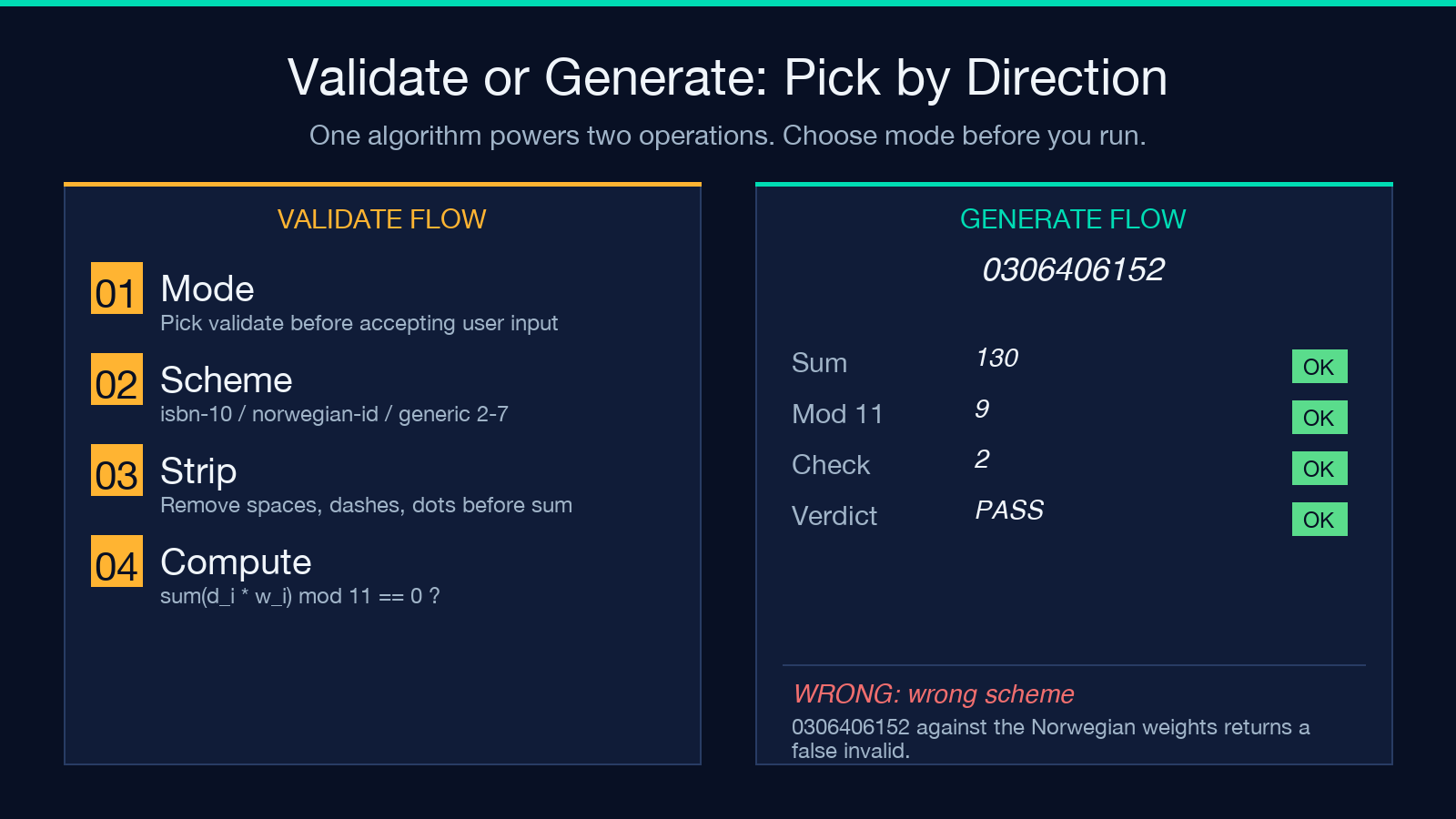
The same algorithm powers two directions, and the calculator exposes both:
Validate takes a full identifier (prefix + check) and reports whether the weighted sum modulo 11 equals zero. It is the operation you want when receiving data from a form, a CSV import, or a third-party API. If the check fails, reject the row at the boundary; do not try to “fix” it downstream.
Generate takes a prefix (any length) and a target total length, then chooses the remaining digits so the final weighted sum modulo 11 is zero. The trick: the calculator iterates the last position over 0..10 (allowing X in ISBN-10 mode) and returns the first hit. For ISBN-10 with prefix 030640615 and total length 10, the only valid completion is 0306406152.
The calculator exposes both via the mode option. The Mod-11 Checksum Calculator on Elysia Tools keeps the two flows separate so a validate call never accidentally writes back a “corrected” identifier.
The X check digit trap
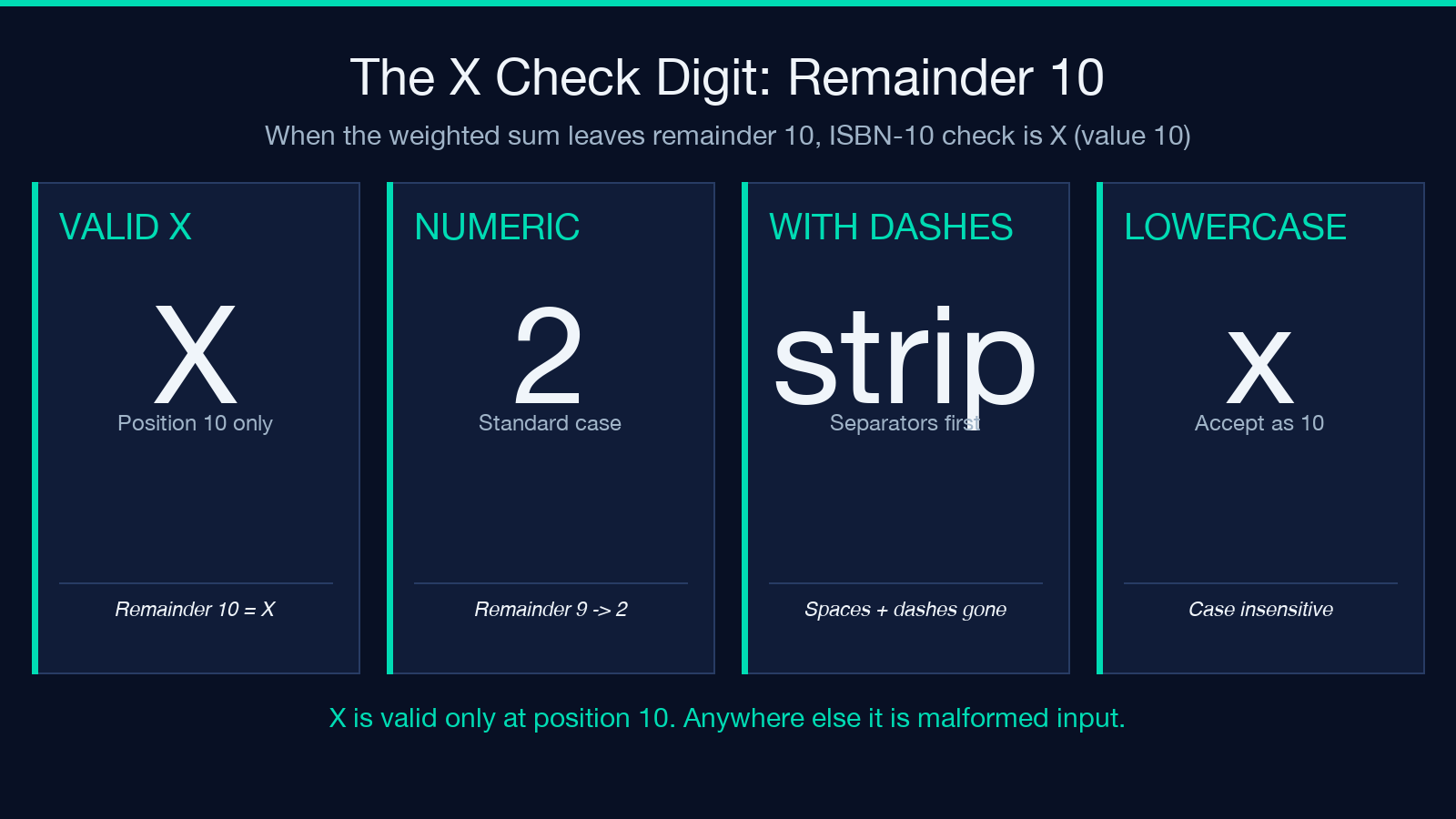
ISBN-10 allows the check digit to be X when the weighted sum produces a remainder of 10. None of the first nine digits can be X, only the last. The calculator accepts X in the final position for the isbn-10 scheme and treats it as the numeric value 10. A common bug in home-grown validators is to either reject X outright (false negatives on ISBNs like 155404295X) or accept it in any position (false positives).
If you are validating user input, the safe rules are: accept lowercase x and uppercase X as 10 only when the input length is exactly 10 and the last character is the check; otherwise flag the input as malformed before running Mod-11 at all.
Separators and whitespace
The calculator strips spaces, dashes, and dots before applying weights. 0-306-40615-2, 0 306 40615 2, and 0306406152 all validate identically. This matches what users paste from form fields and what legacy systems store. It also means a user who accidentally adds a trailing space cannot pass a malformed number; the strip happens before the digit extraction.
For Norwegian ID the input may include two check digits (the eleventh and twelfth digits). The calculator expects the full 11-digit number and validates both control positions against the 3,7,6,1,8,9,4,5,2 weight sequence; it does not silently truncate a 10-digit Norwegian input down to 9 digits and “complete” it.
Generating for legacy forms
The generate path is useful when a legacy form demands a syntactically valid Mod-11 number but the upstream system has no opinion on what the digits mean. A common case is populating test fixtures for an integration test that hits an external system which validates Mod-11 itself; a simpler Math.random()-based identifier will fail validation and stall the test.
Pick the scheme that matches the destination, set the prefix to whatever the destination system recognises (a date, a category code, an organisation prefix), and let the calculator fill in the trailing positions. The result is a syntactically valid identifier; the semantic meaning is up to your caller.
When to prefer a different algorithm
Mod-11 is the right pick when the identifier is human-typed and short (under ~12 digits), when you need to catch transposition errors in addition to single-digit typos, and when the storage format already accommodates it (one extra digit, optionally X). For longer machine-scanned identifiers (credit card numbers, IBANs, modern Norwegian H-number), Luhn (Mod-10) is more common because it avoids the X character and the modulo-11 bookkeeping.
The calculator family on Elysia Tools covers both families: this guide covers Mod-11, and the related Luhn Checksum Calculator (under Validation) handles Mod-10 the same way for the cases where Mod-11 is overkill.
Putting it together
Mod-11 is small, fast, and ships with three useful presets that cover the identifiers most developers actually meet in the wild. The Mod-11 Checksum Calculator gives you a working validate-or-generate UI in one click; the algorithm itself is a 10-line function you can copy into any project that needs the check. Validate at the form boundary, generate from a known prefix, and never trust user input to be syntactically clean before stripping separators. When in doubt about which weight scheme to pick, check the identifier spec (ISBN-10 is descending, Norwegian fødselsnummer is the fixed 3,7,6,1,8,9,4,5,2 cycle, generic is rolling 2..7); the calculator’s three presets cover each one without further configuration.
Explore more tools and validation presets at elysiatools.com.
