
Stop installing CLI clients just to test a query. A GraphQL Playground runs entirely in your browser: paste your endpoint, write a query, hit send, and inspect the formatted JSON without a single npm install or auth token round-trip. It is the fastest loop you can get between “I wonder if this field returns null” and “yes, it returns null”. This field guide walks through what a browser-based GraphQL client can do, where it earns its keep, and the five edge cases where a CLI or server-side runner still wins.
What a browser GraphQL client actually does
A GraphQL Playground is a thin client that owns three things: a query editor, a variables pane, and a result panel. You point it at any endpoint (your staging server, a public API like https://countries.trevorblades.com/, or a local mock), type your query, and it POSTs a JSON body of the form { "query": "...", "variables": {...} }. The response comes back formatted as pretty-printed JSON, and if the server returns an errors array (validation failure, resolver exception, auth issue) the playground surfaces the error path, message, and locations inline.
The real value is the iteration loop. You write a query, see the response, fix the field selection, send again. No terminal scrollback to lose, no curl | jq chaining, no waiting for a watcher to restart. The GraphQL Playground wraps this loop in a single page so you can stay focused on the schema.
Endpoint setup and authentication
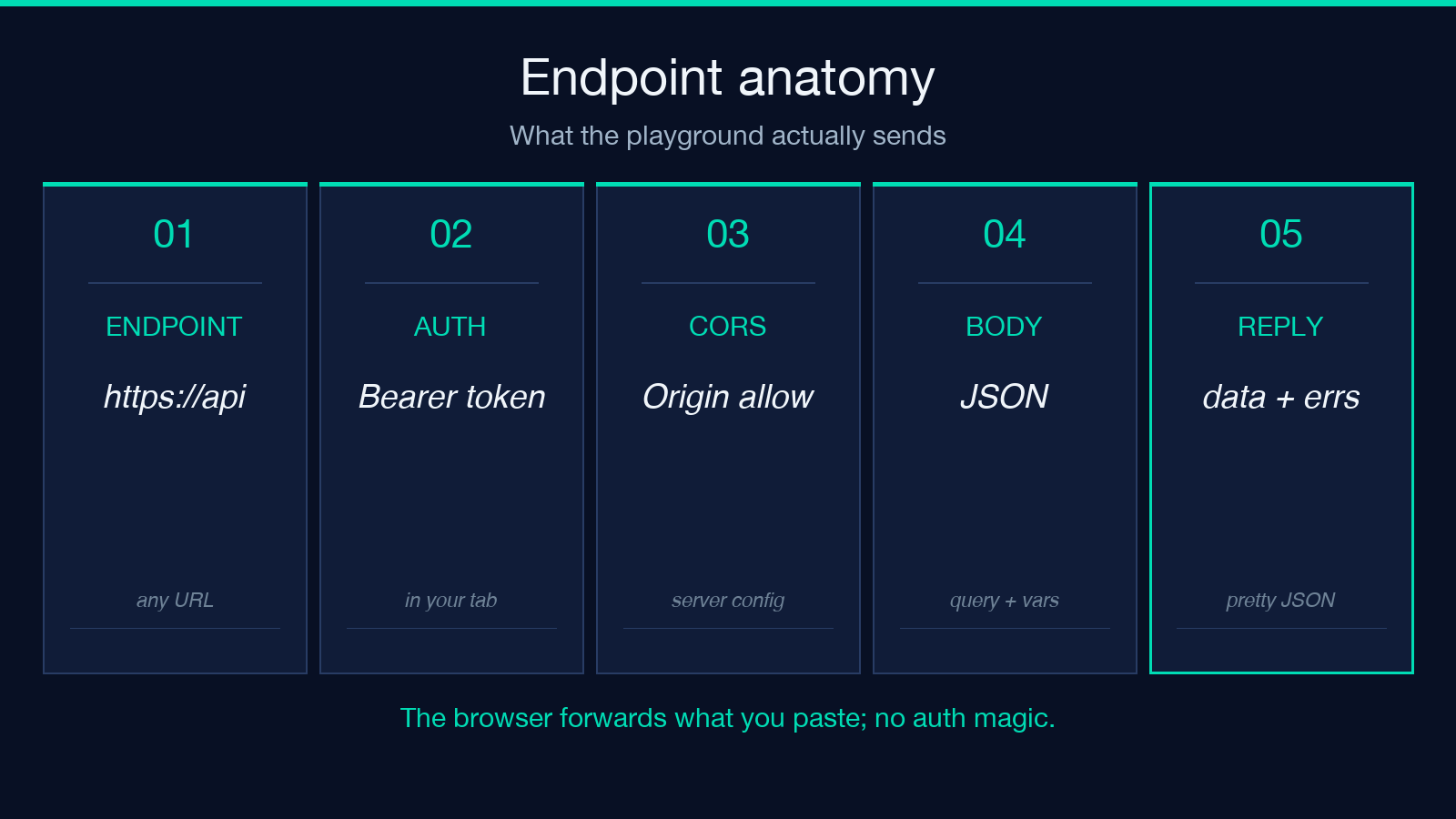
The endpoint field takes any URL — your production https://api.example.com/graphql, a staging mock, or an introspection-only read-only endpoint. Headers are a separate textarea: paste Authorization: Bearer xxx and the playground will attach it to every request. This is where the browser-only model becomes interesting: the token never leaves your tab, you can clear it with a single Cmd-W, and there is no .netrc file for a future leak.
For local development against a server running on localhost:4000, the playground sends the request from your browser, not from a server. That means CORS becomes relevant: if your server does not return Access-Control-Allow-Origin for your origin, the request will fail before it reaches the resolver. The fix is server-side (cors({ origin: 'https://elysiatools.com' }) or similar), not client-side.
Query editor and variables pane
The query editor is plain text — write whatever your schema accepts. Comments with # are honored by the parser (they are stripped server-side), so leave yourself breadcrumbs:
# Find the continent code for a country
query GetContinent($code: ID!) {
  continent(code: $code) {
    name
    countries {
      code
      name
    }
  }
}
Variables are passed as a separate JSON object. The split matters: queries should be reusable, variables should be data. If you find yourself string-concatenating values into the query string, stop — that is a prompt-injection-class bug waiting to happen, and GraphQL variables are the structural fix. Pass {"code": "EU"} not "query { continent(code: "EU") { ... } }".
The playground validates the JSON shape of the variables pane as you type. If you write { code: "EU" } (no quotes around code), the variables panel underlines the error and the request will be rejected by the server before the resolver runs. This is friendlier than a 500 from a malformed-JSON exception.
Inspecting the response
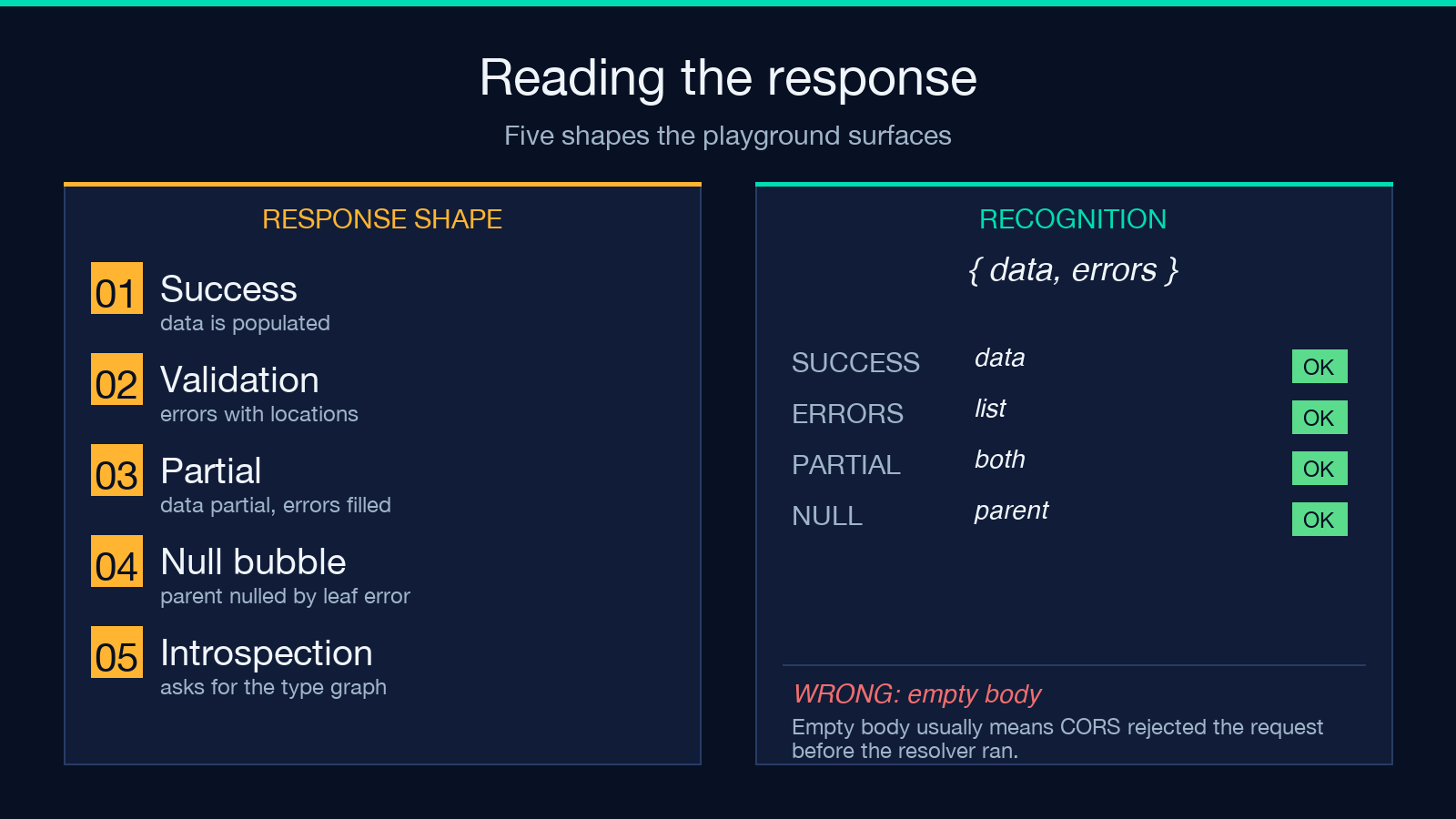
A successful response comes back as {"data": {...}}. A failed one comes back as {"data": null, "errors": [{"message": "...", "path": [...], "locations": [...]}]}. The playground surfaces both — the data panel shows whatever partial data the resolver returned before the error, and the errors array shows the message and the line/column in your query that triggered the failure.
For complex queries, the JSON is collapsible: click any key to fold its subtree, use the breadcrumb at the top to see the current path. This is the part that curl | jq cannot match. If your query returns 4,000 characters of nested edges > node > fields, you do not want to scroll — you want to fold edges and look at one node at a time.
Introspection and schema discovery
The playground supports introspection by default: send { __schema { types { name } } } and you get back the entire type graph of the API. Most production servers disable introspection for security reasons, but staging and dev endpoints usually leave it on. This is how you explore an unfamiliar schema: query __schema, find the type you care about, drill into its fields, build your real query.
A common workflow is to use introspection to find the exact field name (userAccount vs user_account vs user), then write the actual query. This is faster than reading the source code or the OpenAPI doc and guessing.
Reading partial responses and error paths
When a resolver throws mid-query, the server returns data populated for the fields it managed to compute, and an errors array describing what failed. The playground renders both side by side: the JSON tree shows whatever partial result you got, and the error panel lists each failure with its path (the chain of field names leading to the failing resolver) and locations (the line/column in your query that asked for the failing field). This dual view is the fastest way to localize a bug — you do not have to guess which field is broken, the server tells you.
A related edge case is null bubbling: if a non-nullable field returns null, GraphQL nulls the entire parent. So a query like { user { name posts { title } } } where posts returns null leaves the whole user as null, even though name succeeded. The playground will surface this clearly in the JSON panel — data: { user: null } with an error pointing at the posts field. Reading this as “user does not exist” is the wrong takeaway; reading it as “the user’s posts field failed” is the right one.
For errors that point at a query line, click the location link in the error panel and the editor jumps to the line. If your query is large enough to scroll, this saves the search-by-eye pass that CLI runners cannot give you.
Where the browser playground falls short
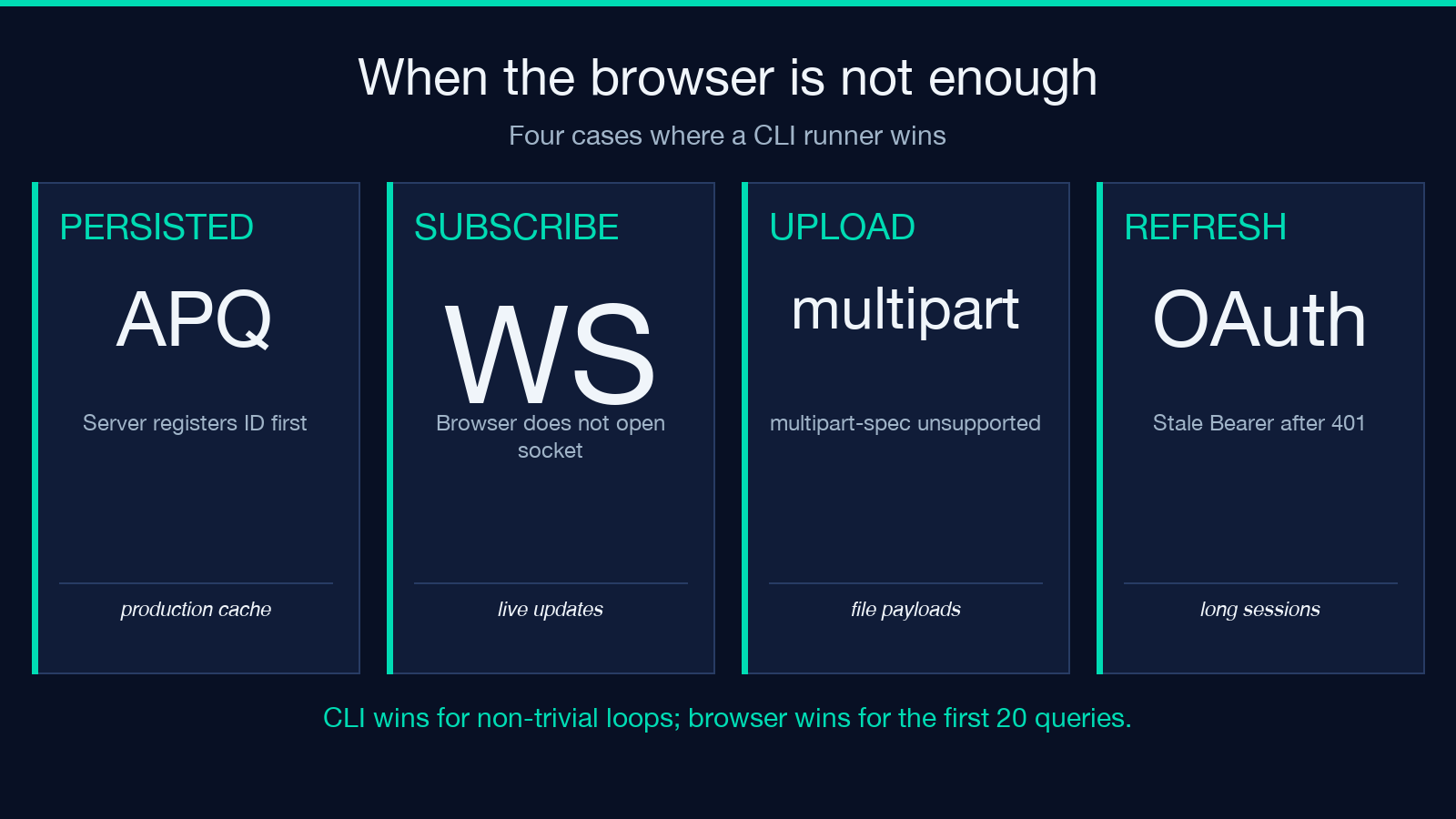
Five places where a CLI or server-side runner beats the browser:
- Persisted queries — if your server enforces APQ (automatic persisted queries), the playground will need the persisted query ID pre-registered; a CLI runner can register on first send.
- WebSocket subscriptions — the playground does not open a WS connection; for subscriptions you need a subscription-aware client (Apollo Studio, GraphiQL with the subscriptions plugin).
- File uploads — GraphQL multipart spec is not supported in the basic playground; if you need to send a
multipart/form-databody, fall back to a CLI or a custom fetch wrapper. - Authentication refresh — if your token expires mid-session, the playground will keep sending the stale header; a CLI runner with token-refresh logic will handle the 401 and re-auth.
- Large batch tests — for running 10,000 query variants, a script beats a browser tab. The playground is for the first few iterations, not the regression suite.
For everything else — ad-hoc queries, schema exploration, teaching a teammate what an endpoint returns — the browser loop is the right tool.
Putting it all together
Start the loop with the simplest possible query (query { __typename }) to confirm the endpoint is reachable. Then add one field at a time and watch the response shape grow. Pass variables through the JSON pane instead of string interpolation, and use introspection to discover field names when you do not have a schema doc handy. When the playground feels too small — subscriptions, persisted queries, large batch runs — reach for a CLI runner, but for the 90% case of “I just want to know what this field returns”, the GraphQL Playground is the shortest path to an answer.
For related work, the OpenAPI / Swagger Validator covers REST endpoints the same way, and the JSON Formatter is a useful companion for cleaning up query responses before you paste them into a bug report. Explore more developer tools at elysiatools.com.
