
What an in-browser HTTP client actually solves
The shortest path to a real HTTP response is in the same tab you’re already in. A focused HTTP request tester such as HTTP Request Tester lets you compose a GET, POST, PUT, PATCH, DELETE, HEAD, or OPTIONS call, attach custom headers, type a body in raw, JSON, or form encoding, and inspect status, headers, timing, and the formatted response — without installing Postman, opening a terminal, or pasting tokens into a third-party SaaS. The composite picture you get back is something a curl pipe into jq cannot easily give you: the request, the response, and the elapsed milliseconds in one frame.
How the request shape encodes intent
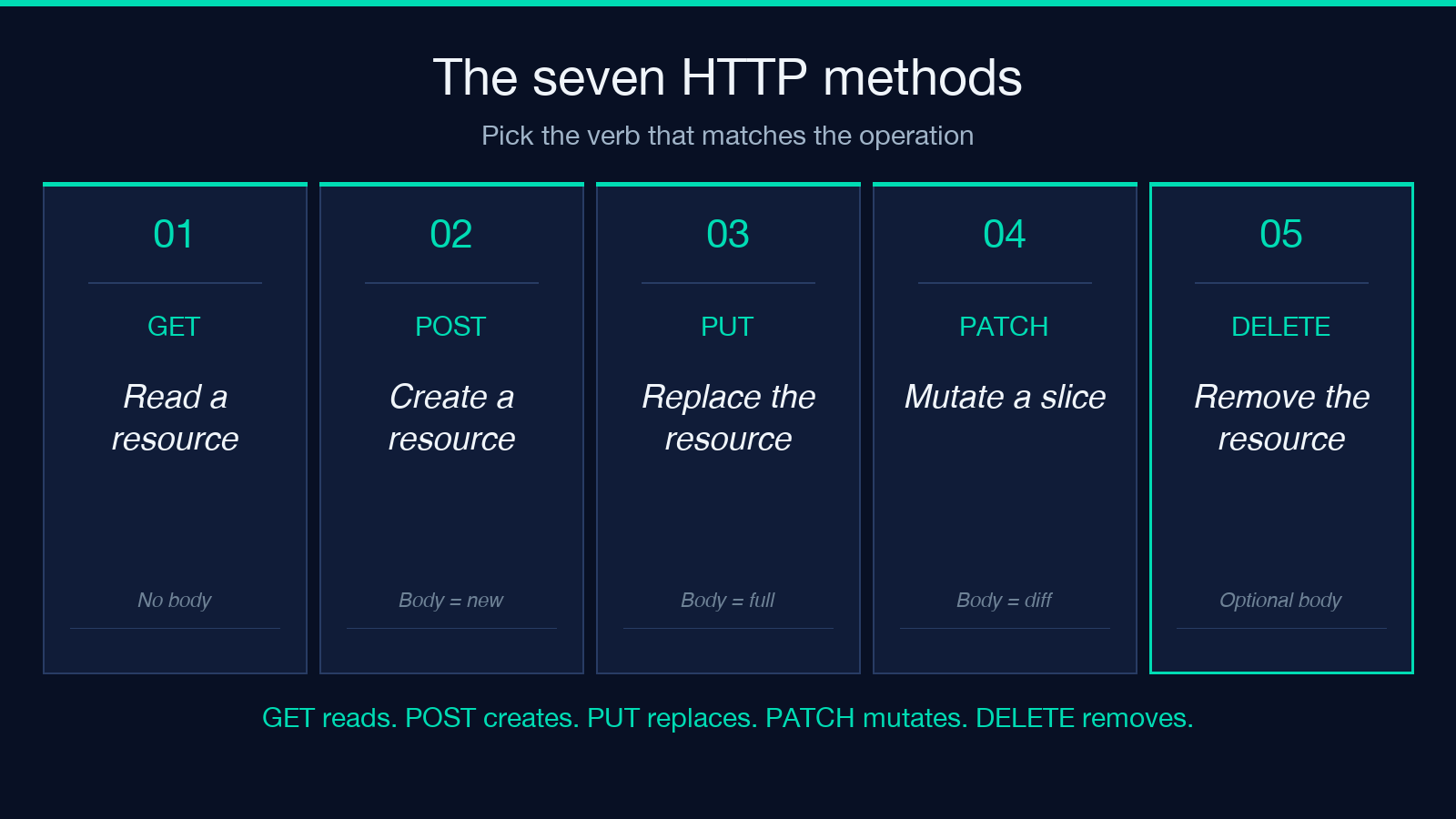
Every HTTP call is a triple: a method, a URL, and an optional body. The method is the verb the server is being asked to honor. GET reads. POST creates. PUT replaces. PATCH mutates a slice. DELETE removes. HEAD and OPTIONS are the polite questions: “would you tell me your headers?” and “what am I allowed to do here?” A drop-down that offers exactly these seven keeps the verbs honest — you cannot accidentally POST when you meant GET, and the server’s behavior on receiving the wrong verb is a useful diagnostic in its own right.
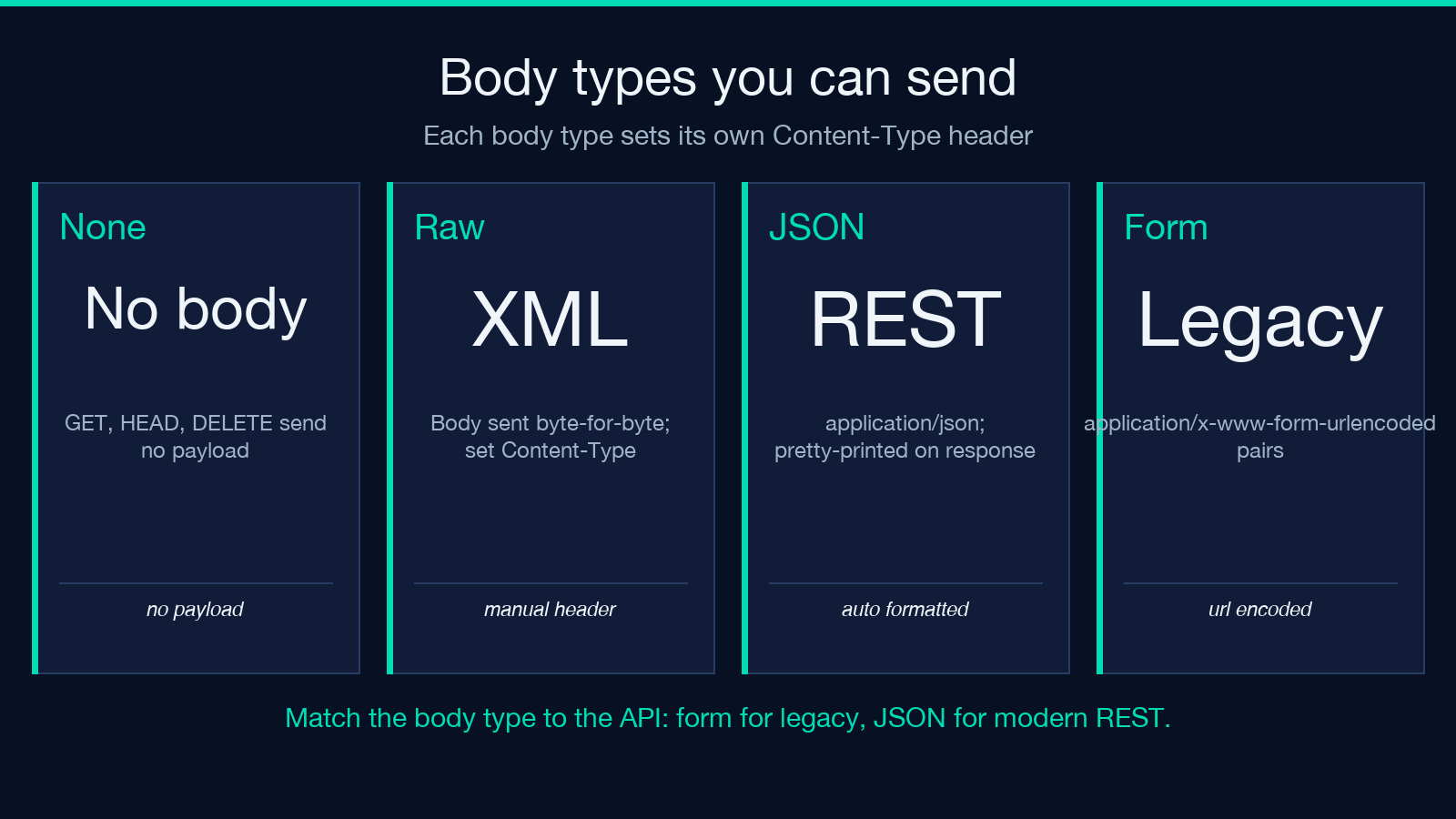
The URL is the resource. The body is the change. When bodyType is None, no payload is sent and the request is the canonical representation of the verb. When bodyType is Raw, the body is sent as written. When bodyType is JSON, the body is sent with Content-Type: application/json headers and the tester pretty-prints the response so nested objects do not collapse into a wall of braces. When bodyType is Form, the body is sent as application/x-www-form-urlencoded and the header is set automatically. The header textarea is free-form: Authorization: Bearer * on one line, User-Agent: my-script/1.0 on the next, and so on. Eight kilobytes is a generous ceiling for the headers alone — most real-world calls fit in under 800 bytes.
What to look at when the response comes back
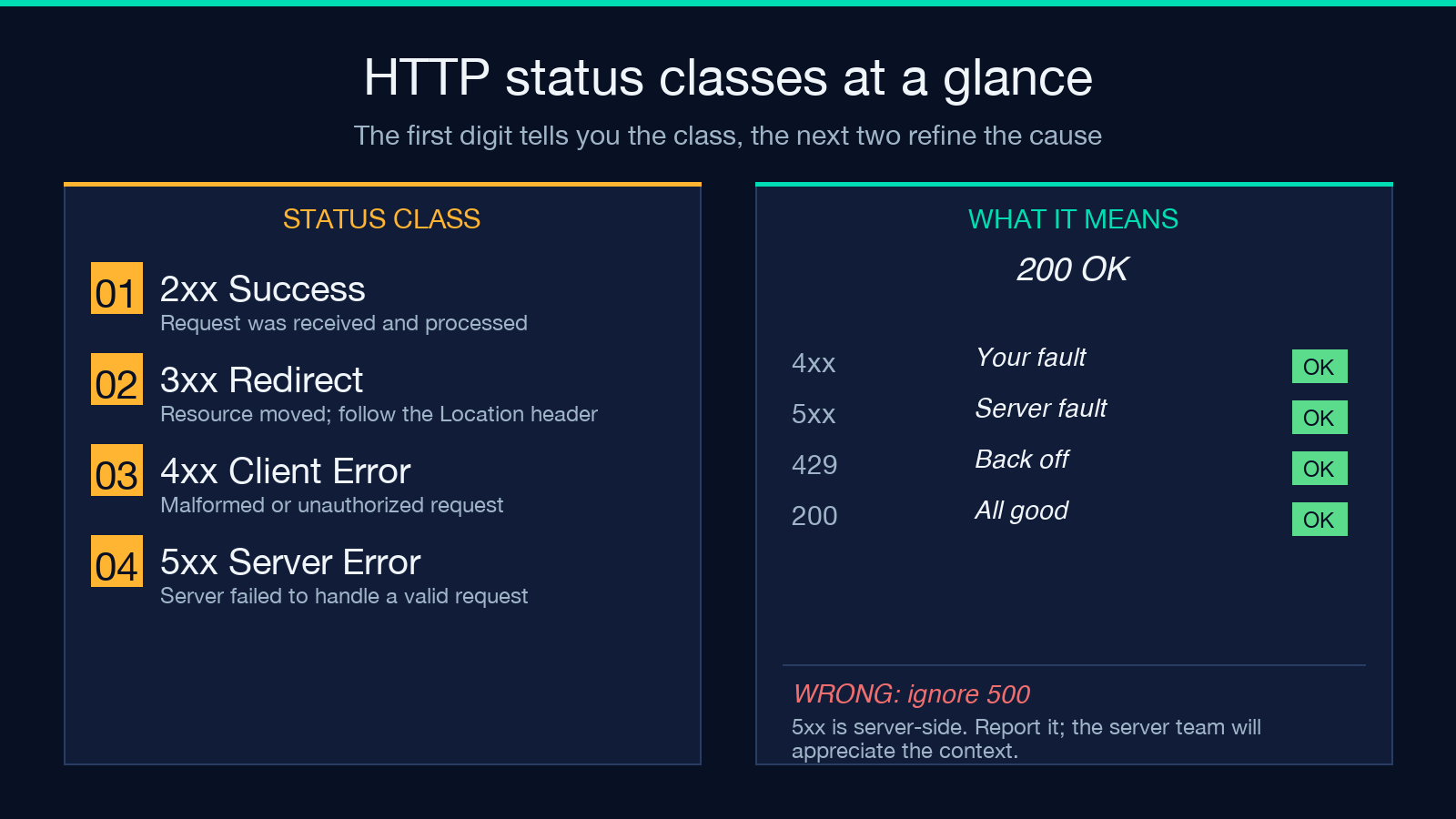
A response is a status line, a header block, and a body. The status line is the first thing to read: 200 OK is “everything worked”; 201 Created is “your write succeeded and here is the new resource”; 301 Moved Permanently is “go to this URL instead, the redirect is permanent”; 400 Bad Request is “your client request was malformed”; 401 Unauthorized is “you need credentials”; 403 Forbidden is “credentials are not enough”; 404 Not Found is “this resource does not exist”; 500 Internal Server Error is “the server broke, not your request.” The pattern is the same across REST APIs: the first digit tells you the class, the second and third refine the cause.
Headers are the metadata. Content-Type tells you how to parse the body. Content-Length tells you how much to expect. Cache-Control tells you whether the response is fresh or stale. Set-Cookie writes a cookie into your browser jar. X-Request-Id is the server’s correlation tag — when a call goes wrong, this is the string you paste into the support ticket. A well-built inspector shows the headers as a key-value list, sorted, and color-coded so Content-Type and Content-Length are immediately readable.
The body is the payload. JSON is the lingua franca and should be pretty-printed so you can navigate nested objects without a JSON viewer. XML responses are common in older enterprise APIs; HTML responses are common in scraping work; binary responses are best downloaded to disk. The history panel records the last N calls with their method, URL, status, and elapsed time, so when you reproduce a 401 you can compare it against the 200 you got thirty seconds earlier.
Building a request you’ll actually want to send
The fastest way to lose an afternoon is to construct a request that fails for a reason you cannot see. Build it in this order:
- 1. Pick the method from the drop-down. Don’t type a verb. The drop-down exists because
POSTandPutandpostare not the same thing to the server. - 2. Paste the URL. No query string interpolation in your head. If the URL needs a query parameter, include it raw in the URL box.
- 3. Set headers. Most calls need one or two.
Authorizationif the API requires it.Content-Typeif the body is JSON or form. Skip the rest unless you know why. - 4. Set the body type.
Nonefor GET/HEAD/DELETE.JSONfor resources.Formfor legacy form-encoded endpoints.Rawfor XML or text. - 5. Type the body. Paste from your editor. Validate the JSON before sending.
- 6. Check the follow-redirects toggle. Leave it on for normal calls. Turn it off to see the raw 301/302 response and confirm the redirect target is what you expect.
- 7. Hit Send. The response panel populates with status, headers, timing, and the formatted body.
Why timing matters more than people think
The “include timing” checkbox is not vanity. Most production APIs respond in 50-300 milliseconds end-to-end, and a 2-second response is a smell. A 30-second response is a timeout waiting to happen. A 60-second response is the server’s polite way of saying “I have no idea what to do with this.” A request tester that shows you the elapsed milliseconds lets you spot a regression before your users do, and lets you distinguish between “the server is slow” and “the network is slow” by running the same request twice and comparing the times. If you can shape the request to drop the body, see the timing, then add the body back, you can quickly isolate the cost.
Common failure modes and what they actually mean
4xx responses are your fault. Read the body — the server is usually kind enough to tell you which field was wrong. 400 is malformed JSON or a missing required field. 401 is a missing or expired token. 403 is a permissions problem or a CORS preflight failure. 404 is the wrong URL or a deleted resource. 422 is “I parsed your JSON but a field is invalid” (Laravel-style APIs). 429 is “rate-limited, back off.” Reading the error body verbatim is faster than guessing.
5xx responses are the server’s fault. 500 is an unhandled exception in the server’s code. 502 is “the upstream I depend on is broken.” 503 is “I am intentionally down for maintenance.” 504 is “the upstream I depend on timed out.” If you get a 5xx, retry once with exponential backoff, then report it — the server is logging the failure and will appreciate the context.
Network errors are the request never being received. The browser’s network panel will show a CORS error, a DNS failure, a TLS handshake failure, or a connection refused. CORS is the most common: the server did not include Access-Control-Allow-Origin for your origin, and the browser blocked the response. Use a server-side proxy or ask the API owner to whitelist your origin.
Where a browser-based tester fits in a workflow
A standalone HTTP client is the in-between tool that fills the gap between “I want to copy a curl recipe from the docs” and “I want to write a test.” For ad-hoc debugging, when an API is misbehaving and you want to inspect the raw response, the browser is faster than the terminal: you see the request, the response, and the timing without piping through curl | jq | grep. For documentation, it is the easiest way to show a teammate exactly what a request looks like: paste the URL, hit send, screenshot the response. For pre-flight checks before you write code, it is the iteration loop — change the body, see the response, change the body again, see the response again.
For repetitive calls, write a script. For one-off calls that need to be inspected, click Send. The browser tester is the right tool when the response is something you want to look at, not something you want to ship.
Putting it together
The shape of a real HTTP request is the same whether you send it from JavaScript, curl, Postman, or a browser-side tester. The browser version’s contribution is the surface area: a method drop-down, a header textarea, a body type selector, a body field, and a response panel that shows status, headers, timing, and formatted body. When you find yourself reaching for a terminal to debug an API call, try the in-browser version first — the same diagnostic, the same response, with the form already laid out. The HTTP Request Tester on Elysia Tools is one focused implementation of that pattern.
Explore more tools at elysiatools.com.
