
Your ECharts theme is a JSON tree of design decisions; your design system is the same decisions spelled out as CSS variables. Paste the registered theme into the ECharts Theme Token Extractor, and it walks every leaf — colors, spacing numbers, font sizes, strings — tagging each one and emitting clean output for the four places design tokens actually live: CSS custom properties, Tailwind’s theme.extend, Style Dictionary’s tokens.json, and SCSS variables. No more hand-copying #5b8ff9 from echarts.init(dom, "dark") into a Figma library while you keep one eye on whether the brand team renamed it again.
This field guide shows how to bridge an ECharts visualization theme to your design tokens in three practical scenarios — bootstrap a Tailwind theme from a brand ECharts theme, export a dark mode tree to Style Dictionary for a mobile app, and audit a legacy theme for unknown color values that need naming. Each scenario uses the same tool, the same input format, and the same output surface — just a different destination stack.
Where the tool fits in the ECharts-to-design pipeline
ECharts ships with two built-in themes (default, dark) and a registry where you call echarts.registerTheme(name, obj) to add your own. The theme object is a deeply nested JSON tree: a color array of brand colors, a textStyle block with fontFamily/fontSize, per-series styles (lineStyle, itemStyle, label), and component-level blocks for title, legend, axisPointer, toolbox, and so on. Designers and front-end engineers typically treat this JSON as “what the chart looks like in isolation” and then re-derive the same values by hand in CSS or Figma — which is where drift starts.
The Elysia Tools ECharts Theme Token Extractor treats the theme object as the source of truth. It walks every leaf and classifies it by shape: strings matching ^#[0-9a-f]{3,8}$ or rgba?\(...\) become color tokens; numeric values inside textStyle/fontSize blocks become font-size tokens; small integers in padding/margin/borderWidth/symbolSize blocks become spacing tokens; arbitrary strings become string tokens. Each leaf is emitted with a stable key path (color[0], textStyle.fontSize, series.line.itemStyle.borderWidth) so you can locate it back in the source theme if you need to adjust it later.
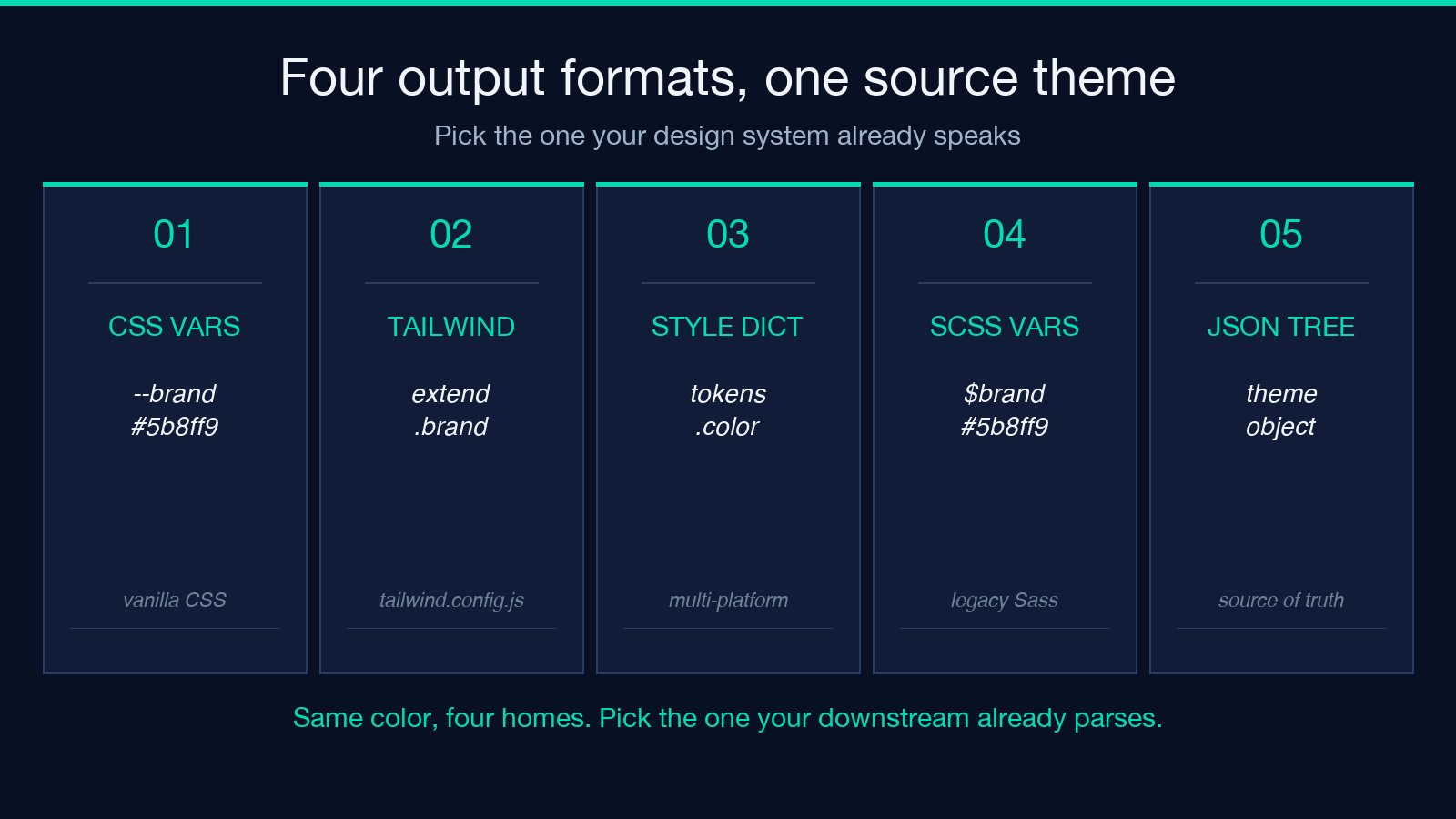
The output formats are deliberately the four places design tokens actually live: a :root { --brand-primary: #5b8ff9; } block for vanilla CSS, a theme.extend.colors block for Tailwind, a tokens.json tree for Style Dictionary pipelines, and $brand SCSS variables for legacy Sass builds. Pick the one your stack already speaks and the rest of the bridge is a copy-paste.
Bootstrap a Tailwind theme from a brand ECharts theme
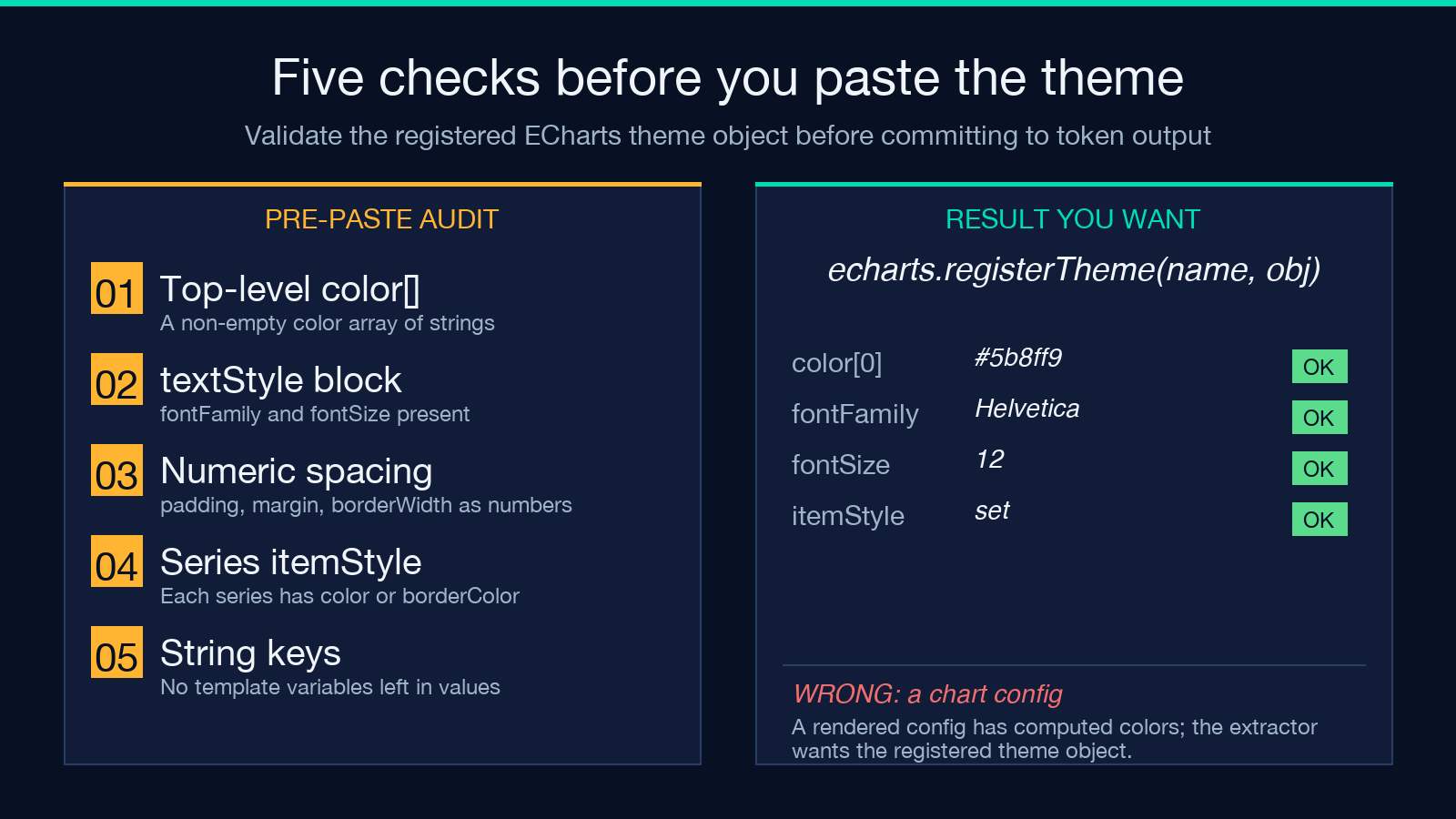
This is the most common reason designers reach for the tool. The design team has shipped an ECharts theme JSON that defines the brand color palette, typography, and spacing scale. The front-end team needs the same values in tailwind.config.js so a <button> and a <BarSeries.itemStyle.color> agree on what “brand primary” looks like. Open the ECharts Theme Token Extractor, paste the theme object (the literal value passed to echarts.registerTheme, not the rendered chart config), and pick Tailwind config as the output format. The tool emits something like:
Open the ECharts Theme Token Extractor, paste the theme object (the literal value passed to echarts.registerTheme, not the rendered chart config), and pick Tailwind config as the output format. The tool emits something like:
theme: {
  extend: {
    colors: {
      'echarts-color-0': '#5b8ff9',
      'echarts-color-1': '#5ad8a6',
      'echarts-textStyle-fontFamily': '"Helvetica Neue", sans-serif',
      'echarts-textStyle-fontSize': '12',
    }
  }
}
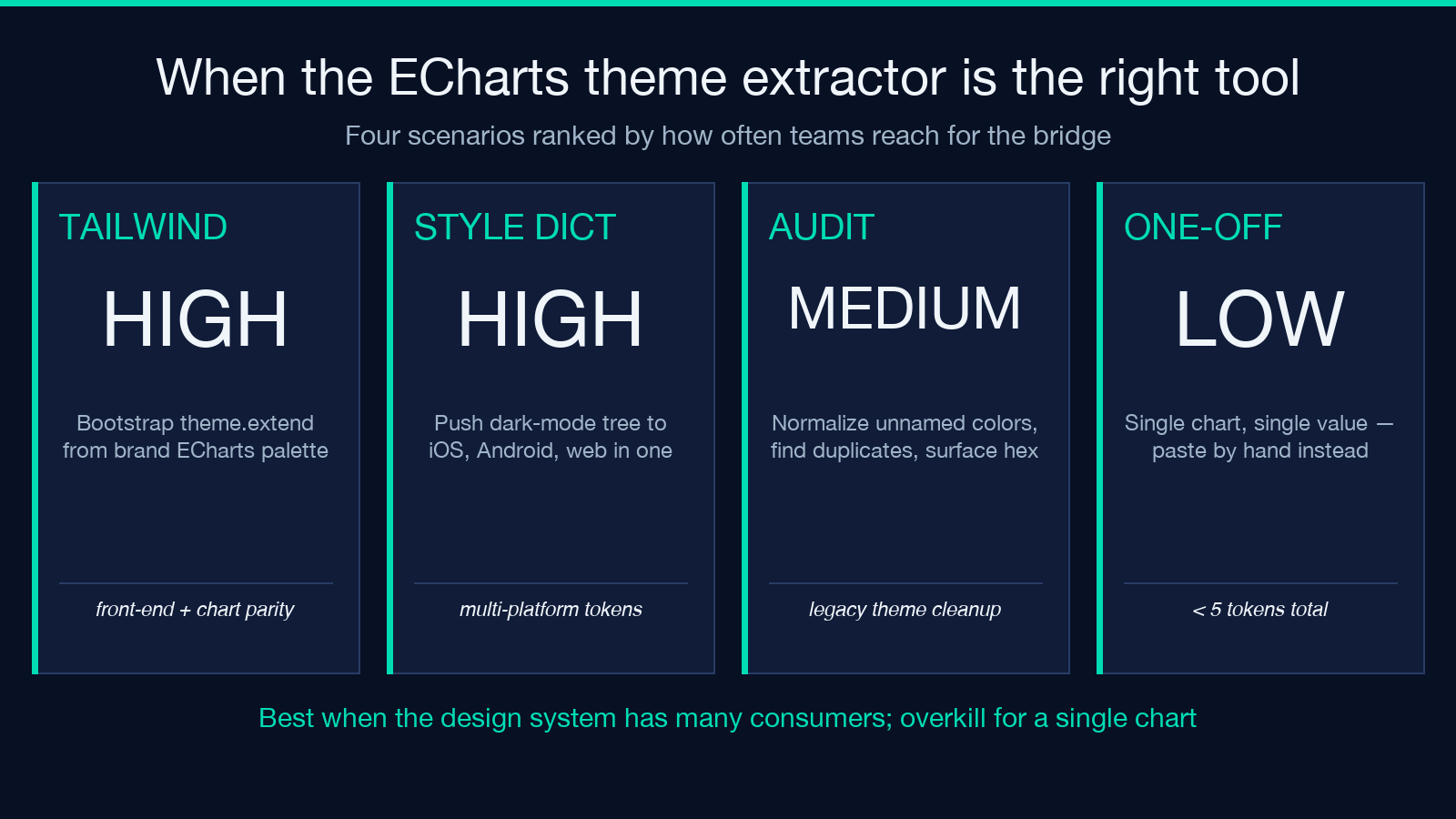
Drop that into the theme.extend block of your tailwind.config.js, run npm run build, and <button class="bg-echarts-color-0"> now matches the first series color of every chart on the page. The names are mechanical (echarts-color-0, echarts-textStyle-fontSize) but they round-trip back to the source theme, which is what you actually want at 2 a.m. when the brand team asks which token maps to the third series color.
If your team uses Figma Tokens as the source of truth instead of CSS, the Figma Tokens Export tool produces the same shape in a format Figma’s Tokens Studio plugin ingests directly.
Export a dark mode theme tree to Style Dictionary
The second common scenario is the inverse: you have a design-system color palette and you want to mirror it back into an ECharts theme so the charts match the rest of the dark-mode UI. The pipeline here is your existing Style Dictionary build — tokens.json consumed by a transform that emits JSON, CSS, iOS, and Android — feeding into a small script that calls echarts.registerTheme("dark", sdOutput.dark).
Run the ECharts theme through the extractor with Style Dictionary tokens.json as the output format. The emitted JSON looks like:
{
  "color": {
    "brand": { "primary": { "value": "#5b8ff9" } },
    "series": {
      "0": { "value": "#5b8ff9" },
      "1": { "value": "#5ad8a6" }
    }
  },
  "typography": {
    "fontFamily": { "value": "Helvetica Neue, sans-serif" },
    "fontSize": { "value": "12" }
  }
}
Hand this to your Style Dictionary build and the same values now flow into the iOS app’s Color.primary, the Android app’s R.color.brand_primary, and the marketing site’s CSS variables. If you’re bootstrapping the Style Dictionary side from an image — say, a screenshot of the brand mood board — start with the Image Palette to Design Tokens tool to extract the dominant colors first, then push the resulting tokens through the ECharts extractor in reverse to keep the visualization theme in sync.
Audit a legacy theme for unnamed color values
The third scenario is the one nobody schedules: somebody left a 400-line ECharts theme JSON in the repo six teams and three rebrands ago, half the values are still pointing at the previous brand’s hex codes, and you need to know which colors are still in use, which are duplicates under different names, and which are stray literals that escaped the design system entirely.
The extractor’s color-normalization option is built for this. Toggle Normalize colors to hex on, paste the theme, and the output is sorted, lowercased, deduplicated hex values with a count column. You’ll typically see two patterns: the first is a long tail of one-off colors (#fafafa, #f0f0f0, #f5f5f5) that should consolidate into a single --color-surface-1 token; the second is a small cluster of brand colors that appear twice under different names (the legacy chartBlue and the new brandPrimary both resolving to #5b8ff9). Either pattern is a refactor waiting to happen.
Run the audit before a redesign and you have a clean target. Run it after the redesign ships and you have proof that the migration covered everything.
When not to use a generic JSON-to-CSS converter
The ECharts extractor is not a general-purpose JSON walker. It assumes the input is a registered ECharts theme object — meaning the keys it sees (color, textStyle, series, lineStyle, etc.) shape its classification rules. If you paste a Figma export, a Style Dictionary token tree, or a random config JSON, the output will be syntactically valid but semantically wrong: the color array of a Figma frame is not the same shape as the color array of an ECharts theme, and the extractor will happily tag every leaf as a “color token” regardless.
If you’re starting from Figma, run the Figma Tokens Export tool first to normalize into a token tree the ECharts extractor understands. If you’re starting from an image, the Image Palette to Design Tokens tool extracts the dominant palette and then you hand-construct the rest of the theme by hand. The ECharts extractor’s niche is the last mile: the theme object is canonical, and you need it everywhere else.
Output formats and what each one gets you
Three output formats solve three different downstream problems.
The CSS variables format emits a :root { --echarts-color-0: #5b8ff9; ... } block that drops straight into any stylesheet, including ones consumed by a build step that already runs PostCSS or Sass. Use this when the design system lives in vanilla CSS and there is no token pipeline in between.
The Tailwind config format emits a theme.extend object you splice into tailwind.config.js. Use this when the front-end team already speaks Tailwind.
The Style Dictionary tokens.json format emits the Amazon Style Dictionary shape ({ "color": { "brand": { "primary": { "value": "#5b8ff9" } } } }), which a Style Dictionary build consumes to emit JSON, CSS, iOS, Android, and any other target you have a transform for. Use this when the design tokens feed a multi-platform build.
The SCSS variables format emits $echarts-color-0: #5b8ff9; lines for legacy Sass stacks.
Pick the one your downstream already speaks; the extractor never mixes output formats in a single pass.
Edge cases and gotchas worth knowing before you commit
Three things to know before you paste a theme in production. First, the extractor preserves the JSON key path as the token name: series.line.itemStyle.color[2] becomes --series-line-itemStyle-color-2 in CSS, not --brand-secondary. If your design system expects semantic names (--brand-primary instead of --series-0), you will need a rename pass after the extract. Second, the extractor emits numeric values as bare numbers, not unit-suffixed strings. CSS will accept --spacing-1: 12; but Tailwind expects '12px' as a string: pick the output format whose native type matches your stack. Third, the extractor does not infer which leaf is which: a numeric 0.5 could be an opacity, a line width in points, or a barGap ratio. The classification heuristics use parent context, but if your theme has unusual nesting, review the output before committing.
Three things to know before you paste a theme in production. First, the extractor preserves the JSON key path as the token name — series.line.itemStyle.color[2] becomes --series-line-itemStyle-color-2 in CSS, not --brand-secondary. If your design system expects semantic names (--brand-primary instead of --series-0), you’ll need a rename pass after the extract. Second, the extractor emits numeric values as bare numbers, not unit-suffixed strings. CSS will accept --spacing-1: 12; but Tailwind expects '12px' as a string — pick the output format whose native type matches your stack. Third, the extractor doesn’t infer which leaf is which: a numeric 0.5 could be an opacity, a line width in points, or a barGap ratio. The classification heuristics use parent context, but if your theme has unusual nesting, review the output before committing.
Putting it together
The ECharts theme JSON is a design artifact that lives in JavaScript land but encodes values the rest of the stack also needs. The Elysia Tools ECharts Theme Token Extractor is the bridge: paste the registered theme, pick the output format your design system already speaks, and the four copies of “brand primary” finally collapse into one source of truth. Pair it with Figma Tokens Export when the design side owns the source palette, or with Image Palette to Design Tokens when you’re bootstrapping a new visual identity from a mood board.
Explore more tools at elysiatools.com.
