
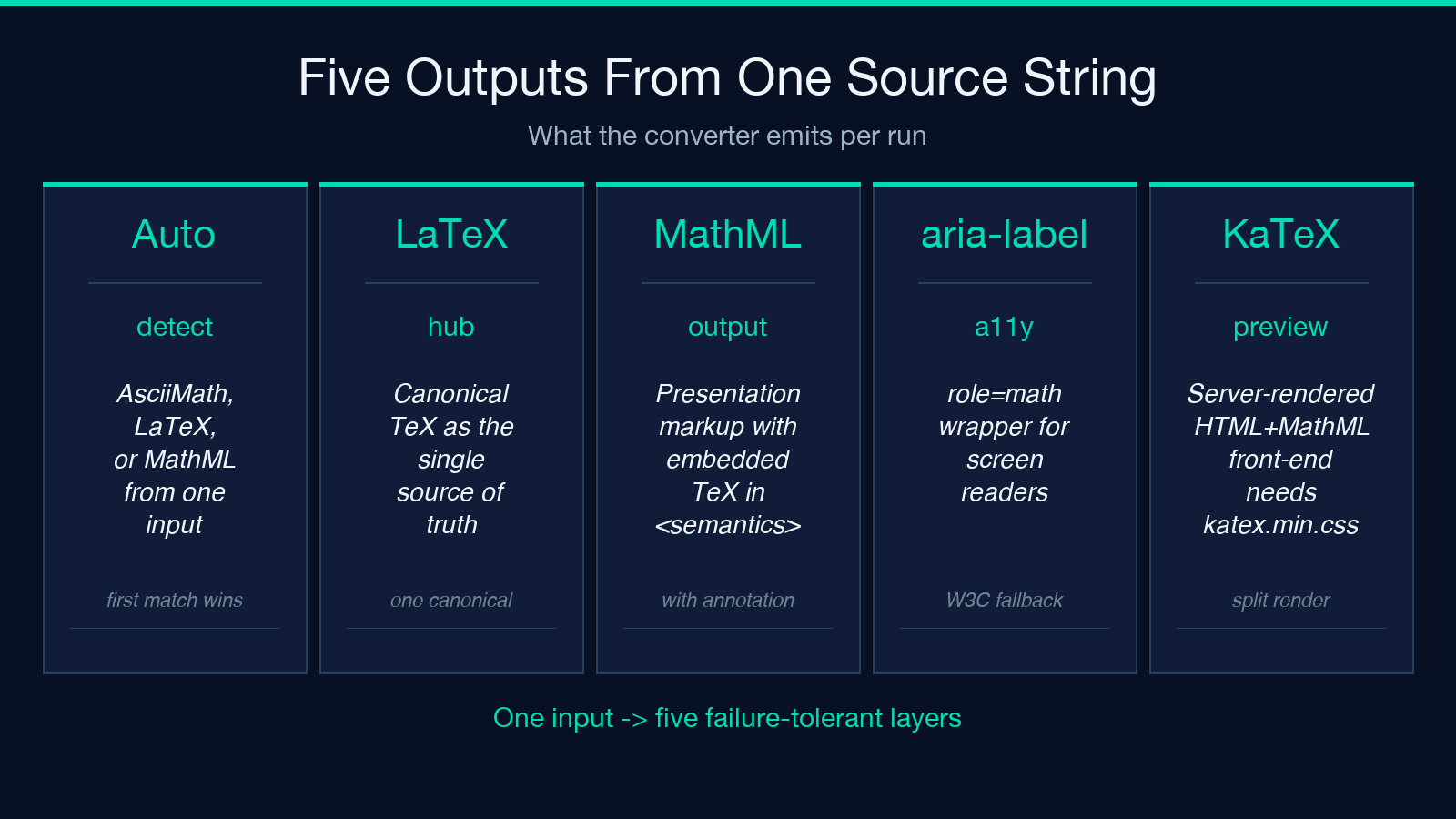
Three equation dialects, one report. The AsciiMath LaTeX MathML Equation Converter takes one source string and emits canonical LaTeX, presentation MathML with an embedded TeX annotation, a best-effort AsciiMath back-translation, an accessible aria-label snippet, and a server-side KaTeX HTML preview — all from a single auto-detect pass.
Why one source string needs three output dialects
Anyone who has shipped an equation across two systems knows the cost of mismatched math markup. AsciiMath is the easiest to type (sum_(i=1)^n (i^3) reads almost like the intended formula); LaTeX is the lingua franca of academic and scientific publishing (sum_{i = 1}^{n} left ( i^{3} right )); and MathML is the only format that the W3C-endorsed accessibility layer (NVDA, JAWS, VoiceOver with MathPlayer) can speak aloud natively. The Elysia Tools equation converter is built around the simple observation that these three are not competing standards — they are three views on the same expression. You should be able to paste one and walk away with the other two, plus the markup that screen readers need.
What “auto-detect” actually does under the hood
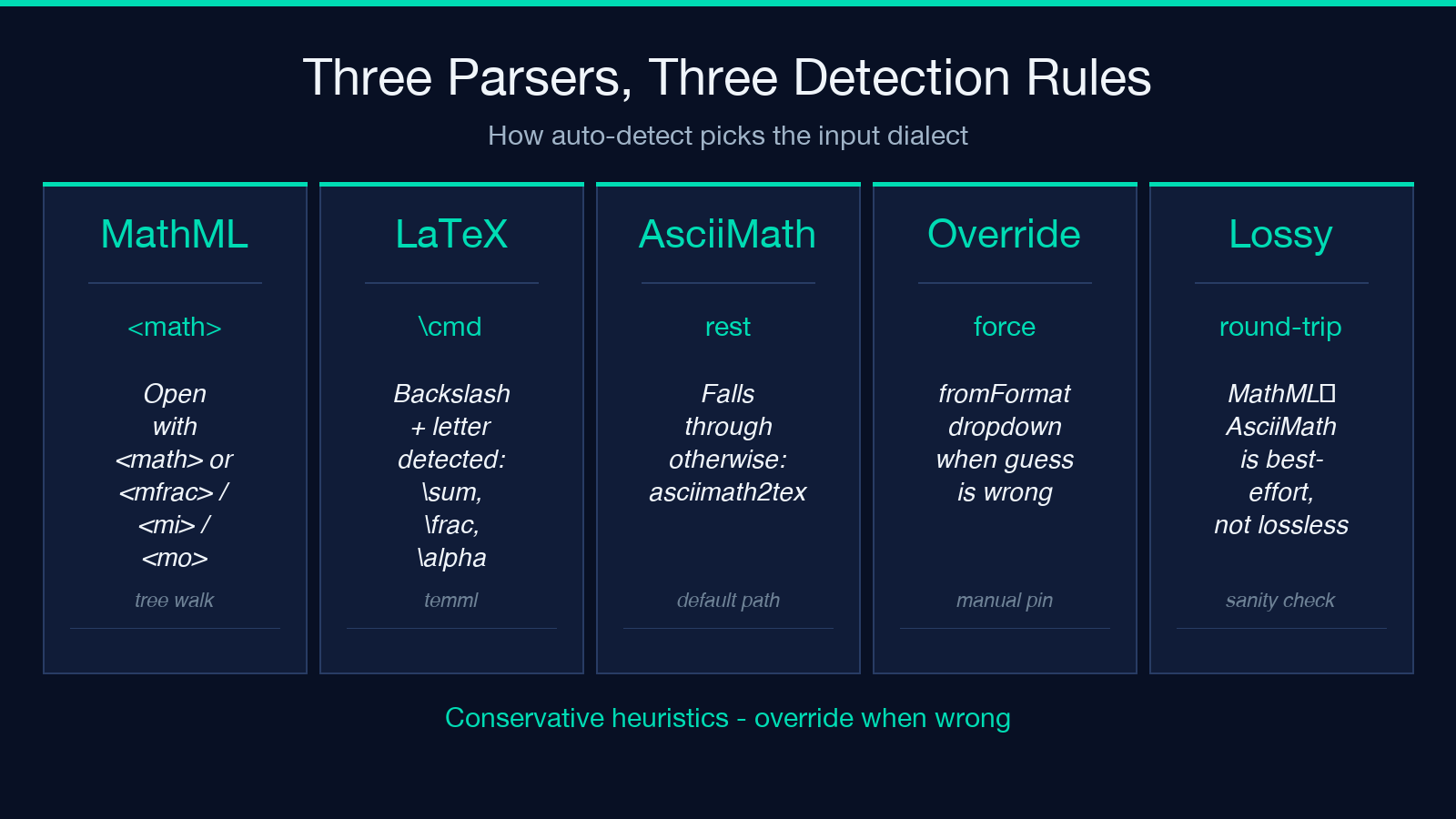
The converter peeks at the input and picks one of three parsers. The rules are deliberately conservative because mis-parsing an equation silently is far worse than asking for clarification.
– If the string starts with <math> or <mfrac> / <mi> / <mo> — treat as MathML and walk the presentation tree with mathml-to-latex. – If it contains a backslash followed by a letter (sum, frac, sqrt, left, alpha) — treat as LaTeX and feed it to temml (KaTeX-compatible grammar). – Otherwise treat as AsciiMath and use asciimath2tex.
Once the parser is chosen, the report expands outward: the canonical LaTeX is the hub, and from there the MathML and the KaTeX preview both hang off the same intermediate representation. The fromFormat dropdown lets you override the guess when the heuristics get it wrong — for example, an AsciiMath expression that legitimately contains sum because the user pasted LaTeX-shaped content.
Canonical LaTeX: the hub format
Every conversion produces one canonical LaTeX string first. That string is what subsequent outputs reference — the <annotation encoding="application/x-tex"> inside the MathML, the aria-label on the screen-reader wrapper, and the source fed into the KaTeX renderer all read the same value. The benefit is reproducibility: if you re-run the converter with the same input you get the same canonical LaTeX, and therefore the same downstream artifacts.
For an input like sum_(i=1)^n (i^3) the canonical LaTeX is sum_{i = 1}^{n} left ( i^{3} right ). The left ( right ) wrapping is automatic — without it, KaTeX renders the summation superscript directly against the parenthesis and the visual hierarchy collapses. The sum_{i = 1}^{n} form is preferred over sum_{i=1}^{n} because the spaces match the convention used by temml and most journal templates.
Presentation MathML with a TeX annotation
MathML comes in two flavors, and the converter deliberately emits only one. Presentation MathML describes how the equation looks — <mfrac> for fractions, <msqrt> for square roots, <msub> and <msup> for subscripts and superscripts. Content MathML would describe the meaning — a <plus> with two <ci> children. No maintained JavaScript converter emits Content MathML today, so the report stays with Presentation MathML and accepts that lossiness.
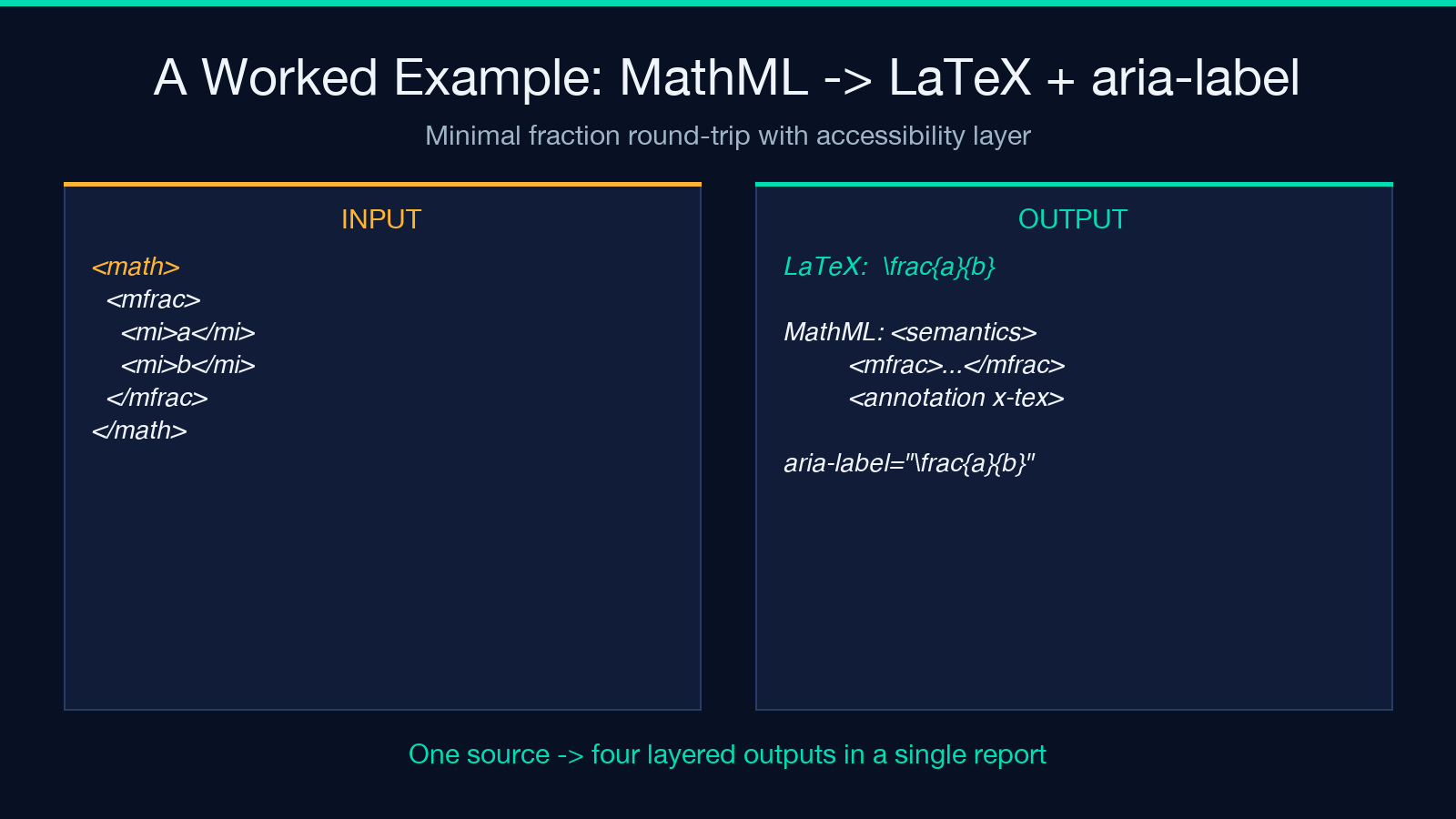
The interesting design choice is the <semantics> wrapper:
<math xmlns="http://www.w3.org/1998/Math/MathML">
  <semantics>
    <mfrac><mi>a</mi><mi>b</mi></mfrac>
    <annotation encoding="application/x-tex">frac{a}{b}</annotation>
  </semantics>
</math>
The
The accessibility gap, and how aria-label bridges it
Native MathML accessibility is patchy. Chrome and Edge render it, Safari renders it, but screen-reader support varies wildly between NVDA, JAWS, and VoiceOver depending on version and platform. The W3C’s long-term answer is the intent attribute on , but browser implementations are still landing. Until that arrives, the most reliable cross-platform fallback is to expose the canonical LaTeX as text through aria-label on a role="math" wrapper:
<span role="math" aria-label="frac{a}{b}">a/b</span>The aria-label is read aloud by every modern screen reader, regardless of whether the MathML inside the span actually parses. This is the same pattern recommended by the W3C MathML accessibility gap analysis, and the converter emits it whenever the “Add aria-label” checkbox is on. The role="math" is what tells assistive technology that the text content is a math expression, not a stray code fragment.
For a worked example, the canonical input produces LaTeX frac{a}{b}, the annotated MathML above, and an aria-label="\frac{a}{b}" snippet — try it in the format conversion samples to see the full report.
The best-effort AsciiMath back-translation and KaTeX preview
MathML → AsciiMath is not a lossless round-trip. The converter handles the common cases — fractions (a/b), roots (sqrt(a)), scripts (a_1, a^2), and tables (multi-line aligned environments). It does not, and cannot, recover the original LaTeX macro names from the rendered MathML. If you wrote varheart and the KaTeX preview rendered a specific Unicode heart glyph, the MathML tree contains the glyph, not the macro — and the back-translated AsciiMath will say ♥, not varheart.
This is why the report marks it explicitly as best-effort: it is a sanity check, not a guarantee. If you pipe your canonical LaTeX into the converter and the back-translated AsciiMath reads roughly the same as what you typed, the chain is healthy. If it reads nothing like what you typed, something in the middle dropped a token and you should look at the canonical LaTeX first.
The KaTeX preview is rendered server-side as HTML+MathML and returned in the report. There is no client-side JavaScript requirement for the preview to appear in the response — paste the input, and the HTML is already in the output. To display it on your own page, the front-end needs katex.min.css to load; without the stylesheet, you will see the MathML rendered correctly (the structural HTML is fine) but the visual styling will be default browser math, not the KaTeX typesetting.
This trade-off is deliberate. A pure-server render means the preview works in headless contexts (curl, RSS readers, server-side templating, scraped by AI agents). A pure-client render would require shipping KaTeX (about 280KB minified) on every page that might host an equation. The split — server emits, client styles — keeps the payload small while preserving the typographic quality.
When to override auto-detect
Three cases where you should pin fromFormat explicitly:
- LaTeX-shaped AsciiMath. A user pastes
\sum_{i=1}^n x_ithinking they are typing LaTeX, but actually the auto-detect sees the backslash and correctly routes it totemml. If you intended AsciiMath, switch tofromFormat: "asciimath"(or escape the backslashes). - MathML pasted without a wrapper. Some editors strip the
<math>root element. If you paste<mfrac><mi>a</mi><mi>b</mi></mfrac>directly, auto-detect will read the<mfrac>opening tag and route correctly; but if you paste<mi>a</mi><mi>b</mi>alone, the auto-detect sees a stray identifier and falls through to AsciiMath, producing nonsense. - Equations containing HTML entities. If you are converting from a CMS that has already escaped
<to<, the auto-detect never sees the MathML marker. Switch tofromFormat: "mathml"after manually un-escaping, or pre-process the input.
The default is auto because for the vast majority of equation sources — AsciiMath pasted from a textbook margin, LaTeX copied from a paper PDF, MathML exported from a WYSIWYG editor — the heuristics are accurate. The override exists for the cases where they are not.
Putting it together: a working pipeline
If you are building a CMS or documentation site that hosts math, the recommended integration is:
- Accept any of the three input formats in your editor.
- Pipe the input through the converter with
fromFormat: "auto",includeAnnotation: true,includeAriaLabel: true. - Store the canonical LaTeX in your database (it is the smallest, most portable representation).
- Render the MathML with the
<semantics>block in the body where the equation appears; the annotation preserves the LaTeX source for any future re-conversion. - Use the
aria-labelsnippet on the surrounding wrapper for screen readers. - Cache the KaTeX HTML preview if your traffic patterns benefit from it — the rendering is deterministic, so the same input always produces the same output.
The full report (canonical LaTeX + annotated MathML + aria-label snippet + KaTeX preview + best-effort AsciiMath round-trip) gives you every layer of fallback at once. If the visual renderer breaks, the MathML still parses. If the screen reader cannot parse MathML, the aria-label still reads. If the user wants to edit the source, the canonical LaTeX is right there in the report.
That redundancy is the point. One equation source string, three output dialects, five failure-tolerant layers — and the Elysia Tools equation converter ships all of them in a single report. Paste, run, ship.
