
A recipe written for 4 servings does not survive being doubled by 4 if you only carry the multiplication through. Most lines scale cleanly with a single factor — butter, flour, eggs, sugar — but salt and baking soda do not, “salt and pepper to taste” cannot be parsed into a number, and 0.375 cup is a useless instruction in any kitchen that owns a 1-cup measure. The Recipe Ingredient Scaler at Elysia Tools treats recipe rescaling as three separate problems glued together: a permissive parser that reads the way people actually write ingredients, a per-ingredient density table that converts US volume into grams for the 70 ingredients that have a stable density, and a kitchen-grid renderer that snaps awkward decimals back to the fractions cooks actually measure with.
The parser has to read the way you write
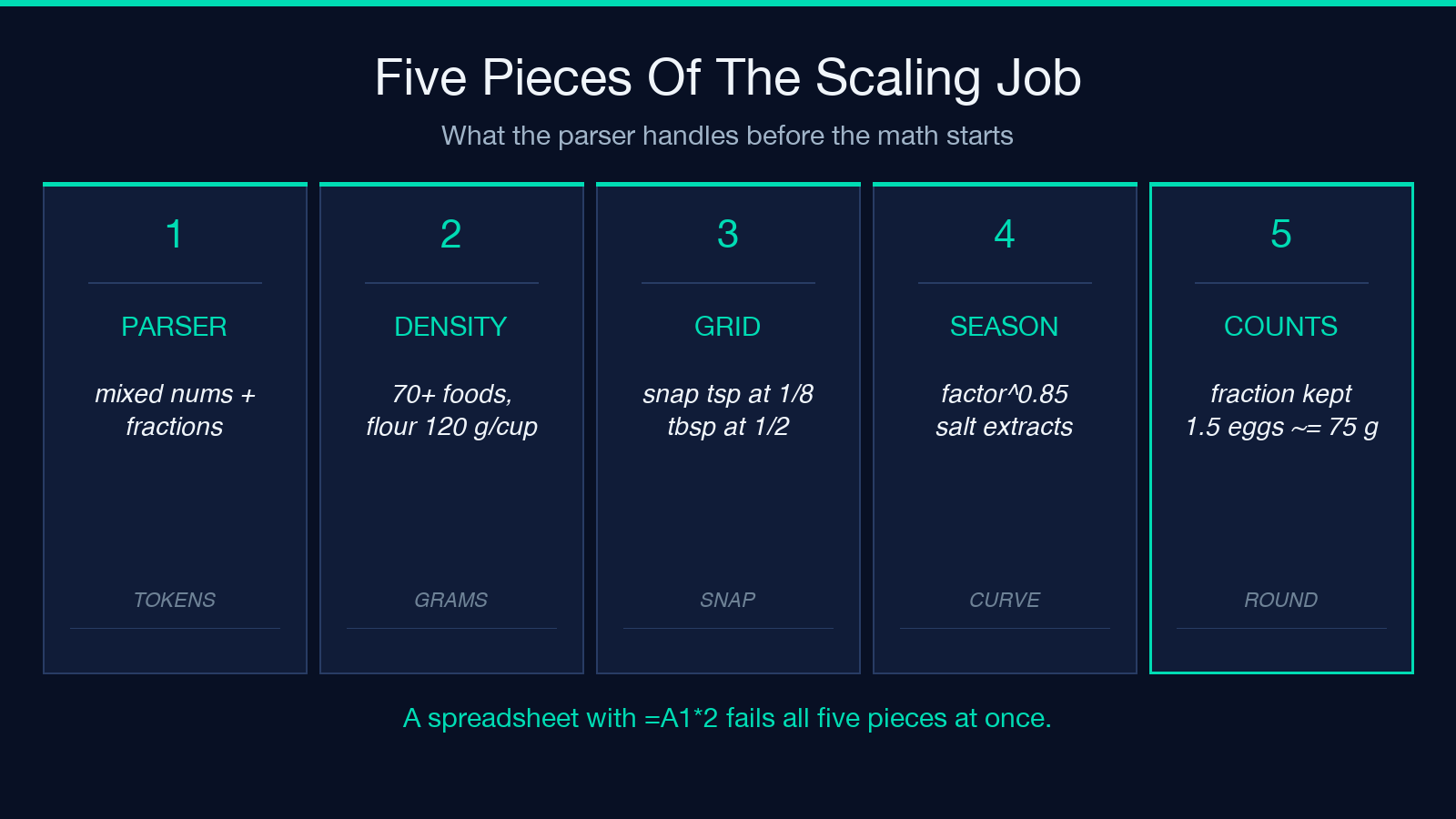
Recipes rarely look like spreadsheets. They look like the back of a cookbook page: “2 1/4 cups all-purpose flour”, “1 1/2 tsp salt”, “3 large eggs”, “200g/7oz chocolate”, “1-2 cups spinach”, “salt and pepper to taste”. A naive split on whitespace loses “1 1/2” as a single token, drops the parenthetical “softened” from “1 cup butter, softened”, and chokes on the range “1-2 cups”. The scaler handles all of these explicitly:
– Mixed numbers (2 1/4) and unicode fractions (½ ⅓ ⅔ ¼ ¾ ⅛) parse to the same rational, so you can paste a recipe from a British site and a US cookbook into the same input box. – Unit synonyms resolve to a canonical form: T, t, tbsp, c, fl oz, #, gr — every abbreviation cooks actually use. – Container words (clove, can, slice) and parenthetical notes (softened, minced, packed) stay attached to the ingredient so the scaled output reads naturally. – Ranges (1-2 cups) scale to the same range (2-4 cups) rather than picking one endpoint. – “to taste” markers are flagged unscaled and preserved untouched.
Unit conversion rides on a 70-entry density table
US volume to metric mass is not a single number. A cup of flour weighs 120 g; a cup of honey weighs 340 g; a cup of packed brown sugar weighs 220 g; a cup of butter is 227 g, which is also exactly 2 sticks (a coincidence the table exploits). The scaler ships a density table of 70+ common baking foods cross-verified between King Arthur Baking and the USDA, plus the exact US customary factors (1 cup = 236.6 ml) for ingredients whose density is essentially that of water.
Unknown ingredients — anything not in the table — keep their original volume unit and still scale linearly. The tradeoff is honest: a “1 cup chopped walnuts” line cannot become grams without knowing how finely they were chopped, but it can still become “2 cups chopped walnuts” when the serving count doubles.
Kitchen fractions beat decimals for output
0.375 cup is mathematically correct and practically useless. The output renderer snaps to three grids — tsp at ⅛, tbsp at ½, cup at ¼/⅓ — and demotes any remainder to the next smaller unit. So 0.375 cup renders as 6 tbsp, and 7½ tsp renders as 2 tbsp 1½ tsp. When the snapped value drifts more than 5% from the exact scaled number, the line gets a ~ prefix so you know the kitchen-friendly form is a rounded approximation. This is the difference between a recipe you can cook from and a recipe that requires you to do arithmetic in your head while the butter is browning.
Smart seasoning breaks linearity on purpose
Doubling a recipe and doubling the salt is the single most common reason home-baked cookies taste like pretzels. The professional consensus is that seasoning grows sub-linearly past 2× — you “season 1.5× when doubling” — and the scaler encodes that as factor^0.85 for any line tagged as salt, spice, or extract. A doubling (factor=2) on salt gives a 1.8× adjusted value; a tripling (factor=3) gives ~2.6×; a 4× gives ~3.3×. The linear value is still shown alongside so you can see the gap and choose.
The mode is a single checkbox. Turn it off and every line scales linearly the way a generic multiplier would. Leave it on (the default) and you get the curve that King Arthur, America’s Test Kitchen, and most restaurant pastry teams actually use.
Counts scale in fractions and time never scales
A 24-cookie recipe doubled to 48 needs 4 large eggs, not 3.86 of an egg. The scaler keeps counts in integer-or-fraction form (2 large eggs, 1½ large eggs ≈ 75 g), and converts fractional eggs into grams using the standard 50 g per large egg when you opt into metric output. This matters most for custards, mayonnaise, and any recipe where an extra yolk changes the chemistry.
Cooking times and temperatures are never scaled. A 350°F oven does not become a 700°F oven when the cake is twice as tall — it stays at 350°F, with the time extended by 5–10% per doubling depending on the bakeware. The scaler does not attempt to model heat transfer; it leaves time and temperature alone, on purpose.
A worked example — cookie batch 24 → 48, metric output
Input recipe (9 lines, 24 cookies):
2 1/4 cups all-purpose flour
1 tsp baking soda
1 tsp salt
1 cup butter, softened
3/4 cup granulated sugar
3/4 cup packed brown sugar
2 large eggs
2 cups chocolate chips
1 tsp vanilla extract
With target=48, outputUnits=metric, smartSeasoning=on:
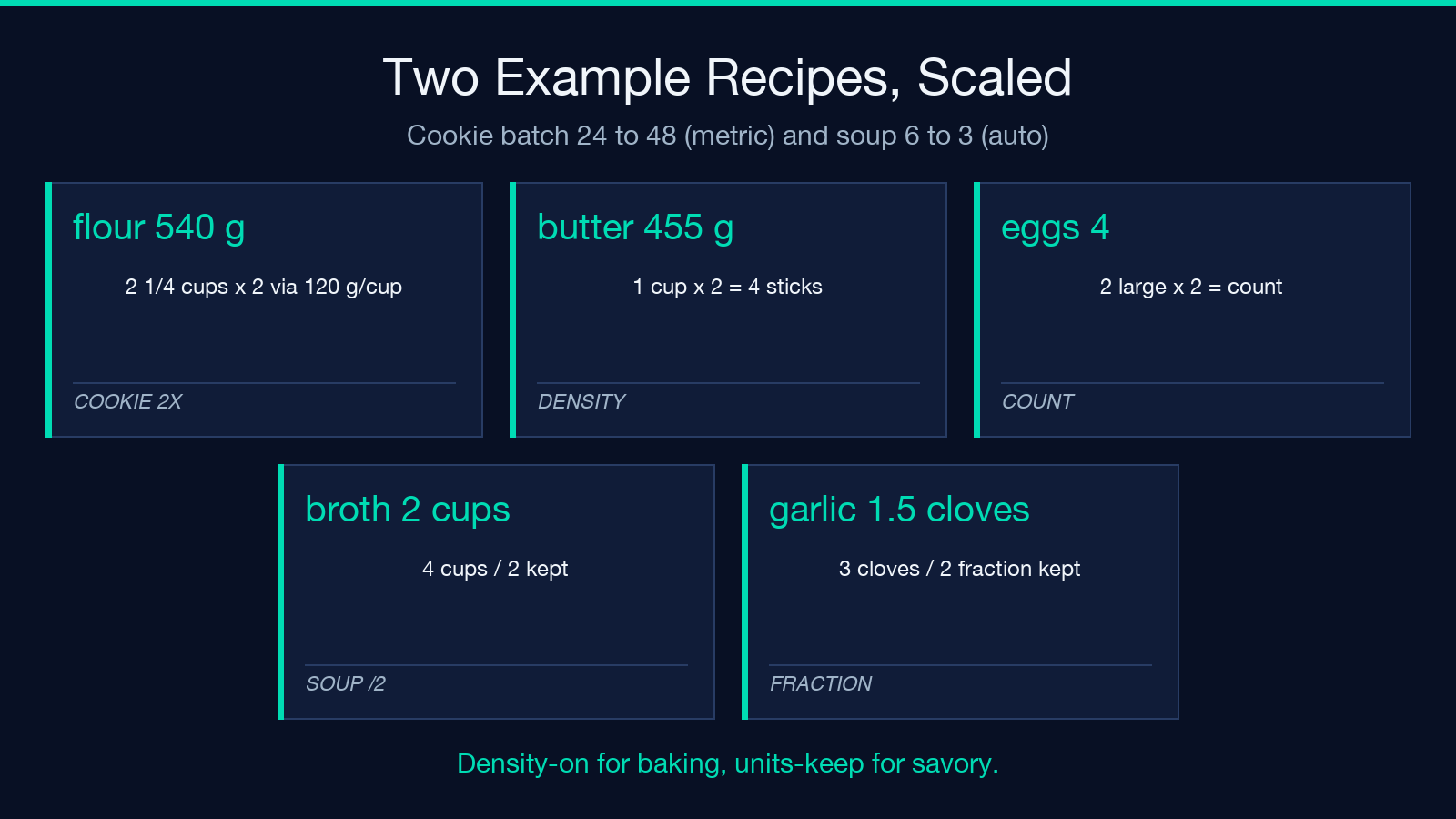
– 2 1/4 cups flour × 2 → 540 g (via 120 g/cup density) – 1 tsp baking soda × 2 → 2 tsp (linear, baking soda is a leavener, not a seasoning) – 1 tsp salt × 2 → ~1.8 tsp (smart-seasoning curve, linear 2 tsp shown alongside) – 1 cup butter × 2 → 455 g (= 4 sticks) – 3/4 cup granulated sugar × 2 → 300 g – 3/4 cup packed brown sugar × 2 → 440 g (density matters — 220 g/cup packed vs ~200 g/cup loose) – 2 large eggs × 2 → 4 large eggs (count) – 2 cups chocolate chips × 2 → 510 g (via chocolate-chip density, ~255 g/cup) – 1 tsp vanilla extract × 2 → ~1.8 tsp (smart-seasoning curve; vanilla is an extract)
Notice that the two density-sensitive lines (brown sugar and chocolate chips) are the ones where the linear “cups × factor” answer would have been wrong by 10–15% — exactly the lines that trip up home bakers who convert by hand.
A second example — halve a soup, keep kitchen units
Input recipe (6 servings):
1 tbsp olive oil
1 onion, diced
2 large carrots
3 cloves garlic, minced
4 cups chicken broth
1 cup heavy cream
salt and pepper, to taste
With target=3, outputUnits=auto (keep original units), smartSeasoning=on:
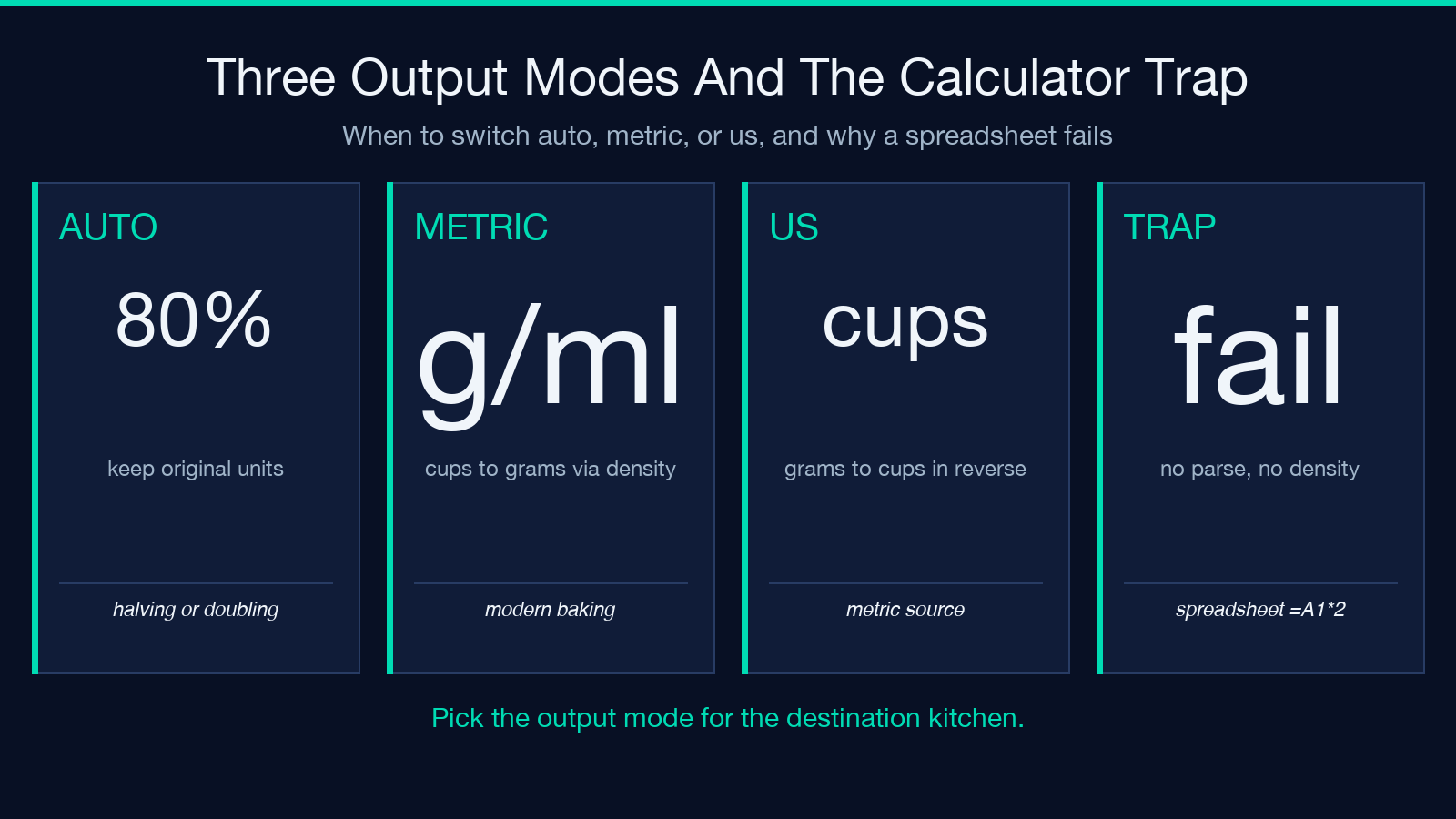
– 1 tbsp olive oil ÷ 2 → ½ tbsp – 1 onion ÷ 2 → 1 onion (count, rounded up — half an onion is not a useful prep step) – 2 large carrots ÷ 2 → 1 carrot – 3 cloves garlic ÷ 2 → 1 ½ cloves (fraction preserved, not rounded) – 4 cups chicken broth ÷ 2 → 2 cups – 1 cup heavy cream ÷ 2 → ½ cup – salt and pepper, to taste → preserved untouched (status: unscaled)
The “onion rounded up” decision is explicit in the line status field — you can see the scaler chose to round counts above 1 up to the next integer rather than down to a fraction, because in cooking you cannot meaningfully prep half an onion.
Why a calculator fails this job
A spreadsheet with =A1*2 does four things wrong: it does not parse 2 1/4 without preprocessing, it does not know that 1 cup of flour weighs 120 g, it outputs decimals that need a second calculator to read, and it scales every line including salt and pepper, to taste. The scaler is four separate small problems solved once: tokenize ingredient lines into a structured form, apply a density table only where it applies, snap to a kitchen grid, and tag unscalable lines. The result is a recipe you can cook from at the volume you actually need — without reaching for a second calculator or a kitchen scale at the wrong moment.
Explore the tool at Elysia Tools — Recipe Ingredient Scaler, and try the cookie and soup examples above as your first two inputs to see how the density table and smart-seasoning curve change the output. More kitchen-math utilities live on elysiatools.com.
