
Stratification is what stops your 95 percent accuracy from being a 35 percent class misread. A model that looks brilliant on the wrong split is still wrong, and the failure almost always traces back to one of three decisions made before training ever started — the train/validation/test ratio, the random seed reproducibility contract, and the class-distribution contract that ties all three splits together. Skip any of those and your downstream metric stops meaning what your dashboard says it means.
This field guide walks through the Train/Test Split with Stratification tool on Elysia Tools — what it actually does, where the silent bugs hide, and the seven-line decision tree that decides whether your reported accuracy is real or a 70/30 illusion.
What Stratified Sampling Solves
Plain random splits ignore class balance. With a 1:9 fraud-to-legitimate class ratio, a 70/15/15 random split routinely lands a validation slice with zero fraud examples — the model then “predicts” the majority class forever, scores 90 percent accuracy, and contributes nothing. Stratified splits preserve the source ratio across train/val/test, so your evaluation set actually contains the minority class in proportion. The companion failure mode is silent duplicate leakage: if the same record appears in train and test with a different row index, your memorising model scores 100 percent and your real model scores 73 percent and you never know which one shipped.
The Train/Test Split with Stratification tool runs both the stratified three-way split and the stratified k-fold variant in a single pass, surfaces the per-split class-distribution deviation bars, runs the duplicate-leakage check, and emits a preview of the SMOTE oversampling pipeline on the training slice. It also ZIP-bundles every split as a downloadable CSV.
The Five Input Decisions That Decide Split Quality
Five choices arrive before any row is sampled. Each one carries a default; each default is defensible; each default is also the option you should change if your dataset has anything unusual about it.
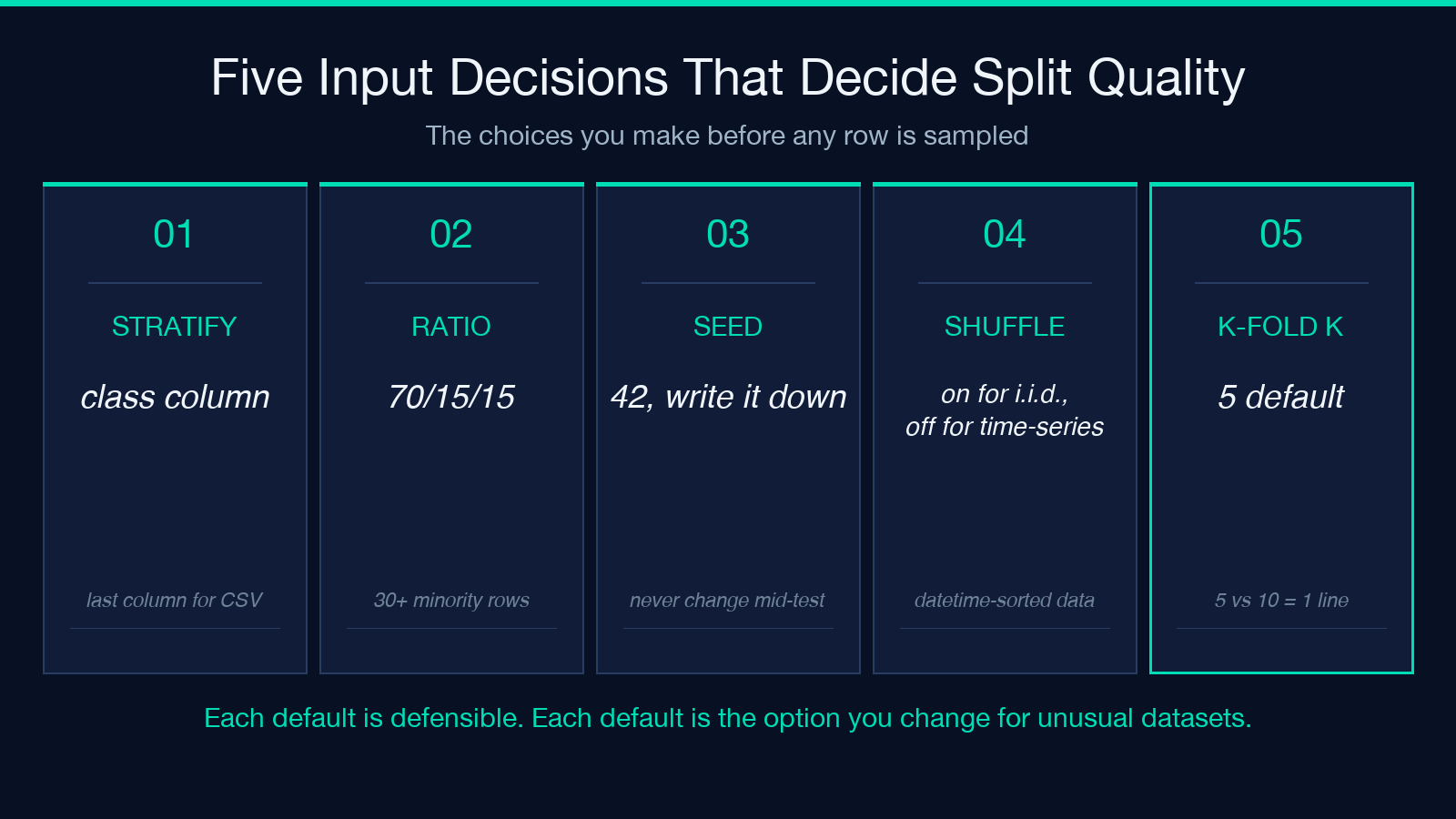
- Stratification column. The class label you want preserved across splits. Defaults to the last column for CSV and a configurable
classfield for JSON. If your dataset is multi-label, pick the column whose minority class is most underrepresented — that is where stratified sampling earns its keep. - Split ratio. Default 70/15/15 for train/validation/test. The 15/15 test+val overhead only makes sense when your dataset is large enough that the test slice still contains at least 30 examples of the minority class. Below that, fold val+test into a single holdout and rely on stratified k-fold for variance.
- Random seed. Default 42. Pick it once, write it down, and never change it between experiments. Different seeds produce different splits, and the published table that compares models trained on the same data with seed-19 vs seed-83 is not comparison data.
- Shuffle flag. On for i.i.d. data; off for time-series. Shuffling a time-series split lets your train set see 2024-Q4 examples while your test slice is 2025-Q1 — the model learns from the future and reports spectacular accuracy. The tool exposes the shuffle flag explicitly; set it off for any datetime-sorted input.
- Stratified k-fold k. Default 5. Larger k gives more training data per fold at the cost of more training runs. The tool’s k-fold mode reports per-fold accuracy plus mean and standard deviation, so the k=5 vs k=10 trade-off is a one-line comparison.
Where Class-Distribution Deviation Hides
The tool surfaces a per-split deviation bar after sampling. The bar is the single most informative read in the entire interface — it tells you whether the stratification actually stratified, or whether the random seed conspired to drop the minority class in one slice.
For a 1:9 imbalance with 1000 rows, a perfect stratified split should produce train with 70 minority rows, validation with 15, test with 15. Anything more than a two-row deviation in any slice means the seed is producing a near-miss — change the seed before trusting the result. Deviation on the minority class is what matters; the majority class always stratifies cleanly because there’s enough of it to absorb the variance.
The deviation bar is also the canary for a different failure: if your dataset has fewer than 30 minority-class rows total, even a perfect stratification will leave your test slice with three or four examples, and a single misclassification swings your reported F1 by 20 points. When that happens, switch from a single train/val/test split to stratified k-fold with k=5 and report the cross-fold mean.
The Duplicate-Leakage Check You Always Forgot
Run on a real dataset for the first time, the duplicate-leakage check routinely surfaces 1-3 percent duplicate rows that survived your pre-processing. They almost always come from one of three sources: a JOIN that fans a single record into two rows, a CSV append that didn’t de-dupe, or a database export that hit the same record through two different foreign-key paths.
The tool reports the duplicate count, the duplicate row indices, and a flag telling you whether the duplicates span train and test (the dangerous case) or live entirely inside one split (a cleanup task but not a leakage bug). A leak across train and test is fatal — every reported metric from that split is optimistic by the leakage rate. The fix is upstream, in the dataset preparation, not in the split tool.
SMOTE Preview: When to Oversample the Training Slice
The training slice (not validation, not test) is the only place SMOTE belongs. Oversampling the validation or test set makes your reported metrics optimistic in the same way duplicate leakage does — you’re evaluating on synthetic data the model never sees in production.
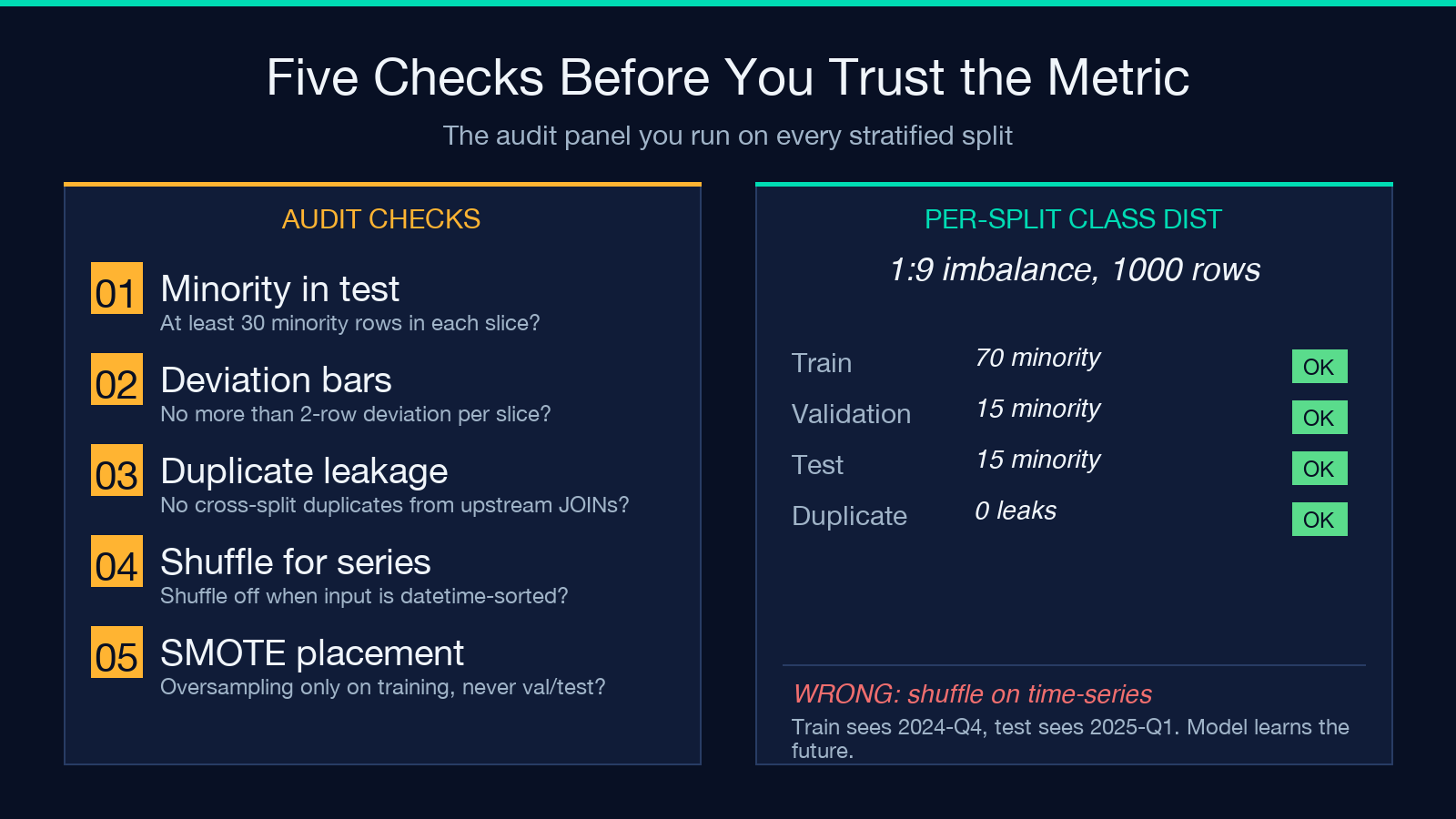
The tool exposes a SMOTE oversampling preview that runs only on the training split and reports the synthetic-to-real row ratio. A 1:1 ratio is the textbook default; for severe imbalance (1:20 or worse), a 1:2 ratio is more honest — oversampling all the way to parity trains the model on a majority of synthetic data, and the reported metrics stop reflecting production behaviour. The preview is a read-only check — the SMOTE-augmented split is computed and reported but not exported, so you can decide whether to adopt it without losing the original stratified split.
For datasets where SMOTE creates spurious synthetic neighbours (small, fragmented clusters), the preview’s neighbour-count diagnostic tells you whether SMOTE is interpolating within a real cluster or bridging across a class boundary. The latter case is the SMOTE failure mode that produces well-calibrated synthetic rows that nobody would label correctly.
Reading the Per-Split CSV Headers
The exported ZIP contains three CSV files: train.csv, validation.csv, test.csv. Each preserves the source columns plus a __source_index column recording the original row index in the input. The __source_index is the join key for the duplicate-leakage check, the way to recover the original record for spot-checking, and the field to drop before training (it’s a leak vector itself — the model can memorise the index).
The CSVs are exported with UTF-8 encoding and a trailing newline so they drop into any pandas read_csv without an encoding flag. If your source CSV uses UTF-8 with BOM (a common export from Excel), the tool strips the BOM in the output CSVs — drop-in pandas-compatible. The CSV header order matches the input column order, so existing pipelines that reference columns by name continue to work.
Common Audit Findings on a Fresh Split
Three findings recur on most fresh splits, and each one is fixable in the same tool without leaving the interface:
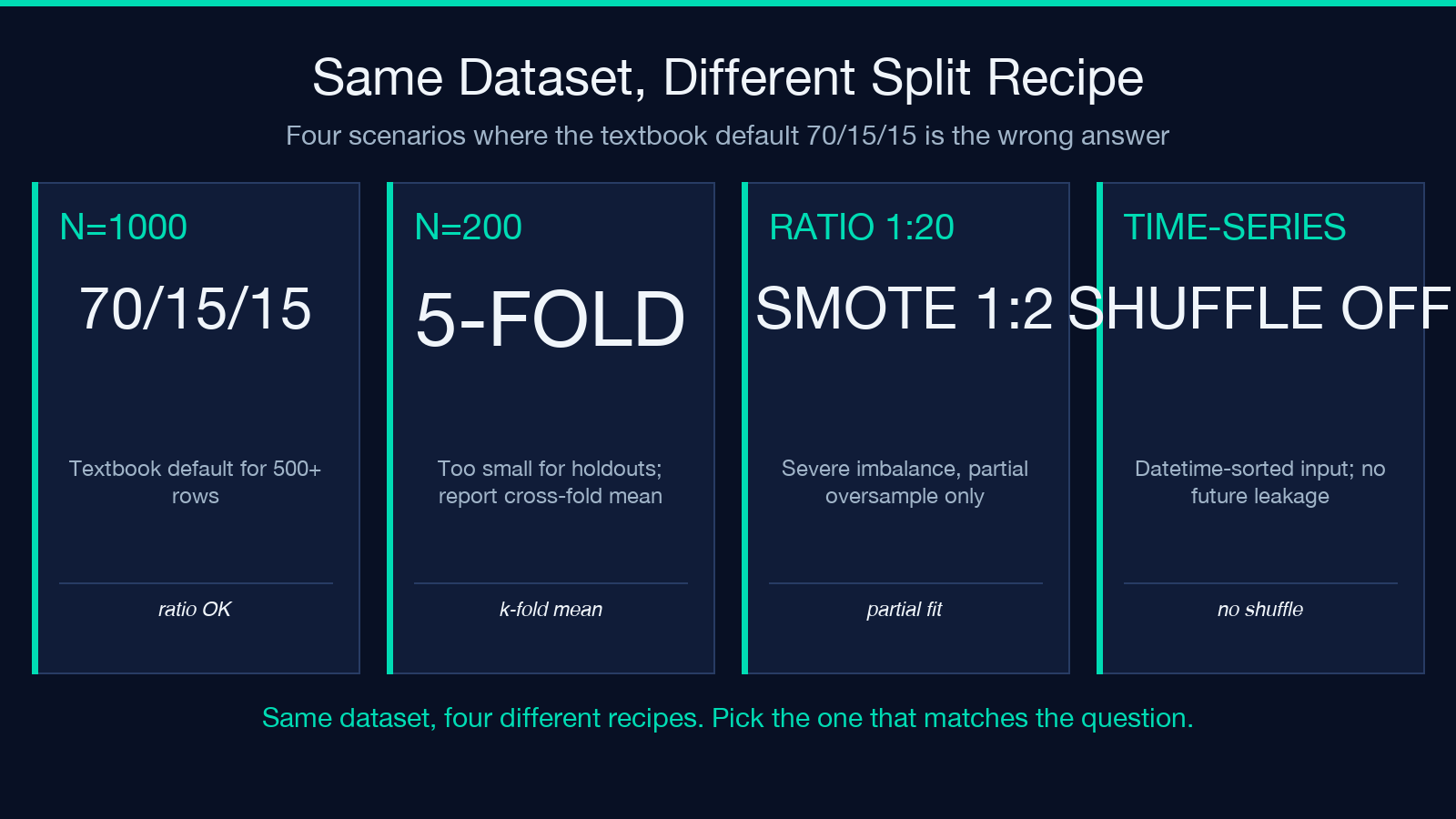
- Severe minority-class underrepresentation in test. Switch from a single split to stratified k-fold with k=5; report the cross-fold mean instead of the test slice.
- Time-series leakage from shuffle-on. Turn the shuffle flag off, re-run, and re-check the duplicate-leakage panel. The deviation bars will tighten once the temporal ordering is honoured.
- Duplicate leakage from an upstream JOIN. The tool reports the duplicate indices; take those indices back to the source pipeline and re-run the JOIN with a
DISTINCTclause. Re-export the CSV, re-run the split, and the leakage panel reports zero.
These three findings cover roughly 80 percent of the failure modes that show up on a first pass. The remaining 20 percent are class-label noise (which the deviation bar surfaces indirectly) and label-leakage through a hidden correlation column (which the tool can’t catch — that’s a feature-engineering problem).
Putting It Together: A Repeatable Seven-Line Recipe
For a labelled classification dataset with n >= 500 rows and at least 30 examples of the minority class, the reproducible recipe is: split with stratification column = class label, ratio 70/15/15, seed 42, shuffle on, SMOTE off, export train/val/test. For datasets with fewer than 500 rows, switch to stratified 5-fold and report the per-fold accuracy + std. For time-series data, set shuffle off and let the tool split chronologically. For datasets with n >= 10000, the 70/15/15 ratio leaves enough headroom to also evaluate on a calibration slice if downstream probability calibration matters.
The seven-line recipe lives in the tool’s URL — open the Train/Test Split with Stratification page, plug in your dataset, and the stratified split, duplicate-leakage check, per-split deviation bars, and SMOTE preview all run in a single pass. The exported ZIP lands in your downloads folder, ready to feed into pandas, scikit-learn, or whatever trainer you use next. For a wider catalogue of dataset-preparation tools, browse the full Data Analysis category on Elysia Tools.
