Every data scientist has a moment when they realize the dashboard they have been told to trust is lying to them. For people who live inside regression output, that moment usually arrives the first time a model with a respectable R-squared of 0.87 makes a prediction that is off by 40%. The coefficient looks reasonable. The p-value is small. The residuals look fine on a scatter plot. But the next quarter’s actuals land somewhere the model never imagined, and someone in a steering committee asks the inevitable question: how did the dashboard let this happen?
The honest answer is that R-squared was never designed to answer the question people keep asking it. It tells you how much of the variance in your training data the model explains. It does not tell you whether the model is the right shape, whether the assumptions still hold outside the training window, or whether the prediction you are about to ship is within a defensible distance of reality. Treating R² as a quality score is one of the most expensive habits in applied statistics, and the price is paid in missed forecasts and quietly degrading production models.
This guide is a practical walkthrough of what regression output actually contains, which numbers deserve your attention, and which ones you should look at only with a generous handful of salt. We will use the Regression Analyzer at elysiatools.com as a working example throughout, because it surfaces most of the diagnostics you would otherwise need four separate libraries to compute, and it does so without a single line of code. If you have ever pasted a CSV into a black-box tool and trusted the result, the next 2,000 words are for you.
The Five Numbers That Actually Matter
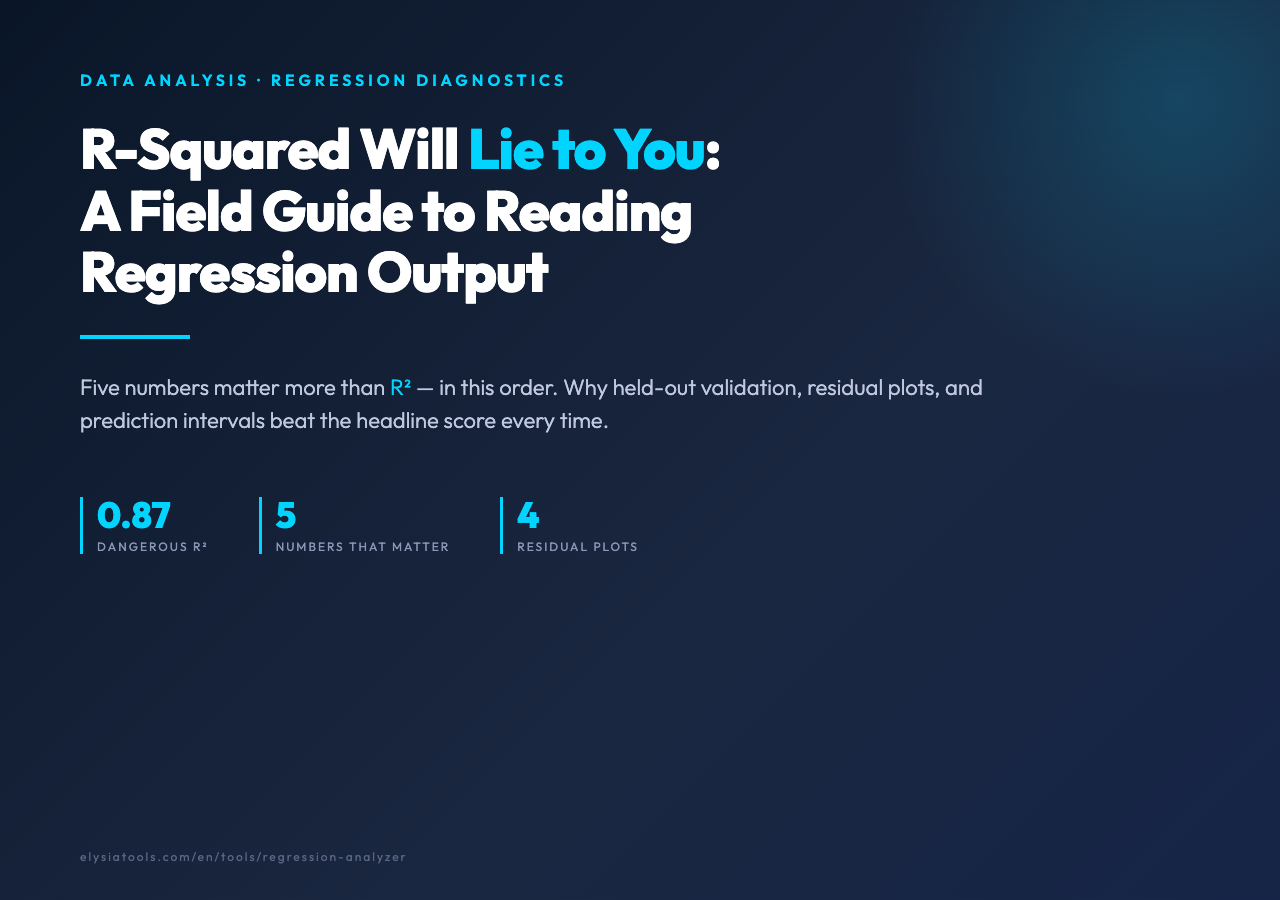
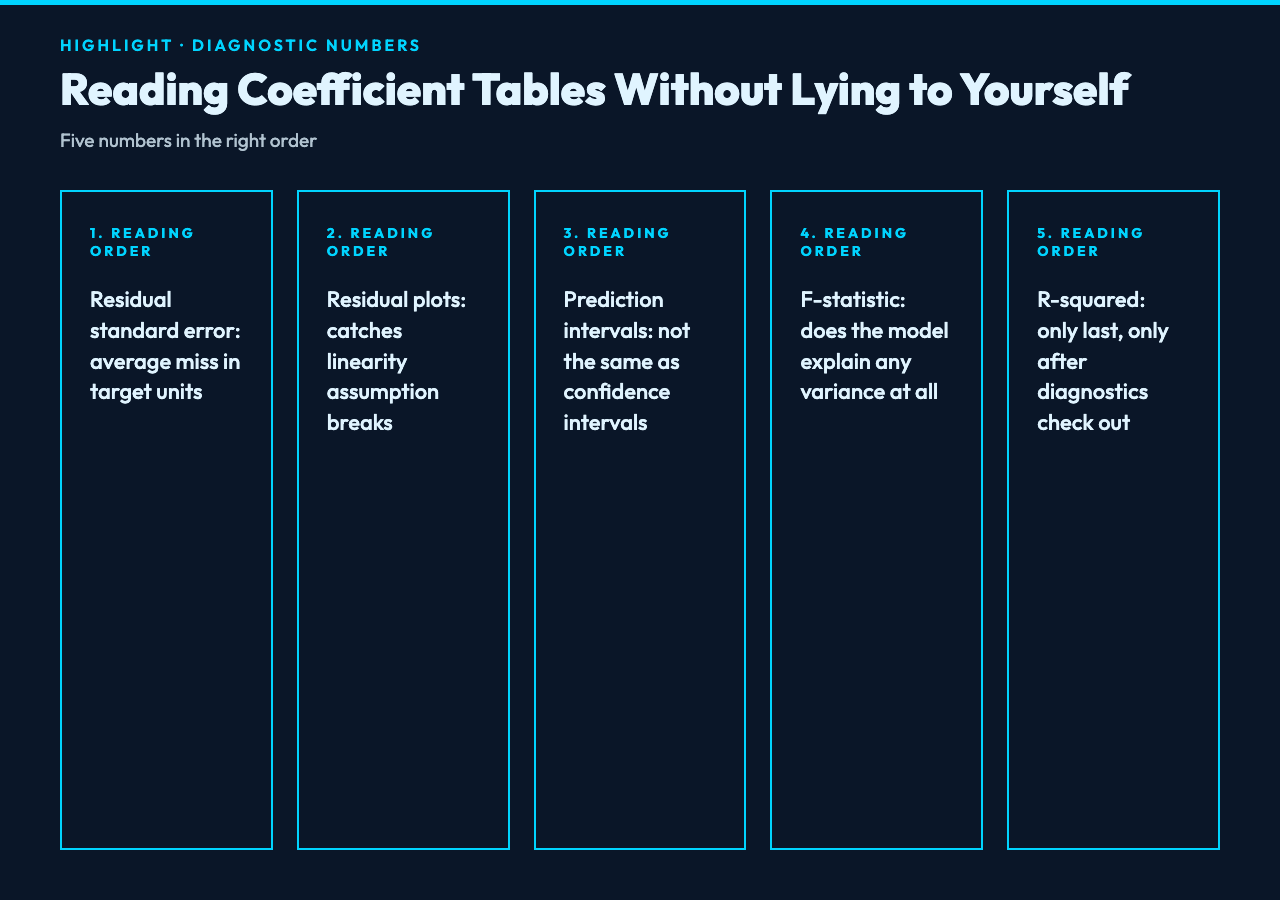
When a regression model prints its summary, the eye usually drifts to R-squared first, then to the coefficients, then to the asterisks beside the p-values. That order is upside down. The numbers that matter most, in order, are the residual standard error, the residual plots, the prediction intervals, the F-statistic, and only then R-squared. Each one answers a different question, and none of them on their own tells you whether the model is fit for purpose.
Residual standard error measures, in the units of your target variable, how far a typical prediction misses. A retail forecasting model with a residual standard error of $4,200 on daily sales is telling you that, on an average day, it will be wrong by about $4,200 in either direction. That number is actionable. R-squared is not — it is unitless and depends on the variance of your data, which means you can make any model look better by feeding it noisier data.
Residual plots tell you whether the model is the right shape. If you plot residuals against predicted values and see a curve, a fan, or a clump near zero, the linearity assumption is broken and no amount of additional features will fix it. This is the diagnostic that catches the “my model works on the training set but breaks in production” failure mode most reliably. The Regression Analyzer renders four canonical residual plots — residuals vs fitted, Q-Q plot, scale-location, and leverage — side by side, so you can scan them in a single glance rather than rebuilding them in matplotlib every time.
Prediction intervals are the number most dashboards hide from you, and the one that protects you from the worst kind of error: shipping a point estimate into a decision context where the consequence of being wrong is asymmetric. A model might predict next quarter’s revenue at $4.2 million with a 95% prediction interval of [$2.8 million, $5.9 million]. That range is the answer. The point estimate is just the midpoint.
Why High R-Squared Can Be a Warning Sign
A common belief holds that a model is good if R-squared is close to 1 and bad if it is close to 0. This is so prevalent that some teams will not approve a model for production unless R² exceeds 0.9. The problem is that R-squared is a measure of in-sample fit, and most real datasets contain a mixture of signal and noise. A model that explains 95% of the variance has either captured something genuinely predictive, or it has memorized noise that will not repeat.
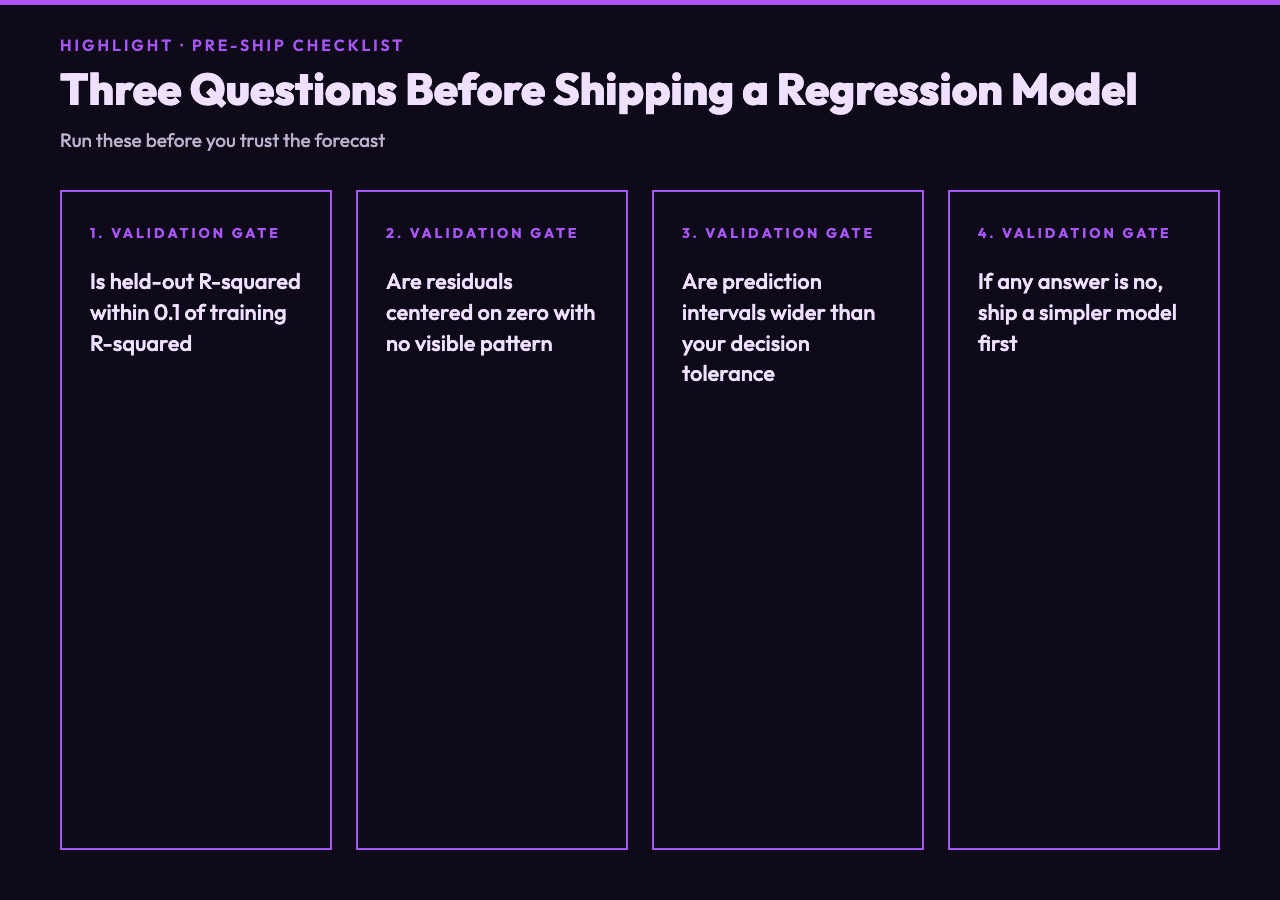
The classic way to test this is held-out validation: split your data, fit on the training portion, score on the test portion. If training R² is 0.94 and test R² is 0.61, your model is overfitting. If both are 0.61, your model is genuinely limited and you need more or better features. If both are 0.94, you may have a model that actually works — but you should still check the residuals, because a high R² with patterned residuals is a model that has memorized the signal but is structurally wrong.
Another trap is what statisticians call the Anscombe quartet: four datasets with identical R², identical regression coefficients, identical p-values, and wildly different underlying structure. Three of them are nonsense. If you only ever read the summary table, you cannot tell which one you have. Always look at the residuals.
The Regression Analyzer exposes a held-out validation mode that scores the model on a 20% test split by default. Use it. If the training and test R² diverge by more than 0.1, treat the model as suspect regardless of how good the headline number looks.
Reading Coefficients When You Have More Than One Predictor
Single-variable regression is easy: the coefficient tells you how much the target moves when the predictor moves by one unit, holding nothing else constant because there is nothing else to hold. The moment you have two or more predictors, every coefficient becomes a conditional statement. “Holding all other variables constant” is doing real work in that sentence, and the work is often misunderstood.
Two predictors that are correlated with each other — a near-constant in business data — produce coefficients that swing wildly depending on which variables are in the model. This is multicollinearity, and the standard diagnostic is the variance inflation factor. A VIF above 5 is a yellow flag, above 10 is a red flag. The Regression Analyzer computes VIF per predictor and surfaces the offenders in a dedicated column, so you can drop them or combine them rather than ship a model whose coefficients are statistically significant but practically meaningless.
Scale matters too. If one predictor is measured in dollars and another in years, the coefficient on dollars will be tiny and the coefficient on years will be large, even if dollars is the more important driver. Standardize your predictors before comparing coefficients, or look at the standardized coefficients the tool prints alongside the raw ones.
Outliers: When One Point Is Doing 30% of the Work
Every regression textbook tells you to check for outliers, and every practitioner ignores that advice until a single data point quietly determines their entire forecast. The most common offender is a single quarter with a one-time event — a major product launch, a regulatory change, a pandemic — that the model interprets as the new normal. The leverage plot in the Regression Analyzer flags these points automatically, with a dashed line at the conventional Cook’s distance threshold of 1.0.
The right response is rarely to delete the outlier. If that one data point reflects a real event that could happen again, it is the most valuable observation you have. If it is a data entry error, fix the error. If it is a one-time event that will not recur, document it and consider a model that excludes that period from training. “Deleting outliers” without thinking is how models end up confidently wrong about the next black swan.
For related work, the Correlation Analyzer is a useful companion: it shows you which predictors move together before you commit to a regression, and it surfaces the same leverage statistics in a different visual idiom.
Choosing the Right Model Shape Before You Start
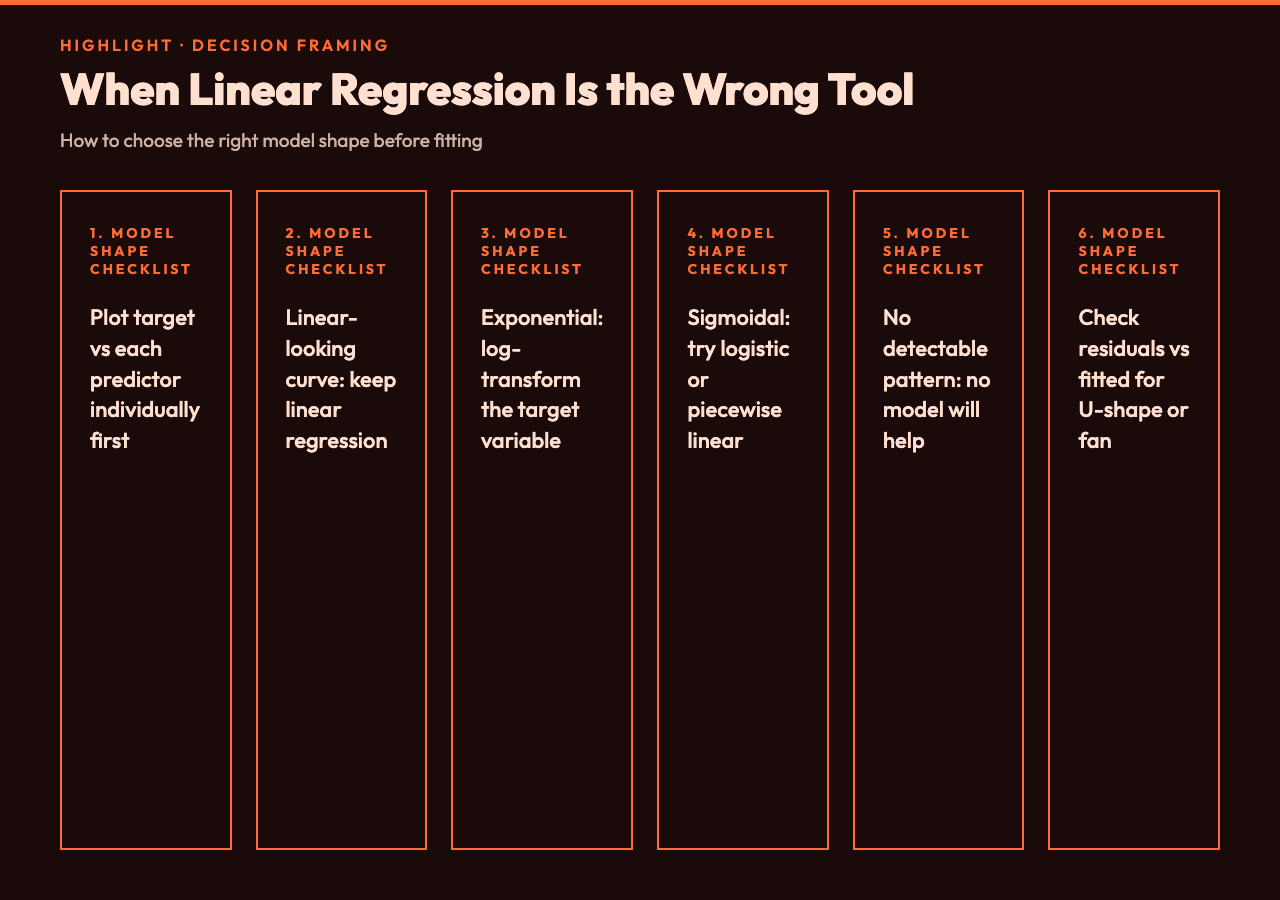
Linear regression assumes a straight-line relationship between predictors and target. When the relationship is curved, no amount of feature engineering will save you — you need a different model shape. The diagnostics will tell you this. If the residuals vs fitted plot shows a U-shape or an inverted U, your model needs a polynomial term or a logarithmic transformation. If it shows a fan, your target likely needs a log transform.
The decision tree looks like this: plot your target against each predictor individually first. If the relationship looks linear, use linear regression. If it looks exponential, log-transform the target. If it looks sigmoidal, consider logistic regression for classification or a piecewise linear model for the rare regression case. If the relationship looks genuinely noisy with no detectable pattern, no model will help you, and the honest answer is “we don’t have enough signal” — which is itself useful information.
The Right Way to Use Prediction Intervals in Decisions
Prediction intervals are not confidence intervals. A 95% confidence interval on the mean tells you where the average prediction lies. A 95% prediction interval tells you where a single new observation is likely to fall. Most decision-makers want the second one and are shown the first one, which is why forecasts tend to be overconfident.
The width of the prediction interval depends on how far you are extrapolating. Predictions inside the training data range have tight intervals. Predictions outside the range have intervals that fan out rapidly, often to the point of uselessness. The Regression Analyzer prints separate intervals for in-range and out-of-range predictions, which is the right way to flag that your forecast for “next year” is structurally less certain than your forecast for “next month.”
Putting It Together: A Practical Workflow
Here is the workflow that survives contact with real data. Step one: paste your CSV into the Regression Analyzer. Step two: look at the held-out R² and the residual standard error before you look at anything else. Step three: check the four residual plots for structure. Step four: read the coefficient table, but only after standardizing or ranking by VIF. Step five: read the prediction interval, not the point estimate. Step six: if any of those numbers look wrong, do not ship the model — go back to feature engineering, not to a fancier algorithm.
The most counterintuitive lesson is that simpler models often beat more complex ones in production, because they fail more gracefully. A linear regression with well-understood coefficients and visible diagnostics will save you from more disasters than a gradient-boosted ensemble with marginal accuracy gains and no interpretable failure mode.
Beyond the Spreadsheet: Where the Heavy Lifting Lives
For the cases where you need to go deeper than a single regression run, three reference ecosystems cover most of what applied statistics asks of you. R Language Samples is the canonical home of statistical computing — every regression textbook from the last 30 years uses R for its worked examples, and the lm() and glm() functions are still the gold standard for interpretable linear models. MATLAB Examples is the engineering counterpart, especially strong when your regression problem is embedded in a signal processing or control systems context where the residuals have physical meaning.
For visualizing the results, Plotly Interactive Charts Samples shows you how to turn a fitted line into an interactive web component with confidence bands, residual hover details, and the kind of diagnostic overlays that turn a static chart into a conversation with the data.
Closing Thoughts
The most useful thing the Regression Analyzer does is force you to look at the diagnostics before celebrating the headline number. The five numbers that matter — residual standard error, residual plots, prediction intervals, F-statistic, and R-squared, in that order — together tell a story about whether your model is right. None of them alone does. The tools above are good at surfacing those numbers quickly; the discipline is in reading them in the right order and being willing to walk away from a model that looks good on the summary but fails the diagnostics. That is what separates a forecast you can ship from one that quietly disappoints next quarter.
You can run the workflow above end to end on the Regression Analyzer, or browse the broader tool family at elysiatools.com/en/tools.