
Every fancy-text tool generates cursive by mapping letters to the Mathematical Script block, then silently leaves nine “reserved holes” in the alphabet looking like Roman capitals. A correct run of script text has to bridge those holes with the Letterlike Symbols block (ℬ ℰ ℱ ℋ ℐ ℒ ℳ ℛ ℯ ℊ ℴ) or your reader sees a Word-Art font, not a signature.
The Cursive Text tool on Elysia Tools picks between two weights — delicate Script (ℋℯ𝓁𝓁ℴ) or heavier Bold Script (𝓗𝓮𝓵𝓵𝓸) — and copy-pastes a clean run that survives every chat client. This field guide walks through the four signals that tell you whether a script render is honest or hiding reserved code points, the three pitfalls that make script text look wrong in a browser, and the one diagnostic that catches the difference in a single grep.
The four signals of an honest script render
The Unicode Consortium assigned script glyphs at every letter position in the Mathematical Script range — except nine. B, E, F, H, I, L, M, R and the lowercase e, g, o are unassigned in both Script (U+1D49C–U+1D4CF) and Bold Script (U+1D4D0–U+1D503). An honest tool falls back to the Letterlike Symbols block for those positions, where ℬ ℰ ℱ ℋ ℐ ℒ ℳ ℛ and ℯ ℊ ℴ have lived since Unicode 1.1. The result is a run like:
> ℋℯ𝓁𝓁ℴ 𝓌ℴ𝓇𝓁𝒹 (Script) or 𝓗𝓮𝓵𝓵𝓸 𝓦𝓸𝓻𝓵𝓭 (Bold Script)
Four signals that the render is using the fallback correctly:
- Both capital and lowercase “h” look the same shape — script H and script h should both use the cursive “loop on a tall stem” form. If lowercase h looks like a regular Latin h while capital H is the loop, you are seeing the U+210B ℋ glyph (a Letterlike Symbol) and the SMP ℎ (U+210E) for the lower case, which is wrong — script text uses ℋ (U+210B) for both positions in the run.
- The letter “B” has the bowl below the bar — ℬ (U+212C) has a distinctive belly-low bar; a regular Latin B next to script ℰ Ⅎ ℴ is a giveaway that the tool skipped the fallback.
- Numbers are not converted — script text only touches letters. Digits, punctuation, spaces, and emoji pass through unchanged. If your “script” line shows “2026” rendered as 𝟚𝟘𝟚𝟞 (Mathematical Bold Digit), the tool is over-reaching into a digit block you did not ask for.
- The run copies cleanly into a terminal — every glyph is a valid code point. No replacement characters, no missing-glyph boxes, no broken surrogate pairs. The Cursive Text generator emits text that survives Slack, Discord, GitHub, and a tmux pane without missing-glyph fallbacks.
Why a stretched italic does not count as script
CSS font-style: italic is a font-level slant, not a glyph-level swap. Most sans-serif fonts ship italic that is just an oblique transform — the letterforms are unchanged, the only difference is a 7–12° skew. That looks fine for a paragraph where the slant is the whole point; it looks wrong as a stand-in for cursive.
Hand-written cursive is two glyph changes that italic cannot fake:
The first change is that the lowercase “a” has a double-storey loop, not the single-storey Latin a. Script text renders this with U+1D4B6 (𝒶). Latin italic keeps the standard “a” glyph and just slants it. The second change is that capital letters connect to the next letter with a tail. Script ℋ has a descending tail that hooks under the next letter. Bold Script 𝓗 has a thicker tail. CSS italic leaves the standard Latin capital H with no connecting stroke.
Two test sentences that expose the difference immediately:
– “Hello” — Script: ℋℯ𝓁𝓁ℴ. Bold italic CSS: the word “Hello” rendered with HTML emphasis tags (em). The script version has ℋ (U+210B) for the H — distinct from Latin H. The italic version has the Latin H, only slanted. – “Quick brown fox” — Script: 𝒬𝓊𝒾𝒸𝓀 𝒷𝓇ℴ𝓌𝓃 𝒻ℴ𝓍. Note that 𝒻 (U+1D4BB) is lowercase script f. Latin italic would render an italic Latin f.
How the Unicode blocks layer
The Supplementary Multilingual Plane holds four style blocks that read as “fancy letters” at small sizes — Script (U+1D49C), Bold Script (U+1D4D0), Fraktur (U+1D504), and Double-Struck (U+1D538). Each block covers A–Z and a–z, with the same nine-letter hole pattern. Below those, the BMP Letterlike Symbols block holds ℬ ℰ ℱ ℋ ℐ ℒ ℳ ℛ ℯ ℊ ℴ at fixed positions U+212C–U+2145 — the bridge that fills every block’s holes.
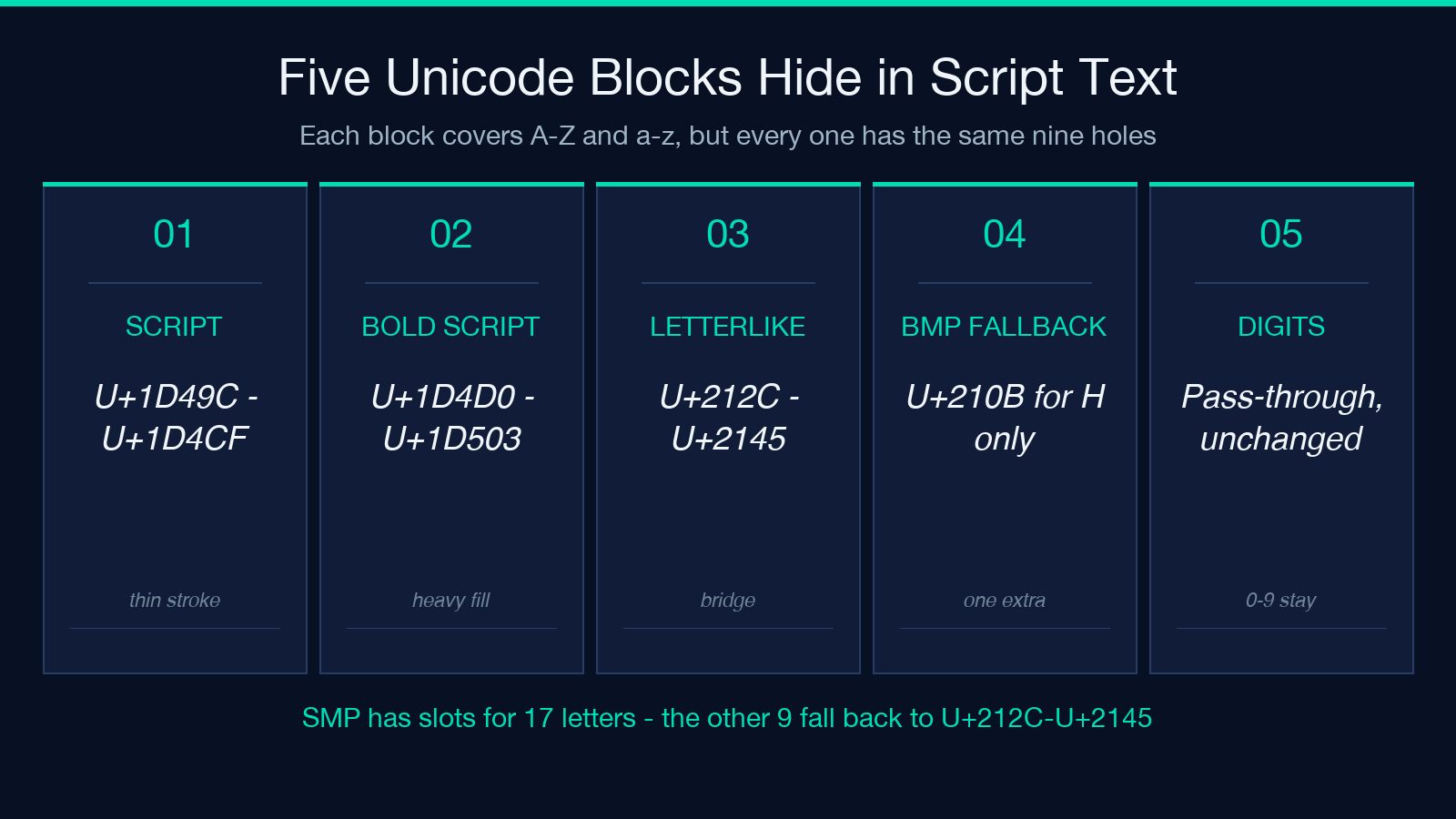
The Cursive Text tool targets Script and Bold Script only, because those are the two weights a reader actually associates with hand-written calligraphy. Fraktur reads as blackletter, Double-Struck as math notation, and the other nine blocks as esoteric display. The two-script split matches what most users expect when they search for “cursive”.
A correct generator keeps digits (0–9), punctuation, CJK characters, and emoji out of the conversion entirely. The Mathematical Bold Digit block (U+1D7CE–U+1D7FF) is tempting, but converting “2026” to 𝟚𝟘𝟚𝟞 produces a digit run that looks like an obfuscation cipher. Year stamps and counts should stay as plain digits, even in a script run.
The three pitfalls that make script text look wrong
Pitfall 1: over-reach into Mathematical Alphanumeric Symbols blocks
The SMP (Supplementary Multilingual Plane, U+10000–U+1FFFF) holds thirteen Mathematical Alphanumeric Symbols blocks — Script, Bold Script, Fraktur, Bold Fraktur, Double-Struck, Bold, Italic, Bold Italic, Script, Bold Script, and the digit/symbol variants. A tool that promises “cursive” but picks from Fraktur will give you blackletter (𝔄𝔅ℭ) instead of script (𝒜ℬ𝒞). The two are visually similar at 12 px and unmistakable at 48 px. If your “cursive” run shows angular strokes with diamond feet, the tool picked Fraktur, not Script.
Pitfall 2: forgetting that nine lowercase letters have no SMP slot
Lowercase b, d, f, h, i, j, k, l, q, r, s, t, u, v, w, x, y, z all have script counterparts at U+1D4B6 through U+1D4CF. The exception is the same nine as capitals: e, g, o. Those fall back to ℯ ℊ ℴ. A tool that “forgets” the fallback will output a question-mark box or the Latin e, g, o where the script run should be continuous. The diagnostic is the same as the capital case — a character-class sweep for [u1D49C-u1D4CF] plus the Letterlike Symbols should return a contiguous run with no Latin letters between them.
Pitfall 3: rendering Bold Script as Bold + Script
Some quick implementations map uppercase to Bold Script (𝓗) and lowercase to Script (𝓱), producing a visually broken run where the stroke weight changes halfway through the word. The Cursive Text tool exposes both weights as a separate option; mixing them inside a single word is a tool choice, not a fallback. If your run has 𝓗𝓮𝓵𝓵𝓸 in the headline and ℋℯ𝓁𝓁ℴ in the body, the user notices even if they cannot name why.
The one diagnostic that catches a broken render
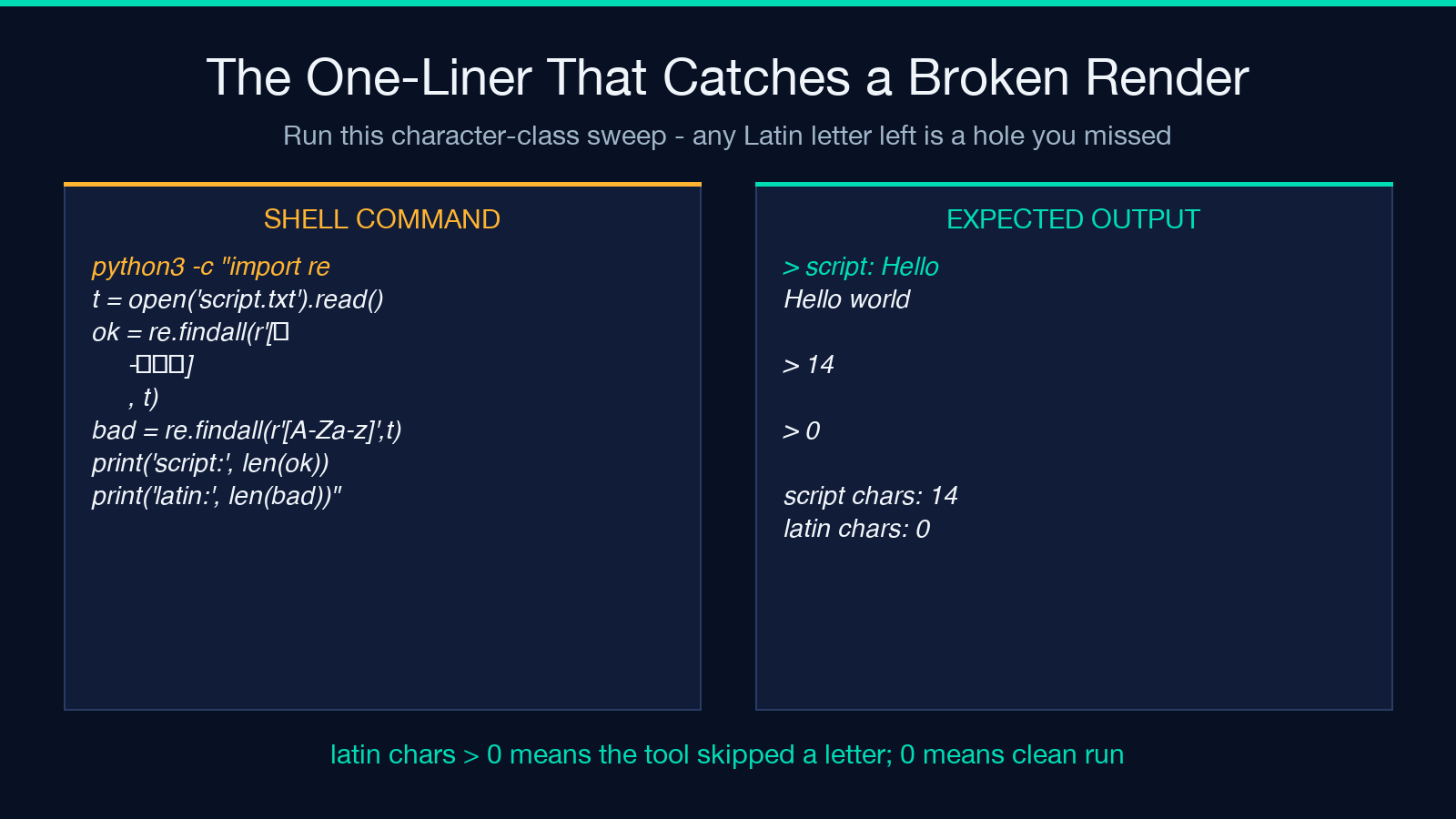
The fastest test is character-class sweep. Every letter in a script run should match one of two ranges:
– U+1D49C to U+1D4CF (Mathematical Script Capital letters A–Z, with the nine letterlike fallbacks for B/E/F/H/I/L/M/R) – U+210B, U+212C, U+212F, U+2133, U+2134 (Letterlike Symbol fallbacks) – U+1D4B6 to U+1D4CF (Mathematical Script Small letters, with the three letterlike fallbacks for e/g/o) – U+212F (Script Small L, U+1D4C0 is unassigned), U+2134 (Script Small O), U+2145 (Double-struck Italic Small D, sometimes used)
A one-liner that returns zero broken lines:
python3 -c "import sys,re;t=open('script.txt').read();
ok=re.findall(r'[U0001D49C-U0001D4CFu210Bu212Cu212Fu2133u2134u2145]',t);
bad=re.findall(r'[A-Za-z]',t);
print('script chars:',len(ok),'latin chars:',len(bad))"
If latin chars is non-zero, your run has not been converted — the tool you used only touched a subset of the alphabet. If the count of script chars is suspiciously close to the length of the input (the count should be slightly less because the nine fallbacks are missing), the tool probably hit a different block. Either way, paste the output back through the tool and recheck.
When to choose Script versus Bold Script
Both blocks live in the same Unicode plane and render the same letter shapes with two stroke weights. The choice is a readability call:
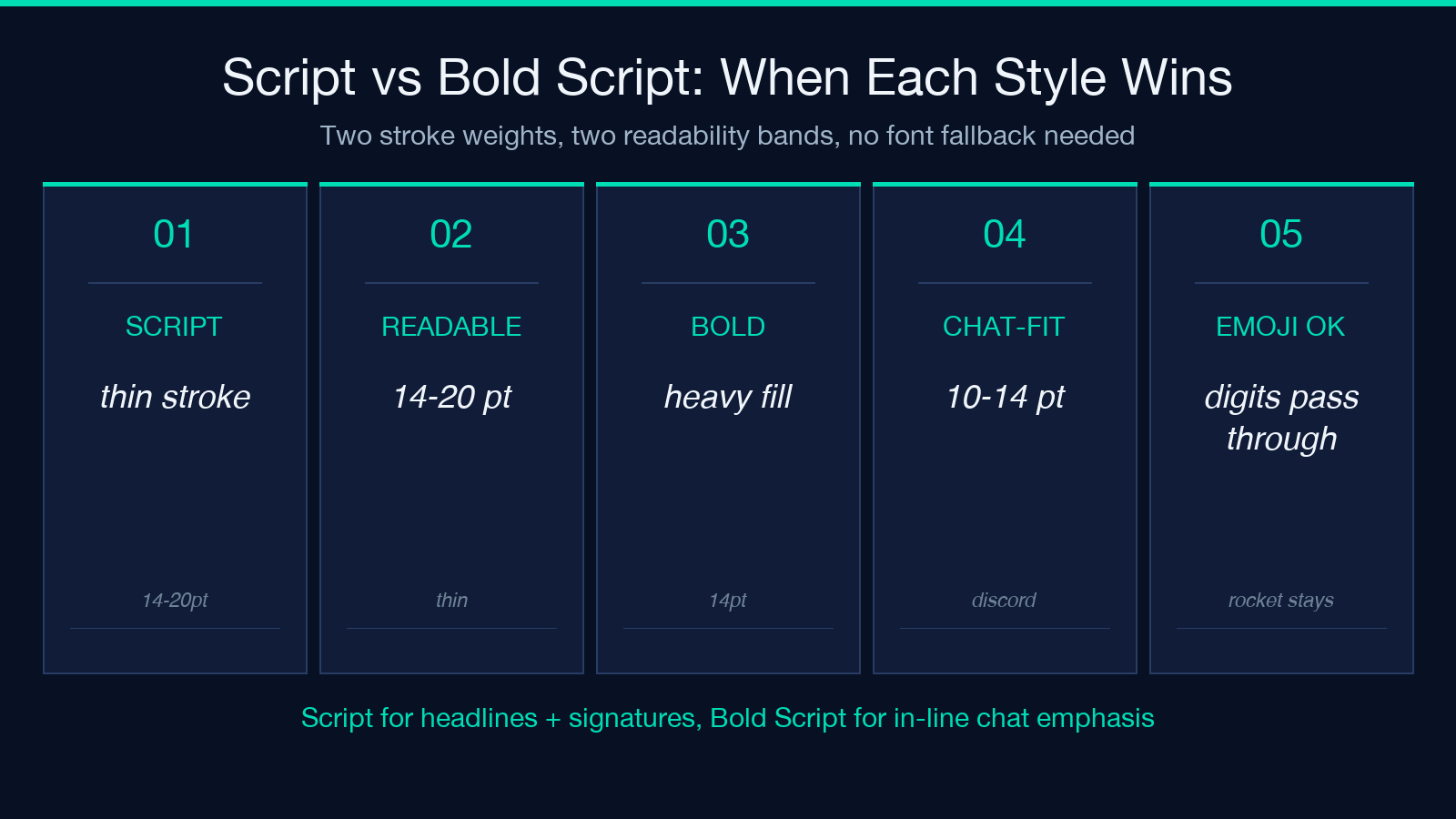
- Script (thin) is the classic calligraphy / signature look. Reads as elegant at 14–20 pt. Falls apart below 10 pt because the thin strokes blur in pixel rendering. Use for headlines, profile names, and signature lines where the reader expects to lean in.
- Bold Script (heavy) is the same letter shapes with a heavier fill. Reads cleanly at 10–14 pt, the chat-message band. Use for in-line emphasis in a Discord/Slack message where the script variant would vanish against the dark theme background.
Both styles preserve digits, spaces, punctuation, and emoji — the generator does not touch them. That means you can paste “Cursive 2026 🚀” and get back the script letters with the digits, the year, and the rocket intact.
Beyond a single line
The same fallback pattern repeats in Bold Italic (U+1D468–U+1D49B), Double-Struck (U+1D538–U+1D56B), and Fraktur (U+1D504–U+1D537). All four styles hit the same nine-letter holes in the SMP. A reusable bridge that walks any of those blocks:
1. Pick the letter you want to convert. 2. Check if it has a slot in the target block — if yes, swap. 3. If no slot, swap to the corresponding Letterlike Symbol (the bridge above applies for Script; Double-Struck uses ℬ ℰ ℱ ℋ ℐ ℒ ℳ ℛ ℯ ℊ ℴ as well, since they predate the SMP). 4. Leave digits, punctuation, CJK, emoji, and spaces alone.
The script variants stay in the letterlike block even when the SMP has them, because the Letterlike Symbols predate Unicode 3.1 (when the SMP was filled in) and every chat client renders them. The cursive generator does this bridge in a single click and outputs text that copies into any modern chat client without missing-glyph fallbacks.
The closing test
A clean script run survives three checks: paste it into a terminal (no boxes), paste it into a chat client (no missing glyphs), and run the character-class sweep above (no Latin letters remain). If all three pass, the tool bridged the nine holes correctly and you have hand-written script text, not a stretched italic dressed up as one. Try it once with your own name — the run is short, the diagnostic is fast, and the difference between Script and Bold Script becomes obvious at the second test case.
