
Three modes and a single RFC sit behind every SPA authorization request. When an OAuth2 / OIDC public client logs in without a backend, the only thing standing between the authorization code and an attacker who intercepted it is a SHA-256 hash of a value the client never shared. That value is the code_verifier; its hash, base64url-encoded, is the code_challenge. RFC 7636 specifies the protocol; the PKCE Code Verifier & Challenge Generator tool turns it from spec text into a one-page form with three modes — generate, validate, and verify — and a built-in authorization-URL builder. This field guide walks through every decision the tool exposes and the four landmines that surface the first time a developer wires PKCE into a Single-Page App.
What PKCE actually protects against
The threat model is a custom-URL-scheme interception. On mobile, an attacker who registers the same redirect_uri scheme (say com.example.app://oauth) gets the authorization code the authorization server sends to your app — and the code is redeemable once for tokens. PKCE binds the code to a per-request secret the attacker cannot read: the code_verifier. The server stores only BASE64URL(SHA256(verifier)) — the code_challenge — and only redeems the code if the token request carries a code_verifier whose hash matches. Without the verifier, the stolen code is worthless. The tool exposes that three-step dance as three radio-button modes so you never confuse which side of the protocol you’re on.
Why the mode field is the first decision, not the fourth
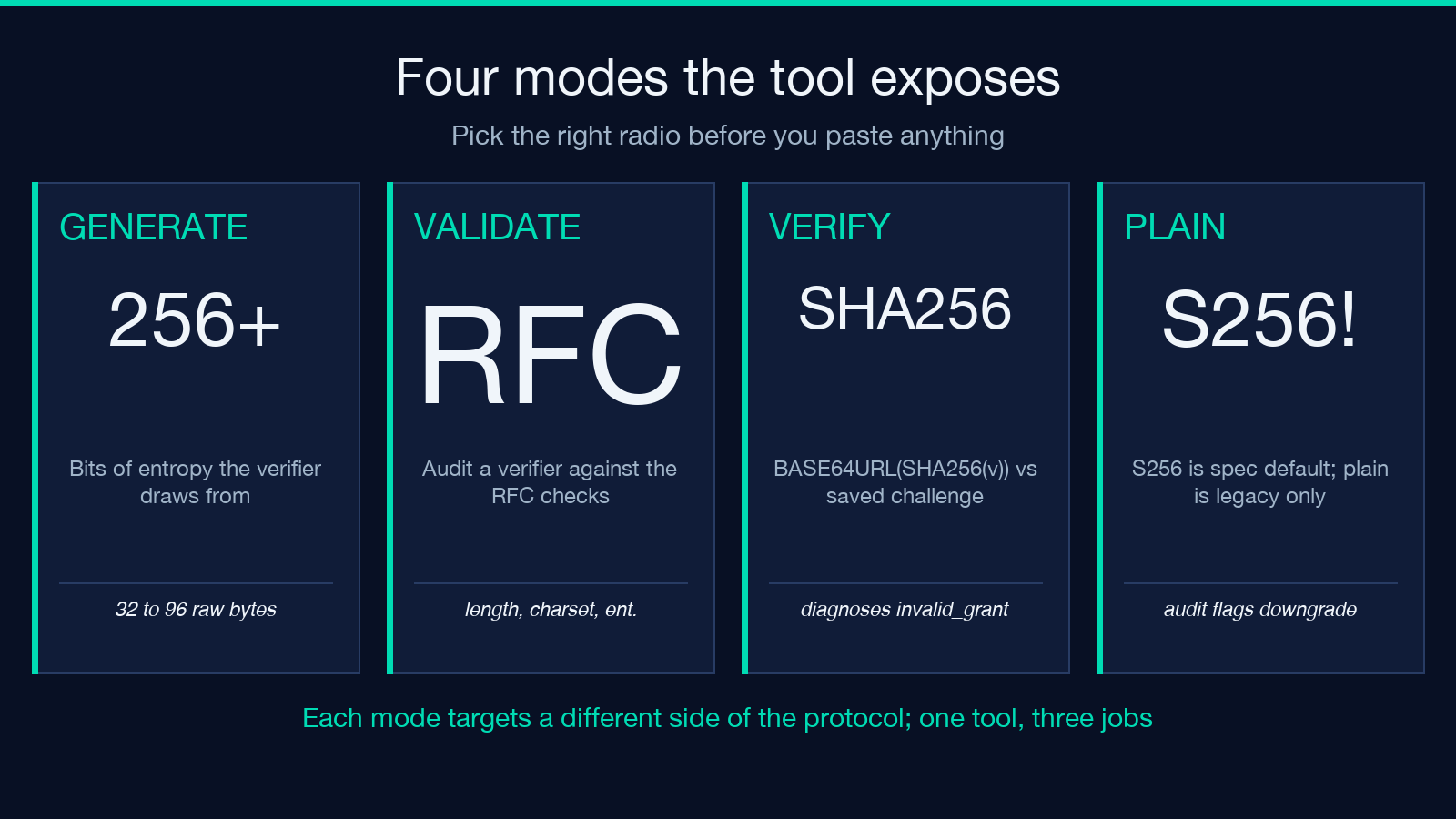
Pick Generate when you’re wiring a fresh login flow. Pick Validate when you’ve pasted a verifier out of a log, a screenshot, or an old test fixture and want to know if it would even pass the RFC. Pick Verify when you have a verifier and a challenge from two different sources and need to know whether they match. The same byte-length dropdown (32 / 48 / 64 / 96 bytes of entropy) appears in Generate mode; in the other two it’s harmless metadata so the audit panel can compare the verifier’s entropy against the chunk that built the challenge. Try the PKCE generator with the same verifier in both Validate and Verify modes to see how the implied challenge and the expected challenge diverge.
The 256-bit floor that half the tutorials get wrong
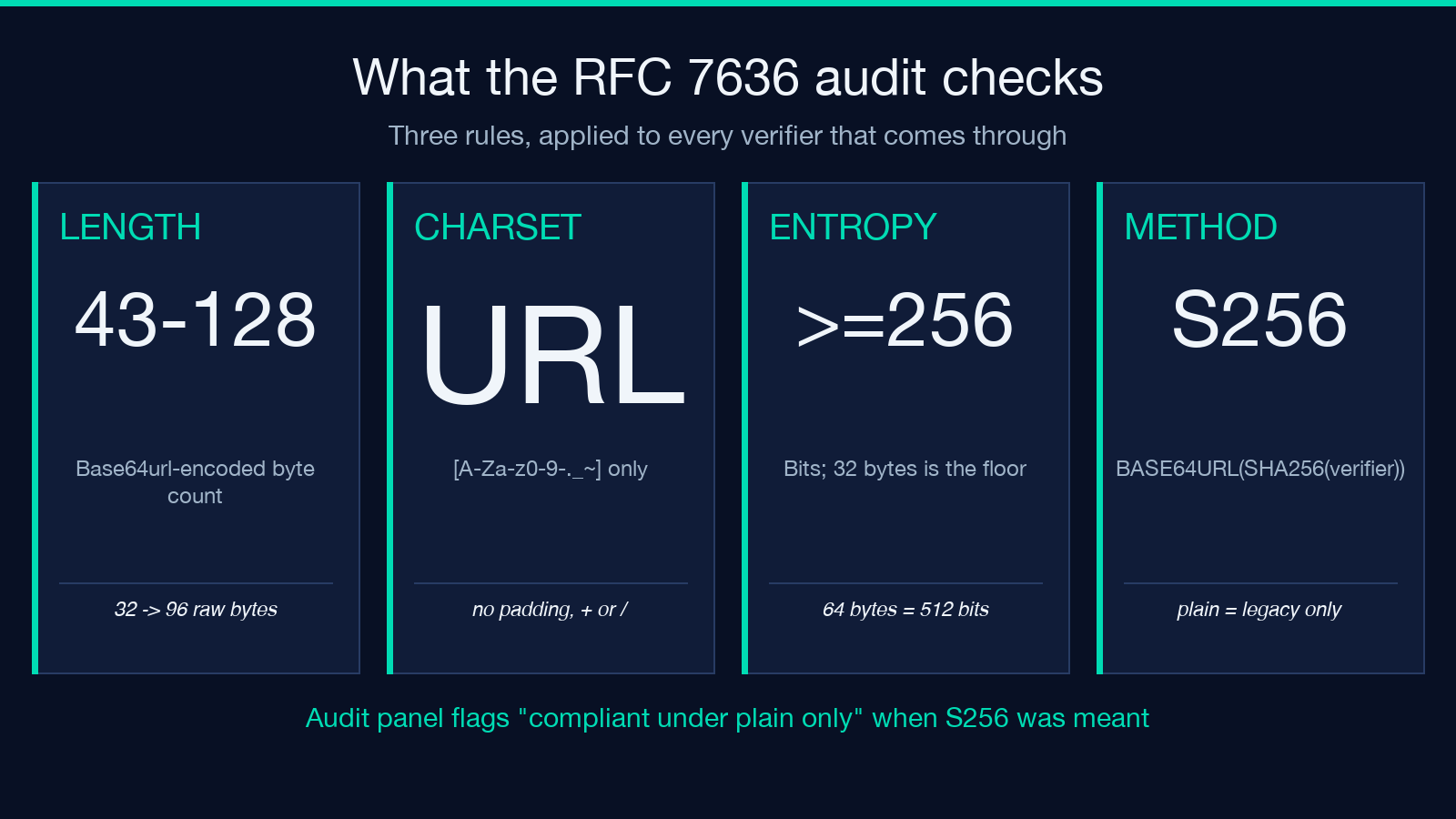
RFC 7636 §4.1 sets the entropy floor at 256 bits, which translates to 32 random bytes base64url-encoded — exactly the lower bound. Anything below that is non-compliant; the OAuth server should reject the authorization request, but many implementations only warn. The tool’s audit panel checks three things: length is in [43, 128] characters (the encoding of 32–96 random bytes), the charset is restricted to [A-Za-z0-9-._~] (base64url without padding), and entropy is ≥ 256 bits. A common fail is a verifier built from a timestamp or a UUID — both are short, low-entropy, and 32 chars at most; the audit flags them as “RFC non-compliant, do not ship.” Use 64 bytes (512 bits) for production; reserve 32 bytes only when the server explicitly demands it.
The SHA-256 chain that makes the verifier invisible to the server
The challenge is BASE64URL(SHA256(verifier)). The verifier never leaves the client — your SPA keeps it in memory or sessionStorage; your native app keeps it in memory or the keychain. Only the challenge is sent to /authorize, and only the verifier is sent to /token. The hash is one-way and the verifier is high-entropy, so an attacker who reads the challenge (always public) cannot reverse it to recover the verifier. The PKCE tool lets you verify the round-trip in Verify mode: paste a verifier and the challenge your server received, and the panel recomputes BASE64URL(SHA256(verifier)) and compares against the supplied challenge. A mismatch of even one byte surfaces immediately — the most useful diagnostic when the IdP returns invalid_grant.
When the verifier length is the wrong question
Most teams ship 64-byte verifiers and never look back. But three situations force a different choice. First, server-side legacy systems with 256-byte URL limits — eight years old, still in production — can choke on the 128-character verifier ceiling when paired with a long redirect_uri. Drop to 32 bytes (43 chars) for those. Second, mobile apps that persist the verifier across deep links can stretch the byte count up to 96 — useful when the same verifier is reused across token refreshes within a single logical session. Third, hybrid flows where the verifier is bound to a state parameter — here 64 bytes is the minimum you can defend in a post-quantum threat model. The tool’s dropdown documents each bound; pick by environment, not by gut.
The authorization-URL builder that saves a Stack Overflow tab
Once you have a verifier and a challenge, the next thing every developer gets wrong is the URL parameter names. They are case-sensitive and the OAuth spec is opinionated. The builder fills in response_type=code, client_id, redirect_uri, code_challenge, code_challenge_method=S256, and state — in that order, with correct URL-encoding of the redirect URI. The companion OAuth nonce generator handles the state value if you want a dedicated tool for that. Paste the URL into the browser; the resulting redirect to your callback will arrive with code and state query parameters. Exchange the code at /token with the same verifier and the right grant_type=authorization_code and you’re done.
Verifying the pair when the token endpoint returns invalid_grant
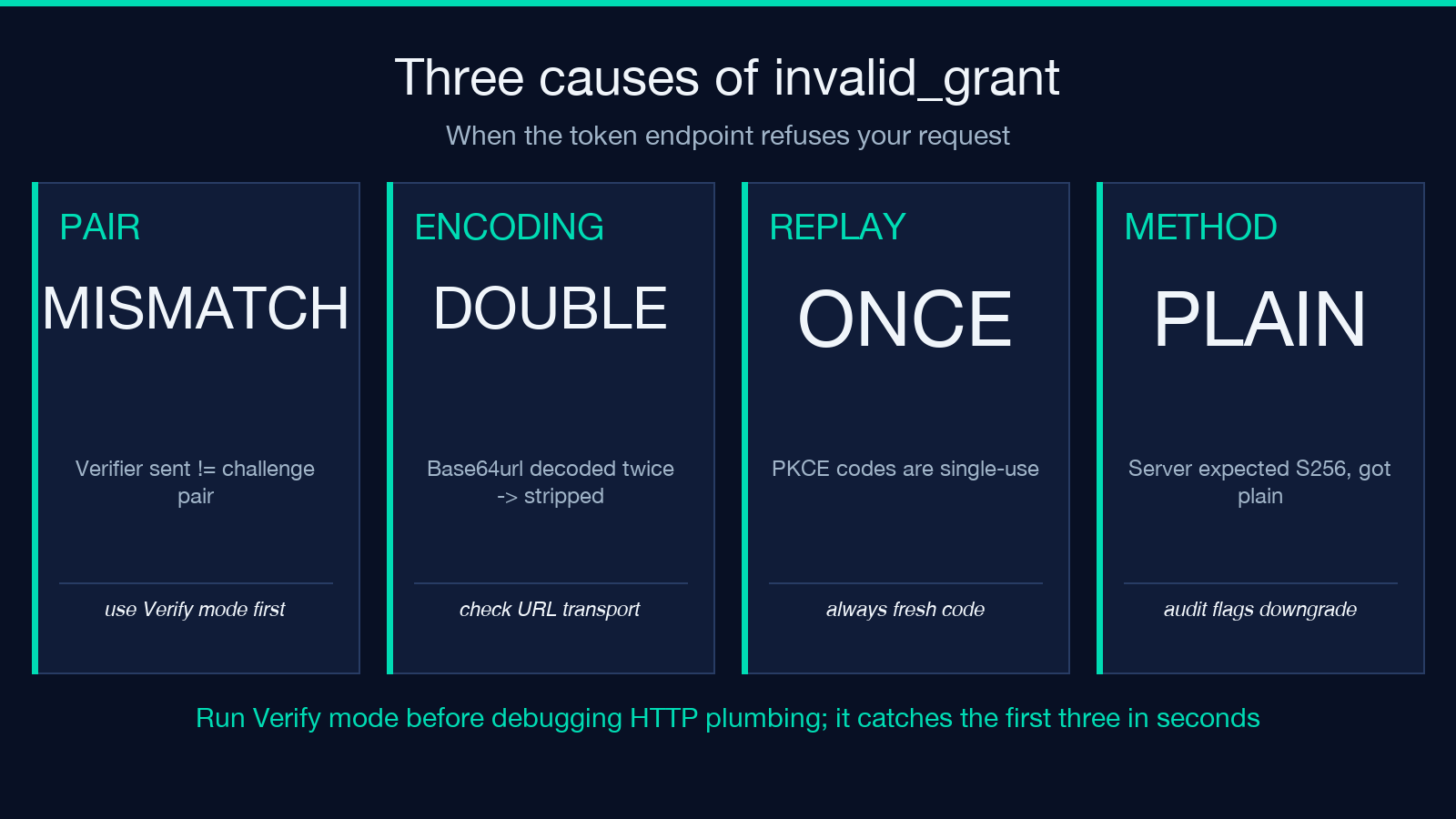
invalid_grant is the generic OAuth “your request looks wrong” error. Three causes are PKCE-specific, in descending frequency. First, the verifier your SPA sent differs from the one that built the challenge — usually a session-loss issue or a base64 vs base64url mismatch; the Verify mode catches this in seconds. Second, the verifier was URL-decoded twice — once by the SPA’s HTTP client and once by the server — leaving a stripped = padding or extra + characters. Third, the code has already been redeemed — PKCE codes are single-use, and a retry without a fresh verifier always fails. Always run Verify mode first; if the pair checks out, the bug is downstream in your HTTP plumbing.
The two RFC 7636 alternatives that almost never ship
plain (no hash) and S256 are the two values code_challenge_method can hold. S256 is the recommended default; plain is the fallback the spec keeps for legacy clients that cannot do SHA-256 in-browser — meaning embedded webviews older than 2014. Every modern IdP supports S256, and any IdP that requires plain should be regarded with suspicion. The tool defaults to S256 and the audit panel will downgrade a verifier to “compliant under plain only” if its entropy passes but the verifier happens to also be derivable from the challenge — a sanity check that catches the rare config where a developer wires plain instead of S256 by mistake. For broader OAuth flow work, pair this with the JWT inspector & verifier once tokens are issued.
Explore more tools at elysiatools.com — the full security cluster includes HMAC, JWK, certificate decoders, and the SHA family you can audit against the same baseline.
