
Lead phrase. Every TypeScript codebase eventually meets the same wall: an API payload arrives as any, a third-party JSON file gets parsed into unknown, and suddenly the compiler that you hired to catch bugs is waving through null pointers and misspelled field names. The fix is rarely “add more interfaces” — it is a disciplined pass through the JSON with a converter that respects unions, optionality, and the way real-world payloads diverge from their spec. The JSON to TypeScript Converter takes a JSON document and emits an interface or type alias with a small set of decisions, and those decisions decide whether the resulting types will actually catch the bugs you wrote them to catch.
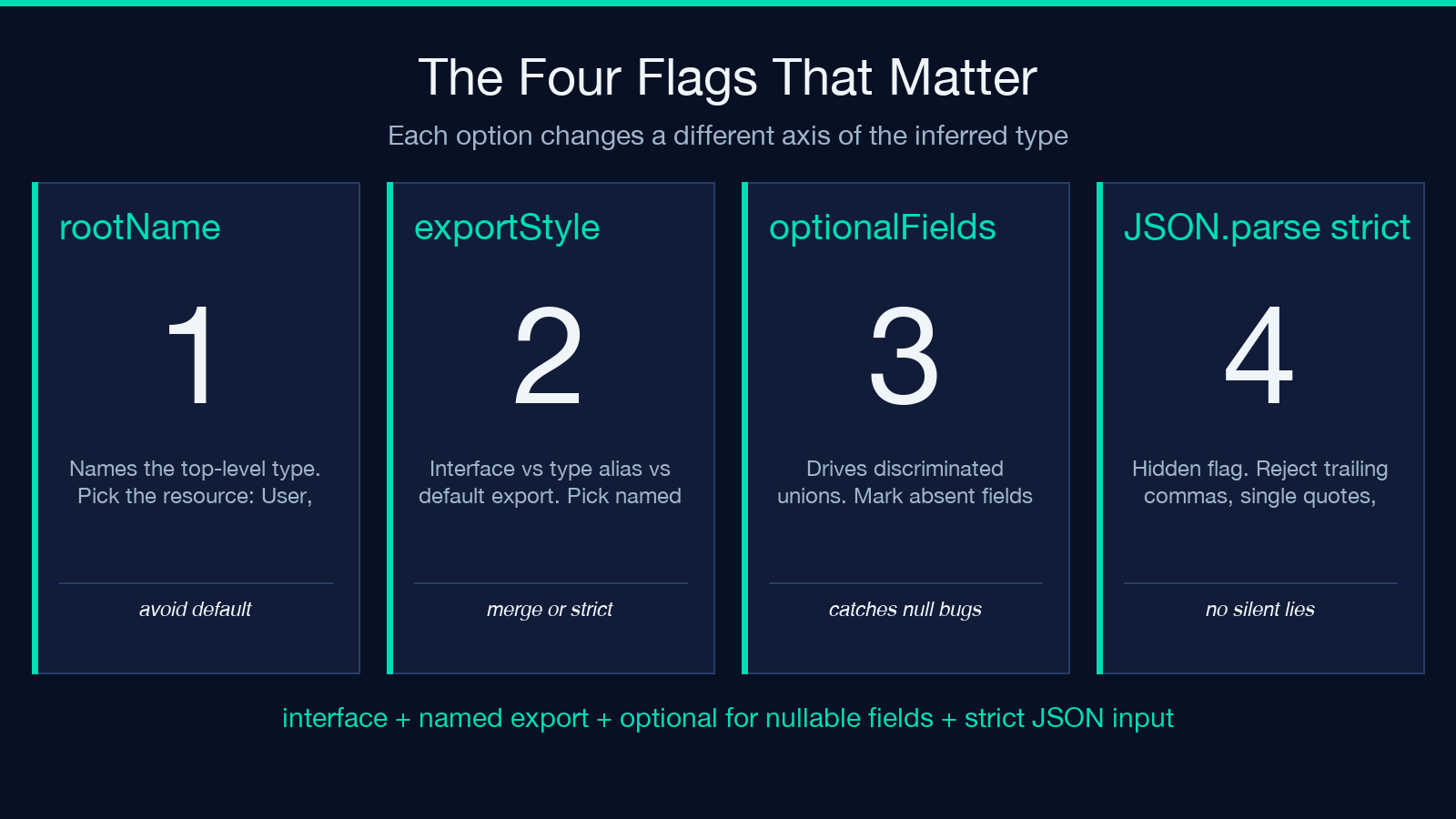
This guide walks through the four options that matter — rootName, exportStyle, optionalFields, plus the implicit JSON.parse strictness choice — and shows the exact cases where each one saves you from a class of bug versus the case where it hides a bug. If you have ever copy-pasted a generated type, watched the compiler go green, and then watched a production user hit undefined.something at runtime, this is the read that should have come first.
Why Infer When You Could Hand-Write
For a five-field DTO, the difference between inferred and hand-written TypeScript is zero lines of productivity. The moment a payload grows past twenty fields, picks up unions ("pending" | "approved" | "rejected"), or carries nested arrays of objects, hand-writing is a hazard. Field names change between API versions, snake_case appears where camelCase used to, and the type you wrote in March is wrong in May. A converter that ingests a real JSON sample and emits a type that matches the sample exactly removes the drift. The JSON to TypeScript Converter does the inference in your browser; the JSON never leaves the page.
For schemas where you would otherwise reach for a third-party library like json-schema-to-typescript, the converter offers two advantages: it runs entirely client-side without an install step, and it produces plain TypeScript that you can drop into any project — no runtime dependency, no .d.ts of generated helpers, no peer-dependency to upgrade.
The rootName Flag: Naming the Top-Level Type
The first option, rootName, is the most deceptively simple. The default leaves the root as RootObject or Data, which is fine for a one-off script and ruinous for a shared library. The convention that survives team review is to name the type after the resource it represents: User, Order, Invoice, ApiResponse. If the JSON is an envelope wrapping a data field, name the envelope and rename the inner object too — the converter exposes the inner object as a sibling type, and you can hand-edit the emitted file in two seconds.
export interface User {
  id: number;
  name: string;
  email: string;
  createdAt: string;
}
The wrong choice here is to leave the default and let every team member rename it locally. The result is a git diff of three changed files per import. Pick a name, copy it into your types directory, and let git blame work.
The exportStyle Flag: Interface, Type Alias, or Default Export
The second option, exportStyle, sets the shape of the emitted declaration. interface is the canonical pick for object shapes because TypeScript’s structural typing treats two interface User declarations in the same file as a single merged type — which is occasionally useful for augmenting third-party types, and never harmful for your own. The type alias variant produces a literal that looks like an interface but is closed: two type User = {...} declarations in the same scope is a duplicate identifier error. That is good for catching accidental drift, bad for the cases where you want declaration merging.
The third variant, default export, is almost always wrong. Default exports force every importer to write import User from './types' and then re-alias it locally. Search-and-rename across the codebase stops working. The two legitimate cases for default export — a module with one primary type and no helpers — are better served by a named export plus a barrel file.
| Style | Use When | Avoid When |
|---|---|---|
interface | Object shape, possible extension later, declaration merging desired | Strict immutability of the shape (use type + readonly) |
type alias | Union types, mapped types, recursive shapes, primitives | You need declaration merging across files |
default | One type per file, no other exports (rare) | The type is consumed by more than one downstream file |
The optionalFields Flag: Where the Real Bugs Hide
The third option, optionalFields, is the one that decides whether your types catch the bug or wave it through. There are two strategies the converter supports: emit every field as required and let the user add ? where needed, or treat any field that is absent from any sample object as optional. The first strategy is safer for hand-curated types; the second is the only realistic option when the JSON arrives from an API where field presence is data-dependent.
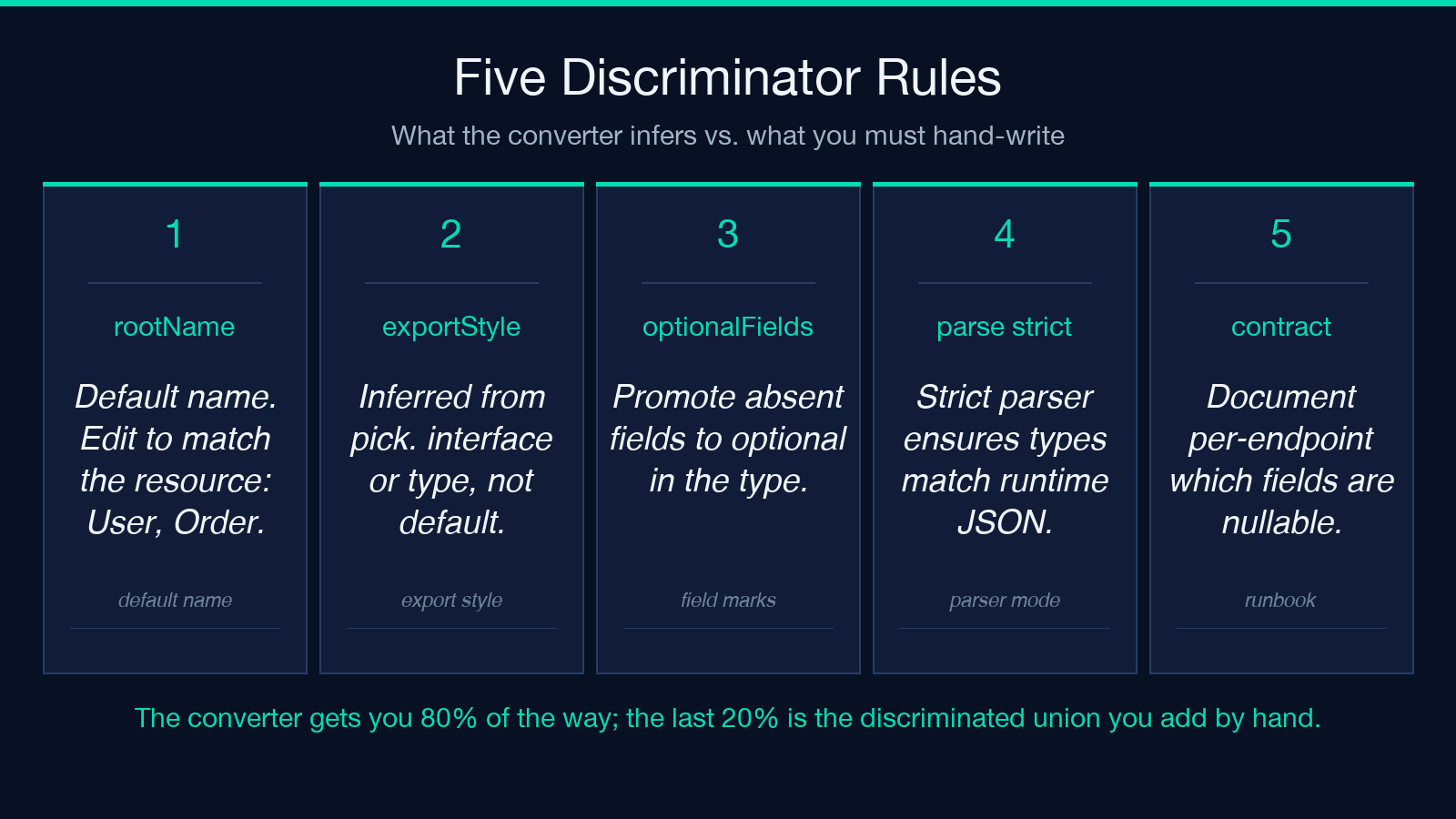
Consider a payment response where refundedAt is only present when status === "refunded". A required-field inference makes the type lie: TypeScript will let you call response.refundedAt.toISOString() and the user whose status is "paid" will hit a runtime TypeError. The optional-field strategy turns refundedAt into string | undefined, which forces a null check at every consumer. The price is verbosity at the call site; the dividend is that the bug becomes a compile error instead of a production incident.
The decision rule is short: if the field’s presence in the JSON is determined by another field’s value, mark it optional in the inferred type and add a discriminated union. If the field is always present in the sample, mark it required. The converter does the inference; the consumer of the type does the verification.
The Hidden Fourth Decision: JSON.parse Strictness
The fourth option is not in the form. It is how the converter handles the JSON you paste. A naive JSON.parse will accept trailing commas, single-quoted strings, and undefined literals; a strict parse rejects them. The JSON to TypeScript Converter uses a strict parser, which means a payload you copy from a JavaScript object literal will fail at the input stage rather than silently producing a type that does not match what your code actually ships. The asymmetry is intentional: types should reflect runtime data, and runtime data that is not valid JSON is a bug in the producer.
If you need to clean up the input first, run the JSON through the JSON Formatter before inferring types. The two tools together cover the cases where a minified one-liner needs both pretty-printing and type extraction.
From One Type to a Family: The Cross-Language Pattern
A common pattern in polyglot codebases is to ship the same JSON schema as a TypeScript interface, a C# class, a Java POJO, and a Kotlin data class — one canonical shape, four consumer languages. The converter handles TypeScript; the same family of tools at Elysia Tools covers the others:
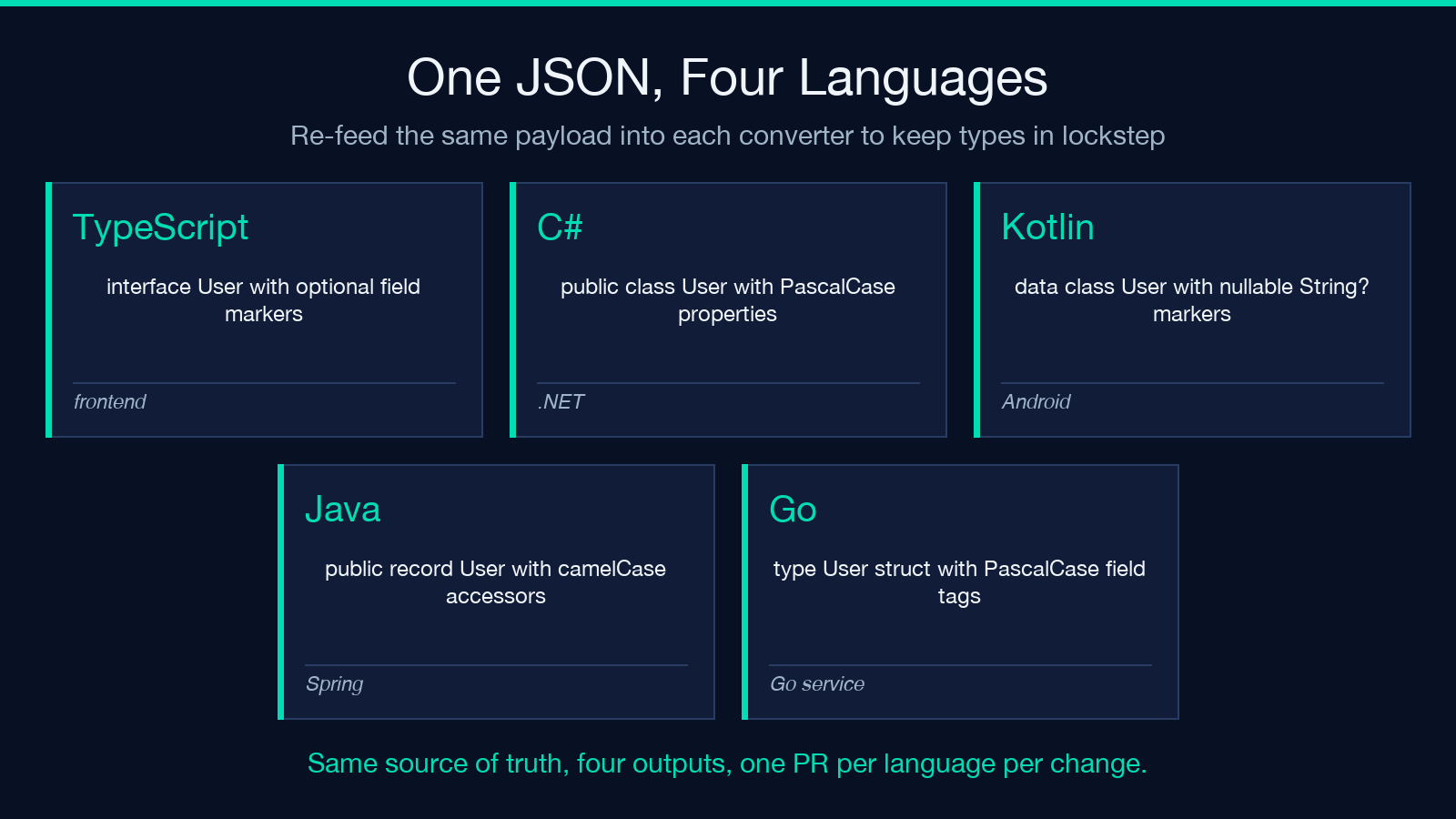
– JSON to C# Class Converter for .NET services – JSON to Java Class Converter for Spring backends – JSON to Kotlin Data Class Converter for Android or Ktor – JSON to Go Struct Converter for Go services
The pattern: pick one canonical JSON sample, infer the TypeScript, then re-feed the same JSON into each converter. The four outputs are not byte-for-byte equivalent — Go uses PascalCase field tags, Java uses camelCase accessors — but the field set is identical and the names align once you set the export style. When the schema changes, you regenerate all four from the same source of truth and the diff lands on one PR per language.
Validating the Inferred Type Against a Real API
A generated type that the compiler accepts is not the same as a generated type that the runtime honors. The verification step that catches the bugs the converter cannot is a round-trip test: take a real response from the API, parse it into the inferred type, and assert that no field is undefined for an object that the server sent with a defined value. The JSON Schema Validator is a useful pre-check if you have an OpenAPI document; otherwise, the type itself is the schema.
The GraphQL Playground is a related case. GraphQL servers return JSON, and the inferred type from a sample query is more accurate than the type from a hand-written SDL because the SDL and the resolver can drift. The same converter works on the JSON; the SDL is only useful for codegen tooling that the JSON to TypeScript Converter intentionally does not replicate.
The Eight-Section Cheatsheet
1. Pick rootName to match the resource (User, Order, Invoice). Avoid the default. 2. Choose interface for object shapes unless you need strict immutability; reach for type for unions and recursive shapes. 3. Never use default export. Named exports survive refactors and renames. 4. Use optional-field inference when field presence depends on another field’s value; mark the discriminated union explicitly. 5. Keep the JSON input strict. A parser that accepts undefined will produce a type that lies about reality. 6. Run the JSON through the JSON Formatter before inference on any minified payload. 7. Validate the inferred type with a round-trip test against a real response, not the JSON you pasted. 8. Regenerate cross-language siblings (C#, Java, Kotlin, Go) from the same JSON so the four sources cannot drift.
Closing
A type definition is a contract. The JSON to TypeScript Converter is a way to draft that contract from a real sample rather than from memory, and the four flags above are the four places where the draft can be wrong in a way the compiler will not catch. Use the converter to bootstrap, edit the output to add discriminated unions where the API warrants it, and run a round-trip test before you trust the result in production. The rest is type-narrowing at the call site, which the language already does for you.
Explore more tools at elysiatools.com.
